|
Gemini for Everyone: Personal Intelligence Moves Beyond the Paywall
Google has officially expanded its "Personal Intelligence" feature to all Gemini users in the U.S., allowing the AI to connect and reason across Gmail, Photos, and Drive without a paid subscription. This rollout marks a major shift from beta testing to a standard feature for millions of personal Google accounts.
Remember when you had to pay $20 a month just to have an AI assistant that actually knew your schedule?
Here's a Cool Tip: Use Gemini's Personal Intelligence for Free.
Google flipped the switch to bring Personal Intelligence to the masses.
No longer reserved for "Pro" subscribers, this feature allows Gemini to act as a unified brain for your digital life.
If you've ever felt like your data was trapped in silos: an airline confirmation in Gmail, a car's license plate in Photos, and a packing list in Drive, this update is the bridge you've been waiting for.
Feature Explanation
Personal Intelligence isn't just another chatbot update; it's a fundamental change in how Gemini accesses your data.
Previously, Gemini could "fetch" a single email if you asked for it.
Now, using a process Google calls "context packing," it can reason across multiple sources simultaneously.
It works by securely connecting your Google apps (Gmail, Photos, Drive, Maps, and YouTube) to the Gemini engine.
When you ask a question, Gemini doesn't just search the web; it searches your world.
It can identify patterns in your behavior, retrieve specific details like model numbers from old receipts, and even suggest activities based on your past family trips.
What You’ll Gain
-
Zero-Subscription Access: High-level personalization is now available on the free tier.
-
Multi-Source Reasoning: Ask one question that requires data from three different apps.
-
Universal Integration: Works across the Gemini App, Chrome browser, and Search's AI Mode.
Step-by-Step Instructions
Web (Chrome)
-
Go to gemini.google.com.
-
Look for the "Turn on Personal Intelligence" invitation card on your home screen.
-
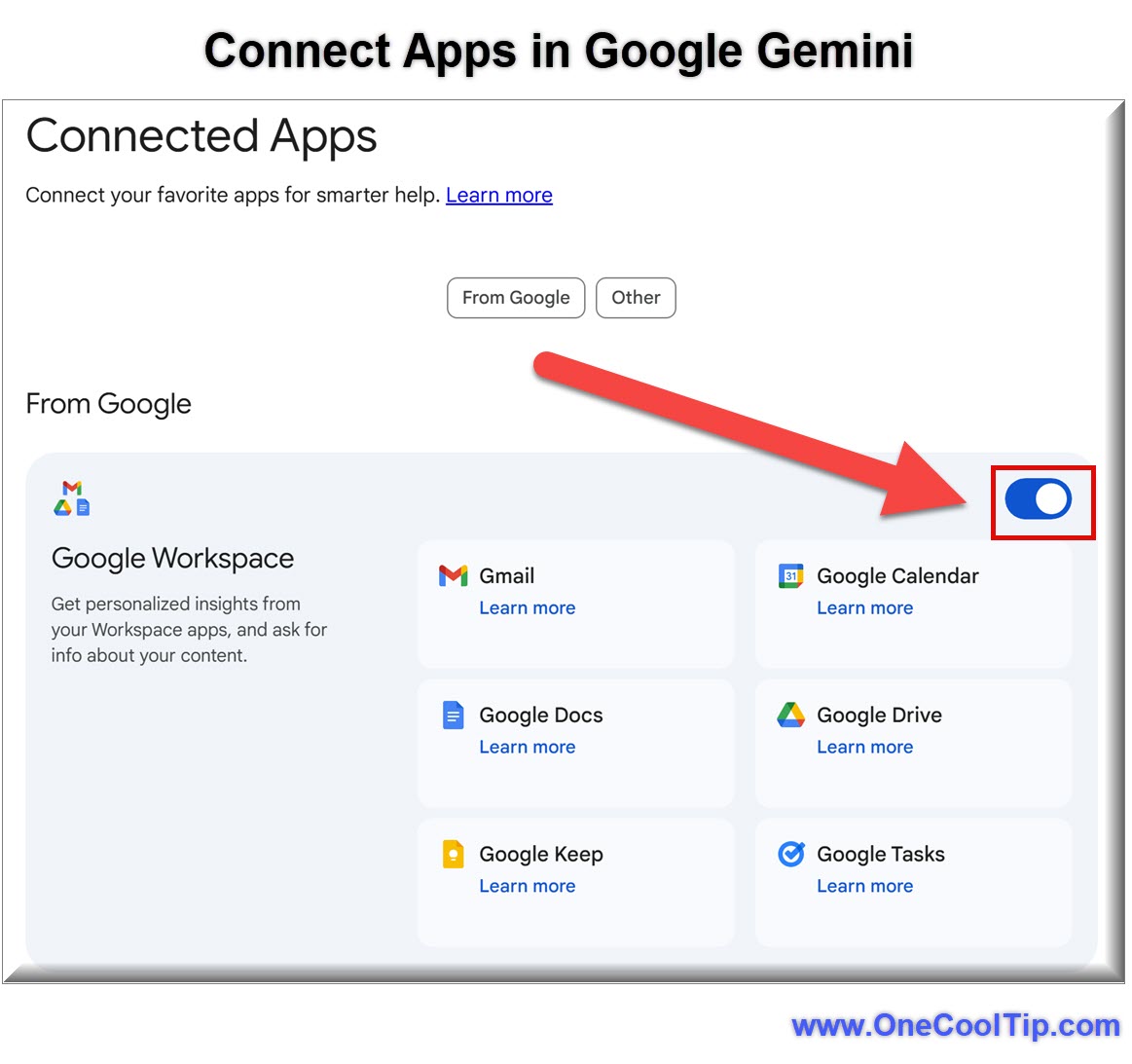
If you don't see it, click the Settings gear icon in the bottom left.
-
Select Personal Intelligence, and ensure Google Workspace and Google Photos are enabled.
Example: Prompt Gemini with "Find the tire size for my car from my old maintenance emails and find a shop nearby that has them in stock."
|