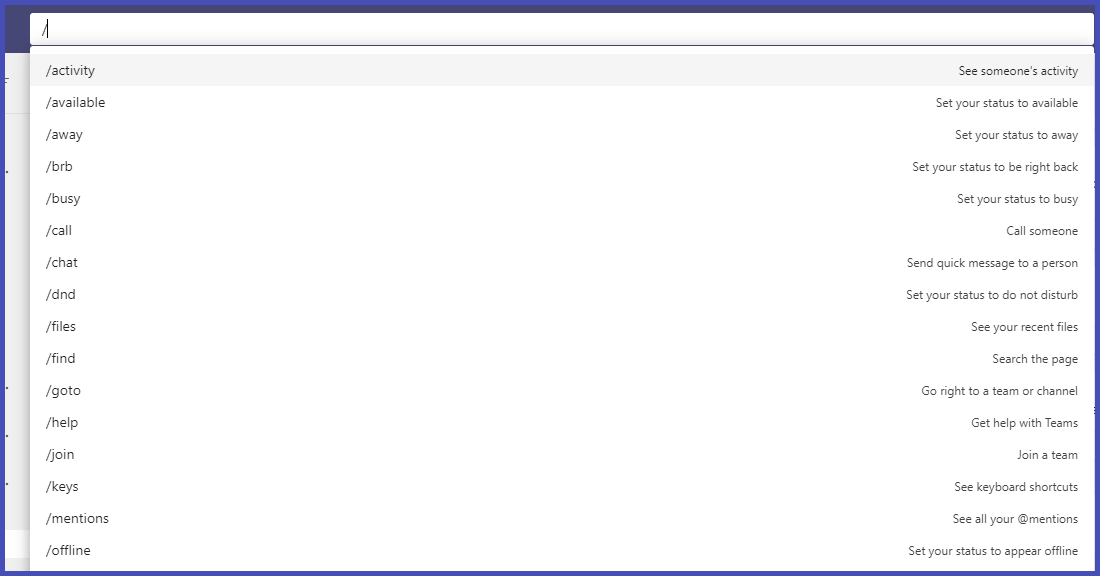
To use a command, type / in the search box at the top of Teams.
(Tip: You can also press Alt+K (Windows) or Option+K (Mac) to open the command list)
You'll see a menu of all the commands currently supported.
Select the command you want, press Enter, and Teams takes care of the rest.
These commands will help you navigate Teams more efficiently.
Some of the commands are:
Update your status (/Available) (/Away)
Instantly access new information (/WhatsNew)
Find the most recent files uploaded to your Teams channels (/Files)
Call someone in your team (/Call)
Directly access a specific channel (/GoTo)
Chat (/Chat)