One Cool Tip Newsletter

December 26, 2025

Your daily dose of tech-savvy brilliance!

😀Greetings! Happy Friday Funday, Cool Tipper!


Get ready to streamline your digital life with simple, actionable tips delivered straight to your inbox.


Cool Tip Theme: Fun with Toy Theater


New here? Subscribe to the One Cool Tip Newsletter for daily updates. It's FREE!

3️⃣

If you enjoy the One Cool Tip newsletter, please forward this newsletter to THREE friends or colleagues or share it on social media using the links below.


Leave a Tip!


Share this One Cool Tip Newsletter!

X Share This Email
LinkedIn Share This Email
Pinterest Share This Email


🎁 Tech Gift Returns: Smart Tips That Save Time (and Money)


Got a tech gift that’s not quite right? Before you return it, read this.


  1. Check the Electronics Return Window: Tech items often have shorter return periods than other purchases. Phones, laptops, and tablets may have 14–30 days, even when the store advertises longer returns for non-tech items.
  2. Back Up, Then Sign Out Everywhere: Before returning any device, back up your data, sign out of all accounts, and disable device-locking features. Stores may reject returns if security locks are still enabled.
  3. Confirm the Reset Is Truly Complete: After a factory reset, power the device back on. It should land on the “Hello” or setup screen with no account prompts. If it does not, the reset was not complete.
  4. Photograph Serial Numbers First: Take a quick photo of the serial number, IMEI, or box label before returning the item. This protects you if a refund is delayed or a return is disputed.
  5. Watch for Restocking Fees: Some opened electronics carry restocking fees of 10–20 percent. If the device is defective, say so clearly. Many retailers waive fees for faulty hardware.
  6. Cancel Bundled Trials and Subscriptions: Tech gifts often activate free trials automatically. Cancel any subscriptions and unlink the device from your account before returning it to avoid surprise charges later.
  7. Let Software Updates Finish: Do not return a device mid-update. Incomplete firmware updates can cause devices to fail basic testing and delay or block refunds.
  8. Consider Store Credit Instead of Cash: Store credit sometimes avoids restocking fees and may come with extended return flexibility. If you plan to replace the item anyway, credit can be the better option.
  9. Keep Packaging Until the Refund Clears: Hold onto boxes, receipts, and tracking numbers until the refund posts. Electronics refunds can take one to three weeks.
  10. Missed the Return Window? Pivot Quickly: If the return period has passed, consider warranty exchanges, trade-in programs, or reputable buyback services. You may recover more value than expected.


Quick Takeaway


Returning tech is different from returning clothes or books.


A few extra minutes checking settings, accounts, and policies can save hours of frustration later.


Read the Return and Exchange Policies:


Cool Deals

Help support One Cool Tip. Use this Amazon link when you shop online.


Check out these Cool Deals:


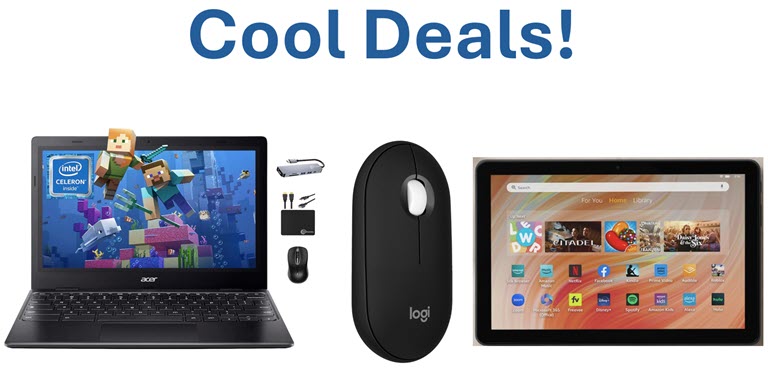
💻 Acer Chromebook Spin 311: A durable, touchscreen Chromebook perfect for accessing web-based tools like Toy Theater. $239 Check it out on Amazon!


🖱️ Logitech Pebble Wireless Mouse: A quiet, portable mouse that makes drag-and-drop games easier for small hands. Overall Pick! $19.99 Check it out on Amazon!


📱 Fire HD 10 Tablet: Great value tablet for playing browser games and streaming media on the go. Overall Pick! $139.99 Check it out on Amazon!


*prices accurate when originally published.

One Cool Tip may earn a commission from qualifying purchases.

Fuel Your Adventure

Try Big Mike's Jerky!


bigmikesjerky.com


Now on TikTok!


Today's Cool Tip

Have Fun with Toy Theater


A surprisingly powerful collection of free, browser-based games and creative tools that turn quick breaks into brain-boosting play.


Do you remember the simple joy of playing a game just for the fun of it, without battling pop-up ads or in-app purchases? 


Whether you are a teacher looking for a safe classroom activity, a parent needing a fun and educational game for their child, or just someone who enjoys a classic game of checkers, the modern web often feels cluttered and expensive.


Here's a Cool Tip: Have Fun with Toy Theater


Feature Explanation


Toy Theater is a collection of educational games, virtual manipulatives, and creative tools designed for elementary-aged students, but its appeal extends far beyond the classroom. 


The site is entirely browser-based, meaning there are no apps to install and no accounts to create. 


It strips away the noise of modern gaming sites to focus on clean, interactive experiences.


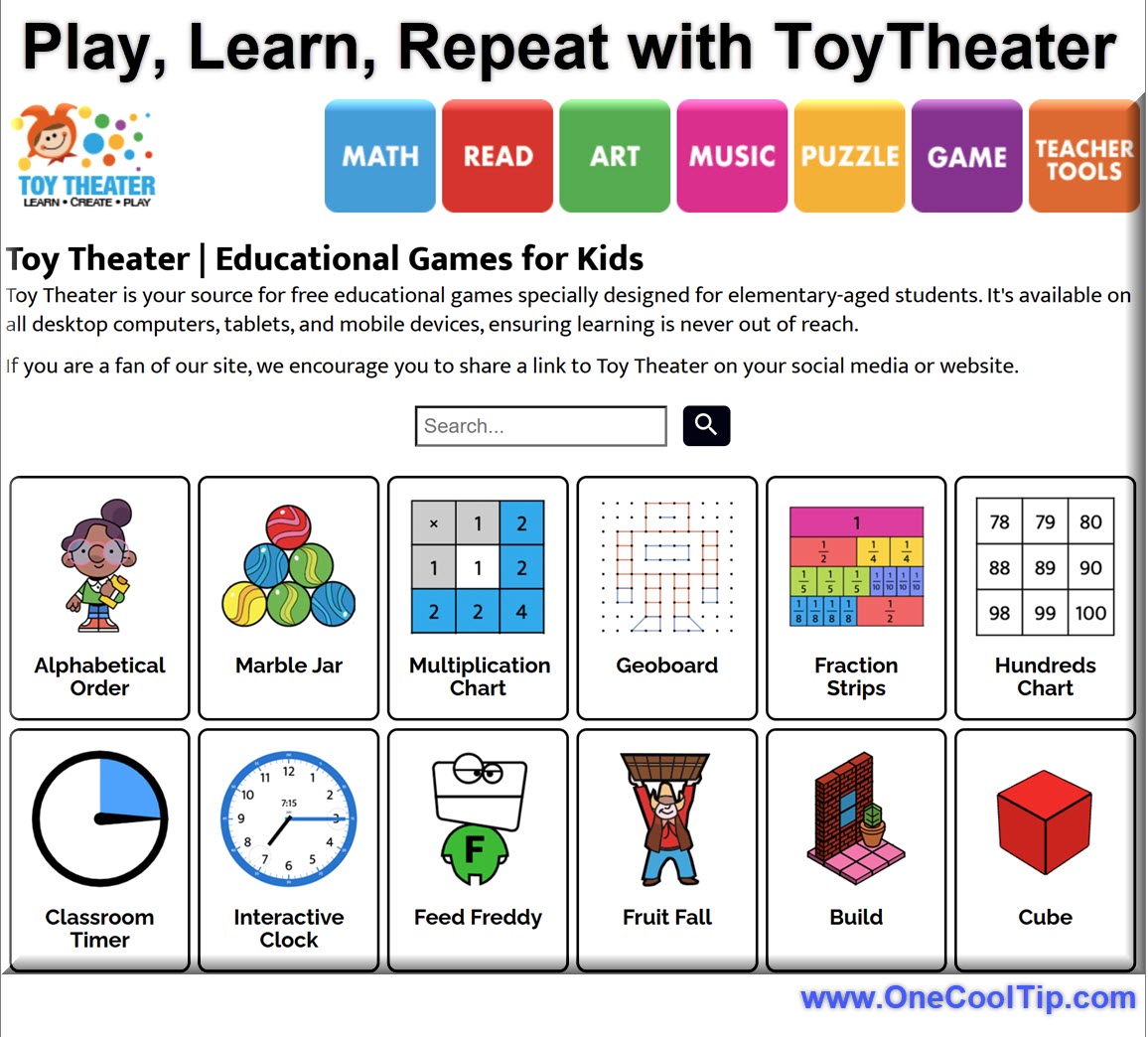
You navigate through categories like Math, Reading, Art, Music, and Puzzles. 


While the content targets K-5 learning standards, the "Games" section features timeless games like Chess, Checkers, and Tic-Tac-Toe that adults can enjoy too. 


The "Teacher Tools" section provides virtual clocks, dice, and counters that are perfect for visual demonstrations on a shared screen or interactive whiteboard.


What You’ll Gain


  • Safe Browsing: A clean interface free from intrusive tracking or inappropriate ads.
  • Instant Access: No logins, passwords, or subscriptions required.
  • Versatility: Tools for learning, creating art, and casual gaming all in one place.
  • Device Independence: Works on any device with a web browser, including older tablets and Chromebooks.


Step-by-Step Instructions


Here's how to do it.


Web Browser (Windows, macOS, ChromeOS)


  1. Open your preferred browser and go to ToyTheater.com.
  2. Choose a category such as Math, Music, or Puzzles.
  3. Click any activity to launch it instantly.
  4. Use full-screen mode if available for better focus.


fig. 1 - Play, Learn, Repeat with ToyTheater

Mobile (iPhone / Android)


  1. Open Safari or Chrome.
  2. Navigate to ToyTheater.com.
  3. Tap a game or tool.
  4. Rotate the device for landscape mode if supported.
  5. Add the page to your Home Screen for quick access.


Pros and Cons


Pros


  • Completely free with no account required.
  • Broad mix of logic, math, and creative tools.
  • Works well in short sessions.
  • Safe, clean interface suitable for classrooms.


Cons


  • No user progress tracking.
  • Limited customization settings.
  • Some activities feel intentionally minimalist.


Feature Access


  • Cost: Free.
  • Access: Public web.
  • Platforms: Desktop and mobile browsers.
  • Availability: Live and fully accessible worldwide.


Score

Criterion | Score (0–10) | Justification
Value 9
Delivers educational and creative value with zero cost or friction.
Usability 8
Simple interface, though power users may want saved progress.
Wow Factor 7
Quietly impressive rather than flashy.
Total: 24/30 👍 Good
ToyTheater.com offers more practical value than most casual game sites and outperforms many paid brain-training apps in accessibility.


Key Takeaways


ToyTheater.com turns spare minutes into productive mental refreshers. 


It is ideal for classrooms, offices, and anyone who wants intentional play without distractions.


Cool Tip Snapshot


  • Feature Name: ToyTheater.com
  • Platform(s): Web
  • Quick Benefit: Smart play without downloads
  • Access Type: Free


Try It Yourself


Open ToyTheater.com today and replace one mindless scroll with a five-minute game. 


Share your favorite activity in the comments, and pass this along to your team, family, and friends.


READ MORE


Read the Full Cool Tip.

Check out these Cool Tips & Tricks for ToyTheater:


  • Quick Play: Start instantly by clicking any game. No setup needed.


  • Fullscreen Mode: Use full-screen for better focus. Look for the icon in the game window.


  • Classroom Share: Project games for group problem solving. Use screen sharing.


  • Music Break: Try the piano for creative resets. Click the Music category.


  • Math Warmup: Use math games as daily starters. Select Math from the menu.


  • Puzzle Sprint: Set a five-minute timer for logic challenges. Choose any puzzle.


  • Creative Sketch: Explore drawing tools for brainstorming. Open the Art section.


  • Device Friendly: Works on phones and tablets. Just rotate the screen.


  • Bookmark Favorites: Save games you like. Use browser bookmarks.


  • No Login Needed: Jump in anytime. Simply load the site.

ICYMI - In Case You Missed It ...

How to Delete Windows Clipboard Contents


Learn how to clear your Windows clipboard contents efficiently using several methods to ensure your data remains secure and your system operates smoothly.


Read the Full Cool Tip.

Read the Newsletter Version.

Looking for your next adventure?


Call Denise at Travel For You.

314.660.3039


Sign Up for the Monthly Newsletter


http://www.travelforyouvacations.com/


https://www.facebook.com/TRAVEL.FOR.U/


See You Tomorrow

Tomorrow's Cool Tip is waiting to amaze you.


Until then, go forth and conquer the tech world with your newfound knowledge!


Be sure to visit www.OneCoolTip.com for Cool Tech Tips for a Cooler Life!


And if you Like One Cool Tip, please support with TipJar!


Enjoy!


Rodger

Chief Cool Tipper

onecooltip.com@gmail.com


What Do You Think?

What do you think of today's OneCoolTip newsletter?
Positive        Neutral        Negative
X Share This Email
LinkedIn Share This Email

Connect with One Cool Tip!!

Facebook  X  Instagram  Web  Pinterest  YouTube  LinkedIn
 

As an Amazon Associate, One Cool Tip may earn a small commission from qualifying purchases.


Our media content is intended solely for informational purposes only. Please do not construe anything here as legal, tax, investment, financial, marital or other advice.


Copyright © 2025 | www.OneCoolTip.com | All Rights Reserved