|
One Cool Tip Newsletter
August 2, 2026
| Your daily dose of tech-savvy brilliance! | |
😀Greetings! Happy Sunday, Cool Tipper!
Get ready to streamline your digital life with simple, actionable tips delivered straight to your inbox.
Cool Tip Theme: Google Photos Video Remix
New here? Subscribe to the One Cool Tip Newsletter for daily updates. It's FREE!
| |
3️⃣
If you enjoy the One Cool Tip newsletter, please forward this newsletter to THREE friends or colleagues or share it on social media using the links below.
Leave a $$$ Tip!
Share this One Cool Tip Newsletter!
| | |
🚨 The Easiest Way to Beat Scammers? Start Talking About Them🚨
One of the most effective ways to prevent fraud is simply discussing common scams with friends and family.
The FTC says that when people understand scam tactics, they are more likely to recognize and avoid them.
Imposter scams remain one of the most common threats, with criminals posing as banks, government agencies, and other trusted organizations.
Scammers also frequently use text messages, phone calls, and social media to reach potential victims.
Remind loved ones to verify unexpected requests using official phone numbers or websites and to be suspicious of anyone demanding payment through gift cards, wire transfers, cryptocurrency, or payment apps.
A quick conversation today could help someone avoid a costly scam tomorrow.
And in Other News...
Can You Trust What You See From Space Anymore?
Satellite images have long been viewed as reliable evidence of what's happening around the world, but AI is beginning to change that.
Google recently introduced a feature that could generate AI-created images within Google Earth, raising concerns that realistic but fake satellite scenes could be used to spread misinformation.
It was going to be a very Cool Tip!
But fabricated images of disasters, conflicts, or other major events can make it harder to separate fact from fiction.
So Google is rolling back the feature while it works on stronger safeguards.
This is another reminder that even images that appear highly credible may not always tell the full story.
When you see dramatic images online, take a moment to verify them through trusted news sources before sharing them with others.
| |
| 🤔 Would you use Google Photos Video Remix to transform your videos? | | | | |
Help support One Cool Tip. Use this Amazon link when you shop online.
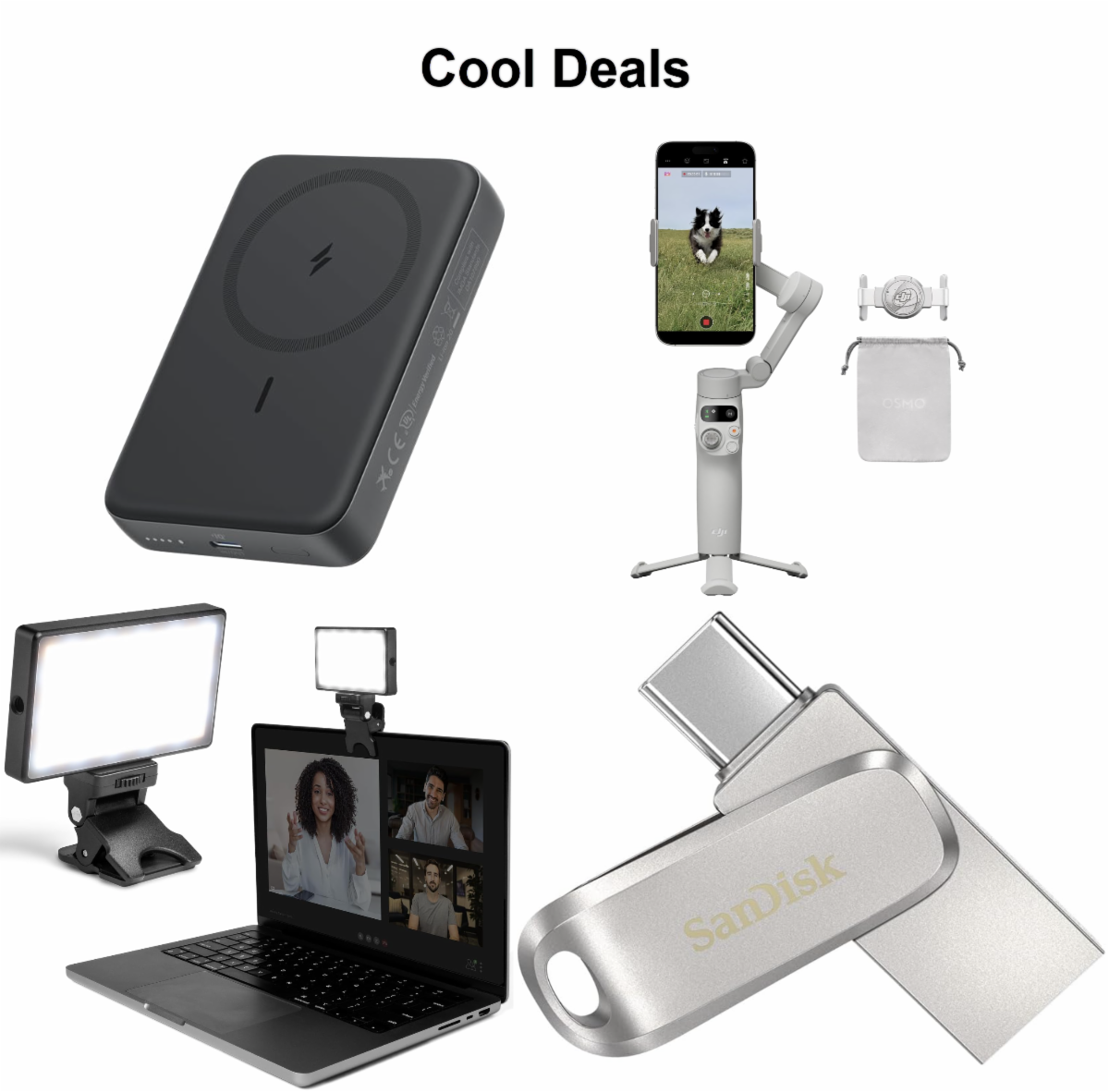
Check out these Cool Deals:
| | |
📱 Anker Zolo Magnetic Wireless Power Bank (10,000mAh): Keeps your smartphone powered during resource-intensive AI video processing and rendering sessions.
Save 30%. Now $34.99. 4.6 Stars. Check it out on Amazon!
📸 DJI Osmo Mobile 7 Smartphone Gimbal: Delivers smooth, ultra-steady video clips before you process them with AI filters.
Now $75. 4.5 Stars. Check it out on Amazon!
💡 Lume Cube Clip-On Video Light: Provides bright, portable lighting for recording to ensure optimal video quality.
Now $69.99. 4.0 Stars. Check it out on Amazon!
💾 SanDisk 256GB Dual Drive Luxe USB Type-C: Easily transfers raw and remixed video files between devices.
Now $47.99. 4.4 Stars. Check it out on Amazon!
*Prices accurate when originally published.
One Cool Tip may earn a commission from qualifying purchases.
| | |
Transform Everyday Clips with Google Photos Video Remix
Google Photos now lets you restyle short video clips instantly using generative artificial intelligence. You can adjust lighting, swap out plain backgrounds, and apply artistic effects without needing complex editing software.
Capturing video on a mobile phone takes a single tap, but making that footage look clean and exciting usually requires desktop software or complicated mobile editing tools.
Most people leave raw video clips sitting in their photo library because fine-tuning lighting, cropping scenes, or replacing boring backgrounds takes too much time.
Here’s a Cool Tip: Use Video Remix inside Google Photos to instantly change lighting, swap video backgrounds, and apply artistic styles to short clips.
Google is addressing this hassle by adding artificial intelligence directly into the media library.
Powered by Google's Gemini Omni AI model, the new Video Remix feature allows smartphone users to apply stylized treatments, replace environments, and fix lighting in seconds.
Feature Explanation
Video Remix is an automated video editing tool housed inside the main Create tab of the Google Photos app.
Instead of relying on manual timeline tracks, keyframes, or color grading wheels, Video Remix uses artificial intelligence templates to process video segments between one and ten seconds long.
The feature targets three primary visual adjustments:
-
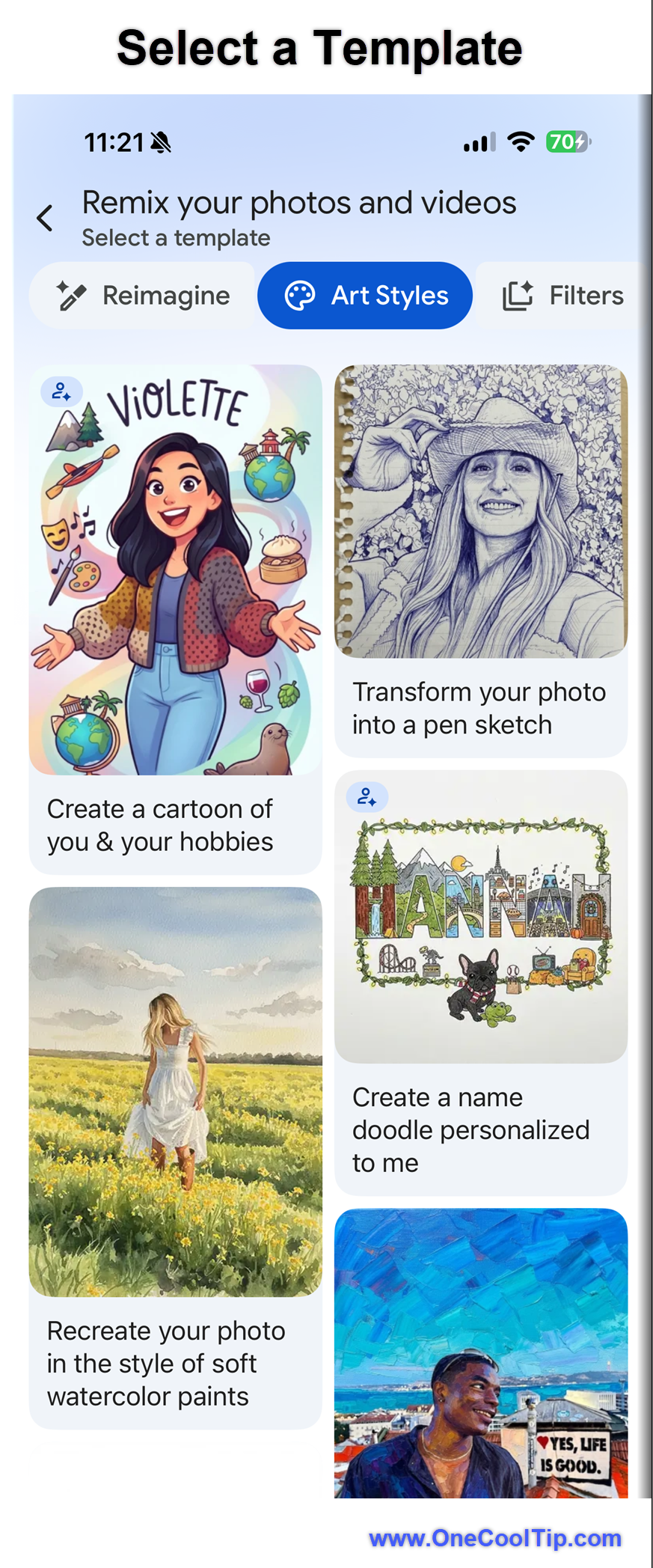
Reimagine: Replaces existing backgrounds with custom scenes like a beach sunset or a cozy coffee shop.
-
Filters (Cinematic Relighting): Adjusts lighting conditions in dark or poorly lit clips to add golden hour hues or soft glows.
-
Art Styles: Renders video frames into artistic motion formats such as anime, watercolors, raw graphite sketches, or oil paintings.
Rather than acting as a replacement for high-end professional video suites, Video Remix serves casual creators who want quick, shareable edits for family group chats or social feeds.
What You’ll Gain
Save time by generating stylized short video edits in seconds without learning complex editing software.
Rescue dark footage using automated cinematic relighting adjustments.
Transform boring backgrounds into creative landscapes using subject-isolation AI technology.
Step-by-Step Instructions
Here's how to do it.
iPhone/iPad
-
Open the Google Photos app on your iOS device.
-
Tap the Create tab on the navigation bar at the bottom of the screen.
-
Under the Tools section, tap Video remix (or pick a featured template under Remix your videos).
-
Choose a category template: Reimagine, Filters, or Art styles.
-
Select a source video from your device library that is under 60 seconds long.
-
Use the on-screen trim handles to select a clip segment between 1 and 10 seconds long.
-
Tap Generate and wait a few moments while the AI processes the video.
-
Review the rendered clip, then tap Save to keep it in your gallery or Share to send it directly to friends.
| | fig. 1 - Google Photos Video Remix - Select a Template | | fig. 2 - Google Photos Video Remix - Soft Watercolor | | |
Android
-
Open the Google Photos app on your Android device.
-
Tap the Create tab on the floating navigation bar at the bottom.
-
Tap Video remix under the Tools heading.
-
Select your preferred style template (Reimagine, Filters, or Art styles).
-
Pick a video clip from your photo grid.
-
Adjust the trim handles to highlight a segment lasting between 1 and 10 seconds.
-
Tap Generate to process the effect.
-
Tap Save to store the stylized creation or Share to broadcast it.
Web/Desktop
- Not currently available on web/desktop.
Pros and Cons
Pros:
-
Fast generation: Produces stylized video clips within seconds directly inside your library app.
-
No manual timeline editing: Eliminates the need to learn masking, color correction, or video layering tools.
-
Fixes bad lighting: The relighting filters boost exposure and balance shadows on dark clips naturally.
-
Centralized hub: Integrated directly into the unified Create tab alongside collages and highlight reels.
Cons:
-
Subscription wall: Requires a paid tier such as Google AI Plus, Pro, or Ultra.
-
Strict length limits: Clips must be trimmed to a maximum duration of 10 seconds.
-
Age and account restrictions: Available only to adult users (18+) with personal Google Accounts.
-
Mobile only: No web or desktop creation interface is currently provided.
Feature Access
-
Target Audience: Personal account holders aged 18 and older.
-
Platform Availability: Android and iOS mobile apps.
-
Subscription Tiers: Google AI Plus, Pro, and Ultra subscribers.
-
Unsupported Accounts: Google Workspace and educational managed accounts.
-
Geographic Rollout: Launching across selected global markets including the US, Japan, India, Brazil, Mexico, and South Korea.
Score
Criterion | Score (0–10) | Justification
Value 7
Solves quick editing tasks for casual users, though paywalled behind premium AI tiers.
Usability 9
Extremely straightforward interface located right inside the Create tab with no learning curve.
Wow Factor 8
AI background replacement and relighting work impressively fast on short mobile video clips.
Total: 24/30 | 👍 Good
Video Remix is a handy mobile tool for quick AI-driven video restyling, though restricted to paid subscription tiers. It compares favorably to CapCut video filters while keeping everything inside your existing photo library.
Key Takeaways
Google Photos Video Remix turns short mobile video clips into stylized visual pieces using AI lighting, background replacement, and artistic filters.
Located inside the Create tab, it gives premium Google AI subscribers a zero-effort way to enhance videos before sharing them with friends and family.
Cool Tip Snapshot
-
Feature Name: Google Photos Video Remix.
-
Platform(s): Android, iOS.
-
Quick Benefit: Stylize short video clips with AI lighting, backgrounds, and art effects in seconds.
-
Best For: Casual creators, families, and travelers wanting quick video enhancements.
-
Access Type: Subscription (Google AI Plus, Pro, Ultra).
-
Difficulty: Easy.
Try It Yourself
Give Video Remix a spin in your Google Photos app today to turn dull clips into fun shareable memories! Have you tried the new Create tab yet?
Drop a comment below with your thoughts, and share this article with your family, friends, and coworkers!
READ MORE
Read the Full Cool Tip.
| | |
Check Out These Cool Tips & Tricks
-
Search by Text: Find specific photos by typing descriptions like "dog at beach" into the search bar. Google Photos indexes image content automatically to make finding old memories fast.
-
Archive Unneeded Shots: Hide receipts and documents from your main grid by moving them to Archive. Tap and hold a photo, then choose Move to Archive.
-
Create Custom Collages: Combine multiple photos into a single image inside the Create tab. Select up to nine images and pick your preferred layout.
-
Use Magic Eraser: Remove unwanted background clutter or strangers from your pictures. Open a photo, tap Edit, select Tools, and tap Magic Eraser.
-
Set Up Locked Folder: Keep sensitive photos hidden behind a device passcode or biometric lock. Navigate to Utilities and set up Locked Folder.
-
Partner Sharing: Automatically share photos of specific people with a family member or partner. Go to Settings, select Partner sharing, and choose your preferences.
-
Free Up Storage: Delete local device copies of photos that are safely backed up to the cloud. Go to your account profile and tap Free up space.
-
Favorite Best Photos: Star your top shots to gather them into a single accessible album automatically. Tap the star icon at the top of any photo view.
-
Adjust Portrait Light: Reposition light sources on portrait photos after taking them. Edit a portrait shot, tap Tools, and select Portrait Light.
-
Create Highlight Videos: Combine favorite clips and images into a themed movie complete with background music. Tap the Create tab, choose Highlight video, and pick your subjects.
| | ICYMI - In Case You Missed It ... | | | | |
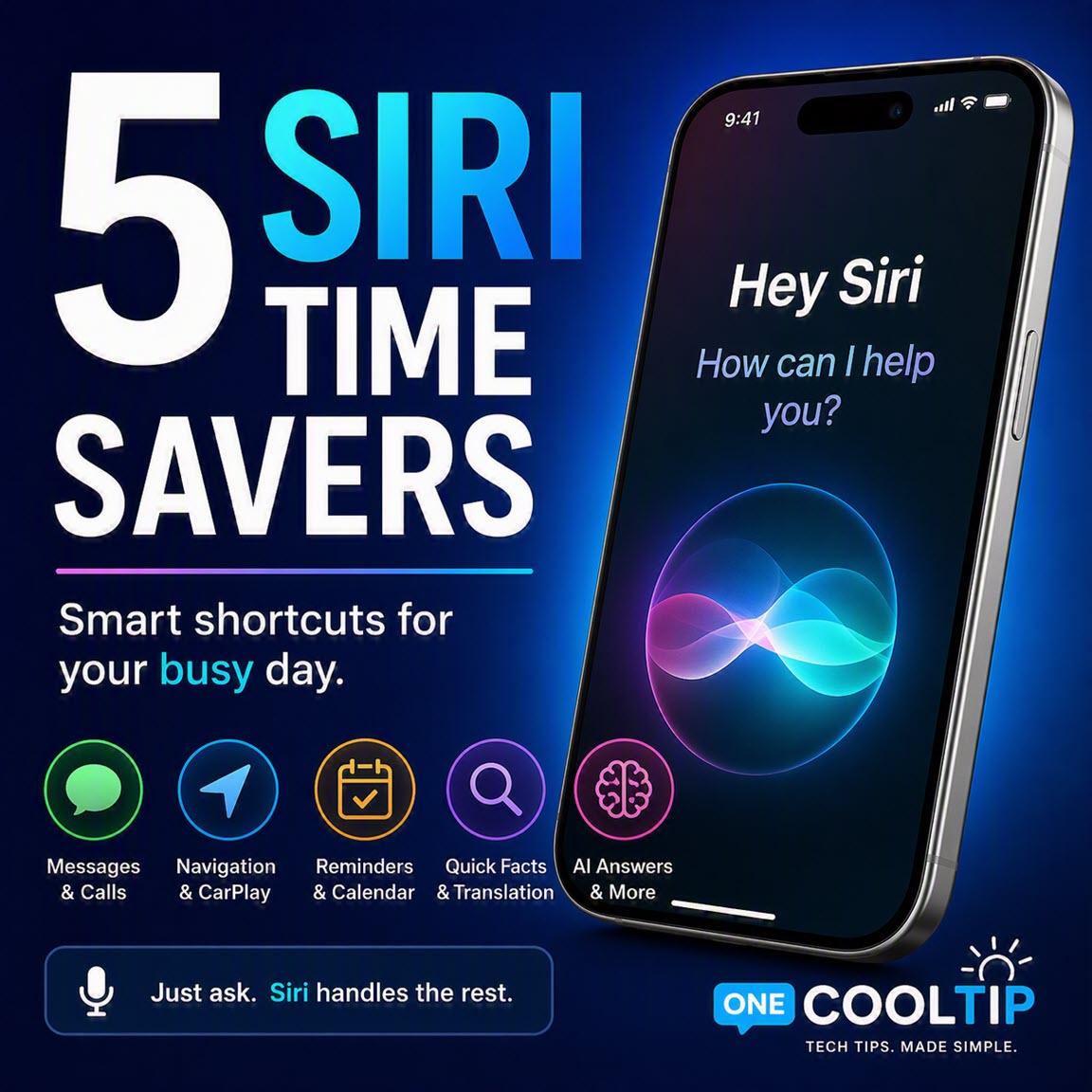
5 Siri Tricks That Save Time on Your iPhone
Siri has grown into a practical assistant that can handle everyday tasks with speed and clarity. These five uses show how it can simplify messaging, navigation, organization, and quick questions.
Read the Full Version.
Read the Newsletter Version.
| | |
Tomorrow's Cool Tip is waiting to amaze you.
Until then, go forth and conquer the tech world with your newfound knowledge!
Be sure to visit www.OneCoolTip.com for Cool Tech Tips for a Cooler Life!
And if you Like One Cool Tip, please support with TipJar!
Enjoy!
Rodger
Chief Cool Tipper
onecooltip.com@gmail.com
| |
| What do you think of today's OneCoolTip newsletter?
| | | | Connect with One Cool Tip!! | | |
|
As an Amazon Associate, One Cool Tip may earn a small commission from qualifying purchases.
Our media content is intended solely for informational purposes only. Please do not construe anything here as legal, tax, investment, financial, marital or other advice.
Copyright © 2026 | www.OneCoolTip.com | All Rights Reserved
|
| | | |