|
One Cool Tip Newsletter
June 9, 2026
| Your daily dose of tech-savvy brilliance! | |
😀Greetings! Happy Tuesday, Cool Tipper!
Get ready to streamline your digital life with simple, actionable tips delivered straight to your inbox.
Cool Tip Theme: Meta's Forum App for Facebook Groups
New here? Subscribe to the One Cool Tip Newsletter for daily updates. It's FREE!
| |
3️⃣
If you enjoy the One Cool Tip newsletter, please forward this newsletter to THREE friends or colleagues or share it on social media using the links below.
Leave a $$$ Tip!
Share this One Cool Tip Newsletter!
| | |
🚨 Casting Call Scams Are Getting Smarter 🚨
Scammers are increasingly impersonating Hollywood casting directors and targeting aspiring actors with highly convincing fake auditions.
In some cases, fraudsters even use AI to mimic the voices and identities of real casting professionals, luring victims with promises of major roles and insider access.
The FTC first warned about this scam late last year.
How the Scam Works:
- You’re contacted unexpectedly, often by email, text, or social media, with an audition opportunity you never applied for.
- The “casting director” may reference real projects or industry names to seem legitimate.
- After initial praise or a fake audition, you’re asked to pay fees (for unions, classes, headshots, or “processing”).
- Payment requests can be urgent and routed through apps, wire transfers, or unofficial channels.
Red Flags to Watch For:
- Requests for upfront payment; real casting professionals don’t charge audition fees.
- Unofficial email domains or messaging apps instead of verified industry contacts.
- Pressure to act quickly or sign documents without verification.
- Offers that seem too good to be true, especially for high-profile productions.
How to Stay Safe:
- Verify opportunities through official websites, unions, or trusted casting platforms.
- Never pay upfront to audition or “secure” a role.
- Research names and contact details independently; don’t rely on links provided.
And in Other News...
- EU Forces WhatsApp to Keep AI Competition Open
The European Commission has ordered Meta to restore free access to WhatsApp for rival AI assistants, a move that puts one of the world’s biggest messaging platforms at the center of a major competition case.
What’s Happening:
- Regulators say Meta blocked competing AI assistants from using WhatsApp’s business API, leaving only its own Meta AI available.
- The EU found this could be an abuse of WhatsApp’s dominant position in messaging.
- As an interim measure, Meta must reinstate access for third-party AI tools, for free, under the same terms as before October 2025.
Why This Matters for Users:
-
More AI choice inside WhatsApp: You may continue to see (or eventually get) options beyond Meta’s built-in AI.
-
Less lock-in: The ruling is meant to prevent WhatsApp from becoming a closed ecosystem dominated by a single AI provider.
-
Feature continuity: Existing integrations with businesses or third-party AI tools are less likely to disappear or become paywalled.
Key Detail:
Meta has just 5 working days to comply, and must maintain open, free access while the EU continues its broader antitrust investigation.
Bigger Picture:
The EU is stepping in early because it believes restricting access now could cause “serious and irreparable harm” to competition in the fast-growing AI assistant market.
This signals a growing focus on how messaging apps like WhatsApp could shape the future of AI services.
| | |
Help support One Cool Tip. Use this Amazon link when you shop online.
Check out these Cool Deals:
📱 Ailun Privacy Screen Protector: A privacy screen protector is useful when reading group posts or replying in public places. From $6.98 Check it out on Amazon!
🔋 Anker Power Bank, 10,000mAh class: A compact power bank keeps your phone charged while browsing Groups, traveling, or checking community updates away from home. Save 17% Now $49.99 Check it out on Amazon!
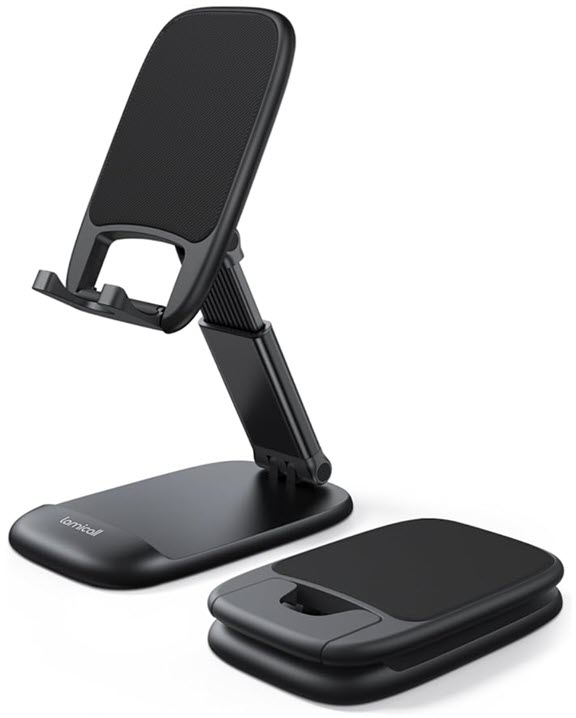
📲 Lamicall Adjustable Phone Stand: A desk stand makes it easier to read long group discussions, follow advice threads, or manage community posts while working. $9.99 Check it out on Amazon!
*Prices accurate when originally published.
One Cool Tip may earn a commission from qualifying purchases.
| | |
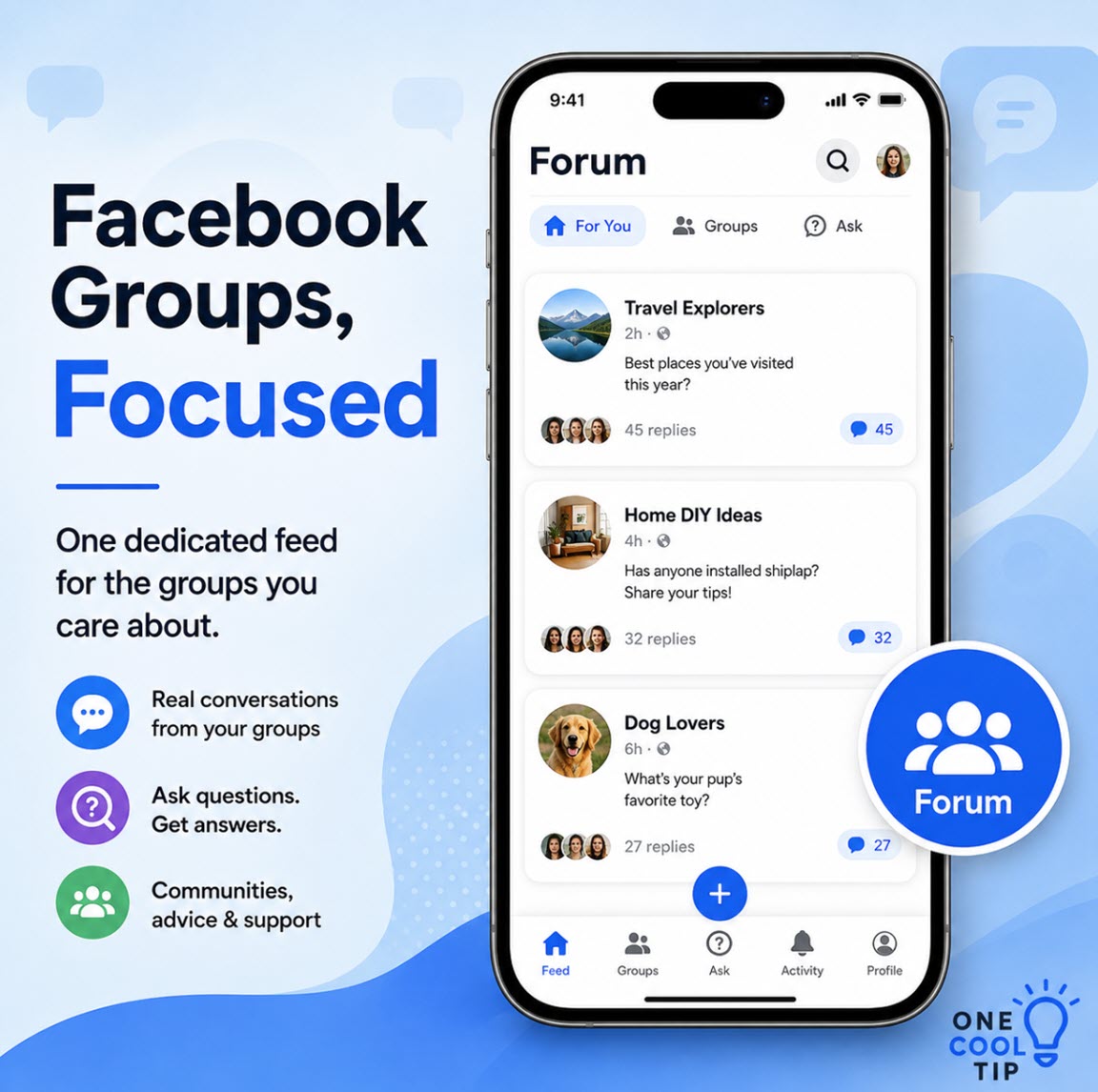
Forum Puts Facebook Groups in One Focused Feed
Meta’s new Forum app gives Facebook Groups a separate home, so group conversations do not have to compete with friends, videos, Pages, and other Facebook feed distractions. It is especially useful for people who rely on Groups for advice, hobbies, local tips, travel planning, support communities, and niche discussions.
Facebook Groups can be useful, but finding the good stuff often feels harder than it should.
A local recommendation gets buried.
A travel question disappears under birthday posts.
A hobby group answer is mixed into a feed that was never really designed for focused research.
Here's a Cool Tip: Use Forum to Focus Your Facebook Groups.
Meta’s new Forum app tries to fix that by pulling Facebook Groups into a separate, discussion-first experience.
Instead of opening Facebook and hoping the algorithm shows the right group post, Forum gives Groups their own dedicated app and feed.
Feature Explanation
Forum is a standalone Meta app built around Facebook Groups for both Android and iOS devices.
It is a dedicated space for deeper discussions, answers, and communities, with sign-in handled through an existing Facebook account.
Your groups, profile, and activity carry over, and anything you post through Forum remains visible in the corresponding Facebook group.
That last part matters.
Forum is not a replacement for Facebook Groups.
It is more like a cleaner front door.
Instead of bouncing between the main Facebook feed, group pages, notifications, and search, Forum puts group conversations into a focused feed.
What You’ll Gain
- Save time by viewing group conversations in one focused feed.
- Reduce feed clutter by separating Groups from the main Facebook experience.
- Find answers faster with Ask, when available.
- Stay connected to communities without constantly opening full Facebook.
Step-by-Step Instructions
Here's how to do it.
iPhone / Android
-
Download and install the Forum app from the Apple App Store or Google Play store.
- Open Forum.
- Sign in with your Facebook account.
- Review the groups, profile, and activity that carry over.
- Browse the group-focused feed.
- Use the bottom navigation to explore group posts, Ask, and other available sections.
- Post or reply inside a group, then remember that your activity is visible in that Facebook group as well.
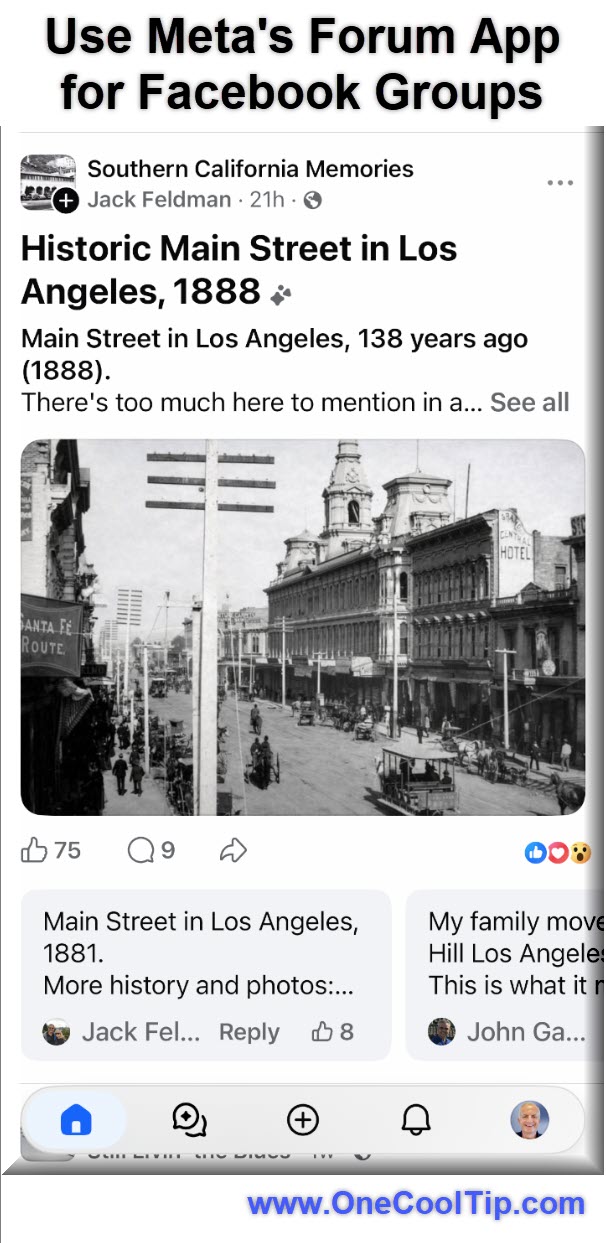
| | fig. 1 - Use Meta's Forum App for Facebook Groups | | |
Pros and Cons
Pros:
-
Cleaner group experience: Forum gives frequent Groups users a less cluttered place to read and reply.
-
Useful for advice-driven searches: Ask may help surface answers across multiple groups instead of forcing users to search one group at a time.
-
Good for hobby and local communities: Photographers, RV owners, travelers, parents, and neighborhood users may benefit from a dedicated discussion feed.
-
Posts stay connected to Facebook Groups: Users do not have to rebuild their communities in a new app.
-
Nickname option: Forum allows users to post with a nickname, although this is not the same as full anonymity.
Cons:
-
Requires Facebook: You need a Facebook account, and your groups, profile, and activity carry over.
-
Not private by default: Anything shared through Forum is visible in the related Facebook group.
-
Availability may vary: Meta’s listing says some features may not be available in every country or region.
-
Early app friction: Version history shows rapid bug-fix updates shortly after launch, which suggests users may encounter early issues.
Feature Access
Access type: Free, rolling out, availability may vary.
Important limits:
- Requires a Facebook account.
- Some features may not be available in every country or region.
- Business, education, enterprise, and managed-device users may be affected by organization app restrictions.
Score
Criterion | Score (0–10) | Justification
Value | 8
Forum solves a real problem for people who use Facebook Groups heavily by separating group conversations from the main Facebook feed. The value is highest for advice, local, hobby, travel, and support communities.
Usability | 7
The concept is simple, but availability is limited to iPhone and Android devices, and users must understand that posts still appear in Facebook Groups.
Wow Factor | 6
A dedicated Groups app is useful, but not entirely new as a concept. Ask and admin AI features make it more interesting if they work well and become broadly available.
Total: 21/30 | 👍 Good
Forum is a useful, focused tool for heavy Facebook Groups users, but its limited verified platform support keeps it from being a must-install for everyone.
Compared with Reddit, Forum has the advantage of tapping existing Facebook Groups, but it does not offer the same clean break from real-world identity because it is tied to a Facebook account.
Key Takeaways
Forum gives Facebook Groups users a cleaner place to read, reply, ask questions, and follow community conversations.
It is most useful for people who already treat Groups as a daily source of advice, recommendations, and niche expertise.
The main caution is privacy and availability.
Cool Tip Snapshot
-
Feature Name: Forum, a Facebook app.
-
Platform(s): iPhone, Android.
-
Quick Benefit: Puts Facebook Groups into one focused feed.
-
Best For: Group-heavy Facebook users, travelers, hobbyists, local communities, creators, small businesses.
-
Access Type: Free, Rolling Out.
-
Difficulty: Easy.
Try It Yourself
Try Forum if Facebook Groups are the main reason you still open Facebook, then tell us whether a dedicated Groups feed makes the experience more useful.
Share this Cool Tip with family, friends, and coworkers who rely on Facebook Groups for advice, community, and recommendations.
READ MORE
Read the Cool Tip on OneCoolTip.com.
| | |
Check out these Cool Tips & Tricks: Facebook Groups.
-
Pin Favorites: Keep your most important communities at the very top of your list. Navigate to the groups tab, press and hold the community name, and select pin.
-
Pause Notifications: Stop alerts temporarily without leaving a community entirely. Tap the joined button inside a group, select manage notifications, and choose quiet mode.
-
Search Locally: Find specific old posts within a single community instead of scrolling. Tap the magnifying glass icon at the top right of the specific group page and enter your keywords.
-
Anonymize Posts: Share sensitive questions in public spaces without revealing your name. Toggle the post anonymously switch at the top of the create post window if the administrators have enabled it.
-
Manage Feed Updates: Control how many updates appear in your standard daily feed. Click the dots next to a group name in your preferences and choose between highlights, all posts, or friends' posts.
-
Create Shortcuts: Add an immediate link to a specific community right on your phone's home screen. Open group settings on your mobile device and select add to home screen.
-
Share Direct Links: Send a specific discussion thread directly to a friend outside the platform. Tap the share button beneath the specific post and select copy link.
-
Leave Quietly: Exit an unhelpful community without alerting the other members. Click the joined button on the group homepage and select leave group.
-
Check Activity Logs: Review every comment and post you have ever made within a single space. Open your group member profile and tap the activity log button.
-
Review Group Rules: Avoid moderation flags by checking community guidelines before you publish. Look at the about section at the top of the group profile page to read the listed rules.
| | ICYMI - In Case You Missed It ... | | | | |
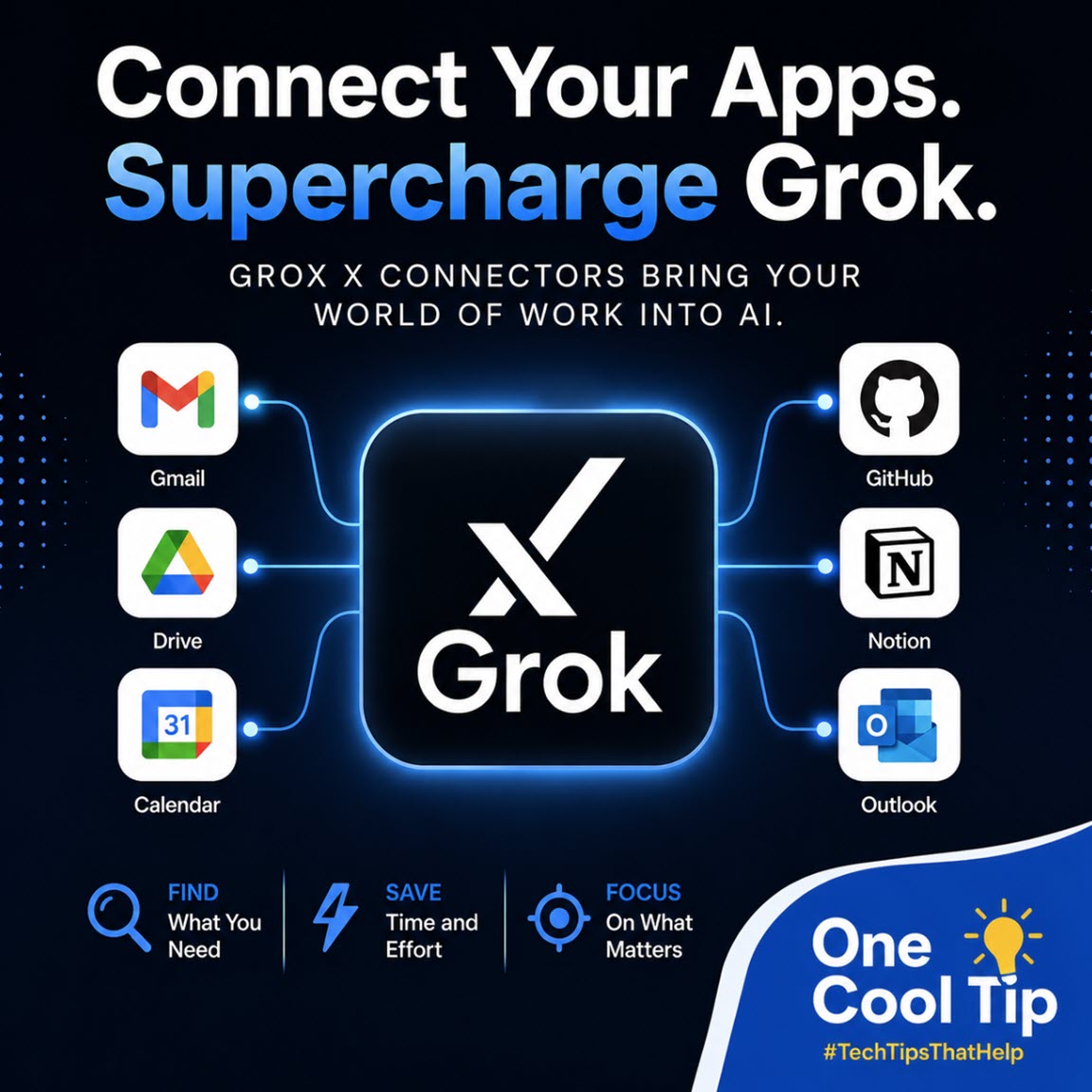
Grok X Connectors: Turn Your Everyday Apps into AI-Powered Workflows
Stop switching tabs. Get Grok to pull live data from your email, files, calendar, and team tools right inside the chat.
Read the Full Cool Tip.
Read the Newsletter Version.
| | |
Tomorrow's Cool Tip is waiting to amaze you.
Until then, go forth and conquer the tech world with your newfound knowledge!
Be sure to visit www.OneCoolTip.com for Cool Tech Tips for a Cooler Life!
And if you Like One Cool Tip, please support with TipJar!
Enjoy!
Rodger
Chief Cool Tipper
onecooltip.com@gmail.com
| |
| What do you think of today's OneCoolTip newsletter?
| | | | Connect with One Cool Tip!! | | |
|
As an Amazon Associate, One Cool Tip may earn a small commission from qualifying purchases.
Our media content is intended solely for informational purposes only. Please do not construe anything here as legal, tax, investment, financial, marital or other advice.
Copyright © 2026 | www.OneCoolTip.com | All Rights Reserved
|
| | | |