Kudos: Special thank you to the following individuals for visiting Office Hours and sharing your enthusiasm on the different features in Navigate!
Rosemary Fiedler
Kimberlee Straceski
Carlos Malave
Mariya Korchevska
Gladys Montero
Myriam Quinones
Kudos to those that added appt summaries for appointments that took place within and/or outside of Navigate
Beth Breton
Thank you for taking charge and being an example with your Summer Students! We can not wait to hear about your student appointments!
Need a refresher on how to schedule an appointment for students directly in Navigate Staff? Follow the quick steps fromthis guide!
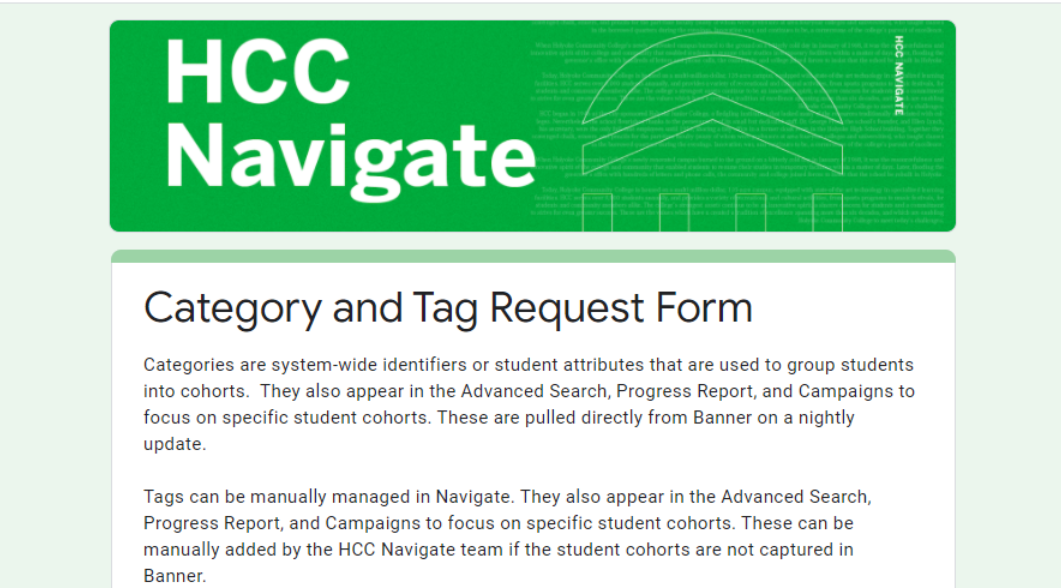
Are there specific student populations that you want to quickly search for in Navigate in less than a minute to send mass email or text about upcoming registration or an upcoming event? If you don’t already see the desired student categories in the Advanced Search in Navigate, you can now submit the Category Request Formto request additional student cohorts.
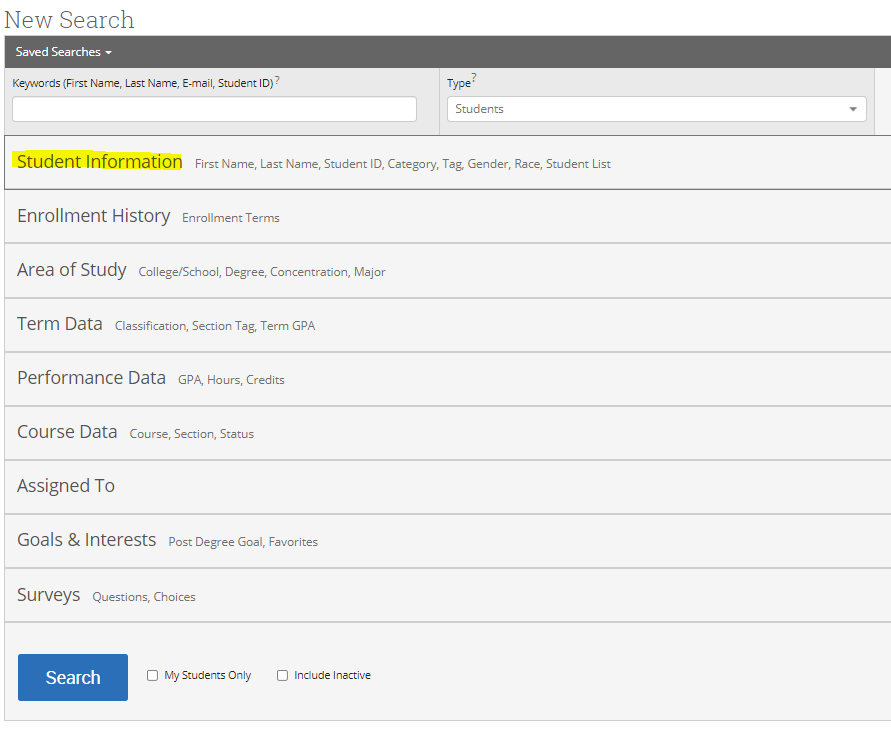
Explore the Advanced Search in Navigate!(Some users may not have access to all filters in the Advanced Search due to their user role and permission level in Navigate.)
2.) You will see different sections in light gray (i.e., Student Information, Enrollment History, Area of Study). Click into “Student Information.”
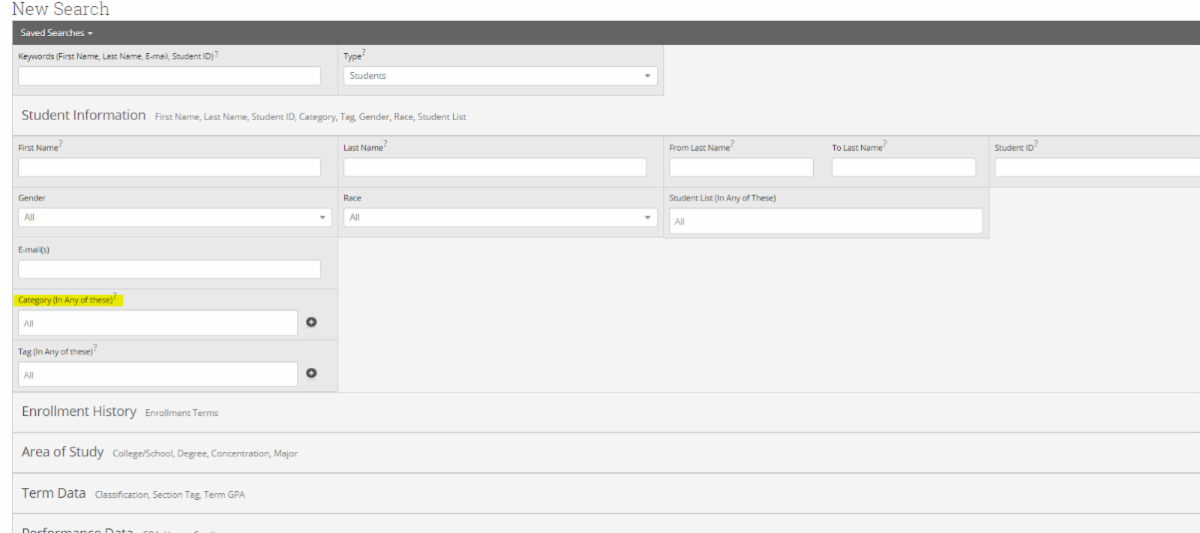
3.) Locate the “Category (In Any of these)” filter.
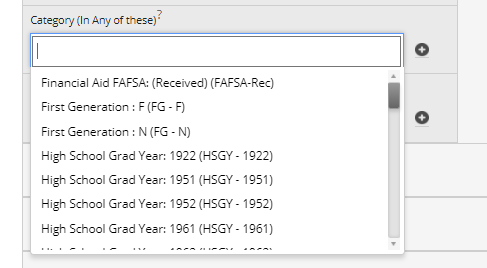
4.) Click into the Category field in white to see current categories being pulled from Banner on a nightly basis.
5.) If there are student categories from Banner you would like to see in Navigate, please use this formto request them which will be reviewed by the HCC Navigate Leadership Team.
New to the HCC Navigate Google Site!
On the HCC Navigate Google Site, find new guides and information about the different features you can also use on Navigate!
Beth Breton, Kelly Champagne, Eric Farrell, Andrew Fletcher, Mark Hudgik, Lauren LeClair, Mi Jin Park, Myriam Quinones, Linda Scott, Renee Tastad, Linda Szalankiewicz, Allison Wrobel