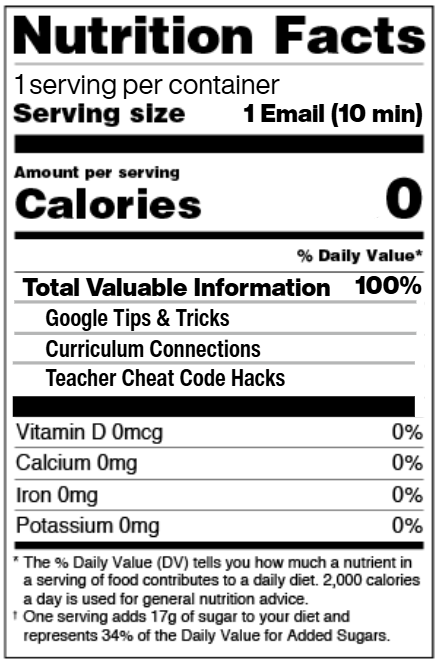
Welcome to the November issue of Tiger Bytes. This is your monthly serving of technology tips and tricks created by your Secondary BTIL team members and delivered to your inbox for you to use.


Teacher Hack: Easily Manage & Reduce Your Email Subscriptions

by Brian Unruh


We all get too much email and probably have been automatically signed up for subscriptions too. Individually going into each email thread, scrolling down, and finding the unsubscribe link can feel unproductive at times.


Gmail has made it EASY to sort, manage, and get rid of unwanted subscription emails!


Open your Gmail, and look at the URL in your browser. The end of the URL is going to end with /#inbox and you need to change the ending of the URL to /#sub and hit "Enter".


You will see a list of all the subscriptions you are signed up for. Click on the "Unsubscribe" link on the right side to delete that subscription. That's it! There are a few that will take you out to a site to confirm, but it is still easy!


Google Tips & Tricks: ALL educators should learn the basics of Artificial Intelligence

by Danae Dieken


No matter how “green” you are to the world of AI or how willing you are to utilize it as an educator, it is important to have a basic understanding of what AI can, can’t, and shouldn’t do. Google for Education offers some incredible resources through their Google AI Educator Series to help you feel informed.


Need more convincing?

Here are some reasons for educators in a Google Education School District like ours to explore the Google AI Educator Series and earn their first badge.

  • Zero Tech Experience Required: The series starts at step zero. It breaks down artificial intelligence into straightforward, everyday concepts, making it accessible and approachable.
  • Immediate Time Savings: You will learn how to use AI for repetitive administrative tasks, such as drafting parent emails, writing newsletter updates, and generating rubric templates. The series shows how to brainstorm lesson hooks, generate tiered reading passages for different Lexile levels, or build quick comprehension quizzes in minutes.
  • Micro-Learning (10–15 Minute Modules): The modules are broken into bite-sized lessons that can easily be completed during a prep period, a study hall, or PLC time.
  • AI Safety & Responsible Guidance: You will learn the rules of data privacy, accurate prompt design, and how to avoid uploading student personally identifiable information (PII) into AI models. When we understand what AI can, can’t, and shouldn’t do, we gain practical awareness that equips us to guide students safely in an AI-impacted world.
  • Differentiated Instruction Made Simple: Teachers often struggle to find time to adapt materials for ELL/ESL students, IEP accommodations, or advanced learners. The series teaches simple prompts to tailor reading levels, translate materials, or rephrase instructions.


Ready to get started?

Head to the Google AI Educator Series website and click “Earn Your First Badge Now.” Need a bit more guidance for finding the right AI lesson? 37-second video tutorial


ITEC Reflection: Reflections & Thoughts to Share From This Year's ITEC Conference

This is a way for those who have attended ITEC to be able to share some thoughts and ideas. If you have any questions feel free to follow up with Robert.


Robert Welter

I was interested in the accommodations that were mentioned and how to format documents so that accessibility features can use them correctly. I was also very interested in the keynote on Monday where the speaker provided information on how to increase creativity using AI (second) in an activity.