Learn21's Weekly EdTech Update
October 22, 2026
| | Your AI Policy Is Finished. Now What?
By Danni Tymitz | | |
Congratulations. Your board adopted an AI policy, and that took real work: research, drafts, committee meetings, and possibly a few long public comment sessions.
Here's the honest truth, though. The policy vote is the starting line, not the finish line. A board policy tells your district what it values and who holds responsibility. It doesn't tell a seventh-grade science teacher whether students can use AI to brainstorm a lab hypothesis on Tuesday.
That gap between policy and practice is where the next phase of work lives. This article covers the first part of that work: why your policy is broad, the spectrum of AI use in your classrooms, and how to build guidelines that give everyone clear expectations.
Broad on purpose: why policy can't carry the details
Good board policy is broad by design. Boards revise policy slowly, often through multiple readings, legal review, and public comment. AI tools change in weeks. A policy that names specific products, features, or age limits would be outdated before the ink dried.
So your policy most likely sets the guardrails: student data privacy, academic integrity, equitable access, and human oversight. That's exactly what it should do. But broad language leaves teachers, students, and families with questions the policy can't answer.
Administrative guidelines (or guiding principles, depending on your district's practice) fill that space, and because they don't need a board vote, they can keep pace with the technology.
Think of it this way: the policy says why and who. The guidelines say how, when, and how much.
The spectrum problem
Walk into almost any building right now and you'll find students at both ends of a wide spectrum. Some lean on AI far too heavily, pasting the assignment prompt into a chatbot and turning in whatever comes back. They finish the task but skip the thinking it was meant to build.
Others won't touch AI at all. They worry that any support, even checking grammar or generating practice questions, will get them flagged for cheating, so they miss out on legitimate, skill-building uses.
Both groups are responding to the same problem: unclear expectations. Clear guidelines help both stay in their lane. They show the over-reliant student where the line is, and they give the hesitant student permission to use AI in ways that support learning.
Building guidelines that reflect your district
Strong guidelines start with a values conversation, not a list of rules. Before you draft anything, bring together a team of teachers, building leaders, tech staff, students, and parents. Ask a few big questions:
- What skills do we want our graduates to have with AI and other new technologies?
- Where does productive struggle matter most in our curriculum, and where can AI remove busywork?
- How do we define honest work when AI is in the picture?
- What does our community already value, and how should our AI approach reflect that?
Your answers shape the guidelines. A district that prizes career readiness might emphasize workplace AI skills, while a district focused on literacy might set firmer limits on AI-generated writing in the early grades. Neither is wrong, as long as the plan fits your culture and stays clear. From there, address each group directly.
| | | Group | Questions your guidelines should answer | | Students | Which uses are allowed, limited, or off-limits for a given assignment? How do I disclose AI use? How do expectations change by grade level? What happens if I cross the line? | | Teachers | How do I communicate AI expectations for each assignment? Which tools are approved for student use? Can I use AI for lesson planning, feedback, or communication? How should I respond to suspected misuse? | | Administrators | Which tools meet our data privacy standards? Who approves new tools? How may AI support operations, communication, and decision-making? Where does a human always make the final call? | | | |
Keep the focus on skill building. Guidelines that only say "no" teach students to hide their AI use. Guidelines that show when and how AI fits teach students to use it well, which is the skill they'll need after graduation.
Give everyone a common language
Guidelines turn into daily practice faster when every classroom uses the same language for AI use. Without it, one teacher's "use AI to brainstorm" is another teacher's "no AI at all," and students are left guessing from class to class.
You don't have to invent this from scratch. North Carolina, for example, uses a five-level system that signals AI use levels at a glance. Whatever model you choose, look for levels students can remember, language that adjusts by grade level, and a clear way for students to disclose the AI help they used. Disclosure serves both ends of the spectrum: it asks over-reliant students to account for their process and reassures hesitant students that honest, disclosed AI use is not cheating.
For districts that would rather adapt something than build their own, we designed the FAIR Scale AI Use Toolkit, featured in a previous edition of Bytes and Insights. It is free to use and includes a classroom planner, grade-level language, and disclosure templates you can use as-is or customize.
What comes next
Clear guidelines and a shared language give your district a strong foundation. But guidelines live or die with the people who use them. Teachers need the confidence to apply them, and families need reasons to trust them.
| | |
Educators Who Use AI Say It Frees Up Time to Interact With Students
A Walton Family Foundation and Gallup survey of more than 1,900 educators found that nearly 60% used AI tools for their work last school year, and nearly two-thirds of those users said it freed up time for the parts of the job that matter most, like working directly with students. This K-12 Dive report also notes a training gap, since a separate survey found over 60% of teachers received no guidance on using AI in their jobs.
How Short-Form Video Is Changing Political Debates
As November’s midterm elections approach, a Florida State University professor explains why media literacy matters more than ever in an era of short-form video, where political messages arrive in seconds and often without context. This FSU News piece gives educators and families timely talking points for helping students question what they see in their feeds.
Media Literacy Starts with Wonder: A Little Halloween Magic
With Halloween around the corner, this seasonal reflection shows how curiosity and play can open the door to critical thinking about the media kids watch, read, and share. This Nebraska Public Media post highlights free PBS resources and simple activities that parents and teachers can use right away.
| |
Frankenstein's EdTech Stack
By Kimberly McClain, Ed.D.
| | |
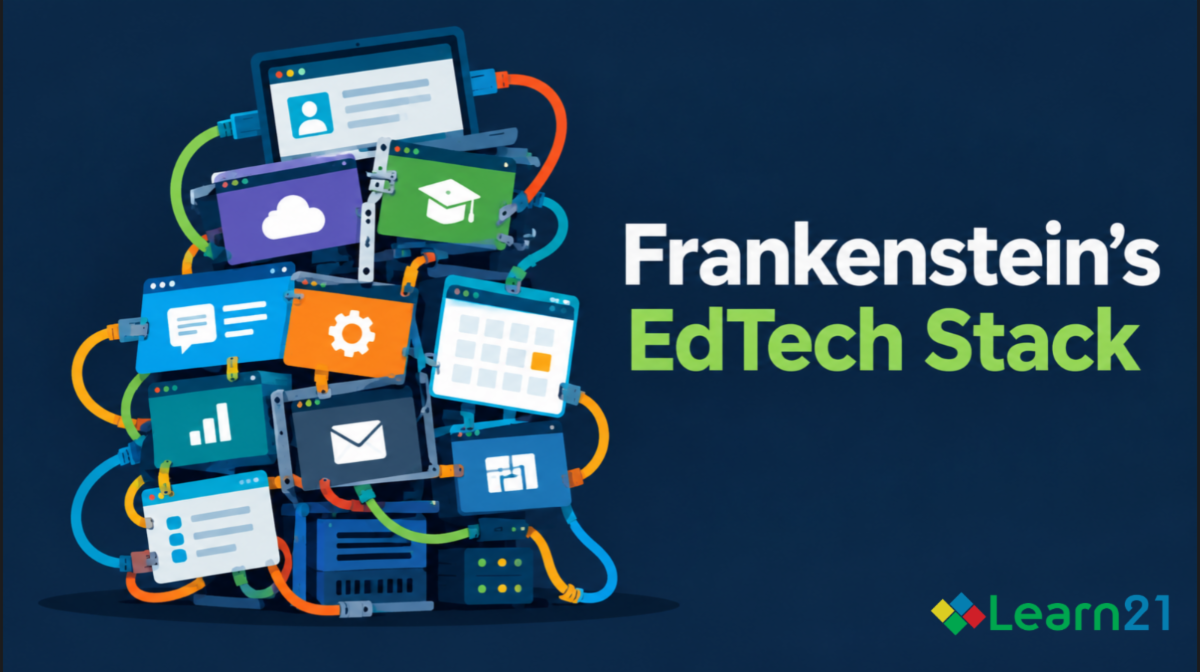
Every October, somebody dusts off the Mary Shelley reference for a listicle about "monster" technology. Fine. But most of those pieces get the metaphor backward. Frankenstein's monster wasn't dangerous because it was ugly; it was dangerous because it was assembled. Stitched together from parts that were never meant to work as a system, brought to life anyway, and then abandoned by the one person who understood how it was built. That's not a Halloween gimmick. That's your district's technology stack.
The assembly problem
No district wakes up one day and designs a coherent EdTech ecosystem. It accumulates. A reading intervention tool gets adopted because a grant required it. A gradebook platform survives three superintendents because migrating off it sounds worse than living with it. A "temporary" pandemic-era video tool is still running because nobody scheduled the conversation about turning it off.
The numbers back up the vibe. Instructure's most recent EdTech Top 40 report found districts accessing an average of nearly 3,000 distinct EdTech tools annually. That’s the eighth straight year that number has grown, at roughly 8% year over year for the last two, and that count covers more than classroom apps. It includes the SIS, transportation, HR and payroll platforms, food service systems, and every browser extension someone added along the way.
Look at classrooms alone, and the picture narrows: students access a median of under 50 tools a year. Even among the licenses districts annually buy, use is thin. A 2019 analysis found that about 67% of the EdTech software licenses districts buy go unused. That's not a stack. That's a body with extra limbs nobody remembers attaching.
Nobody's the doctor anymore
The scarier part of the Frankenstein story isn't the monster; it's that Dr. Frankenstein runs the second he realizes what he's built. EdTech stacks have the same problem. The person who signed the original vendor contract left the district two administrations ago. No one has re-reviewed the tool's data-sharing terms since the agreement was first signed. Nobody currently employed can tell you why the platform has access to attendance records, only that it's "always had it."
This is where the data privacy horror actually lives. Not in a dramatic breach (though those happen plenty), but in the mundane fact that access accumulates and nobody's job is to sometimes ask if it should. Every bolted-on tool is another vendor with a live pipe into student data, governed by an agreement someone skimmed in 2021 and nobody's opened since.
The tools that won't stay dead
Every stack has at least one platform that's technically retired but functionally immortal: still listed in the SIS integration settings, still has an active data-sharing agreement, still shows up in the annual security audit as "in use" because nobody flipped the access off when usage flipped to zero. It's not being used. It's not exactly not being used, either. It's just... there. Reanimated by inertia.
Turning it off requires someone to (a) know it exists, (b) know why it was connected, and (c) have the authority to sever it without breaking three other things that quietly depend on it. Most districts don't have that someone. So the limb stays attached.
What exorcises the monster
There's no dramatic fix here, which is very on-brand for how these things actually die: slowly, procedurally, unglamorously:
- An annual inventory with teeth. Not "list your tools," but "list your tools, name an owner for each, and justify continued data access." No owner, no access.
- Sunset clauses in every new agreement. Build the death date in at signing, so killing a tool later doesn't require anyone to be the villain.
- A standing person (or role) whose job includes noticing. Sprawl happens because acquisition is everyone's job and pruning is no one's.
None of that is spooky. It's boring, procedural, faintly bureaucratic — exactly the opposite of a good horror story. Which is sort of the point: the monster survives precisely because killing it isn't dramatic enough for anyone to prioritize.
Happy October. Go audit something.
| | Big Ideas: Tech to Lift your Mood | | |
The days are getting shorter, the news cycle isn’t getting any lighter, and your phone still wants your attention at midnight. This week we found three ways tech is trying to make you feel better instead of worse.
A Skylight for Gray Days
Dark, stormy day,, meet your match. At IFA 2026, Govee unveiled the Sky Ceiling Light, a fixture the company bills as AI-powered and mood-responsive. The idea is simple: when natural light falls short, the light fills in the missing wavelengths to help you stay alert on darker days. Its DaySync feature uses weather and time data to adjust throughout the day, from deep amber to bright daylight, with up to 7,000 lumens. Govee also launched LED strips that build lighting scenes from a typed prompt. Type “cozy reading nook” and let the robot redecorate.
Swap Doom for Bloom
We’ve all been there. One quick check before bed turns into an hour of bad news. A new poll highlighted by WDIV in Detroit found that 88% of people ages 13 to 24 doomscroll, about half lose more than an hour of sleep to it, and six in 10 walk away feeling anxious, exhausted, or hopeless. The fix has a cuter name, Bloomscrolling. Instead of mindlessly scrolling anything the algorithm serves up, Bloomscrolling involves intentionally seeking out content that makes you feel good on purpose. Think cute animals, inspiring stories, and every cookie decorating video ever made. Experts say just five minutes can shift your brain chemistry toward calm and happiness.
Plug In Your Good Mood
Air purifiers have always been about what they take out. Alen’s Scentra is about what it adds. The scent system works with Alen purifiers and releases subtle, neuroscience-informed fragrances through the filtered airflow without affecting air quality. Pick Rest for relaxation and sleep, Focus for alertness, or Renew for an energy boost.
Turn up the lights, scroll toward the puppies, and breathe easy. Your mood called. It wants a win.
| | | | |