What All Teachers Need to Understand About Accommodations
When IEPs are written, there are typically accommodations included to help students succeed. These accommodations have been carefully considered and are put into the document with a purpose. Here you can find out the differencebetween accommodations and modifications, and how they can help students.
Making a Scripted Story at Home
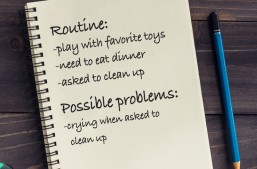
Scripted stories are a great tool to support your child. Scripted stories can help your child understand what to expect during new situations or everyday routines and provide examples of what to do. You can make a scripted story at home and start using it with your child today.
Setting Up the "Medical ID" Feature on Apple's Health App
For most people -- especially youth and young adults -- a smartphone is everything. It’s a way to talk, text, take photos, play games, listen to music, read the news, and more. Now, the iPhone Health app features a helpful medical tool: the Medical ID. The Medical ID shows important health-related information from the user. It is easy to set up and can be accessed by anyone in the event of an emergency.
"I appreciate you being there. It helped tremendously! We just never had any guidance in that area before."
~ Kansas parent
Opportunities to Support Families Together
Dillons will make a donation to Families Together every time you shop if you select us as your charity of choice. Visitwww.dillons.com/communityrewards.Choose Families Together Inc. ( LJ162) Select "Families Together Inc."
Amazon Smiles - Support Families Together, Inc. by shopping at www.smile.amazon.com. Amazon will donate 0.5% of the price of your eligible AmazonSmile purchases to Families Together, Inc.
Sign in with your Amazon ID and password. Under the heading "Select a Charity" choose "Pick your own Charitable Organization". In the box, type Families Together Inc. Be sure to choose Families Together Inc. - Wichita.
You can now shop AmazonSmiles from your mobile Amazon App!
Simply follow these instructions to turn on AmazonSmile and start generating donations.
Open the Amazon Shopping app on your device.
Go into the main menu of the Amazon Shopping app and tap into 'Settings'.
Tap 'AmazonSmile' and follow the on-screen instructions to complete the process.