One Cool Tip Newsletter

November 30, 2025

Your daily dose of tech-savvy brilliance!

😀Greetings! Happy Sunday, Cool Tipper!


Get ready to streamline your digital life with simple, actionable tips delivered straight to your inbox.


Cool Tip Theme: Buy It in ChatGPT


Enjoy today's abbreviated Cool Tip Newsletter while Cool Tip is searching the world for more Cool Tips.


New here? Subscribe to the One Cool Tip Newsletter for daily updates. It's FREE!

3️⃣

If you enjoy the One Cool Tip newsletter, please forward this newsletter to THREE friends or colleagues or share it on social media using the links below.


Leave a Tip!


Share this One Cool Tip Newsletter!

X Share This Email
LinkedIn Share This Email
Pinterest Share This Email
  • Use ChatGPT Voice Inside Chat.


You can now talk to ChatGPT without switching modes.


Just start speaking and watch your answers appear right in the same chat window.


You can carry on a conversation, scroll back through earlier messages, and even see visuals like images or maps pop in as ChatGPT responds.


The update is rolling out on mobile and the web.


Make sure your app is up to date.


If you liked the old setup, you can bring it back: Turn on “Separate mode” in Settings → Voice Mode.


Cool Deals

Help support One Cool Tip. Use this Amazon link when you shop online.


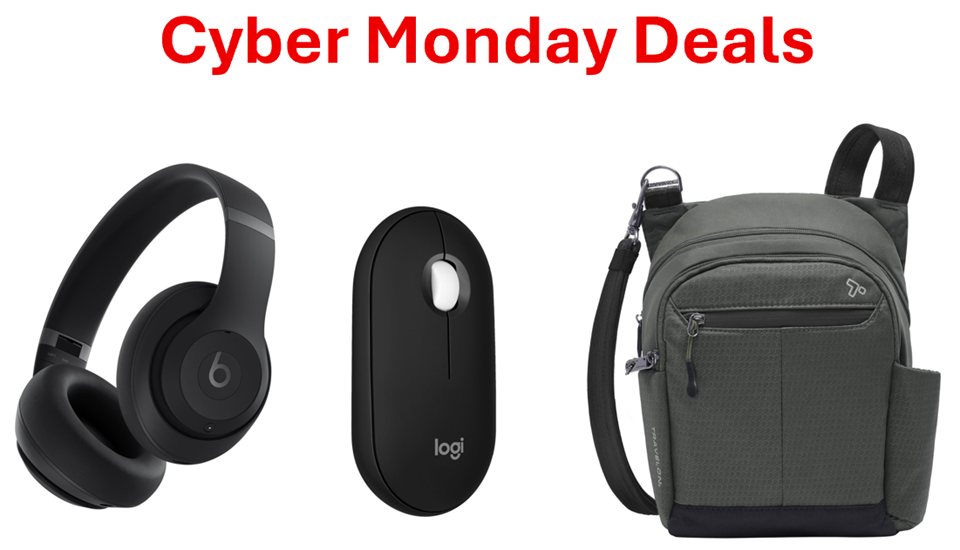
Check out these Cyber Monday Deals:


*prices accurate when originally published.

Fuel Your Adventure

Try Big Mike's Jerky!


bigmikesjerky.com


Now on TikTok!


Today's Cool Tip

Buy It in ChatGPT: A Faster Way to Shop Without Leaving the Chat


You can now browse, compare, and buy products directly inside ChatGPT with a smooth checkout powered by trusted retail partners. This feature removes friction from online shopping and shortens the journey from idea to purchase.


Every shopping session starts with a simple idea. 


A new keyboard for work. 


A compact air purifier for the home office. 


A last-minute gift for a friend. 


The problem is the usual maze of browser tabs, comparison charts, and checkout pages that follow. 


It is easy to lose momentum or forget what you were researching.


Here's a Cool Tip:  Buy in ChatGPT.


OpenAI has introduced a new shopping flow inside ChatGPT that keeps everything in the same place. 


You ask for a recommendation, refine the options, review details, and complete the purchase with a checkout experience provided by real retailers. 


The entire cycle stays inside one conversation.


Feature Explanation


We've already told you about the new ChatGPT Shopping Research feature.


But this is a whole new thing.


OpenAI’s Buy It in ChatGPT experience integrates product browsing and purchasing into a single chat. 


You ask ChatGPT to find products that match your budget, preferences, or features. 


ChatGPT responds with options and structured comparisons based on product listings from partnered retailers. 


You can then view details, pick a model, and follow a retailer powered checkout. Payment details and fulfillment are handled by the retailer. ChatGPT does not process payments itself.


This feature matters because it compresses a multi-site shopping workflow into one conversation. 


For busy users or anyone researching technical items, it keeps the process focused and reduces decision fatigue.


What You’ll Gain


  • A shorter path from research to purchase.
  • Cleaner product comparisons without switching apps.
  • Retailer-backed checkout flow inside ChatGPT.
  • Fewer browser tabs and fewer distractions.


Step by Step Instructions


Here's how to do it.


Microsoft Web/Desktop (Browser or Windows App)


  1. Open ChatGPT on the web, www.ChatGPT.com or the Windows app.
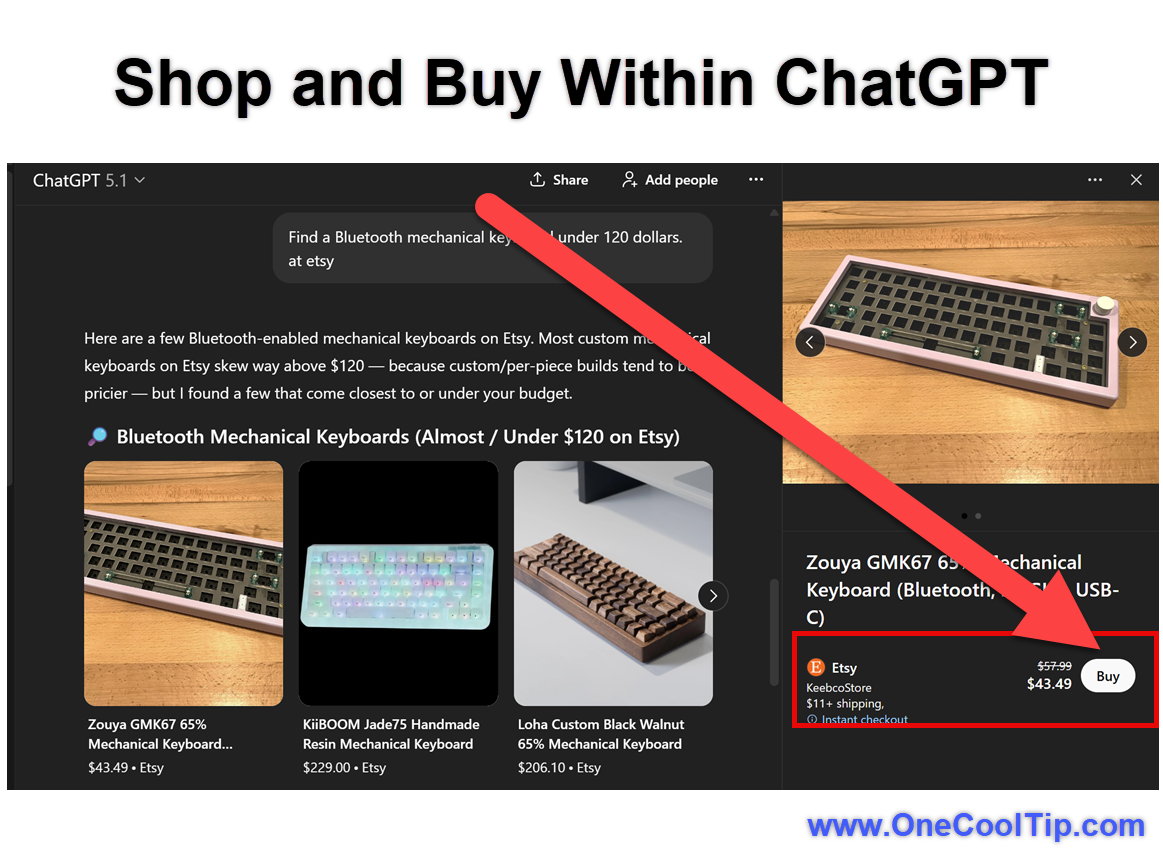
  2. Type a request such as “Find a Bluetooth mechanical keyboard under 120 dollars on Etsy.”
  3. Review the recommendations.
  4. Select “Buy” or “View product” when available.
  5. Follow the retailer checkout page that appears in a panel inside ChatGPT.


Note: This example added "on Etsy." The model should not require this but to demonstrate the feature it was used.


fig. 1 - Shop and Buy in ChatGPT

iOS


  1. Open the ChatGPT app.
  2. Ask for a specific product category or price range.
  3. Review the options presented in card format.
  4. Tap the Buy button for the product you want.
  5. Complete the retailer checkout inside the app.


Android


  1. Open the ChatGPT app.
  2. Ask for an item and refine the recommendations.
  3. Select your preferred model.
  4. Tap to open the embedded checkout page.
  5. Finish your purchase with the retailer.


Note:


Supported Sites / Merchants


  • Etsy: U.S.-based Etsy sellers are already live, so you can complete checkout inside ChatGPT. 
  • Merchants on Shopify: Over a million Shopify-powered stores are “coming soon” to ChatGPT’s Instant Checkout ecosystem. 
  • Walmart: Walmart has publicly partnered with OpenAI to enable purchases through ChatGPT. 
  • Target: Target is rolling out a ChatGPT “app experience” for conversational shopping, including multi-item baskets, fresh-food support, and standard checkout methods. 


What “Supports Buying in ChatGPT” Means (Right Now)


  • “Instant Checkout” lets users remain inside ChatGPT during purchase: product lookup, cart/checkout, payment, and confirmation happen within the chat interface. 
  • For many merchants (especially on Shopify), the rollout is phased, not all stores will be available immediately. 
  • Currently the checkout mostly supports single-item purchases first. Multi-item carts and full catalog access are rolling out gradually. 


Pros and Cons


Pros


  • Fast research to purchase cycle. Saves time during shopping sessions.
  • Natural refinement using conversational prompts. Good for users who know what they want but need expert filtering.
  • Retailer handled checkout which maintains trust and familiarity.


Cons


  • Product availability depends on retailer participation. 
  • Checkout occurs in a panel which may feel different depending on device size.
  • Still rolling out so availability might be limited for some users. 


Feature Access


  • Currently rolling out in the United States.
  • Works with Free, ChatGPT Plus and higher tiers on Web, Windows app, iOS, and Android.


Score

Criterion | Score (0–10) | Justification
Value 9
Cuts time spent switching between sites and compresses research into one chat.
Usability 8
Simple card based flow, though retailer transitions can vary by device size.
Wow Factor 9
A full browsing to purchase loop inside a chat feels modern and efficient.
Total: 26/30 🌟 Excellent
This is one of the most useful shopper facing features added to ChatGPT and compares favorably to Google’s AI shopping helpers due to its embedded retailer checkout.


Key Takeaways


Shopping inside ChatGPT keeps your research and purchase in one conversation.


The feature reduces friction and supports a focused workflow.


Retailer checkout ensures familiar and trusted handling of payments and delivery.


Cool Tip Snapshot


  • Feature Name: Buy It in ChatGPT.
  • Platform(s): Web, Windows app, iOS, Android.
  • Quick Benefit: Research and buy products without leaving the chat.
  • Access Type: Free and Subscription, currently rolling out.


Try It Yourself


Ask ChatGPT to find a product you need today and follow the Buy button to experience the new flow. 


Share this tip with your team, family, and friends and subscribe to the One Cool Tip newsletter for more productivity boosting tech ideas.


READ MORE


Read the Full Cool Tip.

Check out these Cool Tips & Tricks for ChatGPT:


  • Start Simple: Begin with a clear product request to get the most accurate recommendations. Ask ChatGPT for a specific category and price, like “Find a budget USB microphone under 80 dollars.”


  • Refine Results: Adjust your request to narrow features, brands, or specs. Add qualifiers such as “quiet keys,” “eco friendly,” or “USB-C only” to filter options.


  • Compare Quickly: Use conversational prompts to compare items side by side. Say “Compare option 1 and option 3 for durability and price.”


  • Check Availability: Verify whether an item is eligible for Instant Checkout. Look for the Buy or View Product button on the product card.


  • Ask for Alternatives: Request backups if your preferred item is unavailable. Say “Show me two alternatives with similar features.”


  • Confirm the Retailer: Ensure the purchase is handled by a trusted retail partner. Tap or click the Buy button to view which store is managing checkout.


  • Check Return Policies: Review a retailer’s return window before completing checkout. Ask “What is this retailer’s return policy for this item?”


  • Use Budget Limits: Set a maximum price to prevent overspending. Add a cap like “under 50 dollars” or “lowest price option.”


  • Request Specs: Ask for technical details before committing. Say “Show full specs for option 2” to surface model details and measurements.


  • Track Updates: Ask whether the feature is available in your region or account tier. Say “Do I have access to Buy It in ChatGPT right now?” for a quick check.


ICYMI - In Case You Missed It ...

How to Poll People in Messages on iPhone with iOS 26


Decide faster together. iOS 26 now lets you create interactive polls directly in iMessage so everyone in your chat can vote, suggest ideas, and instantly see results.


Read the Full Cool Tip.

Looking for your next adventure?


Call Denise at Travel For You.

314.660.3039


Sign Up for the Monthly Newsletter


http://www.travelforyouvacations.com/


https://www.facebook.com/TRAVEL.FOR.U/


See You Tomorrow

Tomorrow's Cool Tip is waiting to amaze you.


Until then, go forth and conquer the tech world with your newfound knowledge!


Be sure to visit www.OneCoolTip.com for Cool Tech Tips for a Cooler Life!


And if you Like One Cool Tip, please support with TipJar!


Enjoy!


Rodger

Chief Cool Tipper

onecooltip.com@gmail.com


What Do You Think?

What do you think of today's OneCoolTip newsletter?
Positive        Neutral        Negative
X Share This Email
LinkedIn Share This Email

Connect with One Cool Tip!!

Facebook  X  Instagram  Web  Pinterest  YouTube  LinkedIn
 

As an Amazon Associate, One Cool Tip may earn a small commission from qualifying purchases.


Our media content is intended solely for informational purposes only. Please do not construe anything here as legal, tax, investment, financial, marital or other advice.


Copyright © 2025 | www.OneCoolTip.com | All Rights Reserved