CYBER HYGIENCE

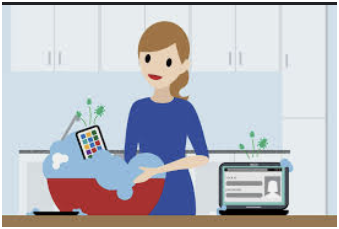
The goal of cyber hygiene is to keep sensitive data secure and protect it from theft or attacks. The concept works similarly to personal hygiene.


RECENT ISSUES

We recently saw two hacks that may affect us:

LastPass (cloud password manager) and Twitter.

TWITTER

Over 200 million Twitter users woke up to find their email and log-in details had been posted online. According to several reports, the data was stolen over a year ago but has only just been put up for sale on ‘Breached’, a dark web marketplace.


The data included not only email addresses and phone numbers but also names, screen names/user handles, follower count, and account creation date.

LASTPASS

The company said intruders had gained access to its cloud database and obtained a copy of the data vaults of tens of millions of customers by using credentials and keys stolen from a LastPass employee.


LastPass, which published details about the breach in a blog post on Dec. 22, tried to reassure its users that their information was probably safe. It said that some parts of people’s vaults — like the website addresses for the sites they logged in to — were unencrypted, but that sensitive data, including usernames and passwords, were encrypted. This would suggest that hackers could know the banking website someone used but not have the username and password required to log into that person’s account.

WHAT TO DO?

Security experts recommend that users of LastPass change all their passwords and not assume that as their master password "may" be safe, that all the rest are not compromised.


Users of Twitter should change their Twitter password, ensure that that password is not being used in any other account. Note: best practice is to have unique password for every account, especially financial. Also, if you use your Twitter account for any business enterprise, download your subscribers so you have control of that information.


There is as yet no way to check whether your Twitter account is included in the data breach. As always, it pays to be vigilant about phishing attacks – emails claiming to be from Apple, your bank, PayPal, email provider, and so on, and which ask you to login to your account.


Common phishing tactics are a message telling you that your account is at risk of deletion, or sending a fake receipt for a high-value purchase, together with a link to dispute the charge. The main safeguard here is to never click on links sent in emails or text messages. Always use your own bookmarks, or type in a known URL.


BTW, HaveIBeenPwned gave me the quickest update to the Twitter breach - it's free and trustworthy. You'll be amazed at all the sites where your email has been exposed over the years.


Watch for our Internet Security and Computer Security webinars in March.


Interested in our recommended Password Manager?

Private Instruction available.

CLICK HERE FOR THE COURSE REGISTATION OVERVIEW

Register Now Online

for our Winter In-Person Classes.


On-Line registration is open until classes are filled or

10 AM sharp one-day before the start of a class.


Seating is limited due to social distancing, so register early!

Register and pay online to participate in our classes

REGISTER FOR HUNTINGTON LAB CLASSES

FSL SeniorNet at Family Service League, Olsten Family Center

790 Park Avenue, Huntington, NY 11743 1-631-470-6757

  • iPhone: An Introduction - starts Jan 17
  • Exploring Files & Folders with Windows 10 - starts Jan 23
  • Photoshop Elements: Photo Editing & Project Creating - Feb 8
  • Android Phone & Tablet - starts Feb 8
  • Smartphone Photography - starts Feb 21
  • PC Computing Basics 2 - starts Feb 23
  • Windows 11 - starts Mar 8
  • Apple's iCloud: An Introduction - starts Mar 21

Private Instruction available at this location.

REGISTER FOR BAY SHORE ANNEX COURSES

FSL SeniorNet at Family Service League, South Shore Iovino Family Center

1444 Fifth Avenue, Bay Shore, NY 11706 1-631-647-3100

  • Email Basics - Class on Jan 17
  • Apple's FaceTime - Class on Jan 24
  • PC Computing Basics 1 - Class Series starts Feb 7
  • Photos - FREE Workshop on Feb 14
  • Windows 11: Desktop - Class on Mar 21

Private Instruction available at this location.

FREE WEBINARS & SEMINARS

Webinars are held over Zoom,

Seminars are at local libraries.

  • Smartphone Photography on Jan 31 at 2 PM
  • iPad & iPhone: What's New on Feb 9 at 2 PM
  • Windows 10: Survey of Settings & Desktop on Feb 13 at 2 PM
  • Apple's Calendar App: Basics & Beyond on Feb 22 at 2 PM
PRIVATE INSTRUCTION REQUEST FORM
IMPORTANT STUFF TO KNOW!

✨COVID PRECAUTIONS✨

The COVID situation is very fluid, and restrictions are subject to change.


Huntington Lab and Bay Shore Annex

FSL Facilities:


All students, as well as FSL SeniorNet volunteers, attending in-person classes must be vaccinated and boosted against COVID. Please bring documentation of such to the first class.


Family Service League is a healthcare provider, therefore everyone in the building must wear a mask and social distancing will also be enforced.


Blue Point Cottage:


All students, as well as FSL SeniorNet volunteers, attending in-person classes must be vaccinated and boosted against COVID. Please bring documentation of such to the first class.


Masking is optional and social distancing will be enforced. 

-------------------------------

ALL CLASSES:

Registration is open until 10 AM sharp one day before the start of a class.

To participate in our classes, register and pay online with a credit or debit card. If you prefer to pay by check or cash, contact the office at 631-470-6757, or register in person on Registration Days at Huntington, Bay Shore & Blue Point.


ONLINE CLASSES:

To participate in our online courses, you need to download Zoom on your computing device*. The Zoom link will be included in the confirmation sent by ezregister.com. The teacher will also send the Zoom link and manual before the class.


WEBINARS ARE ONLINE:

Registration is open until one hour prior to the webinar's start time.

The Zoom link will be included in the confirmation sent by ezregister.com. The teacher will also send the Zoom link and handout before the webinar.


SEMINARS ARE IN-PERSON & LIBRARY HOSTED:

Registration is managed by our host library. Their registration link will be provided on their website, our email blasts and our webpage.


SOLD OUT:

Please call 631-470-6757 or send an email to fslseniornet@fsl-li.org

to receive an email with information as to when the course (webinar, seminar or class) is offered again.

Please include the name of the course you are interested in.


COMPUTING DEVICES:

*Computing devices include Windows and Mac Desktops & Laptops,

iPads, and Android Tablets.

It is NOT recommended to Zoom using your smartphone

due to the smaller screen size.


ZOOM HELP IS AVAILABLE:

 If you need instructions on downloading and using Zoom, click here:

HOW TO JOIN A ZOOM CHAT. 

REGISTRATION PROCESS
SeniorNet Community Programs
COMPUTER DONATION/REFURBISHMENT PROGRAM
TECH CONNECT LIBRARY
FSL SENIORNET WEBSITE
FAMILY SERVICE LEAGUE WEBSITE