One Cool Tip Newsletter

August 20, 2026

Your daily dose of tech-savvy brilliance!

😀Greetings! Happy Thursday, Cool Tipper!


Get ready to streamline your digital life with simple, actionable tips delivered straight to your inbox.


Cool Tip Theme: End-to-End Encrypted RCS Messaging


Learn how encrypted RCS protects supported iPhone-to-Android chats, where to enable it, and how to confirm your messages are secure.


New here? Subscribe to the One Cool Tip Newsletter for daily updates. It's FREE!

3️⃣

If you enjoy the One Cool Tip newsletter, please forward this newsletter to THREE friends or colleagues or share it on social media using the links below.


Leave a $$$ Tip!


Share this One Cool Tip Newsletter!

X Share This Email
LinkedIn Share This Email
Pinterest Share This Email

🚨A Surprise Package on Your Doorstep Could Be a Red Flag🚨


Did a package arrive that you never ordered?


According to the FTC, it could be a "brushing scam," where scammers use your name and address to create fake online reviews and boost product sales.


These packages often contain inexpensive items and may even include a QR code that claims to explain who sent the package or how to return it.


Don't scan the QR code, as it could lead to a phishing site designed to steal your passwords, credit card information, or other personal data.


If you receive an unexpected package, change the passwords on your shopping accounts and keep an eye on your credit reports for signs of identity theft.


The good news is that you generally do not have to return or pay for merchandise you didn't order.


And in Other News...


  • Stop Putting Off That iPhone Update


If you've been delaying the latest iPhone update, now is a good time to install it.


Apple recently released iOS 26.6.1, which fixes 29 security vulnerabilities that could potentially expose sensitive information, cause crashes, or allow malicious content to compromise a device.


Most of the issues involve WebKit, the technology that powers Safari and other web content on Apple devices.


While Apple says none of these flaws are known to have been actively exploited, updating promptly helps protect your device now that details of the vulnerabilities are public.


Apple also released security updates for older iPhones that cannot run iOS 26.


To check for updates, go to Settings > General > Software Update and install the latest version available for your device.


Cool Tip Poll

🤔 When texting between iPhone and Android, what matters most to you?

Cool Deals of the Day

Help support One Cool Tip. Use this Amazon link when you shop online.


Check out these Cool Deals:

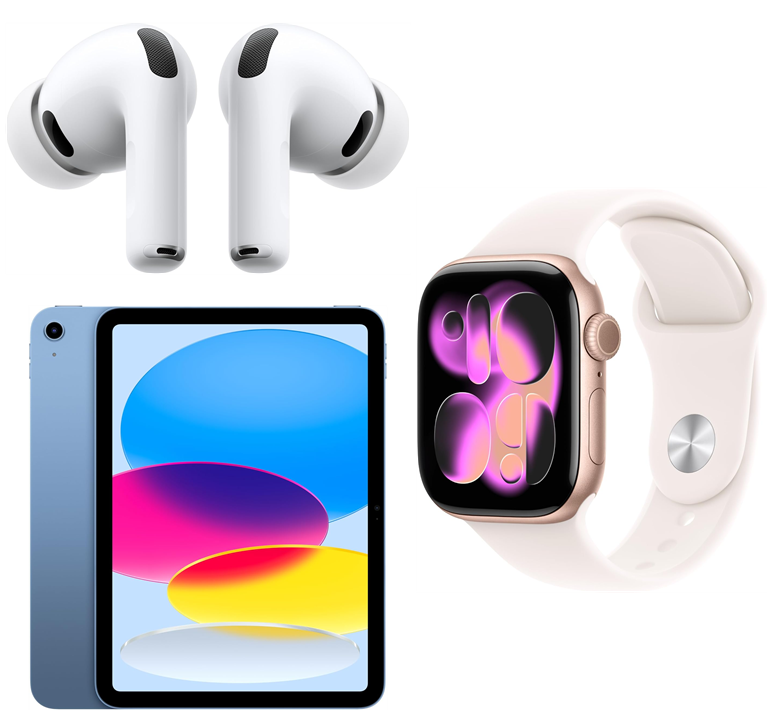
Apple AirPods Pro 3 Wireless Earbuds with Active Noise Cancellation

Save 24%. Now $189.99. 4.4 Stars. Check it out on Amazon!


Apple Watch Series 11 [GPS 42mm]

Save 25%. Now $299. 4.7 Stars. Check it out on Amazon!


Apple iPad 11-inch

Save 11%. Now $399. 4.7 Stars. Check it out on Amazon!


*Prices accurate when originally published.

One Cool Tip may earn a commission from qualifying purchases.

Fuel Your Adventure

Try Big Mike's Jerky!


bigmikesjerky.com


Now on TikTok!


Today's Cool Tip

How to Send Encrypted Texts Between iPhone and Android


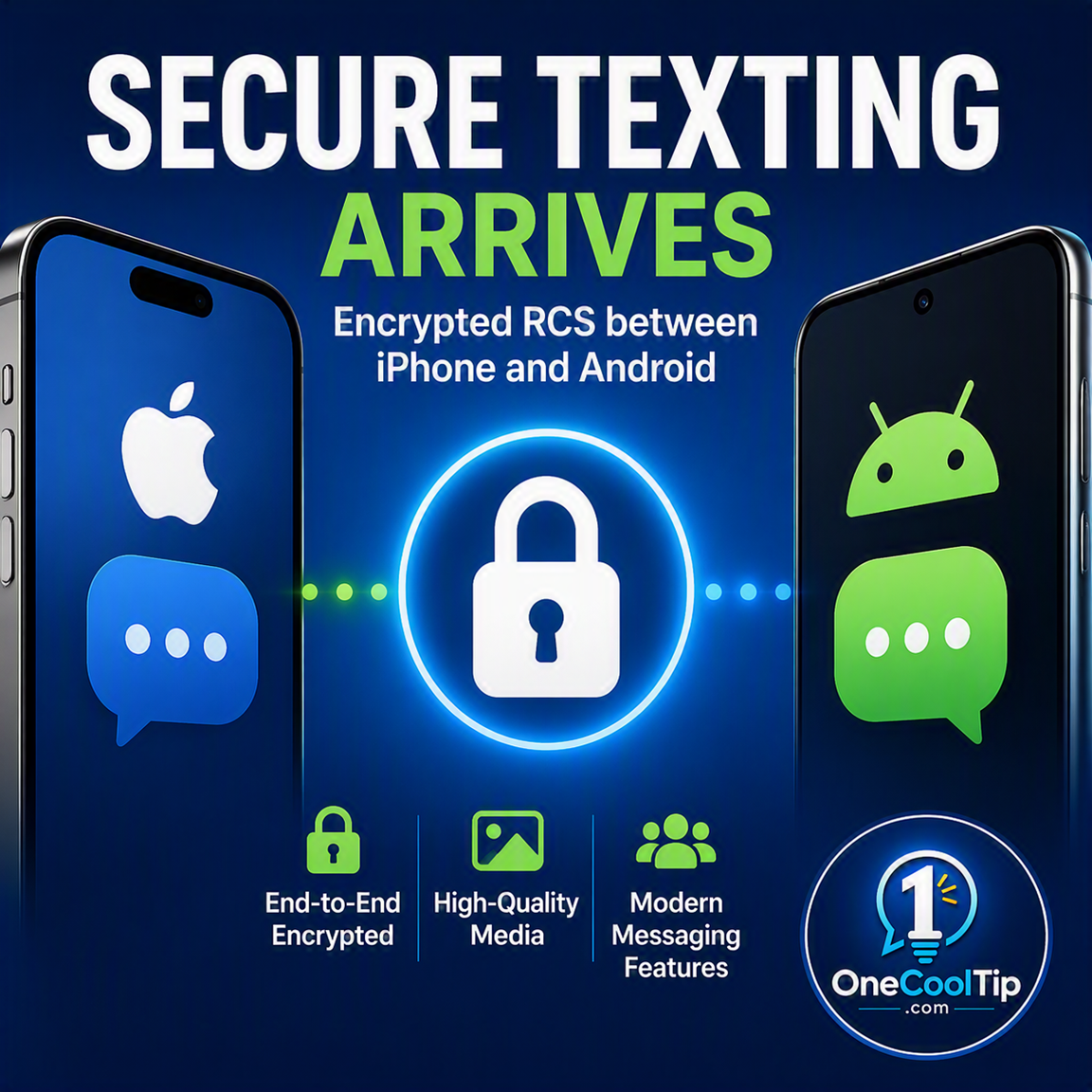
Supported iPhones and Android phones can now exchange RCS messages with end-to-end encryption instead of relying on less-private SMS or MMS. A visible lock tells you when a conversation qualifies for the added protection.


The color of a message bubble no longer tells the whole story.


For years, conversations between iPhone and Android users often fell back to SMS or MMS. 


These older technologies lack end-to-end encryption and many features people expect from modern messaging apps.


RCS improved cross-platform texting with higher-resolution photos and videos, typing indicators, delivery receipts, read receipts, reactions, and better group conversations. 


One major privacy feature, however, remained missing from conversations that crossed the iPhone-Android divide.


Here’s a Cool Tip: Check for the lock before sending private information.


In May 2026, Apple and Google began rolling out end-to-end encrypted RCS messaging between supported iPhones and Android phones. 


Eligible messages and attachments are encrypted while traveling between participating devices.


The feature is particularly valuable for families, workplaces, schools, and travel groups divided between Apple and Android. 


Everyone can continue using the phone’s regular messaging app instead of moving the group to another service.


Feature Explanation


RCS stands for Rich Communication Services. 


It is a modern messaging standard designed to replace traditional SMS and MMS.


RCS supports higher-resolution media, typing indicators, read receipts, delivery information, reactions, and communication over Wi-Fi or mobile data. 


These features make a conversation between an iPhone and Android phone feel more like one conducted through a dedicated messaging app.


End-to-end encryption adds another layer of protection. 


An eligible message is encrypted on the sender’s device and decrypted on the recipient’s device. 


The message cannot be read in transit by the participating service providers or an attacker intercepting the communication.


Apple and Google began rolling out cross-platform encrypted RCS on May 11, 2026. 


On iPhone, the beta requires iOS 26.5 or later and a supported wireless carrier. Android participants need a current version of Google Messages and compatible RCS service.


Availability can vary by phone, carrier, region, app version, and conversation participant. 


Apple specifically says that every participant’s carrier must support RCS encryption before a conversation can receive end-to-end protection.


On an eligible iPhone conversation, Messages displays Encrypted and a lock icon at the top. 


If that indicator is missing, Apple says the conversation is not protected from a third party reading the messages while they are being sent.


The distinction is important. 


Seeing RCS does not automatically mean that a conversation is end-to-end encrypted. 


The lock is the more reliable indicator.


What You’ll Gain


  • Improve privacy when texting between supported iPhones and Android phones.
  • Quickly recognize protected conversations by checking for the lock.
  • Exchange photos and videos without relying on unencrypted MMS.
  • Keep mixed-device groups inside familiar messaging apps.


Step-by-Step Instructions


Here's how to do it.


iPhone


  1. Open Settings > General > Software Update and install iOS 26.5 or later.
  2. Return to Settings and select Apps > Messages.
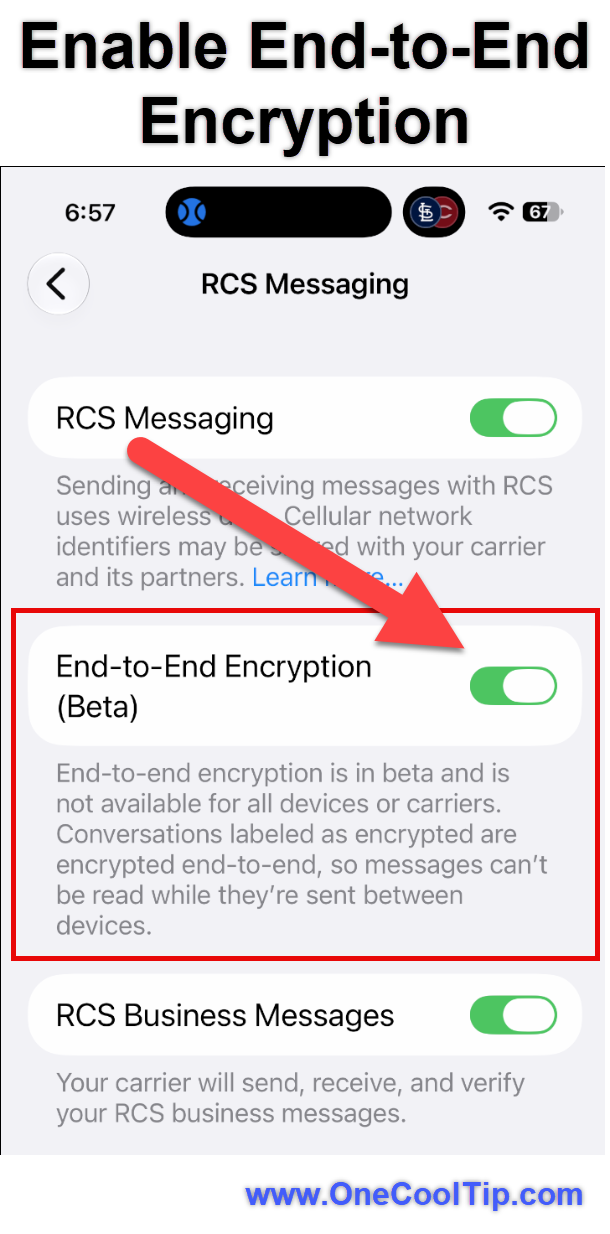
  3. Tap RCS Messaging.
  4. Make sure RCS Messaging is enabled.
  5. Turn on End-to-End Encryption (Beta). Apple says the encryption setting is enabled by default when the feature is available.
  6. Open the Messages app and select a conversation with an Android user.
  7. Look for Encrypted and a lock icon at the top of the conversation.

fig. 1 - Enable End-to-End Encryption

If you see RCS but do not see Encrypted and the lock, do not assume that the conversation has end-to-end encryption.


Android


  1. Open the Google Play Store and update Google Messages.
  2. Open Google Messages.
  3. Tap your profile picture or initial.
  4. Select Messages settings > RCS chats.
  5. Make sure RCS chats are turned on and check that the status shows the phone is connected.
  6. Open a conversation with a compatible iPhone user.
  7. Look for the lock on the send button or another encryption indicator supplied by Google Messages.


iPad


  1. Sign in to the same Apple Account on the iPhone and iPad.
  2. On the iPhone, open Settings > Apps > Messages > Text Message Forwarding.
  3. Turn on the iPad.
  4. Alternatively, enable Messages in iCloud on both devices to synchronize conversations.
  5. Open Messages on the iPad and select the forwarded conversation.


Mac


  1. Open Messages > Settings > iMessage on the Mac.
  2. Confirm that the Mac uses the same Apple Account as the iPhone.
  3. On the iPhone, open Settings > Apps > Messages > Text Message Forwarding.
  4. Turn on the Mac.
  5. Open Messages on the Mac and select the forwarded conversation.


The iPhone, wireless carrier, and other conversation participants still determine whether the underlying RCS exchange qualifies for encryption.


Pros and Cons


Pros:


  • Better cross-platform privacy: Eligible iPhone-to-Android messages and attachments receive end-to-end protection while being transmitted.
  • Automatic protection: Encryption activates when every device, app, carrier, and participant meets the requirements.
  • Clear status: A visible lock helps users recognize an encrypted conversation.
  • Familiar applications: Participants can remain in Apple Messages and Google Messages.
  • Better mixed-device communication: Families, classrooms, travel parties, and small businesses do not need matching phone brands.


Cons:


  • Still in beta on iPhone: Apple continues to label the feature as a beta.
  • Carrier-dependent: Support from one carrier does not guarantee that the other participant’s carrier is compatible.
  • Not every RCS chat is encrypted: The presence of RCS features alone does not confirm end-to-end encryption.
  • Fallbacks offer less protection: SMS and MMS are not end-to-end encrypted.
  • Rollout can be confusing: Two people with updated phones may still lack encryption because of carrier or account differences.


Feature Access


  • iPhone: Requires iOS 26.5 or later, Apple Messages, RCS service, and a supported carrier.
  • Android: Requires Google Messages, active RCS service, and compatible carrier support.
  • iPad and Mac: Can access RCS conversations forwarded or synchronized from an eligible iPhone.
  • Status: Beta on iPhone and currently rolling out.
  • Subscription: No separate subscription requirement.
  • Groups: Every participant must meet the applicable encryption requirements.
  • Availability: May vary by region, carrier, device, account, and application version.


Score

Criterion | Score (0–10) |  Justification
Value |  9
It closes a meaningful privacy gap for people who regularly communicate across the iPhone-Android divide.
Usability |  8
Encryption activates automatically, but carrier requirements and the gradual rollout make availability less predictable.
Wow Factor |  8
The lock looks like a small change, but cross-platform encryption inside the standard messaging apps is a substantial improvement.
Total: 25/30 |  🌟 Excellent 
Encrypted RCS is an important upgrade, but the lock icon, not the bubble color, is the indicator users should trust.
Compared with Signal, encrypted RCS requires less coordination because it works inside the standard phone applications. Signal remains the more predictable choice when every conversation must stay within one established encrypted system.


Key Takeaways


Encrypted RCS improves the privacy of eligible conversations between iPhone and Android without requiring another messaging account. 


Keep both phones updated, enable RCS, and confirm that the lock appears before sending anything you would not want traveling through SMS.


Cool Tip Snapshot


  • Feature Name: End-to-End Encrypted RCS Messaging
  • Platform(s): iPhone and Android, with forwarding to iPad and Mac
  • Quick Benefit: Protect eligible cross-platform messages and attachments
  • Best For: Families, travelers, mixed-device groups, and small businesses
  • Access Type: Beta, Rolling Out
  • Difficulty: Easy


Try It Yourself


Update your iPhone or Google Messages app, open a cross-platform RCS conversation, and check for the lock. 


Tell us whether the feature has reached your phone, subscribe to the One Cool Tip newsletter, and share this Cool Tip with family, friends, and coworkers.


READ MORE


Read the Full Cool Tip.

Check Out These Cool Tips & Tricks


  • Check the Lock: An RCS label does not automatically mean that the conversation is encrypted. Look for the lock before sending private information.


  • Update First: Current software improves compatibility with newer RCS security features. Install the latest iOS update and update Google Messages through the Play Store.


  • Enable RCS: RCS must be active before cross-platform encryption can work. On iPhone, check Settings > Apps > Messages > RCS Messaging; on Android, check Google Messages > Messages settings > RCS chats.


  • Avoid Fallbacks: SMS and MMS do not provide end-to-end encryption. If the lock disappears or the composer indicates SMS, wait for RCS or choose another secure service.


  • Check Groups: One unsupported participant can prevent a group from qualifying for encryption. Confirm that every participant has updated software and active RCS service.


  • Use Data: RCS normally requires a mobile-data or Wi-Fi connection. Check the phone’s internet access if a conversation unexpectedly switches to SMS.


  • Review Resends: Android can automatically resend an unavailable RCS message as SMS or MMS. Review Automatically resend as text under the RCS chat settings.


  • Hide Previews: Encryption does not conceal messages displayed in lock-screen notifications. Limit notification previews through the phone’s notification settings.


  • Protect Devices: An unlocked phone can expose an encrypted conversation. Use a strong passcode, biometric authentication, and automatic screen locking.


  • Keep an Alternative: Carrier interruptions can temporarily remove RCS encryption. Keep Signal or an approved secure business service available for highly confidential conversations.

ICYMI - In Case You Missed It ...

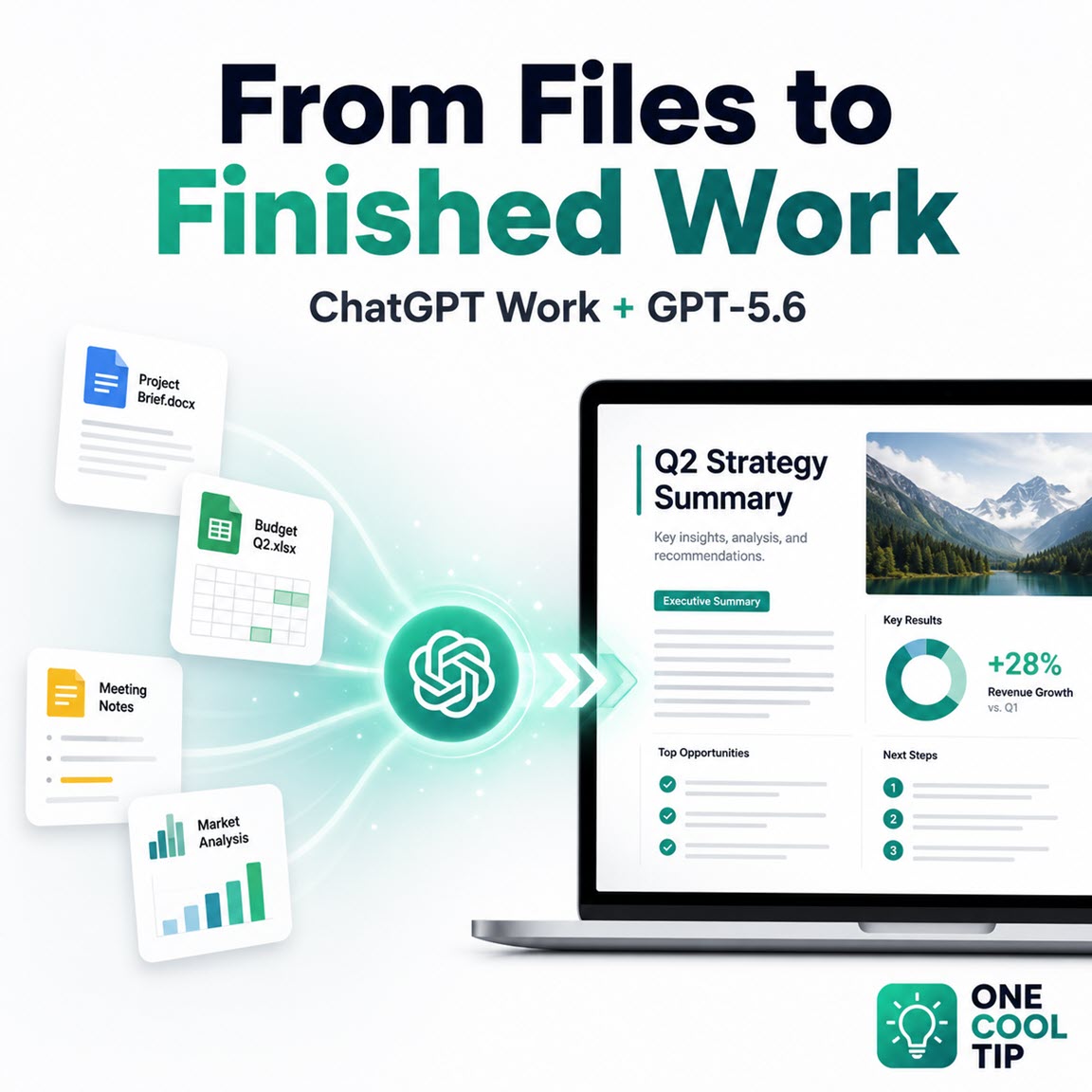
Turn Big Projects Into Finished Work With ChatGPT


ChatGPT Work gives complicated assignments a dedicated workspace where source files, research, instructions, and revisions remain connected. Powered by the GPT-5.6 model family on eligible plans, it can help produce documents, spreadsheets, presentations, reports, analyses, and, on supported web and desktop experiences, interactive Sites.


Read the Full Version.


Read the Newsletter Version.

Looking for your next adventure?


Call Denise at Travel For You.

314.660.3039


Sign Up for the Monthly Newsletter


http://www.travelforyouvacations.com/


https://www.facebook.com/TRAVEL.FOR.U/


See You Tomorrow

Tomorrow's Cool Tip is waiting to amaze you.


Until then, go forth and conquer the tech world with your newfound knowledge!


Be sure to visit www.OneCoolTip.com for Cool Tech Tips for a Cooler Life!


And if you Like One Cool Tip, please support with TipJar!


Enjoy!


Rodger

Chief Cool Tipper

onecooltip.com@gmail.com


What Do You Think?

What do you think of today's OneCoolTip newsletter?
Positive        Neutral        Negative
X Share This Email
LinkedIn Share This Email

Connect with One Cool Tip!!

Facebook  X  Instagram  Web  Pinterest  YouTube  LinkedIn
 

As an Amazon Associate, One Cool Tip may earn a small commission from qualifying purchases.


Our media content is intended solely for informational purposes only. Please do not construe anything here as legal, tax, investment, financial, marital or other advice.


Copyright © 2026 | www.OneCoolTip.com | All Rights Reserved