|
One Cool Tip Newsletter
October 27, 2025
| Your daily dose of tech-savvy brilliance! | |
😀Greetings!, Happy Back to Work Monday, Cool Tipper!
Get ready to streamline your digital life with simple, actionable tips delivered straight to your inbox.
Today's Cool Tip Theme: Back to Work with Google Skills
IN THIS ISSUE
- 🚨 SimonMed Data Breach.
- 👵 Meta Scams Alert.
- 🤖 AI Career Coach Prompt.
- 🪐 ChatGPT Career Galaxy Prompt.
- 💡 Master AI & Cloud Skills.
- 📘 Free Textbooks with AI.
- 🗺️ Google Career Dreamer.
- ⏱️ LinkedIn Job Hunter Trick.
New here? Subscribe to the One Cool Tip Newsletter for daily updates. It's FREE!
-
😂 Laugh with Us! Enjoy our Tech Joke of the Day, Haiku and Cool Tip Comics.
-
🌐 Stay Informed! Check out ICYMI, and our One Cool Tip Video.
🔔 Is your email provider (Gmail, Yahoo, Outlook...) not delivering the newsletter?
Check the Junk folder - Move the newsletter to your Inbox. And reply to this email with a “Hey, Rodger” or “I got it.” That tells your mail service you want this newsletter!
Today's Tech Trivia
Answer at the end of this newsletter.
| |
| Which Google initiative is designed to help developers build AI agents using Gemini? | | | | |
3️⃣
If you enjoy the One Cool Tip newsletter, please forward this newsletter to THREE friends or colleagues or share it on social media using the links below.
Leave a Tip!
Share this One Cool Tip Newsletter!
| |
🚨SimonMed Imaging Data Breach🚨
SimonMed Imaging confirmed a cyberattack between January 21 and February 5, 2025, exposing sensitive data including medical records, Social Security numbers, and biometric identifiers. While no misuse has been reported yet, the scope of exposed information is significant.
Protect Yourself After a Healthcare Data Breach
-
Request a Copy of Your Medical Records: This helps you verify what information may have been exposed and gives you a baseline for future monitoring.
-
Monitor Your Credit and Insurance Statements: Look for unfamiliar charges, new accounts, or claims you didn’t make. Consider placing a fraud alert or credit freeze with major bureaus.
-
Get Your Free Credit Report: Read the SimonMed alert for more details.
-
Change Passwords and Enable MFA: If you’ve used the same login credentials across multiple platforms, update them and turn on multi-factor authentication wherever possible.
-
Watch for Phishing Attempts: Be cautious of emails or calls claiming to be from healthcare providers. Scammers often exploit breach news to trick victims into sharing more personal info.
And in Other News...
- Meta Launches Tools to Help Older Adults Avoid Online Scams
Meta is rolling out new resources this Cybersecurity Awareness Month to help older adults recognize and avoid online scams, especially those targeting social media users.
🧠 What You Can Learn: Scammers often impersonate family members, government agencies, or tech support to trick older users into sharing personal info or sending money. Meta’s new tools include interactive guides, privacy checkups, and scam-spotting tips tailored for seniors and their caregivers.
💡 Cool Tip: If you help older family members with tech, walk them through Meta’s Privacy Checkup and enable two-factor authentication on their accounts. It’s a simple step that can prevent a costly mistake.
| | |
🚀 Make It a Great Week!
Copy/Paste this AI-powered prompt. Use with your favorite AI assistant: Gemini, Copilot, Grok, DuckAI, Meta and ChatGPT.
“Act as my career growth coach.
Ask me a few quick questions about my current role, skills, and long-term goals.
Then create a personalized development plan that includes:
- Specific skills to learn (both technical and soft skills)
- Certifications or online courses to pursue
- AI tools that can help me automate repetitive work or learn faster
- Weekly habits or learning challenges to stay consistent
- One stretch project idea that would strengthen my portfolio or resume
End by suggesting a short motivational quote or insight that fits my situation.”
| | | |
🖼️ Cool ChatGPT AI Prompt of the Day
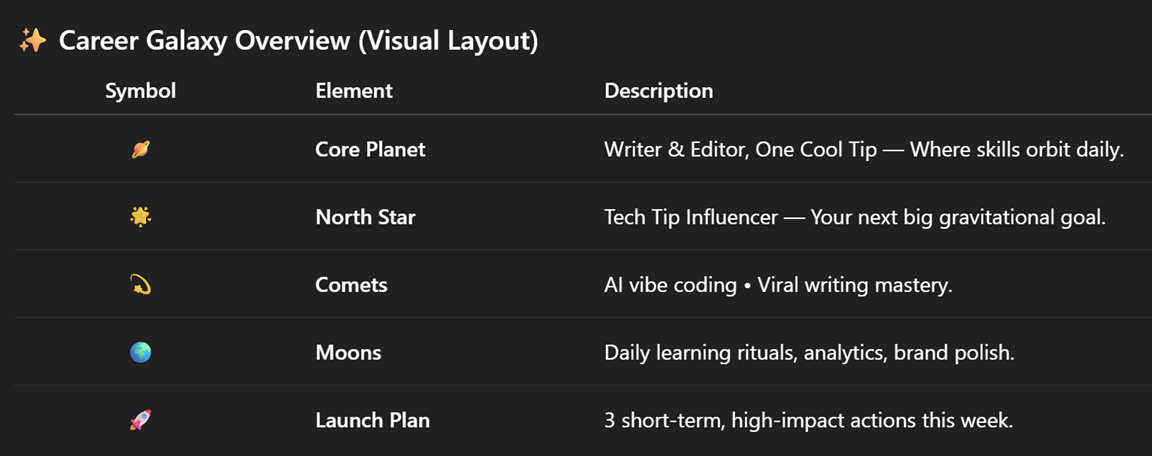
“Hey ChatGPT, help me design my Career Galaxy!
Here’s what I want you to do:
- Ask me 5 quick questions about my current job, dream role, favorite skills, and what energizes me at work.
- Based on my answers, create a ‘Career Galaxy Map’ with:
- 🪐 My Core Planet (current role & skills I orbit around)
- 🌟 My North Star (my dream role or long-term goal)
- 💫 Comets (fast-moving skills I should learn next)
- 🌍 Moons (supporting habits or tools to master)
- 🚀 My Launch Plan (3 steps I can take this week to move closer to my goal)
- Format the result as a beautiful, emoji-filled chart or visual layout so it’s easy to screenshot and save.
- End with a one-line motivational quote that fits my path.”
(Optional: Ask ChatGPT to turn your Career Galaxy into a Canva or PowerPoint layout you can print or use as your background!)
| | |
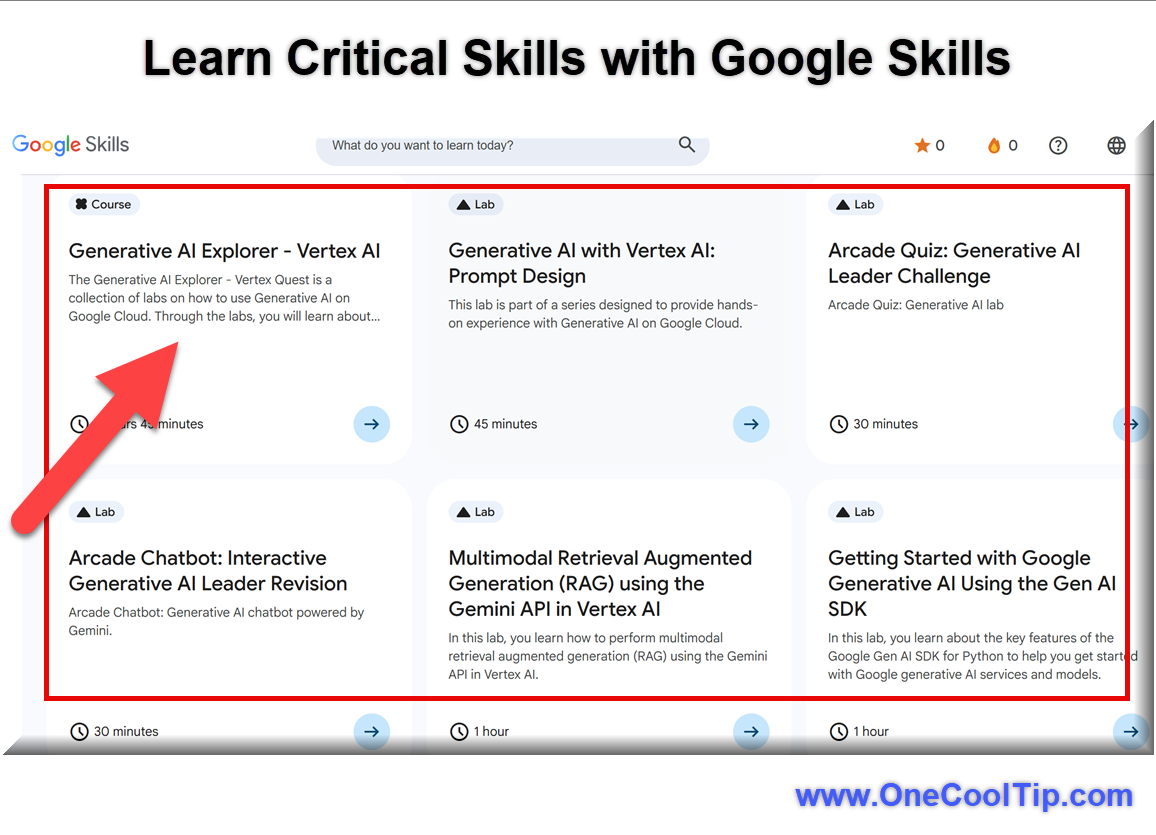
Master AI and Cloud Skills Faster with Google Skills: Your One-Stop Learning Hub
A fresh way to build in-demand AI and cloud expertise, Google Skills brings together thousands of labs, courses and badges that serve individuals and teams alike.
Have you ever found yourself juggling half-a-dozen online training portals and asking “Which one actually moves my career or team forward?”
Here's a Cool Tip: Learn with Google Skills.
Google is targeting frustrated employees with its new platform, Google Skills.
With AI moving at breakneck speed and businesses demanding deeper cloud and machine-learning literacy, the old piecemeal approach to training is showing its age.
Google Skills aims to give you one coherent place to build practical skills, validate them and even tie them into hiring or team-development pathways.
Feature Explanation
What it is:
- Google Skills is the newly launched learning platform from Google that aggregates nearly 3,000 courses and labs from across Google Cloud, Google DeepMind, Grow with Google and Google for Education.
How it works:
- You pick your goal; whether you’re a beginner curious about generative AI, a developer wanting hands-on lab experience, or a team lead managing up-skilling for a group. You access modules (many free), do labs, earn “skill badges” or full certifications, and you can even use features geared for organizations (leaderboards, team assignments).
Why it matters:
- In a time when businesses say up-skilling drives productivity and cloud/AI skills correlate directly with employability and team agility, having a unified platform simplifies things for individuals and organizations alike.
What You’ll Gain
- A centralized learning hub for AI, cloud, data analytics and more.
- Hands-on labs and credentials you can show to employers or stakeholders.
- For teams: tracking, assignment tools and gamified features that boost engagement.
Step-by-Step Instructions
Here's how to do it.
-
Navigate to the new Google Skills website, skills.google.
-
Use the consolidated search bar for terms such as: "Gemini Code Assist," "AI Agent Development," or "Data Analytics" to filter the nearly 3,000 course options.
-
Look for the new skill badges, such as the one for "Kickstarting Application Development with Gemini Code Assist," and enroll.
-
Many courses feature embedded, real-world labs.
-
Check your personal dashboard to monitor your Learning Streaks and earned Achievements.
| | |
Pros and Cons
Pros
-
Very broad catalogue: nearly 3,000 courses/labs means you can cover beginner to advanced in one place.
-
Hands-on labs and badge-based credentials help shift abstract knowledge into demonstrable skills.
-
Team/organization features (leaderboards, assignments, analytics) improve engagement and management of learning.
Cons
-
With so much content, finding the right path may still require self-navigation; beginners may feel overwhelmed.
-
While many modules are free, achieving full certifications or team features may come with costs or require enterprise arrangements.
-
Gamification (leaderboards, streaks) may feel less meaningful to purely self-motivated learners and more suited to team contexts.
Feature Access
-
Who can use it: Individuals (students, professionals), developers, teams and organizations.
-
Many courses and labs are free or included for Google Cloud customers.
-
Some advanced certifications or enterprise team features access may require paid subscription or a Google Cloud customer relationship.
-
No strict prerequisite: beginner-friendly paths exist (e.g., “AI Essentials”).
Score
Criterion | Score| Justification
Value 8
This platform solves a genuine problem for both individuals and teams wanting to build AI/cloud skills in one place.
Usability: 7
Very usable: intuitive catalogue, badges, labs; but heavy catalogue may require some navigation and enterprise features add complexity.
Wow Factor: 7
While the single-hub idea isn’t radically new, the integration of badges + enterprise team tools + gamification give it a fresh edge.
Total Score: 22 out of 30 → 👍 Good. Worth adopting for most users.
If I were comparing to competing platforms I might favor this first for teams or professionals serious about AI/cloud, but a casual learner might choose a simpler course platform.
Key Takeaways
Google Skills gives you a single platform to build, validate and manage AI and cloud skills whether you’re working solo or leading a team.
With hands-on labs, badges and team-friendly features, it aligns well with real-world needs.
Use it now if you’re looking to up-skill in AI or cloud, and monitor how your progress translates into results.
Try It Yourself
Head over to Google Skills and pick one badge or course today.
Share your achievement, and you’ll feel the difference when you bring new capability to your work or team.
Got thoughts or questions after trying it?
Drop a comment, and share this article with your network.
Read the Full Cool Tip
| | |
Help support One Cool Tip. Use this Amazon link when you shop online.
Look at these Cool Products:
|
-
💻 Logitech MX Keys S Keyboard: Smooth, silent keys with smart backlighting make it perfect for online learning sessions or coding certifications. Save 12% 👉 Check it out on Amazon!
-
🎧 Sony WH-1000XM5 Headphones: Industry-leading noise cancellation keeps distractions away while you power through Google Skills courses. Save 43% 👉 Check it out on Amazon!
- 🔋 Anker Nano Power Bank (20W Fast Charging): Compact and reliable — ensures your laptop or phone stays charged during long training labs. Overall Pick! Save 14% 👉 Check it out on Amazon!
- 💡 Elgato Key Light: Adds professional lighting for webcam sessions, perfect for remote learners or certification interviews. Overall Pick! 👉 Check it out on Amazon!
-
🖱️ Logitech MX Master 3S Mouse: Ergonomic design with precision scrolling enhances comfort during extended study or project work. Save 11% 👉 Check it out on Amazon!
| | |
🆒Tell Me More
- Google Skills unifies over 3,000 labs and courses across Google Cloud, Grow with Google, and DeepMind.
- Learners can earn digital badges that integrate directly with LinkedIn.
- Many courses include “Gemini-powered” AI labs for hands-on experimentation.
- The platform supports both individuals and enterprise teams with dashboards.
- New “AI Essentials” modules require no coding which is perfect for beginners.
⏩Quick Tips
- 💡 Choose “Data Analyst,” “Educator,” or “Developer” on the homepage to get curated learning paths.
- 🧠 Try AI Essentials First, a 2-hour starter course that explains generative AI basics.
- 📅 Add learning reminders in Google Calendar to maintain consistency.
- 🏆 Earn Badges Fast, Many labs can be completed in under 45 minutes.
- 🔗 Post achievements directly to LinkedIn or portfolio sites.
| | ✅ More Must-Read Tech Tips | |
👀 How Do I Unlock Knowledge with Free Textbooks?
In today's digital age, the way we access and consume information is rapidly changing.
Have you ever wondered whether there's a smarter, more efficient way to access textbooks?
OpenStax, https://openstax.org/, is a non-profit educational initiative based at Rice University that provides free, peer-reviewed textbooks for high school and college students.
These textbooks cover a wide range of subjects and are available in various formats.
Here's how to do it.
-
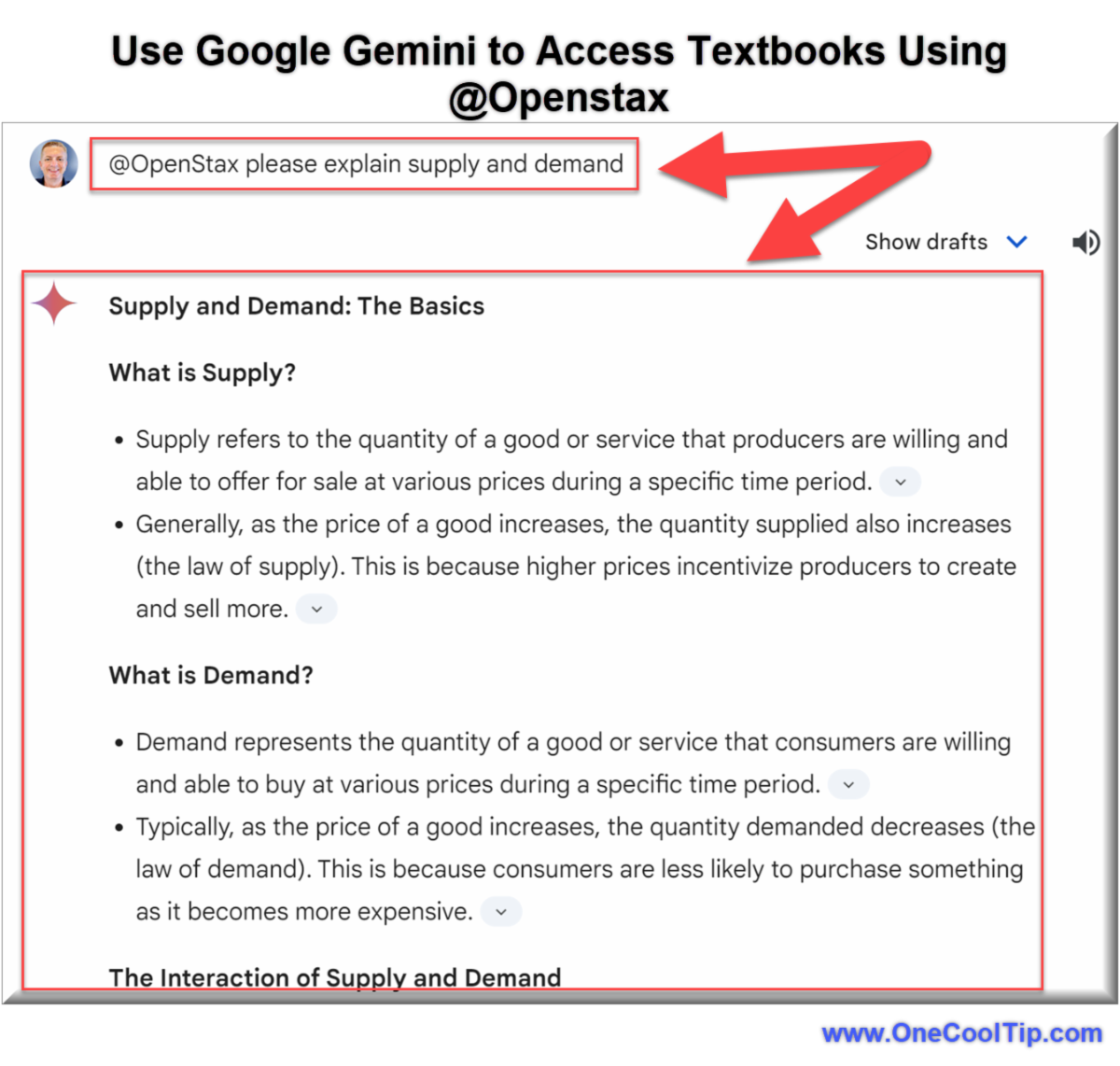
Access Google Gemini: gemini.google.com.
-
Include "@openstax" in your question prompt
- Ask questions, seek clarifications, and engage with the material in a way that suits your learning style.
-
As an example, ask Google Gemini: "@OpenStax please explain supply and demand."
By offering free textbooks, the financial barriers that often prevent individuals from pursuing education are eliminated, making knowledge truly accessible to all. Moreover, Gemini’s AI capabilities transform the learning experience.
Discover more HERE.
| |
🤔 Have You Ever Wondered How to Grow Your Career?
Ever feel like the professional world is constantly shifting beneath your feet, making it impossible to plant roots and truly grow?
What is Google Career Dreamer?
Google Career Dreamer is a personalized career guidance platform.
It uses the vast data and insights Google has gathered on job market trends, in-demand skills, and educational pathways to offer tailored recommendations.
Google Career Dreamer can help you identify the next logical step, whether it’s a specific certification, a new area of study, or even a different type of role within your current field.
Step-by-Step Instructions
Here's how to do it.
Desktop
-
Navigate to the Google Career Dreamer homepage, grow.google/career-dreamer/.
-
Sign in with your Google account.
-
Answer the questions about your current role, desired career trajectory, and your general interests.
-
Google Career Dreamer presents potential career paths.
-
The platform compares your existing skills against the requirements of your chosen paths, highlighting areas where you need to upskill.
-
Google Career Dreamer suggests relevant Google Career Certificates (for example, IT Support, Data Analytics, Project Management, UX Design) and other learning resources to help you acquire the identified skills.
-
Track your progress within the platform, staying motivated and seeing your growth in real time.
- While there isn't a dedicated "Google Career Dreamer" mobile app, the platform is fully responsive and works seamlessly in your mobile browser.
Ready to take control of your career trajectory?
Head over to Google Career Dreamer today and start exploring your potential!
Find more HERE.
| | |
🙋♂️ Here's How to Be the First to Apply for Any Job.
Ever felt like you’re constantly a step behind in the job hunt?
In today's hyper-competitive job market, especially on platforms like LinkedIn, simply applying isn't enough.
There's a subtle, yet powerful, trick hidden within LinkedIn's job search functionality that allows you to zero in on the freshest postings, giving you an almost unfair advantage.
How it Works
LinkedIn offers filters to sort jobs by "Past 24 hours," but even that can be too broad.
This ingenious method leverages the URL parameters of LinkedIn's job search results to filter by seconds, not just hours.
When you filter a job search on LinkedIn by "Past 24 hours," the URL string includes a parameter like f_TPR=r86400.
That "86400" isn't a random number—it's the number of seconds in 24 hours.
Want to see jobs posted in the last hour?
Change 86400 to 3600 (seconds in an hour). How about the last 10 minutes?
Use 600.
This simple URL modification allows you to refresh your job search with an incredibly granular time filter, revealing jobs that have just been posted, often with zero or very few applicants.
Here's how to do it.
Microsoft Web/Desktop
-
Go to LinkedIn's Jobs section (linkedin.com/jobs/).
-
Enter your desired job title and location in the search bar.
-
On the search results page, find the "Date posted" filter and select "Past 24 hours."
-
Look at the URL in your browser's address bar. You'll find a section that includes f_TPR=r86400.
-
Change 86400 to your desired number of seconds.
-
For example: 3600 for the last 1 hour, 1800 for the last 30 minutes or 600 for the last 10 minutes.
-
Press Enter to refresh the page with your newly refined search. Observe the new postings!
iOS / Android (Mobile Browser)
-
While the LinkedIn app doesn't directly expose this URL parameter, you can still use your mobile browser.
-
Use Safari (iOS) or Chrome (Android) and navigate to linkedin.com/jobs/.
-
Follow Web Steps 1-2: Perform your initial job search and apply the "Past 24 hours" filter.
-
Tap on the URL bar at the top of your mobile browser.
-
Carefully locate and change the f_TPR=r86400 parameter as described in Step 4 for the desktop version.
-
Press "Go" or the equivalent on your mobile keyboard to reload the search results.
This trick is available to all LinkedIn users, regardless of premium subscriptions (like LinkedIn Premium or Sales Navigator).
If you can access LinkedIn's job search, you can use this tip.
Head over to LinkedIn's job search, try modifying the URL yourself, and see how quickly new opportunities appear.
Learn more HERE.
| | |
❓Did you share this newsletter with three friends yet?
😎 Cool Facts
-
109%: Job postings requiring AI skills saw a surge of 109% from 2024 to 2025, highlighting the urgency Google Skills is addressing in the job market. Source.
-
1 Million: The ambitious Gemini Enterprise Agent Ready (GEAR) program is specifically designed to enable one million developers to begin building and deploying AI agents. Source.
-
78%: 78% of Organizations are now using AI in at least one business function, up from just 50% in 2022, underscoring why general business users need training like that offered on Google Skills. Source.
⌨️Today's Cool Keyboard Shortcuts
-
Ctrl + D (windows) / Cmd + D (mac): Bookmark a course page for quick access.
-
Ctrl + F / Cmd + F: Find topics inside long course lists.
-
Ctrl + Shift + T / Cmd + Shift + T: Reopen accidentally closed tab.
-
Alt + Left Arrow: Navigate back through course sections.
-
Ctrl + 0 / Cmd + 0: Reset zoom level for readability.
😜 Tech Joke of the Day 😅
Why do programmers prefer dark mode?
Because light attracts bugs.
🔎 Do you have a Cool Tip or tech question? Email us at onecooltip.com@gmail.com.
| | |
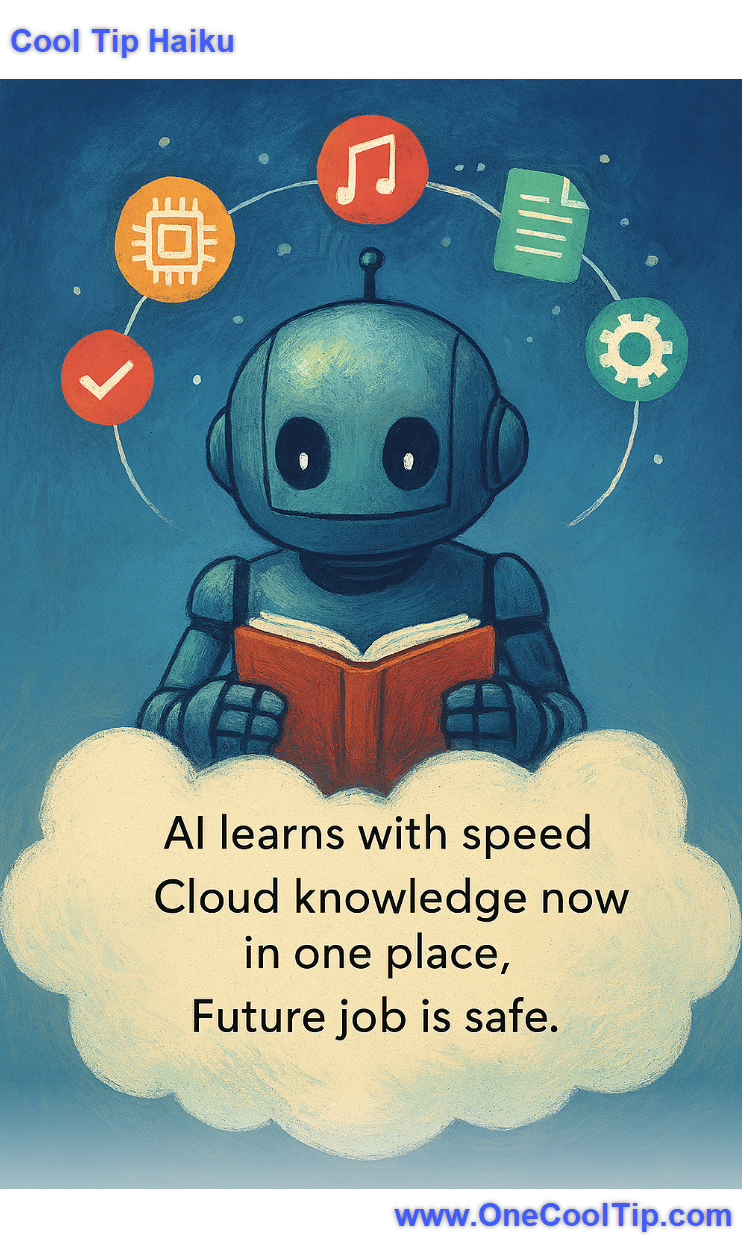
AI learns with speed,
Cloud knowledge now in one place,
Future job is safe.
| |
| 🤔 Poll: Which aspect of the new Google Skills platform are you most excited to use first? | | | |
Did You See These Cool Tips This Week?
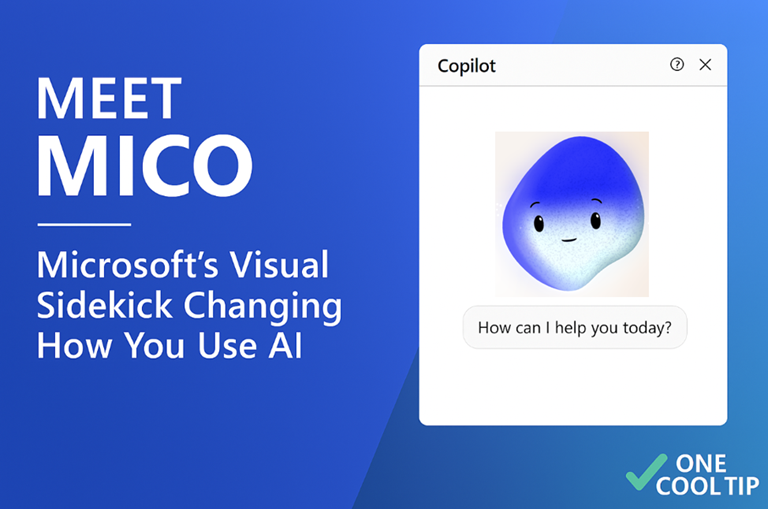
| | | | Gemini Now Learns from Your Past Conversations | Gemini’s newest update lets it remember what you tell it, so your assistant can pick up right where you left off. It learns your preferences, adapts to your work, and becomes more useful the more you use it. | | | | Meet Mico: Microsoft’s Visual Sidekick That’s Changing How You Use AI | Microsoft’s new visual assistant, Mico, adds a face and personality to Copilot, making AI feel more intuitive, expressive, and human-centered. | |
ICYMI - In Case You Missed It ...
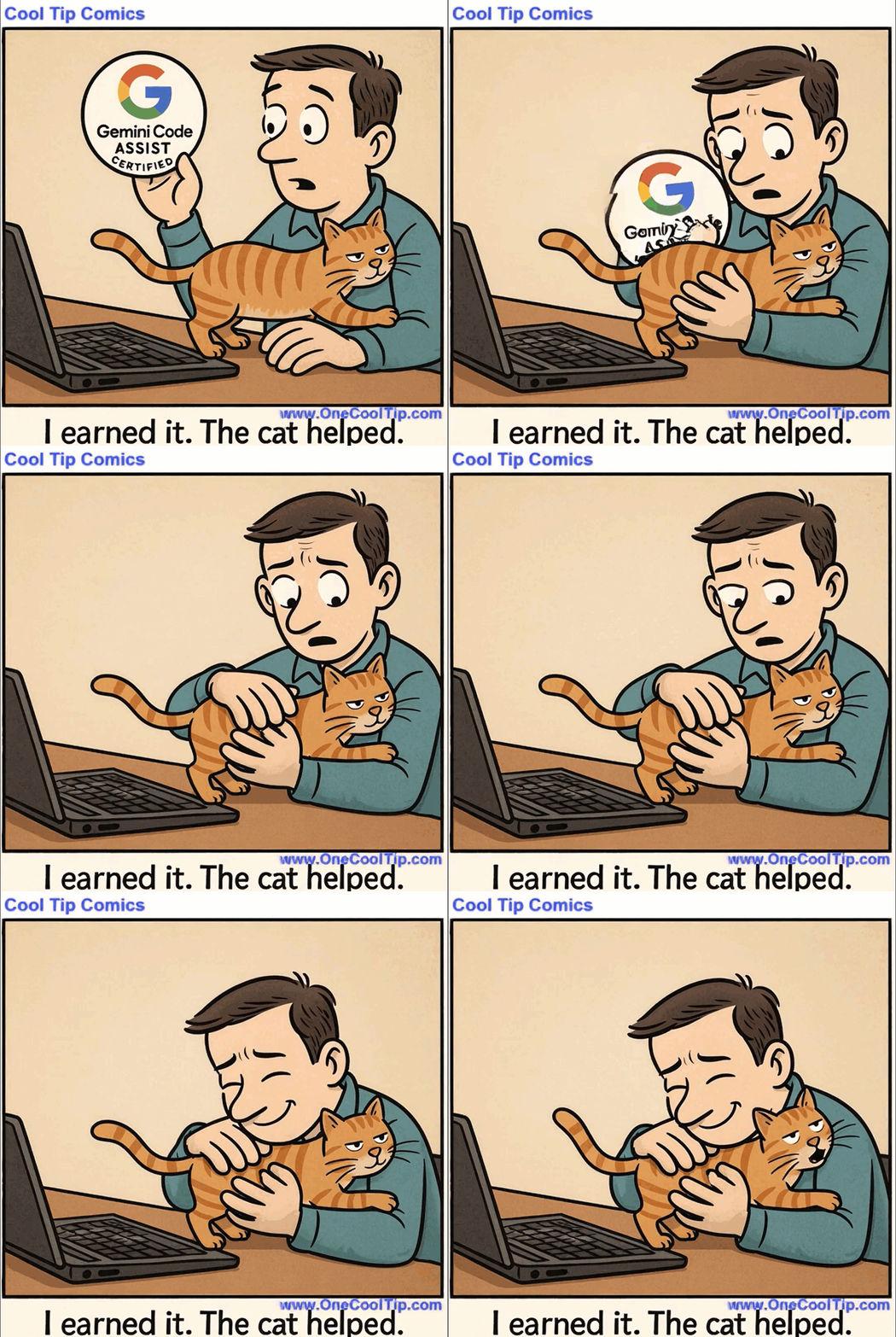
| | | | Remix, Reuse, Reimagine: How Microsoft’s Copilot Creator Gallery Unlocks AI Image Creativity | Microsoft’s Copilot Creator Gallery is quietly reshaping how business users, educators, and creators engage with AI-generated content. Here’s how to tap into its remixable feed to spark ideas, streamline workflows, and elevate your visual storytelling. | | Proof that even AI certification requires a paw-tner in coding. | | |
Trivia Answer: C) Gemini Enterprise Agent Ready (GEAR)
The Gemini Enterprise Agent Ready (GEAR) program is part of Google’s broader push to democratize AI development.
Announced alongside the launch of Google Skills, GEAR aims to empower one million developers to build enterprise-grade AI agents using Gemini.
It’s a strategic move to accelerate adoption of Gemini across industries, offering hands-on labs and certification paths to validate skills.
----------
Tomorrow's Cool Tip is waiting to amaze you.
Until then, go forth and conquer the tech world with your newfound knowledge!
Be sure to visit www.OneCoolTip.com for Cool Tech Tips for a Cooler Life!
And if you Like One Cool Tip, please support with TipJar!
Enjoy!
Rodger
Chief Cool Tipper
onecooltip.com@gmail.com
| |
| What do you think of today's OneCoolTip newsletter? | | | |
Please Share the One Cool Tip Newsletter!
You asked for it. You got it. There is now a One Cool Tip Newsletter archive. Did you delete a newsletter and want to read it again? Check it out HERE.
Want to help One Cool Tip grow? Please forward this email using the link above. And if you see an OCT social media post, please LIKE, COMMENT and SHARE!
Have you subscribed to the One Cool Tip YouTube channel? Subscribe HERE.
| | Connect with One Cool Tip!! | | |
|
As an Amazon Associate, One Cool Tip may earn a small commission from qualifying purchases.
Our media content is intended solely for informational purposes only. Please do not construe anything here as legal, tax, investment, financial, marital or other advice.
Copyright © 2025 | www.OneCoolTip.com | All Rights Reserved
|
| | | |