|
One Cool Tip Newsletter
August 22, 2025
| Your daily dose of tech-savvy brilliance! | |
😀Greetings! Happy Friday Funday, Cool Tipper!
Get ready to streamline your digital life with simple, actionable tips delivered straight to your inbox.
Today's Cool Tip Theme: CrazyGames
IN THIS ISSUE
- 🚨 BEWARE: Crypto Recovery Scams.
- 📱 Update Your iPhone Now!
- 🤖 Google Unveils New Pixel Lineup.
- 🚀 Productivity Coach Prompt.
- 🖼️ Movie Night Menu Prompt.
- 🕹️ Play Free Browser Games.
- ▶️ YouTube Now Has Games.
- 🐍 Play Google Snake.
- 🔢 Conquer 2048.
New here? Subscribe to the One Cool Tip Newsletter for daily updates. It's FREE!
-
😂 Laugh with Us! Enjoy our Tech Joke of the Day, Haiku and Cool Tip Comics.
-
🌐 Stay Informed! Check out ICYMI, and our One Cool Tip Video.
🔔 Is your email provider (Gmail, Yahoo, Outlook...) not delivering the newsletter?
Check the Junk folder - Move the newsletter to your Inbox. And reply to this email with a “Hey, Rodger” or “I got it.” That tells your mail service you want this newsletter!
Today's Tech Trivia
Which was the first widely popular browser game that helped prove online games could scale to millions of players?
A) RuneScape
B) Neopets
C) Club Penguin
D) FarmVille
Answer at the end of this newsletter.
| | |
3️⃣
If you enjoy the One Cool Tip newsletter, please forward this newsletter to THREE friends or colleagues or share it on social media using the links below.
Leave a Tip!
Share this One Cool Tip Newsletter!
| |
🚨Beware of Fake “Crypto Recovery” Law Firms🚨
If you’ve lost money in a cryptocurrency scam, be extra cautious. Fraudsters are now posing as law firms offering to help you recover your funds. According to the FBI’s Internet Crime Complaint Center (IC3), these fake firms impersonate real lawyers, forge documents, and even claim affiliation with government agencies that don’t exist.
Red Flags to Watch For:
- Requests for payment in crypto or gift cards.
- Claims of being “authorized partners” with U.S. agencies.
- Pressure to join secretive group chats or foreign bank platforms.
- Refusal to show credentials or appear on video.
What You Can Do:
- Use a “Zero Trust” mindset. Verify everything.
- Ask for notarized proof of identity and law licenses.
- Contact your local FBI field office or report scams at IC3.gov.
Stay sharp. Recovery scams prey on hope. Don’t let them steal more than you’ve already lost.
And in Other News...
- Update Your iPhone to iOS 18.6.2—ASAP
Apple just released iOS 18.6.2 and iPadOS 18.6.2 to patch a serious security flaw that could let attackers exploit your device using a malicious image file. The vulnerability has reportedly been used in “extremely sophisticated” attacks targeting specific individuals.
What You Should Do:
-
Update your iPhone (XS and newer) and iPad (7th gen and newer) immediately.
- Go to Settings → General → Software Update.
-
Don’t wait! This one’s actively being exploited in the wild.
Even if you're not a high-profile target, staying patched keeps you ahead of the curve. Security isn’t just for the paranoid, it’s for the prepared.
- Google Unveils Pixel 10 Lineup and Gemini-Powered Wearables
At the Made by Google 2025 event, Google dropped a full suite of new hardware including the Pixel 10, Pixel 10 Pro XL, and the foldable Pixel 10 Pro Fold. Powered by the new Tensor G5 chip, these devices promise faster performance and smarter AI features like Pro Res Zoom and Camera Coach for better photos.
Highlights:
- Pixel 10 Pro Fold is IP68-rated—dust and water resistant, finally beach-safe.
- Pixel Watch 4 detects pulse loss and can auto-call emergency services.
- Gemini AI powers live translation, fitness coaching, and Magic Cue (on-device assistant that pulls relevant info from your messages).
- Pixel Buds 2A offer ANC at a budget-friendly price, with replaceable battery cases.
Preorders are live now, with most devices shipping August 28. The foldables and wearables arrive October 9.
| | |
🚀 Make It a Great Week!
Copy/Paste these AI-powered prompts. Use with your favorite AI assistant: Gemini, Copilot, Grok, DuckAI, Meta and ChatGPT.
- "Act as my productivity coach. Create a prioritized task list for today based on these items: [list tasks]. Assign each a time estimate, suggest when to tackle them, and flag one as the day’s most important task."
| | | |
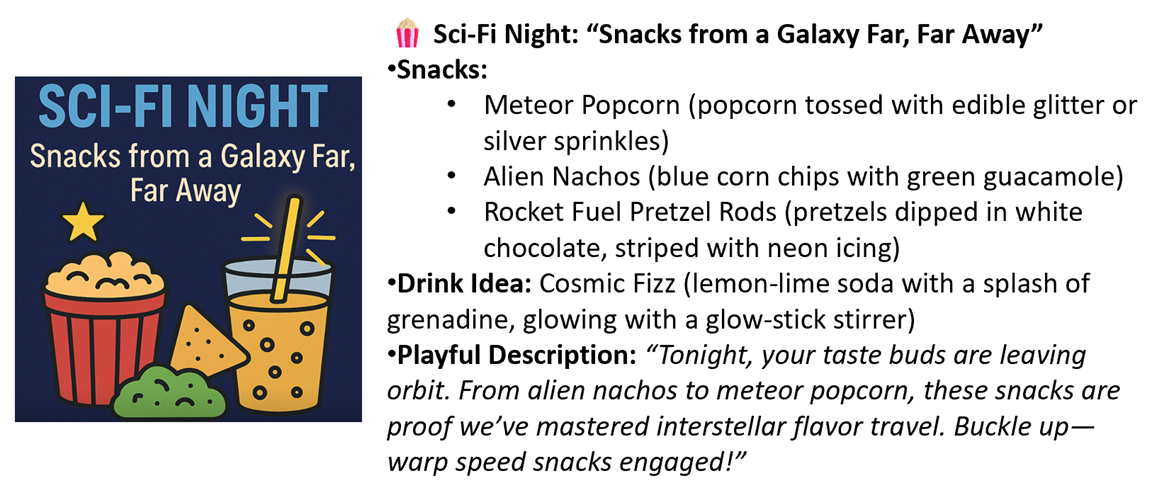
🖼️ Cool ChatGPT AI Prompt of the Day:
"I have friends coming over for movie night. Suggest 3 different themed snack menus (e.g., sci-fi night, 80s throwback, comedy classics). For each menu, include 3 snacks, 1 easy drink idea, and a playful description I could read aloud to set the mood."
| | |
CrazyGames Lets You Play Free Browser Games
Discover how CrazyGames Originals is shaking up the fast, free world of browser gaming with no downloads, no hassle, just instant joy and creative surprises.
By Rodger Mansfield, Technology Editor
August 22, 2025
Do you ever find yourself stuck with ten minutes to spare and a craving for something playful, something rewarding but light?
Browser gaming used to be quick dashes through Flash relics.
Here's a Cool Tip: Play CrazyGames.
CrazyGames Originals is giving us curated, polished mini‑experiences that feel like they were made just for these tiny gaps in the day.
What is CrazyGames, How It Works, and Why It Matters
CrazyGames, the Belgium-based platform beloved by millions, just turned ten and launched CrazyGames Originals, an exclusive line of browser games created for the platform itself .
No downloads, no clutter: just click and play instantly in your browser.
That simplicity is gold for users juggling back‑to‑back meetings or teachers needing a quick mood‑booster for a lesson.
Beyond convenience, Originals show a push toward originality: shooters, quirky simulators, clickers, all baked with variety and polish.
It’s like finding a perfectly curated café in a sprawl of fast‑food joints.
What You’ll Gain
- Access to exclusive, high‑quality browser games—no installs, no hassle.
- Fresh and diverse genres: battle royale, clickers, simulators, all right at your fingertips.
- Instant distraction or group‑friendly fun, great for quick breaks or classroom moments.
Step-by-Step Instructions
Here's how to do it.
On Desktop/Web:
- Open your browser (Chrome, Edge, Safari).
- Go to CrazyGames.com and click on the Originals tab.
- Browse or pick a game: Gridpunk, Capybara Clicker Remastered, Mini Golf Club, and click to play instantly.
On Mobile (iPhone/Android):
- Launch your browser (Chrome, Edge, Safari).
- Navigate to CrazyGames.com, then select Originals.
- Tap a game, HTML5 magic means it runs natively.
Pros and Cons
Pros:
-
Instant access: No installs, no updates.
-
Brain breaks: Great for quick mental resets between tasks.
-
Classroom-friendly: Educators can use puzzle or logic games to engage students without IT headaches.
Cons:
-
Limited depth: These aren’t AAA titles, they’re snackable, not cinematic.
-
Browser-dependent: Performance may vary based on device and connection.
-
No save states: Some games may not save your progress, meaning you won’t always pick up where you left off.
Configuration Guide
CrazyGames Originals don’t require setup.
Once you land on the platform, everything’s instantly clickable.
It’s zero configuration.
Feature Access
Who can play?
Anyone with a modern web browser: desktop, iOS, or Android.
No subscription required.
Score
Score | Criterion | Justification
Value 8
Delivers instant, high-quality browser games—great for quick enjoyment and productivity-aligned breaks.
Usability 9
Near zero friction: open browser, click, play. Works across devices without special setup.
Wow Factor 7
Smart curation and polished variety spark delight—but it’s still within expectations of casual gaming.
Total: 24 / 30 Good. Worth adopting for most users looking for quick, distraction-ready entertainment or light group fun.
Key Takeaways
CrazyGames Originals give anyone fast access to polished, exclusive browser games with no downloads needed.
They shine for quick micro-breaks and collaborative fun, with near-perfect usability.
Not for heavy-duty gaming, but perfect for filling small gaps with something genuinely enjoyable.
Try It Yourself
Give it a spin today.
Pop open your browser, head to CrazyGames Originals, and pick whatever catches your eye.
Love it?
Tell your team, or share the idea with your class.
READ MORE
Read the Full Tip.
| | |
Help support One Cool Tip. Use this Amazon link when you shop online.
Look at these Cool Products:
| |
-
🖱️ Logitech G Pro 2 Wireless Mouse: Precision clicker tech for games like Capybara Clicker Remastered. Save 20% Check it out on Amazon!
| | |
🆒Tell Me More
- CrazyGames Originals offers exclusive HTML5 titles, no installs, just click and play.
- Games range from competitive battle royales to casual clickers like Capybara Clicker Remastered.
- Browser games now rival mobile apps in accessibility, thanks to modern HTML5 performance.
- Teachers and team leaders are using quick online games as group warm-ups or brain breaks.
- The Originals platform supports indie developers, giving them direct access to millions of players.
⏩Quick Tips
-
🎮 Bookmark Favorites: Add your favorite Originals games to your bookmarks bar. ➡️ Right-click in Chrome/Edge → “Bookmark this tab.”
-
📱 Play on Mobile: CrazyGames runs smoothly in Safari or Chrome on your phone. ➡️ Open crazygames.com → tap “Originals.”
-
🖥️ Go Full Screen: Maximize immersion by entering full-screen mode. ➡️ Click the full-screen icon in the game window.
-
🔒 Clear Cache for Performance: Boost laggy games by clearing old browser data. ➡️ Settings → Privacy → Clear Browsing Data.
| | ✅ More Must-Read Tech Tips | |
👀 How Do I Play Games on YouTube?
YouTube isn't just for videos anymore. Jump into the world of Playables and discover how to play games directly on YouTube.
Yes, you read that right!
YouTube has quietly introduced a new feature called "Playables" that transforms the video platform into a casual gaming hub.
Here's how to do it.
-
On the YouTube website, you'll usually find a section called "Playables" or go to: https://www.youtube.com/playables .
-
On mobile, look for Playables in the left-hand menu.
-
Browse the available Playables and click on the game you want to try.
- The selection ranges from arcade classics to puzzle games, so there's likely something for everyone.
-
Start Playing! Most Playables load quickly and seamlessly within the YouTube interface, so you'll be in the action in no time.
- Controls are usually intuitive and tailored for touchscreens or keyboards.
There's no need to download separate apps; games are directly accessible.
Discover more HERE.
| |
🤔 Have You Ever Wondered How to Play Google Snake?
Get ready for classic gaming fun! Learn how to easily play Google's Snake game and relive a nostalgic arcade experience.
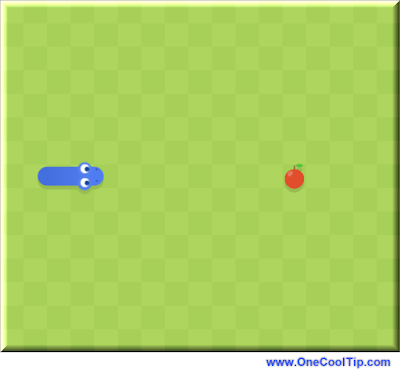
The Google Doodle Snake Game is a reimagined version of the classic game that is perfect for all ages.
Here's how to play it.
-
Go to the Google Snake site: https://www.google.com/fbx?fbx=snake_arcade
-
Click on the snake-shaped Play button.
- Use the arrow keys to move the snake and eat food items.
- On a smartphone, swipe the direction to move with your finger.
- Avoid colliding with yourself or the walls of the screen.
- Keep playing until you reach a high score!
Here are some tips to help you get started:
-
Use the arrow keys to move the snake.
-
You can also use the W, A, S, D keys on your keyboard.
-
Eat as many food items as possible to grow your snake longer.
-
Avoid colliding with yourself or the walls of the screen.
-
You can turn the sound on or off by clicking on the speaker icon in the top left corner of the screen.
Enjoy!
Find more HERE.
| |
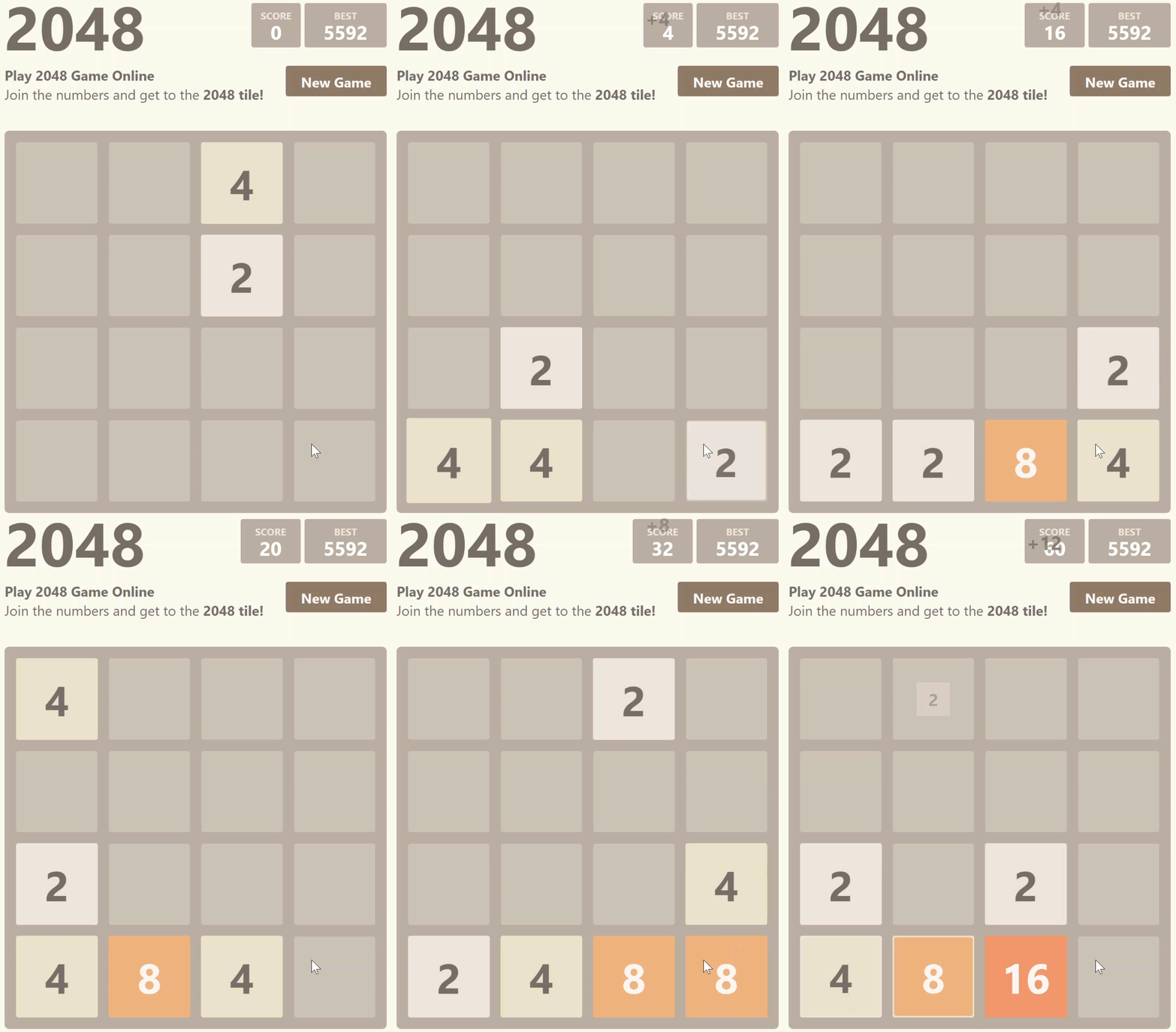
🙋♂️ Here's How to Play 2048!
Play the addictive world of Play2048 where strategic tile-sliding meets numerical puzzle-solving. This Cool Tip uncovers the game's mechanics, offers winning strategies, and provides insights to conquer the elusive 2048 tile.
Play2048 is a browser-based game where you slide numbered tiles on a 4x4 grid.
The goal is to combine tiles with the same number to create larger numbers, ultimately reaching the 2048 tile.
With each move, a new tile (either a 2 or a 4) appears on the board.
The game ends when you can no longer make any moves, either because the board is full or no tiles can be merged.
Here's how to do it.
-
Navigate to Play2048, https://2048game.com/.
-
Use the arrow keys on your keyboard to slide the tiles in the corresponding direction (up, down, left, or right).
-
When playing on a mobile device, use your fingers to slide the tiles.
-
Slide tiles with the same number into each other to combine them and create a tile with double the value.
-
Continue merging tiles and creating larger numbers until you reach the 2048 tile or run out of moves.
Have you tried Play2048?
Learn more HERE.
| | |
❓Did you share this newsletter with three friends yet?
😎 Cool Facts
-
20 Million: CrazyGames attracts over 20 million monthly users worldwide.
-
7 Billion: Browser gaming is forecast to grow to $7 billion in revenue by 2027.
-
24: HTML5 replaced Flash, which Adobe discontinued in 2020 after 24 years of use.
⌨️Today's Cool Keyboard Shortcuts
Cool Keyboard shortcuts:
-
Windows: Ctrl+T: Open new tab instantly for a fresh game.
-
Mac: Command+Option+Esc: Quickly close a frozen tab/game.
-
Chrome/Edge: F11: Toggle full-screen mode.
-
Ctrl + W (Windows) or Cmd + W (Mac): Close a tab instantly to get back to work.
😜 Tech Joke of the Day 😅
Why do gamers prefer dark mode?
Because light attracts bugs.
🔎 Do you have a Cool Tip or tech question? Email us at onecooltip.com@gmail.com.
| | |
Click, play, no install,
Snake solves puzzles, memes collide,
Break time, redefined.
| |
| 🤔 What’s your go-to way to enjoy quick online fun? | | | |
Did You See These Cool Tips This Week?
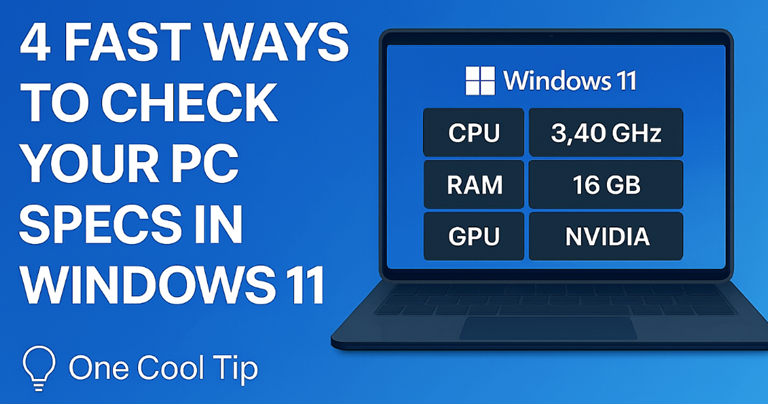
| | | | Gemini Can Read Aloud Google Docs with New “Audio” Feature | Google is rolling out a Gemini-powered “Audio” option in Google Docs that reads text aloud with natural-sounding voices. This new tool makes it easier to proofread, multitask, and boost accessibility in everyday work. | | | | Do You Know What Your PC Is Really Capable Of? | Find out exactly what’s running inside your Windows 11 machine, CPU, RAM, GPU, version info quickly and clearly, even if you only have a minute and a shortcut key. | |
ICYMI - In Case You Missed It ...
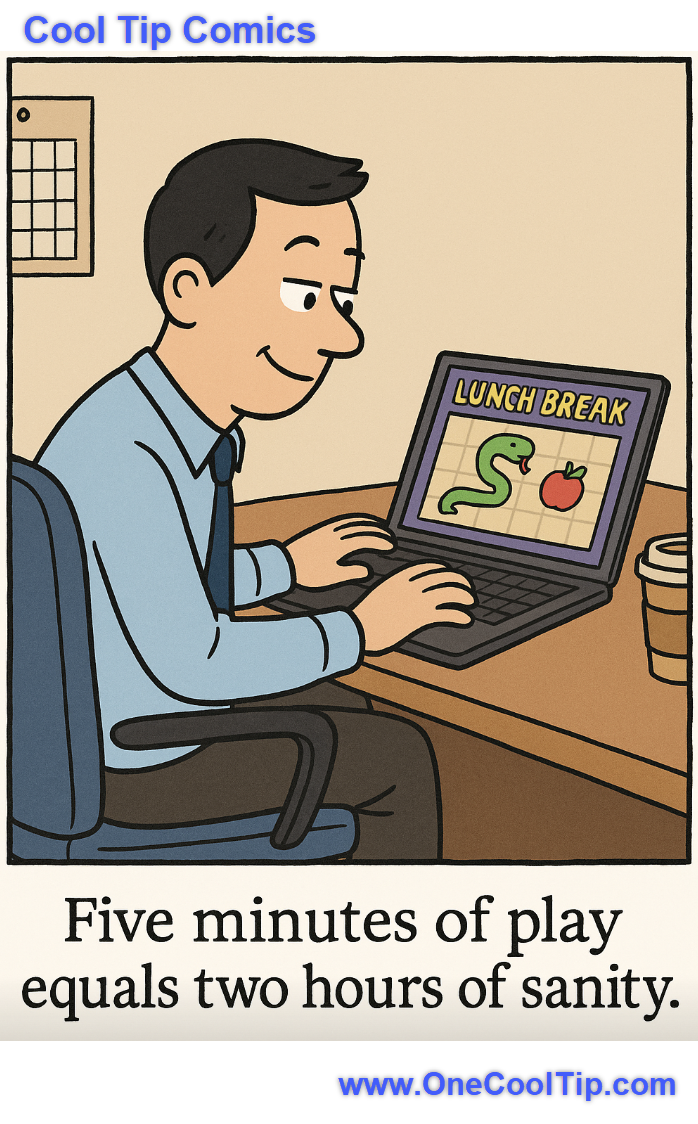
| | | | Google Photos' Ask Photos Gets a Powerful Brain Boost | Tired of endless scrolling to find that one photo? Google Photos' enhanced Ask Photos, powered by Gemini AI, is rolling out to more users, transforming how you interact with your visual memories and making complex searches remarkably simple. | | Proof that the real productivity hack isn’t coffee; it’s five minutes of Snake. | | |
Trivia Answer: D) FarmVille
FarmVille, launched on Facebook in 2009, became a cultural moment for online gaming, drawing over 30 million daily active users at its peak.
It demonstrated the potential of social networks as gaming platforms and introduced millions of casual users to the idea of persistent, browser-based worlds.
That same model paved the way for today’s instant-play web games.
----------
Tomorrow's Cool Tip is waiting to amaze you.
Until then, go forth and conquer the tech world with your newfound knowledge!
Be sure to visit www.OneCoolTip.com for Cool Tech Tips for a Cooler Life!
And if you Like One Cool Tip, please support with TipJar!
Enjoy!
Rodger
Chief Cool Tipper
onecooltip.com@gmail.com
| |
| What do you think of today's OneCoolTip newsletter? | | | |
Please Share the One Cool Tip Newsletter!
You asked for it. You got it. There is now a One Cool Tip Newsletter archive. Did you delete a newsletter and want to read it again? Check it out HERE.
Want to help One Cool Tip grow? Please forward this email using the link above. And if you see an OCT social media post, please LIKE, COMMENT and SHARE!
Have you subscribed to the One Cool Tip YouTube channel? Subscribe HERE.
| | Connect with One Cool Tip!! | | |
|
As an Amazon Associate, One Cool Tip may earn a small commission from qualifying purchases.
Our media content is intended solely for informational purposes only. Please do not construe anything here as legal, tax, investment, financial, marital or other advice.
Copyright © 2025 | www.OneCoolTip.com | All Rights Reserved
|
| | | |