Curriculum Connections: Using NotebookLM for Unit Prep
By Amy Kohlhaas
Whenever I’m starting a new curricular unit, there’s always a lot of material to get through—the teacher guide, student workbooks, readers, and all the extras. It can be a bit overwhelming to digest it all before you actually start teaching. Lately, I’ve been using NotebookLM to help me get a handle on these materials more efficiently.
The process is pretty straightforward. I just upload the unit documents (like the PDFs of the teacher guide and workbook) directly into the tool. Since NotebookLM only uses the specific sources you provide, you don't have to worry about it pulling incorrect information from elsewhere on the internet. It stays focused entirely on our curriculum.
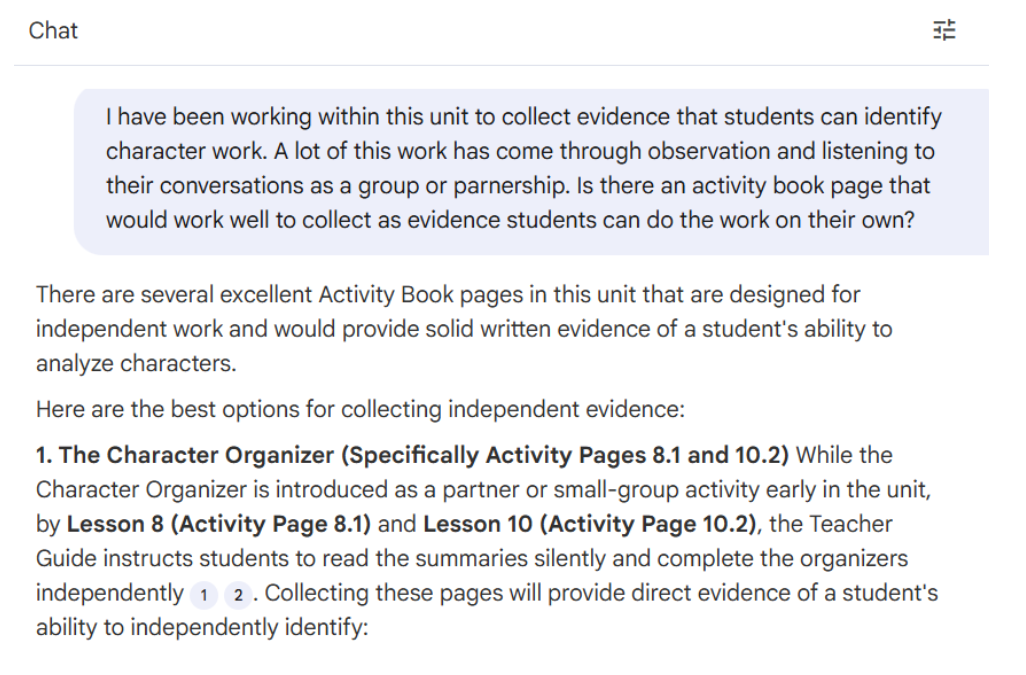
I’ve found it really helpful for getting a quick overview. For example, I’ve asked it to summarize the "Big Idea" of a unit or to list every lesson that addresses a specific learning target. I even asked it to compare how often students are assessed independently versus with a partner, which helped me think through the classroom logistics ahead of time. It’s been a great way to learn a unit deeply without having to read every single page line-by-line before the unit even begins. It’s definitely worth a look if you’re looking to save some time on your upfront planning, and I’m sure if you give it a try, you'll find even more ways it can be beneficial for your own workflow.
|