New Case Management

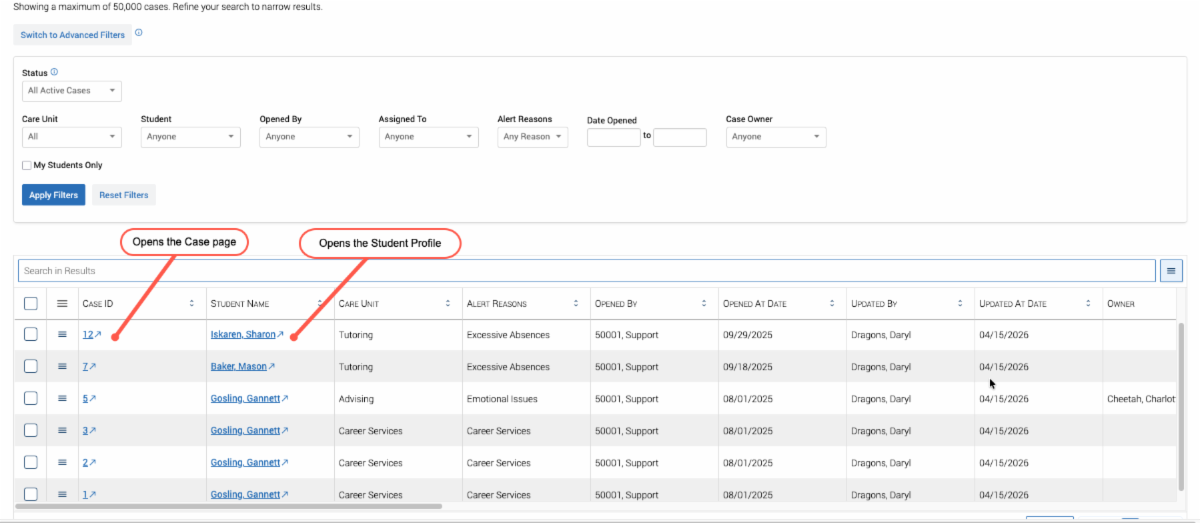
Case management has a new look! Each case is now assigned a Case ID number, and when you click the ID number on the Cases page, it opens a new tab to the Case Details page.


Explore together and learn how to use the Advanced Filters with a special Navigate360 - New Case Management session

  • Wednesday, May 27
  • 10 a.m. - 11:30 a.m.
  • Hybrid - Zoom link
  • Campus Center 103, ACT Center Conference room

From the main Cases page, you can also select multiple cases or single cases and take actions. Similar actions can be taken on the Case Management page under Quick Actions

  • Assign
  • Update Status (NEW)
  • Link Cases (NEW)
  • Send Message

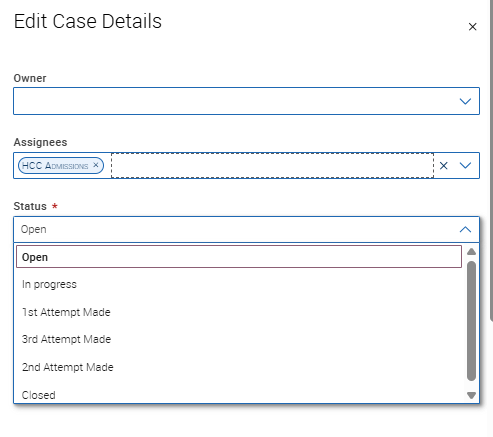
Custom Case Status


Update the case status to help you and others understand where you are in managing the case.

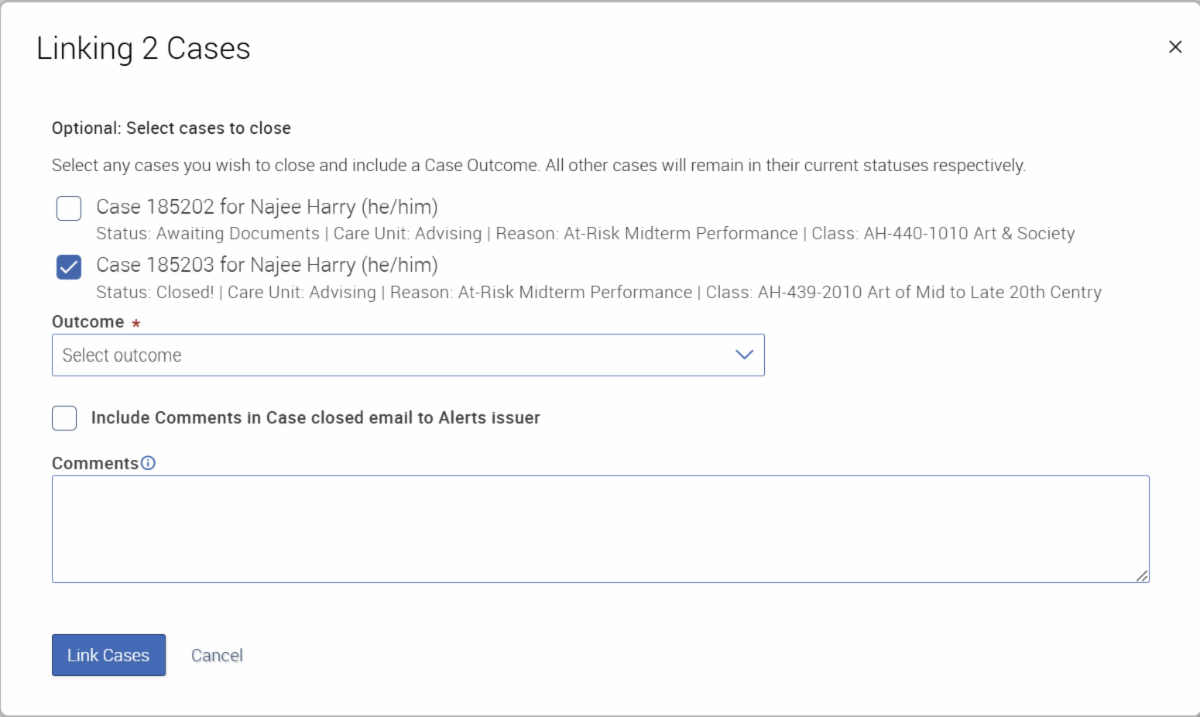
Linked Cases


Link up to 25 related and/or duplicate cases with the option to close cases that no longer need attention. When closing cases, you must select a Case Outcome prior to completing the linking process.


***Once cases are linked, they may be unlinked. Once cases are closed, they may be reopened.

View all HCC led Trainings and EAB-led trainings on the Learning Navigate Google Calendar. Bookmark the Learning Navigate card on myHCC. When registering for an EAB-led training, log in to EAB.com. If you have never logged in before, create an account with your HCC email address.

If you have any questions please contact us at navigate@hcc.edu
Thank you,
HCC Navigate Leadership Team
HOLYOKE COMMUNITY COLLEGE
303 Homestead Ave., Holyoke, MA 01040