Let ABI show you how! It's Tech Thursday.
IT'S TECH THURSDAY AT ABI
GOOGLE REVIEW
HOW TO WRITE A REVIEW
WITHOUT A GOOLE OR GMAIL ACCOUNT
Bet you didn't know you can write us a review and
you don't need a Google or Gmail account.
How you ask? It's Simple.
Follow the directions below
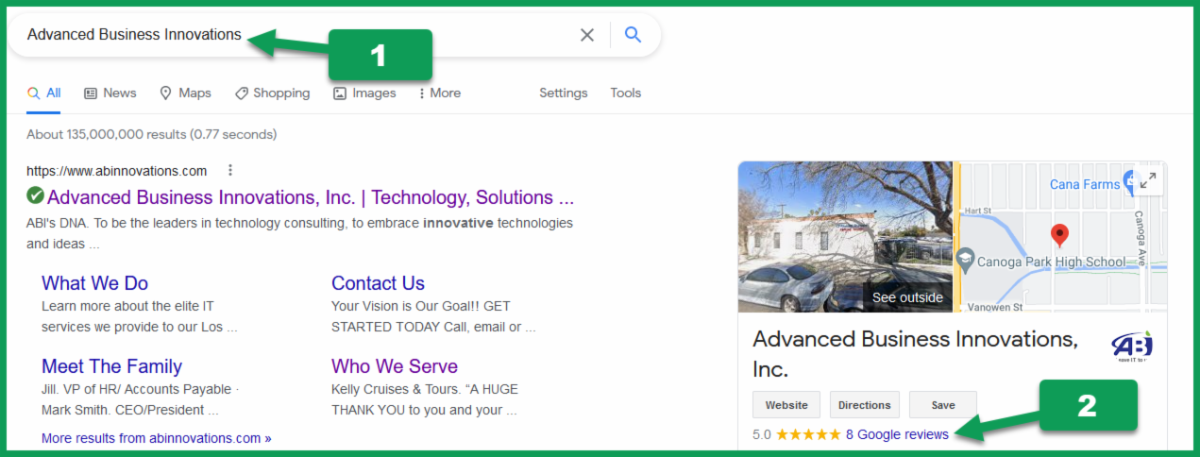
GOOGLE SEARCH: ADVANCED BUSINESS INNOVATIONS
or any business you wish to review
Once you have the business pulled up, scroll down past the map
until you find starred reviews.
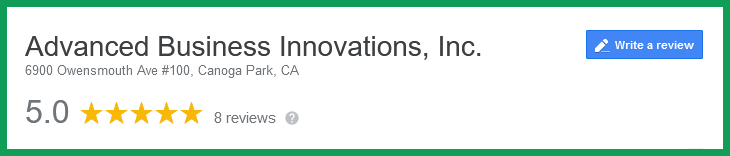
CLICK: Google Review
CLICK: Write Review
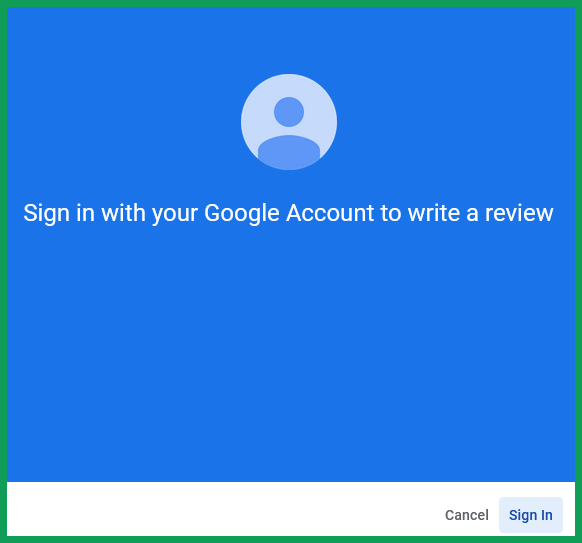
At this point, you will be prompted to sign in
this is where it may get (understandably) confused
thinking you need a Google account to leave a review.
CLICK: Sign In
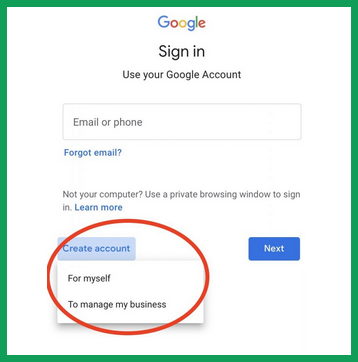
CLICK: “Create account”
choose “for myself” or “for my business.”
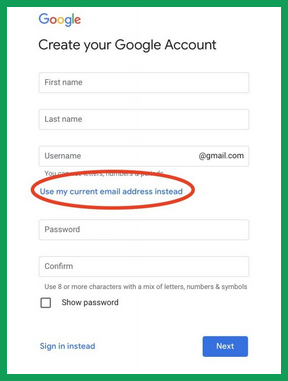
On the next page it will give you the option to
“use my current email address” instead.
Complete the form on the Create your Google Account,
click next and follow the remaining directions
CLICK: Next
It's as easy as that.
Test it out!
CLICK: the graphic below
For suggestions, questions, or to add your employees to this email list contact
bonnie@abinnovations.com
Thank you for joining us on #ABIMSPtechthursday
Connect with us