One Cool Tip Newsletter

November 3, 2026

Your daily dose of tech-savvy brilliance!

😀 Greetings! Happy Tuesday, Cool Tipper!


Get ready to streamline your digital life with simple, actionable tips delivered straight to your inbox.


Cool Tip Theme: Gemini Immersive Explorations


Discover how Gemini Immersive Explorations helps students and lifelong learners visually explore complex topics layer by layer on web and mobile devices


New here? Subscribe to the One Cool Tip Newsletter for daily updates. It's FREE!

3️⃣

If you enjoy the One Cool Tip Newsletter, please forward this newsletter to THREE friends or colleagues or share it on social media using the links below.


Leave a $$$ Tip!


Share this One Cool Tip Newsletter!

X Share This Email
LinkedIn Share This Email
Pinterest Share This Email

🚨 Your Streaming Box Could Be Working for Cybercriminals🚨


Google has helped dismantle a massive botnet that secretly enrolled more than 1.3 million set-top boxes infected with a preinstalled backdoor.


The malicious software allowed infected devices to be used for ad fraud, residential proxy services, data theft, and additional malware.


Most of the compromised devices detected by Google were Android TV set-top boxes.


The company says it has banned the manufacturer behind the devices from building and selling certified Android devices in the future.


Google is also strengthening how it checks firmware on certified Android TV devices.


The Cool Tip:


Think twice before connecting a bargain, unfamiliar streaming device to your home network.


And in Other News...


  • Meet Gemini 4 Carbon, Google’s Powerful New AI Coming Soon


Google has unveiled Gemini 4 Carbon, which it calls its strongest AI model yet, with a particular focus on cybersecurity, coding, and complex tasks that can take many steps to complete.


Carbon improves its ability to find software vulnerabilities, generate secure code, and help fix security problems.


The model is also designed for long-running tasks, with Google reporting internal examples that ran for days while working through complicated engineering problems.


Don’t go looking for Carbon in your Gemini app just yet, though.


Google is initially making it available to a subset of cyber defenders and plans to gradually expand access to additional trusted partners before bringing it to developers, businesses, and consumers.


The Cool Tip:


Keep an eye on Gemini because Carbon offers an early look at where Google’s AI is heading.


  • 🗳️ Election Night 2026: Where to Find Results You Can Trust


Americans head to the polls today, Nov. 3, for the 2026 midterm elections.


With control of Congress, governorships, and thousands of state and local offices on the ballot, millions of voters will be following the results.


Instead of relying on social media rumors or unverified posts, bookmark these trusted election websites:


  • Associated Press (AP): National vote counts, race calls, and breaking election news.
  • NPR: Interactive election maps and easy-to-follow congressional results.
  • Ballotpedia: Detailed information on candidates, races, and ballot measures.
  • CNN: Live coverage, interactive maps, and election-night analysis.
  • Reuters: Election reporting and context on developments nationwide.
  • Can I Vote: Links to official state election authorities.


The Cool Tip:


  • A candidate leading in early vote totals has not necessarily won.
  • Election-night projections are not official certifications.
  • Check the source, review the reporting timestamp, and remember that close races may take additional time to resolve.
  • Bookmark a few of these sites so you can follow the election results with confidence.

Cool Tip Poll

🤔 What's your favorite way to learn a new complex topic?

Cool Deals of the Day

  • Have you tried the Upside app? Everyday cash back on gas, groceries and dining.


Help support One Cool Tip. Use this Amazon link when you shop online.


Check out these Cool Deals:

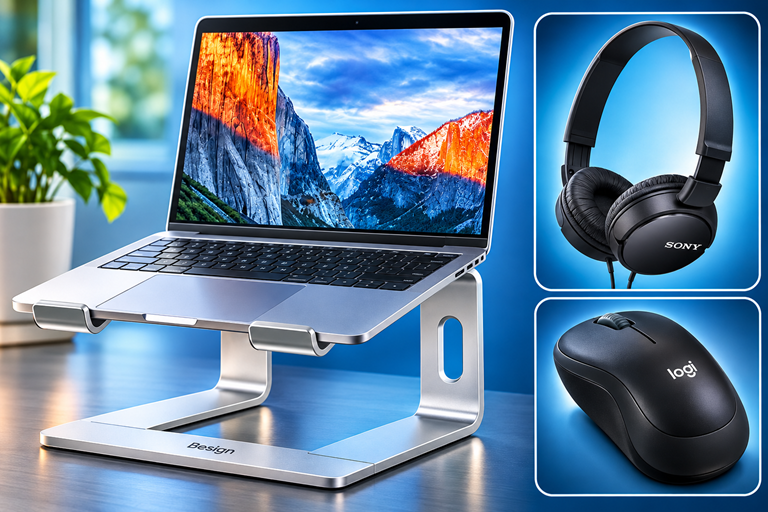
🎧 Sony MDR-ZX110 Wired Headphones: A lower-cost wired option for study and other computer audio.

Save 48%. Now $13.00. 4.5 Stars. Check it out on Amazon!


💻 BESIGN LS03 Aluminum Laptop Stand: A simple way to raise a laptop for longer browser-based study sessions.

Look! Now $16.99. 4.8 Stars. Check it out on Amazon!


🖱️ Logitech M185 Wireless Mouse: A mouse can make selecting and exploring interactive visual elements more comfortable on a laptop.

Look! Now $14.80. 4.4 Stars. Check it out on Amazon!


*Prices accurate when originally published.

One Cool Tip may earn a commission from qualifying purchases.

Fuel Your Adventure

Try Big Mike's Jerky!


bigmikesjerky.com


Today's Cool Tip

Experience Interactive Learning With Gemini Immersive Explorations

Learning complex subjects often requires more than just reading plain text on a screen.


Google recently introduced Gemini Immersive Explorations to give students and curious minds an interactive, visual way to understand difficult concepts.

By Rodger Mansfield, Technology Editor

November 3, 2026

Subscribe


Many students struggle to visualize abstract concepts like the molecular structure of life or the immense scale of deep space. 


Textbooks and standard search results provide facts, but they often fail to connect the dots in a way that truly clicks for visual learners. 


Google has recognized this gap and is introducing a new educational feature within its AI assistant to bridge it.


In late October 2026, Google rolled out Immersive Explorations inside the Gemini app. 


This tool moves beyond standard text responses to offer an interactive encyclopedia experience. 


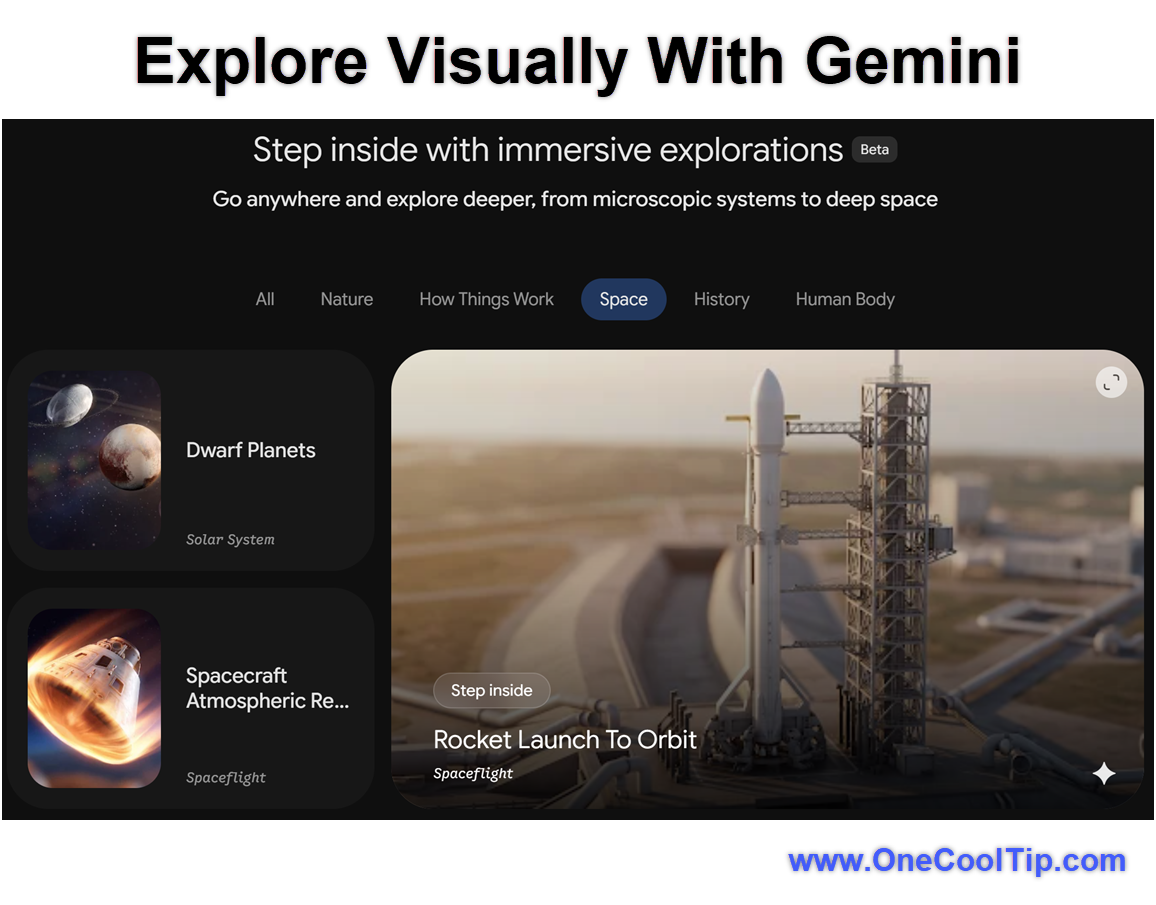
Users can click through 20 curated subjects, seeing high-quality visuals and peeling back layers of information to see how things work. 


Whether you are helping a child with a science project or just expanding your own knowledge, this feature turns passive reading into active discovery.


Here's a Cool Tip: Visually explore complex topics layer by layer using Gemini Immersive Explorations.


Feature Explanation


Gemini Immersive Explorations is a visual learning environment built directly into the Gemini ecosystem. 


Instead of typing a question and receiving a few paragraphs of text, you open a dedicated library of topics and select one to explore interactively. 


The tool guides you through different facets of a subject, from microscopic systems to massive cosmic phenomena.


This represents a significant shift in how artificial intelligence interfaces are designed. 


Rather than relying solely on large language models to output text, Google is integrating structured visual storytelling to ensure accuracy and engagement. 


When you select a topic, the interface presents a visually rich, layered experience. 


You can step through the information at your own pace, uncovering new details with each interaction. 


This is highly beneficial for visual learners who need to see how the parts of a cell fit together or how dinosaurs evolved over time. 


It solves the common problem of information overload by breaking down massive subjects into digestible, visually supported segments.


Currently, the feature is limited to 20 pre-built topics in English. 


It is a curated experience rather than a generative one, meaning you cannot ask Gemini to build a brand new immersive exploration from scratch. 


However, this curated approach ensures that the information is structured logically and presented with accurate visual aids. 


Google also plans to add voice narration soon, which will further support auditory learners.


What You'll Gain


  • Save time searching for accurate diagrams and educational videos across the web.
  • Improve comprehension of complex subjects through interactive visual layers.
  • Engage younger learners with a more dynamic, encyclopedia-style format.


Step-by-Step Instructions


Here's how to do it.


Web/Desktop:


  1. Open your web browser and navigate to gemini.google.com/immersive-explorations.
  2. Sign in with your Google account if prompted.
  3. Browse the library of 20 available topics on the main dashboard.
  4. Click on a topic card, such as the molecular structure of life or deep space.
  5. Use the on-screen navigation buttons to step through the visual layers of the subject.


fig. 1 - Explore Visually with Gemini

iPhone/iPad:


  1. Open the Gemini app on your Apple device.
  2. Tap the menu icon and select Students or navigate to the Immersive Explorations section.
  3. Scroll through the available visual topics.
  4. Tap a topic to launch the interactive viewer.
  5. Swipe or tap the prompts to explore the information layer by layer.


Android:


  1. Launch the Gemini app on your Android smartphone or tablet.
  2. Open the main menu and select the Students hub.
  3. Browse the list of available interactive subjects.
  4. Select a topic to begin the exploration.
  5. Follow the on-screen cues to reveal more details and visual aids about the subject.


Pros and Cons


Pros:


  • Visual learners get a much better understanding of abstract and complex concepts.
  • The curated nature ensures high-quality, structured information rather than unpredictable AI hallucinations.
  • It is available across personal accounts and educational Workspace accounts.
  • The interface is highly interactive and engaging for younger students.


Cons:


  • You are currently limited to a library of just 20 pre-selected topics.
  • The experience is only available in English at this time.
  • You cannot generate custom explorations for specific homework questions.
  • Voice narration is missing from the initial launch.


Who Should Skip This


Users who need specific, niche research for graduate-level studies will find the current 20 topics too basic and limited. 


Because you cannot use AI to generate new explorations on demand, this tool will not help you complete a thesis on an unsupported topic. 


Additionally, users who prefer traditional text-based research, who need to copy and paste data into spreadsheets or who do not speak English fluently may want to wait until Google expands the feature's language support and topic library.


Troubleshooting and Limitations


Problem: You cannot find a specific topic you want to learn about.


  • Why it happens: The feature launched with a restricted library of only 20 subjects.
  • Fix or workaround: You will need to use standard Gemini text prompts for topics outside the curated library.


Problem: The Immersive Explorations interface is entirely in English.


  • Why it happens: Google is currently providing an English-only experience for all users worldwide.
  • Fix or workaround: Wait for Google to roll out additional language support in future updates.


Problem: You do not see the Students hub in your Gemini app menu.


  • Why it happens: The app layout may vary based on your account type or geographic region.
  • Fix or workaround: Open your mobile browser and navigate directly to gemini.google.com/immersive-explorations to access the library.


Feature Access


Immersive Explorations is currently available to users on the web, Android and iOS devices. 


It is open to personal Google accounts, Workspace Individual subscribers and educational accounts including Education Fundamentals, Standard and Plus. 


The feature is rolling out globally, but it only supports the English language at this time. 


There is no premium subscription required to view the library.


Score

Criterion | Score (0–10) | Justification
Value | 7
It provides a great educational resource but is heavily restricted by the small topic library.
Usability | 9
The visual interface is highly intuitive and easy to navigate for users of all ages.
Wow Factor | 8
The layer-by-layer visual approach is engaging and a major step up from standard text generation.
Total: 24/30 | 👍 Good
The visual interactivity is fantastic, but the limited topic library prevents it from being a complete educational solution. 
It is a more structured alternative to asking an AI chatbot to explain a concept.


Key Takeaways


Gemini Immersive Explorations offers a highly visual, interactive way to learn about complex subjects like space and biology. 


While the library is currently limited to 20 topics in English, it provides a much better experience for visual learners than standard text results. 


It is easily accessible on both mobile apps and desktop browsers.


Cool Tip Snapshot


  • Feature Name: Immersive Explorations
  • Platform(s): Web, iOS, Android
  • Quick Benefit: Visually interact with complex educational topics layer by layer.
  • Best For: Students and visual learners
  • Access Type: Free
  • Difficulty: Easy


Learn More


Read the official announcement to see how Google is expanding educational tools within the Gemini platform.


Try It Yourself


Take a few minutes to explore the deep space or dinosaur topics with your family this evening. 


Please leave a comment below with your favorite visual subject, subscribe to the One Cool Tip newsletter for more practical tech advice and share this Cool Tip with students and educators in your network.


READ MORE


Read the Full Cool Tip!

Check Out These Cool Tips & Tricks


  • Student Hub: Check the menu. Tap the three lines in the mobile app to find the Students section.


  • Pace Yourself: Tap slowly. Take your time clicking through each visual layer to absorb the information.


  • Screen Size: Use a tablet. The visual experience is much better on an iPad or large Android tablet than a phone.


  • Visual Aids: Show, do not tell. Use this tool when explaining abstract science concepts to children.


  • Content Limits: Know the boundaries. Remember that there are only 20 curated topics available right now.


  • Language Check: English only. Be aware that the interface does not currently support other languages.


  • Account Access: Use personal accounts. You do not need a school email address to view these interactive modules.


  • Future Updates: Watch for audio. Keep an ear out for voice narration features arriving in the coming weeks.


  • Avoid Prompts: Do not ask. You cannot type a prompt to generate a custom immersive experience yet.

ICYMI - In Case You Missed It ...

Try Before You Buy: ChatGPT’s Virtual Dressing Room


ChatGPT can now give you a personal preview of clothing and accessories using your photo. See how to try an item virtually, manage your saved selfie, and avoid mistaking an attractive image for a guaranteed fit.


Read the Full Version.


Read the Newsletter Version.

Looking for your next adventure?


Call Denise at Travel For You.

314.660.3039


Sign Up for the Monthly Newsletter


http://www.travelforyouvacations.com/


https://www.facebook.com/TRAVEL.FOR.U/


See You Tomorrow

Tomorrow's Cool Tip is waiting to amaze you.


Until then, go forth and conquer the tech world with your newfound knowledge!


Be sure to visit www.OneCoolTip.com for Cool Tech Tips for a Cooler Life!


And if you Like One Cool Tip, please support with TipJar!


Enjoy!


Rodger

Chief Cool Tipper

onecooltip.com@gmail.com


What Do You Think?

What do you think of today's One Cool Tip Newsletter?
Positive        Neutral        Negative
X Share This Email
LinkedIn Share This Email

Connect with One Cool Tip!

Facebook  X  Instagram  Web  Pinterest  YouTube  LinkedIn
 

As an Amazon Associate, One Cool Tip may earn a small commission from qualifying purchases.


Our media content is intended solely for informational purposes. Please do not construe anything here as legal, tax, investment, financial, marital or other advice.


Copyright © 2026 | www.OneCoolTip.com | All Rights Reserved