One Cool Tip Newsletter

August 9, 2026

Your daily dose of tech-savvy brilliance!

😀Greetings! Happy Sunday, Cool Tipper!


Get ready to streamline your digital life with simple, actionable tips delivered straight to your inbox.


Cool Tip Theme: Unlimited ChatGPT Text Chats.


New here? Subscribe to the One Cool Tip Newsletter for daily updates. It's FREE!

3️⃣

If you enjoy the One Cool Tip newsletter, please forward this newsletter to THREE friends or colleagues or share it on social media using the links below.


Leave a $$$ Tip!


Share this One Cool Tip Newsletter!

X Share This Email
LinkedIn Share This Email
Pinterest Share This Email

🚨 That Dream Job Text Could Be a Costly Scam🚨


If you've received a text offering easy money for liking videos, rating products, or boosting online engagement, think twice before responding.


The Better Business Bureau warns that employment scams are on the rise, with many fraudsters promoting so-called "task-based" jobs that promise big earnings for simple online activities.


Victims are often told they need to send money to unlock their earnings, only to discover the job was a scam.


These schemes frequently begin through text messages, WhatsApp, Telegram, or social media and may even use fake interviews to appear legitimate.


Remember, real employers do not require you to pay money to get paid.


If a job sounds too easy, offers unusually high pay, or rushes you into action, it's worth taking a closer look before saying yes.


And in Other News...


  • Why Smarter AI Could Mean Better Cybersecurity for Everyone


As artificial intelligence becomes more advanced, it has the potential to both strengthen cybersecurity and increase cyber risks.


OpenAI recently shared that an upcoming AI model, Astra, showed significant progress in coding and cybersecurity capabilities, prompting the company to increase testing and strengthen its safety controls.


The company says it is implementing stricter security measures, enhanced monitoring, and additional safeguards while evaluating the model's capabilities.


The key takeaway is that leading technology companies are working to ensure powerful AI tools are developed responsibly before they are broadly released.


As AI continues to evolve, it may help security teams identify and fix vulnerabilities faster than ever before.


Staying informed about these developments can help you better understand how AI is shaping the future of online safety.


Cool Tip Poll

🤔 What will you use unlimited ChatGPT text chats for most?

Cool Deals of the Day

Help support One Cool Tip. Use this Amazon link when you shop online.


Check out these Cool Deals:

📱 Anker Magnetic Wireless Power Bank: Keep your phone charged during long, unlimited AI brainstorming sessions on the go.

Save 30%. Now $34.99. 4.6 Stars. Check it out on Amazon!


⌨️ Logitech MX Keys S Wireless Keyboard: Comfortable, quiet typing setup perfect for drafting long prompts and managing desktop chats.

Save 8%. Now $119.99. 4.4 Stars. Check it out on Amazon!


🎧 Anker Soundcore Space Q45 Headphones: Block out distractions with active noise canceling while focusing on research and writing.

Save 36%. Now $89.99. 4.2 Stars. Check it out on Amazon!


*Prices accurate when originally published.

One Cool Tip may earn a commission from qualifying purchases.

Fuel Your Adventure

Try Big Mike's Jerky!


bigmikesjerky.com


Now on TikTok!


Today's Cool Tip

ChatGPT Removes Text Chat Limits for Free Users


ChatGPT Free users will soon be able to continue ordinary text conversations without hitting a standard usage limit. The update also makes GPT-5.6 Luna the default model for Free and Go accounts and adds a Think button for more difficult questions.


You are halfway through planning a trip, troubleshooting a computer problem, or polishing an important email when ChatGPT announces that you have reached a usage limit. 


Free users have learned to make every message count, especially during longer conversations.


Here’s a Cool Tip: Keep the conversation going without rationing every message.


OpenAI is changing the AI experience. 


Free and Go users will begin receiving unlimited text chats powered by GPT-5.6 Luna during the week of August 10, 2026. 


A new Think button will also let users request additional reasoning for more difficult questions.


The word “unlimited” comes with an important qualification. 


It applies to ordinary text chats using GPT-5.6 Luna. 


File uploads, image creation, and other ChatGPT tools will continue to have separate usage limits.


Text-chat access remains subject to abuse guardrails.


What Are Unlimited ChatGPT Text Chats?


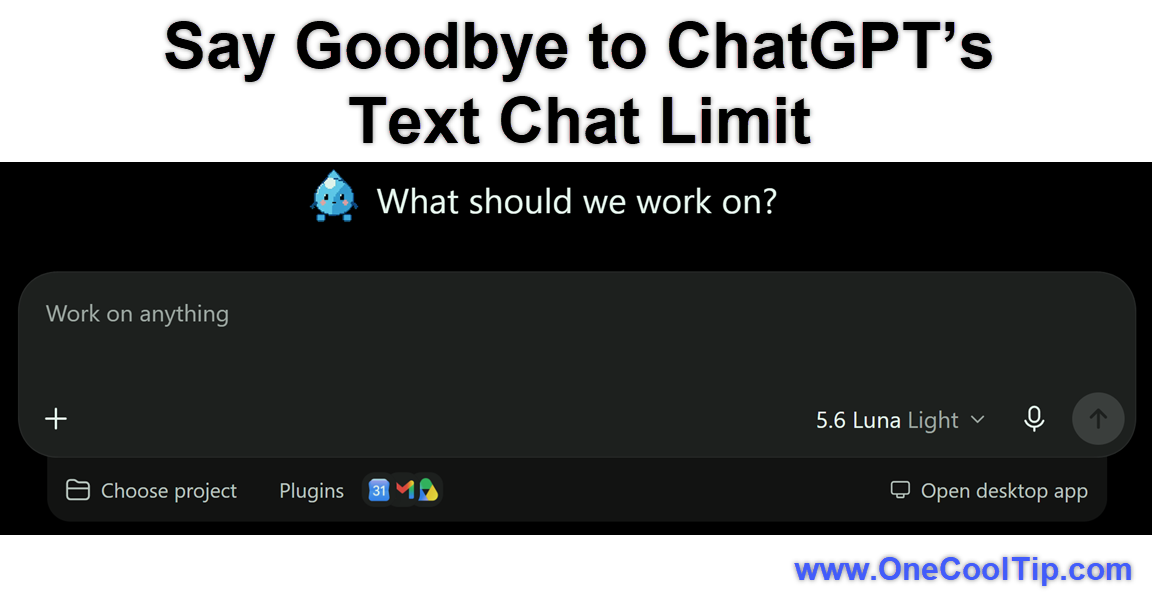
OpenAI is making GPT-5.6 Luna the default ChatGPT model for Free and Go users. 


Beginning the week of August 10, 2026, those accounts are scheduled to receive unlimited ordinary text conversations with Luna.


That means users can ask follow-up questions, request multiple revisions, develop an idea, or work through a problem without encountering the normal text-chat rate limit.


The update also introduces a Think button. 


When a question requires more analysis, selecting Think gives GPT-5.6 Luna additional time to work through the request. 


It as an option for difficult questions rather than something users need to activate for every prompt.


This change matters because follow-up questions are often where ChatGPT becomes most useful. 


A first answer can provide the foundation, but additional prompts help correct assumptions, add context, compare alternatives, and adapt the response for a particular audience.


Unlimited text conversations make that iterative process more practical for people who do not subscribe to ChatGPT Plus or Pro.


What You’ll Gain


  • Continue ordinary text conversations without a standard message cap.
  • Refine answers through additional questions and revisions.
  • Use the Think button when a question requires deeper analysis.
  • Access GPT-5.6 Luna as the default model with a Free or Go account.
  • How to Use Unlimited Text Chats


No setting is required to activate unlimited text conversations. 


The change will roll out automatically to eligible Free and Go accounts.


Step-by-Step Instructions


Here's how to do it.


  1. Open ChatGPT and sign in to a Free or Go account.
  2. Start a new conversation or open an existing chat.
  3. Enter an ordinary text prompt.
  4. Continue asking follow-up questions or requesting revisions.
  5. Look for the Think button as the feature reaches your account.
  6. Select Think when your question requires more extensive reasoning.


fig. 1 - Say Goodbye to ChatGPT’s Text Chat Limit

Pros and Cons


Pros:


  • Longer working sessions: Students can develop study materials, while business users can revise reports, presentations, and messages through multiple drafts.
  • More useful follow-ups: Users can clarify an answer instead of accepting an incomplete first response.
  • No manual setup: Eligible accounts should receive the change automatically.
  • Improved Free-tier access: GPT-5.6 Luna becomes the default model for Free and Go accounts.
  • Optional deeper reasoning: The Think button provides a straightforward way to request more analysis.


Cons:


  • Other tools remain limited: File uploads, image generation, and other features retain separate usage limits.
  • The rollout is gradual: Some users may receive GPT-5.6 Luna before receiving unlimited text chats or the Think button.
  • Guardrails still apply: Unlimited text chat does not permit abusive, automated, or prohibited use.
  • Paid plans retain additional features: Plus and Pro users receive access to GPT-5.6 Sol in ChatGPT and a slider that controls how much thought the model puts into a response.


Feature Access


  • Eligible accounts: ChatGPT Free and Go
  • Default model: GPT-5.6 Luna
  • Text access: Unlimited ordinary text chats, subject to abuse guardrails
  • Think button: Rolling out for difficult questions
  • Other tools: Separate limits remain for file uploads, images, and other features
  • Rollout: Unlimited text chat and Think are scheduled to begin rolling out during the week of August 10, 2026
  • Plus and Pro: These plans receive the updated GPT-5.6 Sol in ChatGPT and a reasoning-effort slider
  • Work and Codex: OpenAI says the version of GPT-5.6 Sol powering Work and Codex is not changing as part of this release


Availability may vary by account, region, device, or app version.


Score

Criterion | Score (0–10) |  Justification
Value |  9
Removing the ordinary text-chat limit solves a frequent interruption for Free users and makes iterative work more practical.
Usability |  9
No setup is required, and the Think button provides a simple way to request additional reasoning.
Wow Factor |  8
Unlimited text access to a current ChatGPT model is a substantial Free-tier improvement, even though limits remain on other tools.
Total: 26/30 |  🌟 Excellent
Unlimited text chats make ChatGPT’s Free tier far more useful for sustained writing, learning, planning, and troubleshooting.
Compared with the previous rate-limited experience, Free users can treat an ordinary ChatGPT conversation more like an ongoing workspace than a limited allotment of messages.


Key Takeaways


Free and Go users are receiving GPT-5.6 Luna as their default ChatGPT model, followed by unlimited ordinary text chats and a new Think button. 


Limits still apply to images, file uploads, and other tools, so unlimited text chat should not be interpreted as unlimited access to every ChatGPT feature.


Cool Tip Snapshot


  • Feature Name: Unlimited ChatGPT Text Chats
  • Platform(s): ChatGPT web, mobile, and desktop experiences
  • Quick Benefit: Continue ordinary text conversations without a standard rate limit
  • Best For: Writing, planning, learning, brainstorming, and troubleshooting
  • Access Type: Free and Go, Rolling Out
  • Difficulty: Easy


Try It Yourself


Open ChatGPT and turn one quick question into a useful working session by asking several follow-up questions. 


Share your experience in the comments, subscribe to the One Cool Tip newsletter, and send this article to family, friends, and coworkers who use ChatGPT.


READ MORE


Read the Full Cool Tip.

Check Out These Cool Tips & Tricks


  • Add Context: Tell ChatGPT your goal, audience, and constraints before requesting an answer. Include those details in your opening prompt.


  • Ask Follow-Ups: Improve an incomplete response by identifying exactly what should change. Reply with an instruction such as, “Make this shorter and add two practical examples.”


  • Use Think: Reserve the Think button for decisions, comparisons, calculations, and multi-step problems. Select Think before submitting the difficult prompt.


  • Verify Facts: Treat dates, prices, laws, schedules, and product specifications as claims requiring confirmation. Ask for sources and check the information against official websites.


  • Start Fresh: Long conversations can accumulate outdated assumptions. Ask for a summary, review it, and paste the corrected summary into a new chat.


  • Set a Role: Give ChatGPT a useful perspective without assuming that the role guarantees accuracy. Try, “Act as a teacher reviewing this essay.”


  • Request a Format: Specify whether you want a table, checklist, email, outline, or step-by-step guide. Add the preferred format to your prompt.


  • Protect Privacy: Remove identifying or confidential details before submitting business or personal material. Replace names, account numbers, and private figures with neutral placeholders.


  • Compare Options: Ask ChatGPT to evaluate alternatives using specific criteria. List the criteria, identify your priorities, and request a recommendation with tradeoffs.


  • Save Results: Copy important answers into a document instead of relying on one long conversation. Include the final version, source links, and the date the information was verified.

ICYMI - In Case You Missed It ...

Forum Puts Facebook Groups in One Focused Feed


Meta’s new Forum app gives Facebook Groups a separate home, so group conversations do not have to compete with friends, videos, Pages, and other Facebook feed distractions. It is especially useful for people who rely on Groups for advice, hobbies, local tips, travel planning, support communities, and niche discussions.


Read the Full Version.


Read the Newsletter Version.

Looking for your next adventure?


Call Denise at Travel For You.

314.660.3039


Sign Up for the Monthly Newsletter


http://www.travelforyouvacations.com/


https://www.facebook.com/TRAVEL.FOR.U/


See You Tomorrow

Tomorrow's Cool Tip is waiting to amaze you.


Until then, go forth and conquer the tech world with your newfound knowledge!


Be sure to visit www.OneCoolTip.com for Cool Tech Tips for a Cooler Life!


And if you Like One Cool Tip, please support with TipJar!


Enjoy!


Rodger

Chief Cool Tipper

onecooltip.com@gmail.com


What Do You Think?

What do you think of today's OneCoolTip newsletter?
Positive        Neutral        Negative
X Share This Email
LinkedIn Share This Email

Connect with One Cool Tip!!

Facebook  X  Instagram  Web  Pinterest  YouTube  LinkedIn
 

As an Amazon Associate, One Cool Tip may earn a small commission from qualifying purchases.


Our media content is intended solely for informational purposes only. Please do not construe anything here as legal, tax, investment, financial, marital or other advice.


Copyright © 2026 | www.OneCoolTip.com | All Rights Reserved