β€Š
β€Š

Job interviewing with AI bots

The landscape has definitely changed with interviewing for a job nowadays. Depending on where you interview, you may NOT even have a real person interviewing you at your remote job interview and instead an AI bot. Exact stats can't be provided for your odds of being interviewed by an AI bot at your next job interview, but is "increasingly likely" due to Google AI. πŸ™‚


A couple people share their experiences (including being blindsided with an AI bot at their job interview) in this recent Times article dated August 4, 2025: https://time.com/7306955/ai-job-interview-recruitment/


Another short article about how AI bots for job interviews is making the job market even harder and their advice: https://www.vice.com/en/article/the-job-market-sucks-right-now-and-ai-interviewers-are-making-it-worse/#:~:text=Now%2C thanks to the explosion,report from Fortune details the

β€Š
β€Š
Have you experienced an AI bot (NOT a real person) for a job interview?
Will you proceed with being considered for a position if an AI bot interviews you?
β€Š
β€Š

Great tips to assist with your next job interview in this 3 minute & 17 second video

β€Š

Please note that when you click on the video below, it MAY automatically play somewhere in the middle of the video where you'll then have to click the slider bar (under the video) and drag it to the far left to start the video from the beginning.


Link to the video: https://youtu.be/-2r1pG9Y48Q?si=lSGk-k_T858PlPWF


Some quick tips & info. to know PRIOR to clicking the link ABOVE for the video:


  1. You'll have to sign in to prove you're NOT a bot (common with YouTube videos).
  2. After signing in, the video should automatically play without even having to click on the white sideways triangle on the middle of the video.
  3. Ensure PRIOR to clicking the video link that you have speakers on whatever device you're using ON and LOUD enough for you to hear (including any external speakers, if applicable). With Windows computers and laptops, you can find the sound icon in the bottom right-hand corner of the task bar (an image of a horn with waves coming out of it to represent sound) which you'd click on to adjust the volume with the toggle slider. ALSO IMPORTANT: Ensure that the sound icon (described what it looks like in this same section #3 step) does NOT have a line through it with a circle which means the sound is off). To turn it back on click on it if that's the case.
  4. EXTERNAL speakers: If you're using external speakers as well (you'd know as whatever computer OR laptop you're on would have speakers that you visibly see that are hooked up to your device) ensure they are hooked up, hooked up correctly, powered on, and loud enough for you to hear. If you're having problems getting external speakers to work, unplug them (physically from you device) and just use your built-in speakers on your device (refer to step #3 for specific steps).
β€Š

Job interview packages $20 off THIS month only (can be used until end of 2025)

Even thought you can use chat GPT to predict interview questions that will be asked at your interview (which is shown how to do in the video I provided above), NOT all companies are down with using AI bots for interviewing. Deloitte's U.K. graduate program has gone back to in-person interviews, Amazon and Anthropic (an AI company) have issued guidelines explicitly stating that candidates using AI tools during interviews will be disqualified, Superhuman (an email app company) won't allow chatbots in its technical interviews, Pinecone and Linear companies prefer that candidates demonstrate their problem-solving skills without relying on chatbots in interviews, Detroit Labs utilizes a collaborative hiring approach, including "Mass Auditions" to assess teamwork and adaptability, suggesting a focus on human interaction rather than AI bots, Mogul - a startup all-female social media platform, uses a "trial run" of the job as the final step in their hiring process, giving candidates the chance to experience the role and team firsthand, implying a preference for real-world interaction over AI interviews, DigitalOcean evaluates resumes with human recruiters and prioritizes building relationships with candidates through human interaction in interviews, and last but NOT least Microsoft has adjusted its hiring practices to prioritize evaluating candidates for skills like adaptability and creativity, which might indicate a move away from solely relying on automated assessments.


Aside from some of the companies I listed that are NOT using AI bots for certain interviews those of you who prefer a more human touch (me), as well as want to be prepared in the event you get a live-person interview, I'm here to practice with you remotely and provide NOT only the interview questions, but also feedback on responding to the questions, examples, feedback on your appearance and background of where I'm interviewing you remotely so that you can put your best "face forward", get it? We'll be doing a remote interview session where I will be seeing your face and NOT foot (the saying is "put your best foot forward") then these packages may be for you.😊


A 90-minute entry or mid-level REMOTE interview practice session with the $20 discount is $200 if paying U.S. cash, cashier’s check, or money order AND $212.20 through my newsletter with a debit/credit card as that includes my newsletter’s debit/credit card processing fees. With the $20 discount a 2-hour senior or executive level interview practice session it is $280 if paying U.S. cash, cashier’s check, or money order AND $297.08 through my newsletter with a debit/credit card.


You can use your sessions through the end of 2025, but have a firm no later than 1 pm PST Fri. Oct. 3, 2025 deadline to email me to schedule your session (if you have more than one session and especially if you have multiple sessions) you need to contact me ASAP before that firm deadline to ensure our schedules align especially during the holiday season when people are busier than regular busy. That firm deadline is also for IF you want to provide you own questions and NOT use my pre-selected ones in your package/(s) as you'd communicate that to me then as well as provide me your questions at that same firm deadline so I can also have time to prepare PRIOR to booking your session/(s). More details about this and the general terms and conditions of this promotion are available at the purple Terms and Conditions link BELOW:

β€Š

If you're ready to purchase, click the link here: https://lp.constantcontactpages.com/ev/reg/brg5r47

β€Š
β€Š

Career joke

Question: Why did the sandwich apply for a job?

Answer: It wanted to bring home the bacon.

Joke courtesy of Woman's World Magazine issue 8/4/25.

β€Š

Latest 3 Covid blog posts from my Covid-19 awareness & support blog

β€Š

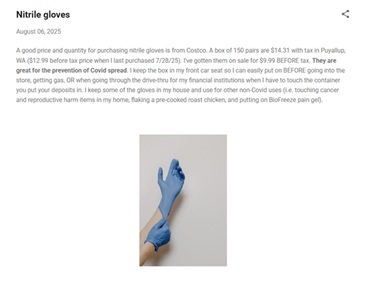
ο»ΏBelow is just a screenshot of my blog post so clicking on it will NOT take you to the post however, clicking on this direct link to it will: https://corona-virus-awarenessandsupport.blogspot.com/2025/08/nitrile-gloves.html

β€Š

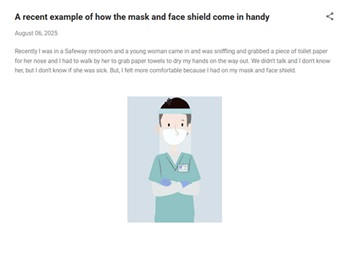
ο»ΏBelow is just a screenshot of my blog post so clicking on it will NOT take you to the post however, clicking on this direct link to it will: https://corona-virus-awarenessandsupport.blogspot.com/2025/08/a-recent-example-of-how-mask-and-face.html

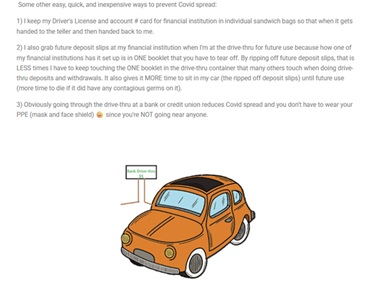
ο»ΏBelow is just a screenshot of my blog post so clicking on it will NOT take you to the post however, clicking on this direct link to it will: https://corona-virus-awarenessandsupport.blogspot.com/2025/08/some-other-easy-tips-to-prevent-covid.html

β€Š

Don't forget to πŸ‘‡πŸ™‚

β€Š

Please follow me on my blog. Steps to do so are here:


1.  Sign into Blogger.com (it's free to create/have a blogger.com account).


2.  In the left menu, click Reading list.


3.  In the top right, click Manage reading list.


4.  Click Add.


5.  Type "corona-virus-awarenessandsupport.blogspot.com" to follow. **Please note those are dashes in my blog's web address and NOT underscores.**


6.  Click Next.


7.  Choose whether to follow publicly or anonymously.


8.  Click Follow.


I'd also love it if you would make productive & appropriate comments to my posts at this blog. To post comments, you would click the "Post a comment" button right below my post OR clicking in the "Enter a comment" box which is also at the bottom of my post. I've enabled it so that even those who don't have Google accounts can post comments. πŸ™‚


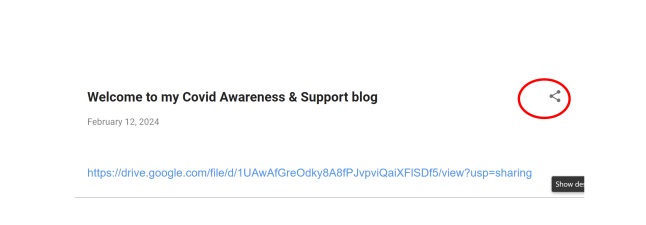
When you are at my blog, you can share my posts (individually if you want to share a specific one) to someone else by clicking the sideways triangle with circles at the end in the upper-right hand corner of the post. I've provided a screenshot below with a red circle around the "Share" button that I'm referring to. Once you click on that button, it gives you options to get the link to my post, or share the post via Facebook, Twitter, Pinterest, or email it directly to someone.


β€Š

Thank you in advance for supporting my blog and I in the ways that I listed (above). πŸ™πŸ™‚

β€Š
β€Š


Thank you,


Carly Calabrese


Highly motivated entrepreneur that is open for freelance and *remote only U.S. based* writing/editing projects/positions for individuals, businesses, etc. (if you are an editor OR  know of an editor that hires for this), please email me. Thank you! πŸ™


Email me: info@worksolutionstoday.com


Work Solutions (my business of 12 years that I founded)


Visit: worksolutionstoday.com  (To specifically check out my latest news & updates such as a copy of my latest business newsletter [you know what you're presently reading 😊], visit: worksolutionstoday.com/blog)


Additionally, founder & manager of a Covid awareness & support blog visit: corona-virus-awarenessandsupport.blogspot.com


β€œNever let the fear of striking out stop you from playing the game."--Babe Ruth

β€Š
How did you like this email?
Positive        Neutral        Negative
β€Š

Work Solutions| worksolutionstoday.com

Facebook  LinkedIn