One Cool Tip Newsletter

May 8, 2026

Your daily dose of tech-savvy brilliance!

😀Greetings! Happy Friday Funday, Cool Tipper!


Get ready to streamline your digital life with simple, actionable tips delivered straight to your inbox.


Cool Tip Theme: Make My Drive Fun


New here? Subscribe to the One Cool Tip Newsletter for daily updates. It's FREE!

3️⃣

If you enjoy the One Cool Tip newsletter, please forward this newsletter to THREE friends or colleagues or share it on social media using the links below.


Leave a $$$ Tip!


Share this One Cool Tip Newsletter!

X Share This Email
LinkedIn Share This Email
Pinterest Share This Email

🚨Canvas Data Breach🚨


A recent cybersecurity incident affecting Canvas, a widely used learning management system, may have exposed personal data belonging to students and educators at schools across the U.S.


Attackers accessed certain user information after breaching systems operated by Canvas’ parent company, Instructure.


What you should do now:


  • Be cautious of unexpected emails or messages claiming to be from schools or Canvas.
  • Do not click suspicious links or download attachments related to grades, accounts, or security alerts.
  • Change your Canvas password if advised by your institution, and avoid reusing passwords elsewhere.
  • Monitor school communications for official updates on whether your data was affected.


Schools and Canvas are continuing to investigate and notify impacted institutions.


Staying alert and practicing good digital hygiene can help reduce risk while details are still emerging.


And in Other News...


  • Google Health App Launches


Google announced the Google Health app, a major update that rebrands and replaces the Fitbit app while bringing health and wellness data into one centralized place.


The new app combines fitness, sleep, vitals, and, for U.S. users, secure access to medical records like lab results and medications.


Key highlights include:


  • A redesigned dashboard with Today, Fitness, Sleep, and Health tabs
  • Broader data integration from wearables and third‑party apps
  • An optional AI-powered Health Coach that offers personalized insights and summaries
  • Automatic transition for existing Fitbit users, no new download required


The rollout begins mid‑May, with Google positioning the app as a more complete, all‑in‑one health hub.


Users should review privacy settings and data‑sharing options as new features become available.


Cool Deals of the Day

Help support One Cool Tip. Use this Amazon link when you shop online.


Check out these Cool Deals:


  • 📱 Lamicall Car Phone Holder. Keep your map in sight safely while driving. Save 37% $9.49 Check it out on Amazon!

  • 🔋 Anker USB-C Car Charger.  Ensure your phone stays charged while running discovery apps. Save 25% $14.99 Check it out on Amazon!

  • 📷 DJI Osmo Mobile 7.  Perfect for taking stabilized videos of your roadside finds. $75. Check it out on Amazon!


*Prices accurate when originally published.

One Cool Tip may earn a commission from qualifying purchases.

Fuel Your Adventure

Try Big Mike's Jerky!


bigmikesjerky.com


Now on TikTok!


Today's Cool Tip

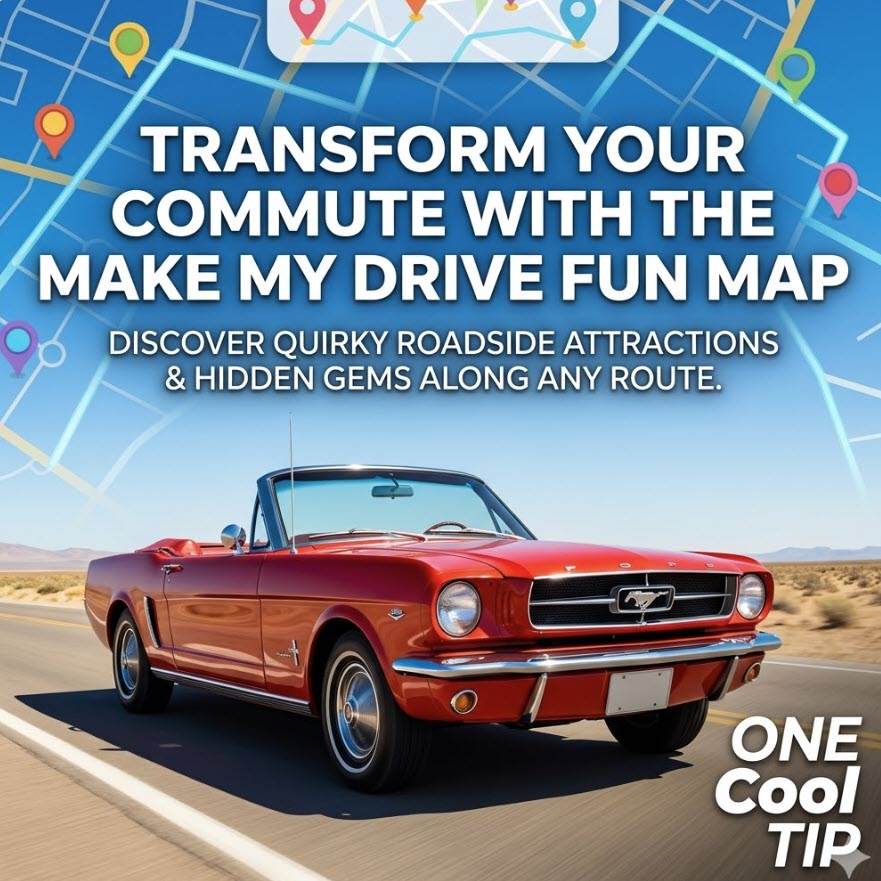
Transform Your Commute With the Make My Drive Fun Map


Discover how to turn boring road trips into interactive adventures using a specialized web tool. This guide shows you how to find quirky roadside attractions and hidden gems along any route.


Have you ever looked out of your car window at a blurry highway landscape and wondered what you were missing just a few miles off the exit? 


Most navigation apps are designed for efficiency, ruthlessly cutting out anything that adds a minute to your arrival time. 


But what if the goal isn't just to arrive, but to actually enjoy the miles in between? 


Here's a Cool Tip:  Make My Drive Fun.


Make My Drive Fun is changing the way travelers look at the pavement ahead by highlighting the strange, the historic, and the flat-out hilarious landmarks that standard GPS ignores.


Feature Explanation


Make My Drive Fun is a map-based discovery tool that overlays unique points of interest onto your specific driving route. 


Unlike traditional travel sites that give you a static list of "top ten" things to do in a city, this tool focuses on the transit corridor itself. 


It utilizes a clean interface where users input a starting point and a destination. 


The engine then scans the path and populates the map with icons representing "fun" stops.


These aren't your typical rest stops or gas stations. 


The tool pulls data on roadside oddities, unique museums, and local curiosities. 


By clicking on these icons, travelers can see a brief description and decide if a ten-minute detour to see a giant ball of twine or a vintage neon sign graveyard is worth the stop. 


It serves as a layer of serendipity for an otherwise predictable journey.


What You’ll Gain


  • Spontaneous Discovery: Find unique landmarks that do not appear on standard Google or Apple Maps searches.
  • Reduced Driver Fatigue: Natural breaking points help keep drivers alert and entertained.
  • Memorable Stories: Transform a standard business trip or family visit into a collection of interesting experiences.


Step-by-Step Instructions


Here's how to do it.


Microsoft Web/Desktop


  1. Open your preferred browser and navigate to makemydrivefun.com.
  2. Locate the search bars at the top of the interface labeled "From" and "To."
  3. Enter your starting city and your final destination.
  4. Press "Enter" to generate your route.
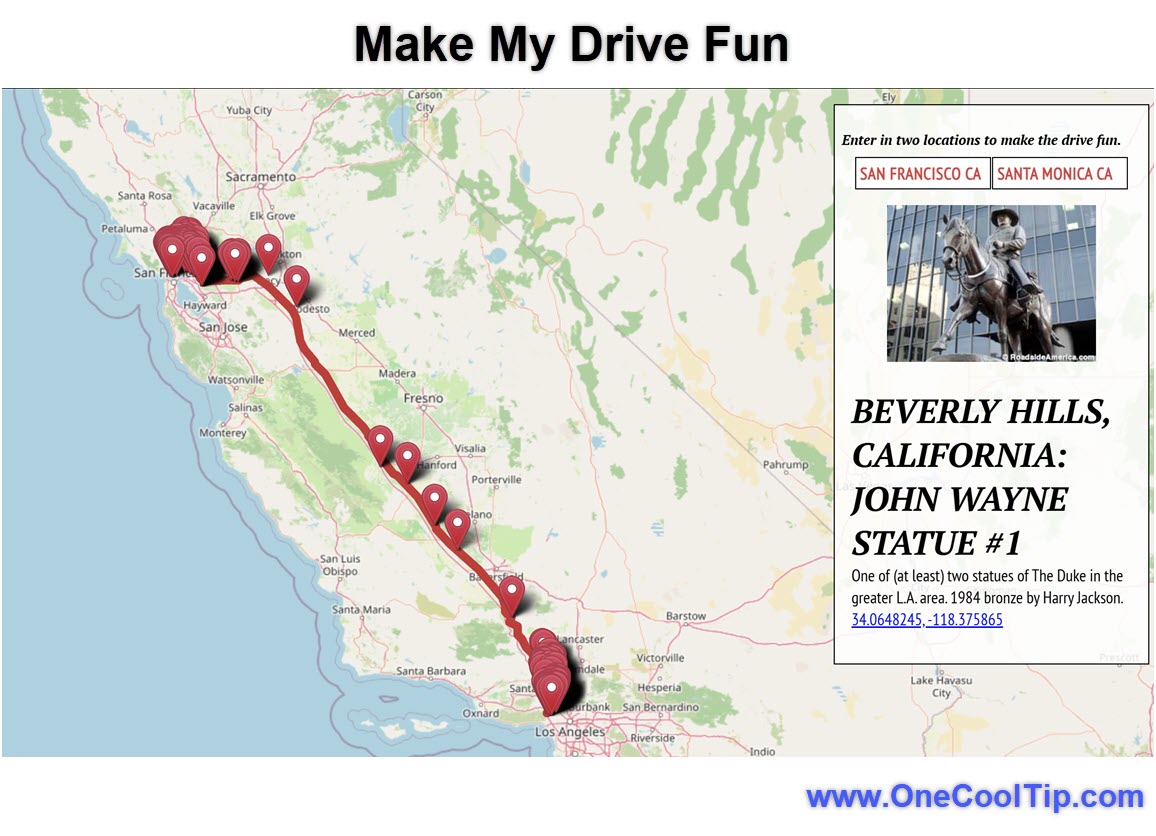
  5. Hover over the colorful icons that appear along your path to see a preview of the attraction.


fig. 1 - Make My Drive Fun Example

iOS and Android


  1. Launch your mobile browser (Safari or Chrome).
  2. Visit the Make My Drive Fun website, makemydrivefun.com.
  3. Type your origin and destination into the provided fields.
  4. Tap the map pins to expand details about specific roadside attractions.


Pros and Cons


Pros:


  • Simple, no-clutter interface that loads quickly on mobile data.
  • Focuses on "weird" Americana and niche spots that are often free to visit.
  • Great for educational trips where you want to find historical markers.


Cons:


  • Does not provide turn-by-turn voice navigation like a dedicated GPS app.
  • Database is primarily focused on North America, though international spots vary.


Feature Access


Make My Drive Fun is a free web-based service. It does not require a subscription or a specific app store download, making it accessible on any device with a modern web browser and an internet connection. 


It is currently available globally, though the density of "fun" points is highest in the United States and Canada.


Score

Criterion | Score (0–10) | Justification
Value 9 
It is a free tool that provides significant entertainment value for no cost.
Usability 10 
The interface is incredibly intuitive with zero learning curve for the average user.
Wow Factor 8 
Discovering a "secret" museum five miles from your house is a genuine delight.
Total: 27/30 |  🌟 Excellent
This is a must-use tool for anyone who spends more than three hours in a car and wants to reclaim the joy of the open road.


Key Takeaways


Using Make My Drive Fun allows you to prioritize experience over pure efficiency. 


It turns the "middle" of a trip into the highlight, ensuring that you arrive at your destination with more than just a stiff back.


Cool Tip Snapshot


  • Feature Name: Make My Drive Fun Discovery Map
  • Platform(s): Web (Cross-platform)
  • Quick Benefit: Instantly identifies quirky roadside attractions along your specific GPS route.
  • Access Type: Free


Try It Yourself


Next time you head out for a weekend getaway or a cross-state meeting, take thirty seconds to plug your route into the Make My Drive Fun map. 


You might find a hidden gem you have driven past a dozen times without knowing. 


If you find something amazing, leave a comment on our site and share this tip with your favorite travel companions. 


Be sure to subscribe to the One Cool Tip newsletter for daily tech gems.


READ MORE


Read the Cool Tip on OneCoolTip.com.

Check out these Cool Tips & Tricks.


  • Route Refresh: Update your destination frequently to see if new local spots appear. Simply re-enter your "To" city every 50 miles.


  • Filter First: Narrow your search to specific categories to avoid map clutter. Use the sidebar menu to select only the types of fun you want.


  • Offline Prep: Take screenshots of your planned stops before you hit dead zones. Use the volume and power button combo to save the map view.


  • Local Lunch: Look for pins near small towns for better food than the highway chain options. Click pins in downtown areas for local cafe suggestions.


  • Photo Ops: Use the tool to find unique backdrops for social media posts. Search for "Art" or "Murals" in the filter settings.


  • Leg Stretch: Set a goal to visit one "fun" pin every two hours to stay fresh. Use the distance scale to time your stops perfectly.


  • Save Battery: Close your browser tab between stops to preserve your phone battery. Only refresh the map when you are ready to look for the next stop.


  • Night Mode: Be aware that many roadside attractions are best viewed during daylight. Check the "About" section of a pin to see if it is a park or a building.

ICYMI - In Case You Missed It ...

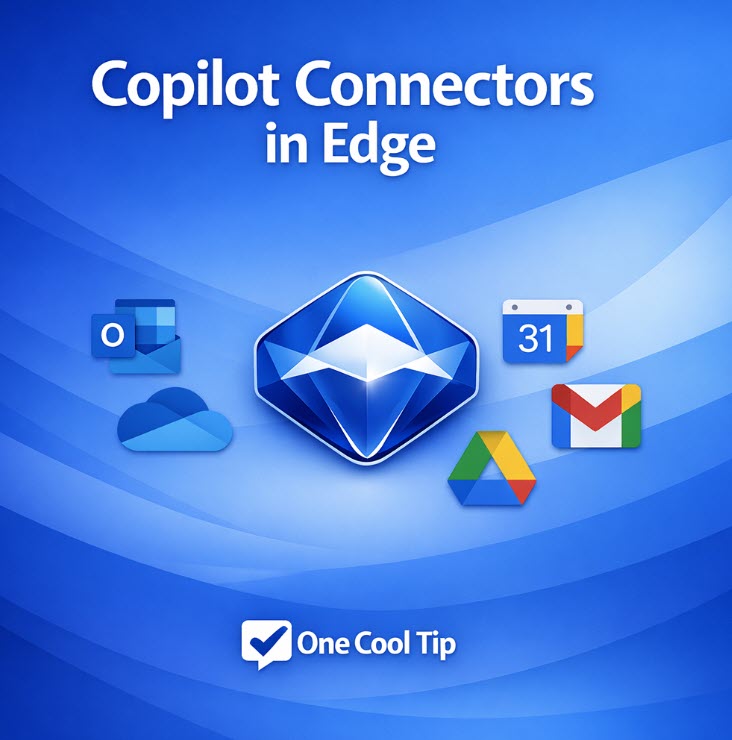
New Copilot Connectors in Edge: The Hidden Upgrade That Makes Your Browser Smarter


Microsoft Edge now includes new Copilot connectors that link directly to your Outlook, OneDrive, Gmail, Google Drive, and Google Calendar accounts. These connectors help Copilot understand your real content so it can deliver grounded answers, smarter drafts, and faster results.


Read the Full Cool Tip.

Looking for your next adventure?


Call Denise at Travel For You.

314.660.3039


Sign Up for the Monthly Newsletter


http://www.travelforyouvacations.com/


https://www.facebook.com/TRAVEL.FOR.U/


See You Tomorrow

Tomorrow's Cool Tip is waiting to amaze you.


Until then, go forth and conquer the tech world with your newfound knowledge!


Be sure to visit www.OneCoolTip.com for Cool Tech Tips for a Cooler Life!


And if you Like One Cool Tip, please support with TipJar!


Enjoy!


Rodger

Chief Cool Tipper

onecooltip.com@gmail.com


What Do You Think?

What do you think of today's OneCoolTip newsletter?
Positive        Neutral        Negative
X Share This Email
LinkedIn Share This Email

Connect with One Cool Tip!!

Facebook  X  Instagram  Web  Pinterest  YouTube  LinkedIn
 

As an Amazon Associate, One Cool Tip may earn a small commission from qualifying purchases.


Our media content is intended solely for informational purposes only. Please do not construe anything here as legal, tax, investment, financial, marital or other advice.


Copyright © 2026 | www.OneCoolTip.com | All Rights Reserved