One Cool Tip Newsletter

March 29, 2026

Your daily dose of tech-savvy brilliance!

😀Greetings! Happy Sunday, Cool Tipper!


Get ready to streamline your digital life with simple, actionable tips delivered straight to your inbox.


Cool Tip Theme: Ask Google Maps


New here? Subscribe to the One Cool Tip Newsletter for daily updates. It's FREE!

3️⃣

If you enjoy the One Cool Tip newsletter, please forward this newsletter to THREE friends or colleagues or share it on social media using the links below.


Leave a $$$ Tip!


Share this One Cool Tip Newsletter!

X Share This Email
LinkedIn Share This Email
Pinterest Share This Email

🚨Scammers Exploit Iran Conflict to Steal Your Info🚨


Scammers are hijacking headlines about the Iran conflict to push fake alerts, romance scams, and bogus charities, according to an FTC warning.


Here’s how they’re doing it:


  • Fake fraud alerts: You get a call or text claiming your account was charged in Iran. They transfer you to a “government agent” who asks for your bank info. It’s all a scam.
  • Romance twist: A supposed military contact says they’re deployed to Iran and urgently need money. If you’ve never met them in person, it’s likely a scam.
  • Charity cons: Fraudsters pose as aid groups helping Iranian civilians and pressure you to donate via crypto, gift cards, or wire transfers.


What to do:


  • Don’t trust urgent calls or texts about Iran-related charges.
  • Never send money to someone you haven’t met.
  • Research charities before donating: ftc.gov/charity.
  • Report scams at ReportFraud.ftc.gov.


Stay alert.


Scammers follow the news, and they’re counting on you not to verify.

Cool Deals of the Day

Help support One Cool Tip. Use this Amazon link when you shop online.


Check out these Cool Deals:


📱 Google Pixel 10a: Strong Gemini integration and AI features. $499. Check it out on Amazon!


🎧 Sony WH-1000XM5 Headphones: Perfect for voice queries and travel focus. $292.95 Check it out on Amazon!


🚗 iOttie Easy One Touch Car Mount: Hands-free access to Maps while driving. Save 30% Now $18.99 Check it out on Amazon!


*Prices accurate when originally published.

One Cool Tip may earn a commission from qualifying purchases.

Fuel Your Adventure

Try Big Mike's Jerky!


bigmikesjerky.com


Now on TikTok!


Today's Cool Tip

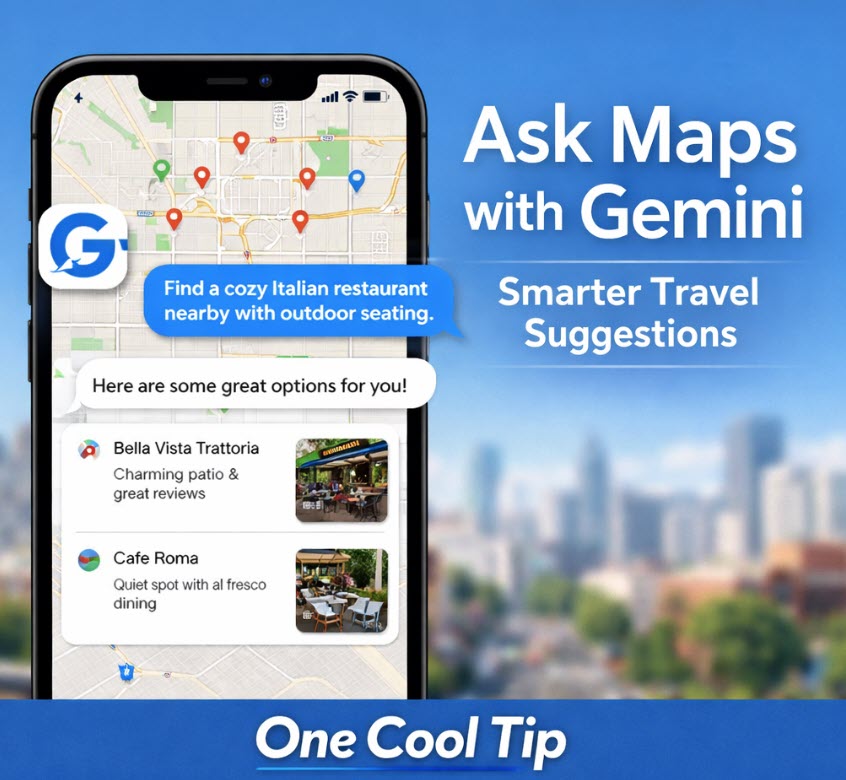
Ask Maps with Gemini Turns Google Maps into a Smart Travel Assistant


Get answers, suggestions, and real-time insights directly inside Maps, powered by Gemini.  Google Maps is evolving from a navigation tool into an intelligent assistant that understands what you’re trying to do. With Gemini built in, you can ask natural questions and get personalized, context-aware answers on the fly.


What if your map could think with you instead of just showing directions?


You’re heading into a new city, looking for a great lunch spot, parking nearby, and something interesting to do afterward. 


Normally, that means jumping between apps, searching, filtering, and guessing. 


Here's a Cool Tip: Ask Maps.


With Gemini inside Google Maps, that entire workflow collapses into a single conversation.


Feature Explanation


Ask Maps is a new capability powered by Google Gemini that brings conversational AI directly into Google Maps.


Instead of typing keywords like “Italian restaurant near me,” you can ask:


  • “Where’s a quiet Italian place nearby with outdoor seating?”
  • “What’s a good coffee shop to work from for a couple of hours?”
  • “Plan me a short walking route with interesting stops.”


Gemini interprets intent, context, and preferences, then combines:


  • Real-time location data.
  • Reviews and ratings.
  • Popular times and trends.
  • Geographic relationships.


The result is a curated answer, not just a list.


This shifts Maps from search tool to decision engine.


What You’ll Gain


  • Faster decisions with fewer searches.
  • More personalized recommendations.
  • Context-aware navigation and planning.
  • Reduced app switching during travel or errands.


Step-by-Step Instructions


Here's how to do it.


On iOS


  1. Open the Google Maps app (iOS).
  2. Tap the search bar or look for the “Ask Maps” prompt.
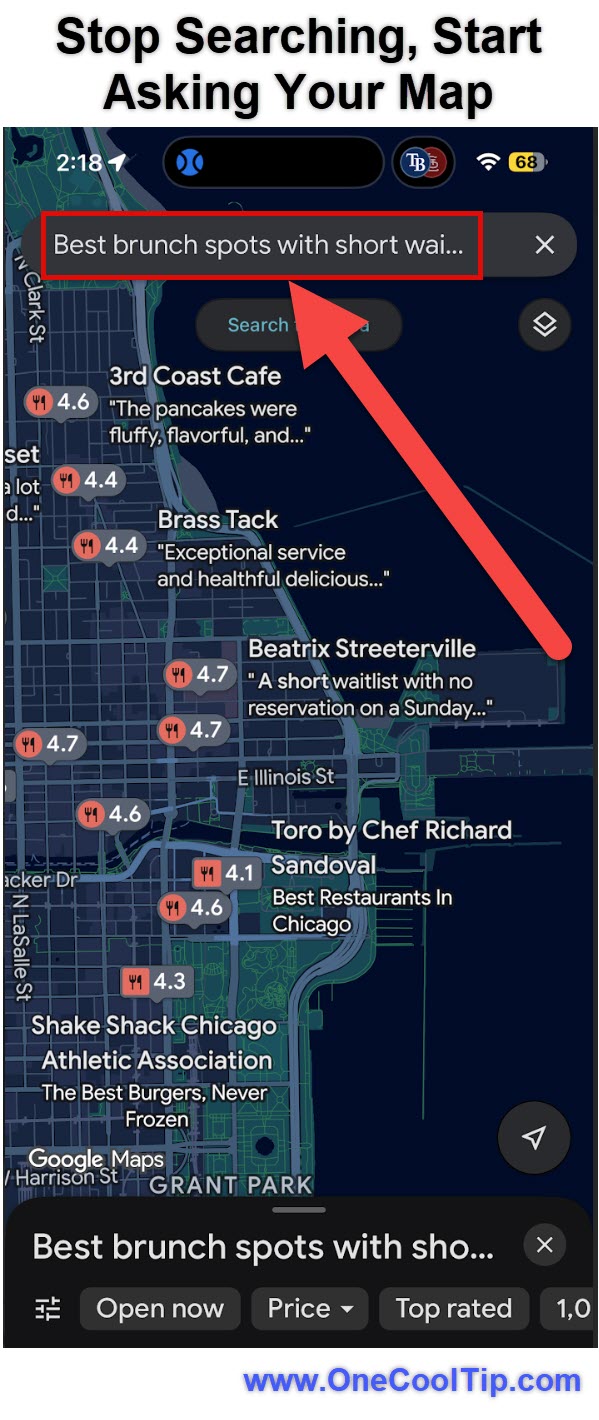
  3. Enter a natural-language query such as: “Best brunch spots with short wait times nearby”
  4. Review AI-generated suggestions with map overlays.
  5. Tap a result for directions, reviews, and photos.


fig. 1 - Ask Google Maps Example

On Android


  1. Launch Google Maps (Android).
  2. Tap into the search interface.
  3. Use voice or text to ask a question.
  4. Scroll through curated suggestions generated by Gemini.
  5. Select a destination to begin navigation or save it.


Pros and Cons


Pros:


  • Natural interaction replaces rigid search queries.
  • Combines multiple data sources into one answer.
  • Strong for travel, dining, and exploration scenarios.
  • Saves time for business users planning meetings or routes.


Cons:


  • Availability may vary by region and account.
  • Results depend on data quality and review accuracy.
  • Less predictable than traditional filtered search.
  • Power users may still prefer manual control in some cases.


Feature Access


  • Available within Google Maps on iOS and Android.
  • Currently rolling out in select regions and accounts.
  • Likely tied to Gemini-enabled experiences within Google apps.
  • Free to use with standard Google Account.


Score

Criterion | Score (0–10) | Justification
Value 9
Dramatically reduces friction in finding places and planning activities.
Usability 8
Natural language makes it easy, though results can vary slightly.
Wow Factor 9
Feels like a true assistant rather than a search tool.
Total: 26/30 | 🌟 Excellent
A major step toward AI-native navigation, outperforming traditional search-based maps in most real-world scenarios.


Key Takeaways


Ask Maps turns Google Maps into a conversational assistant that understands intent, not just keywords. 


It simplifies planning, improves recommendations, and saves time in both everyday and travel scenarios.


Cool Tip Snapshot


  • Feature Name: Ask Maps with Gemini.
  • Platform(s): iOS, Android.
  • Quick Benefit: Get smarter, personalized recommendations instantly.
  • Access Type: Free, currently rolling out.


Try It Yourself


Open Google Maps and ask a real question instead of typing keywords. 


Try planning your next meal, meeting, or outing in one step. 


If it saves you time, share this tip with your team or family.


READ MORE


Read the Cool Tip on OneCoolTip.com.

Check out these Cool Tips & Tricks.


  • Ask Naturally: Use full questions for better results. Simply type a sentence instead of keywords.


  • Add Context: Include preferences like “quiet” or “fast.” This improves accuracy.


  • Use Voice: Speak your query while driving. Tap the mic icon to activate.


  • Explore Routes: Ask for scenic or efficient paths. Enter route-based questions.


  • Refine Results: Follow up with clarifying questions. Ask a second question to narrow results.


  • Check Timing: Ask about busy hours. Include time context in your question.


  • Save Spots: Bookmark suggested places. Tap save after viewing results.


  • Compare Options: Ask for alternatives. Use “What else is nearby?”


  • Plan Ahead: Ask for multi-stop plans. Include several goals in one query.


  • Stay Updated: Keep Maps updated. Install updates to access new features.

ICYMI - In Case You Missed It ...

Google Nano Banana 2: The Next Giant Leap for Desktop and Mobile AI


Elevate your creative workflow with the most advanced multimodal AI model yet. Nano Banana 2 brings high-fidelity image generation and seamless editing directly to your favorite devices.


Read the Full Cool Tip.


Read the Newsletter Version.

Looking for your next adventure?


Call Denise at Travel For You.

314.660.3039


Sign Up for the Monthly Newsletter


http://www.travelforyouvacations.com/


https://www.facebook.com/TRAVEL.FOR.U/


See You Tomorrow

Tomorrow's Cool Tip is waiting to amaze you.


Until then, go forth and conquer the tech world with your newfound knowledge!


Be sure to visit www.OneCoolTip.com for Cool Tech Tips for a Cooler Life!


And if you Like One Cool Tip, please support with TipJar!


Enjoy!


Rodger

Chief Cool Tipper

onecooltip.com@gmail.com


What Do You Think?

What do you think of today's OneCoolTip newsletter?
Positive        Neutral        Negative
X Share This Email
LinkedIn Share This Email

Connect with One Cool Tip!!

Facebook  X  Instagram  Web  Pinterest  YouTube  LinkedIn
 

As an Amazon Associate, One Cool Tip may earn a small commission from qualifying purchases.


Our media content is intended solely for informational purposes only. Please do not construe anything here as legal, tax, investment, financial, marital or other advice.


Copyright © 2026 | www.OneCoolTip.com | All Rights Reserved