|
By Rodger Mansfield, Technology Editor
November 1, 2026
Subscribe
Ever tried organizing a video call only to discover that someone doesn't have the right app?
Maybe your relatives prefer FaceTime, your coworkers use Microsoft Teams, and your friends use WhatsApp.
Getting everyone together can mean asking someone to download another app or create another account.
WhatsApp now offers a simpler solution.
On Oct. 14, 2026, WhatsApp introduced guest calling, allowing people without WhatsApp accounts to join voice and video calls from a computer browser.
The host still needs a WhatsApp account, but invited guests don't.
Calls are free, protected with end-to-end encryption and have no WhatsApp-imposed time limits.
Here's a Cool Tip: Create a WhatsApp call link and invite anyone to join, even without an account!
What Is WhatsApp Guest Calling?
Guest calling expands WhatsApp's existing call-link feature by allowing people without WhatsApp accounts to participate in calls.
Here's how it works.
A WhatsApp user creates a call link and shares it through email, text or another messaging service.
The recipient opens the link in a computer browser, enters a name and waits for the host to approve the request to join.
Once admitted, the guest can participate in the conversation without registering for WhatsApp.
The feature supports individual and group calls with up to 32 participants.
Guests can also use several familiar calling features:
- Share their computer screen to review documents or presentations.
- React with thumbs-up and heart emojis.
- Raise their hands to get the host's attention.
- Participate in voice and video conversations.
- Wait for host approval before entering a call.
There are some important restrictions.
Guests cannot see other participants' phone numbers, send WhatsApp messages or invite additional people directly into the call.
The result is a more accessible calling experience without giving guests full access to WhatsApp's messaging features.
What You'll Gain
-
Fewer barriers: Invite people without requiring them to download WhatsApp or create an account.
-
Easier collaboration: Connect with coworkers, clients or classmates who use different messaging services.
-
More control: Approve guests before admitting them and remove participants when necessary.
-
Flexible conversations: Enjoy free voice and video calls without a WhatsApp-imposed time limit.
Step-by-Step Instructions
Here's how to do it.
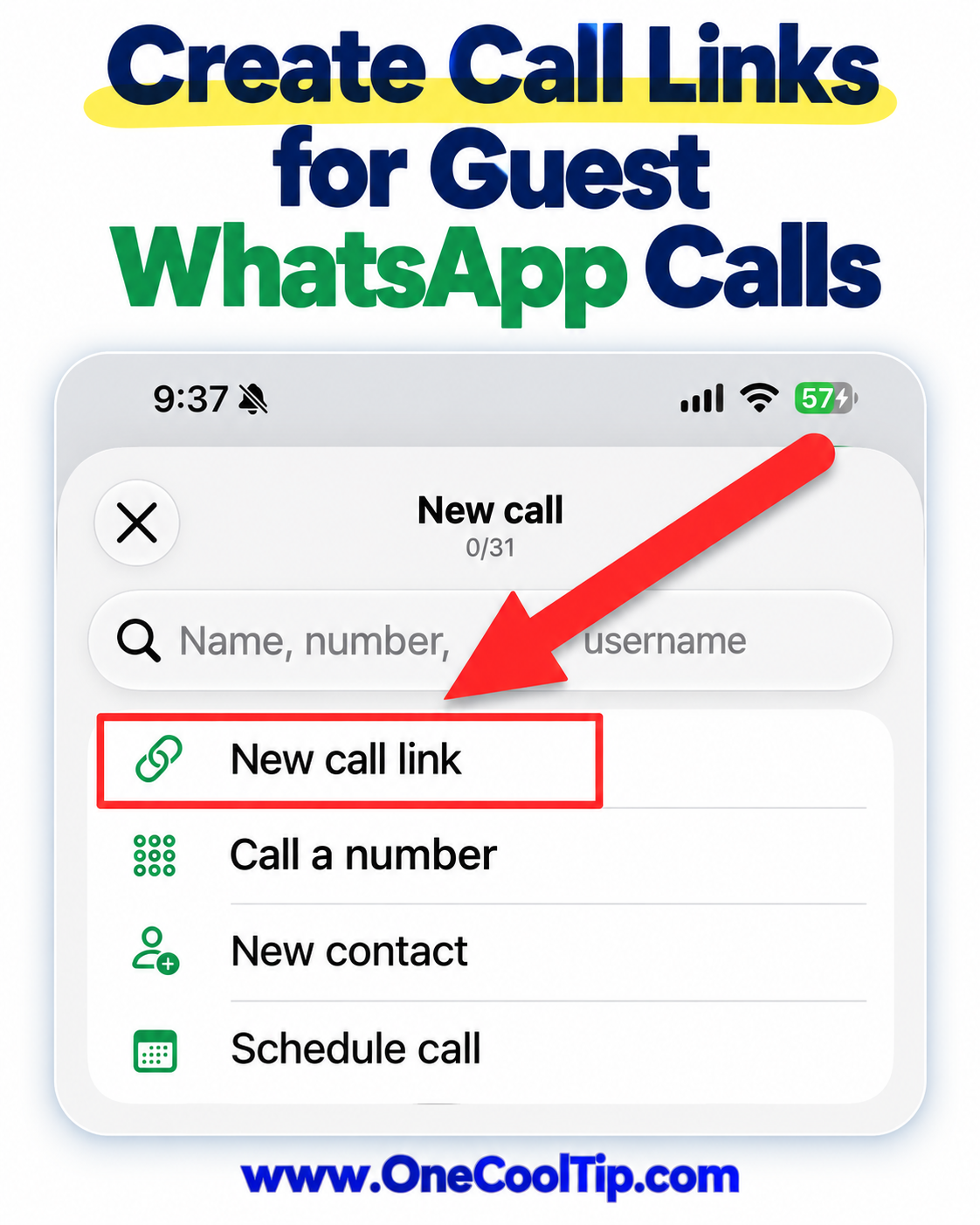
Create a WhatsApp Call Link
-
Open WhatsApp (web, iOS, Android) on your supported device.
-
Navigate to the Calls tab.
-
Select the + icon.
-
Choose the option to create a call link.
-
Follow the available prompts to create your voice or video call link.
-
Copy the link and send it to the people you want to invite.
Cool Note:
- The person organizing the call must have a WhatsApp account.
|