September 8, 2026

Campus Experience joins the Saint Mary’s community in mourning the passing of our fellow Gael, Dominic Peterson. Dominic is remembered by those who knew him for his contagious smile, generous spirit, and the encouragement he offered to those around him. His loss is deeply felt by his teammates, friends, and the broader Saint Mary’s community. We extend our deepest condolences to Dominic’s family and loved ones and hold all who knew him close in our thoughts and prayers.


We recognize that this loss may affect members of our residential community in many different ways. As neighbors and fellow Gaels, we encourage you to care for one another, check in with those around you, and make space for the many ways people may experience grief. 


The College is planning opportunities for our community to come together in remembrance, including a candlelight vigil this week and additional moments for reflection in the days and weeks ahead. More information will be shared as details are confirmed.


Students seeking support may connect with their RA or Resident Director, Counseling and Psychological Services (CAPS), Mission and Ministry, or TimelyCare’s 24/7 virtual support services. You do not have to navigate this loss alone.


-Campus Experience

Campus Housing

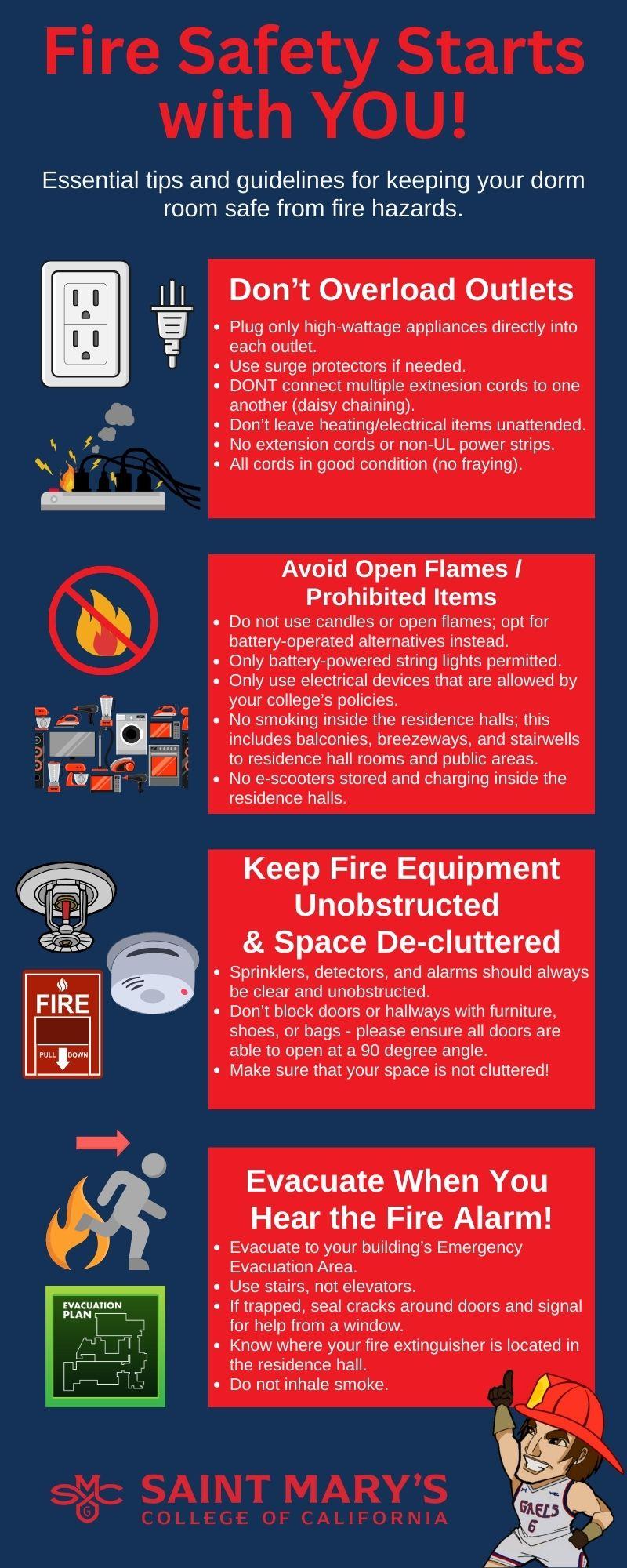
Residential Fire Drills


As a reminder, staff from Residential Experience, Campus Safety and Environmental Health & Safety conduct fire drills at the beginning of each semester to promote safety and practice where to evacuate in case of an emergency. 


Please keep the following in mind: 

  • Be aware of your residence hall's respective evacuation location. There is signage posted in your halls and/or you can ask your residential staff!


  • Upon evacuating your room, please remember to bring important items like a face mask, your room keys, phone, wallet, etc. We also recommend bringing a jacket in case the situation requires you to remain out of your room/building for a long period of time.  


  • Once a fire alarm goes off, it is state law for all occupants to evacuate. Occupants must wait for a signal from Fire Department or Campus Safety to be cleared to re-enter the building. 

Stay safe with power strips


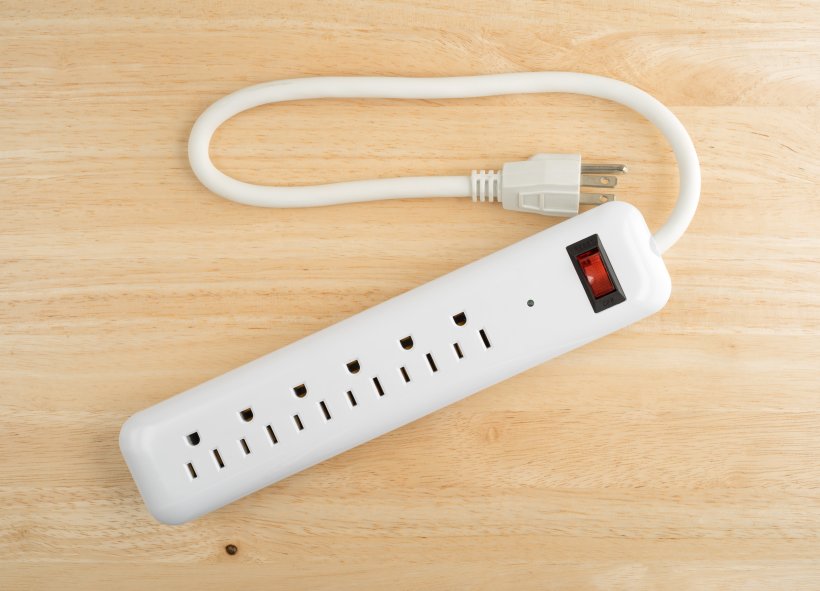
Using a power strip is an easy way to reduce your energy consumption. Charging cords, TVs and many other devices draw energy even when they are not in use. Plug in all your electronic devices to a power strip and flip the switch when you are not using them. Residents should not use extension cords in residence hall rooms.


When choosing a power strip ensure that it is not longer than 6 feet in length and has a polarized three-pronged ground plug. When using a power strip plug directly into the outlet and do not plug extension cords or additional power strips into the original power strip.

Facilities Services Work Order Requests

  • To submit a maintenance request please select Open a Ticket and the appropriate service from the catalog. For example: Maintenance and Plumbing
  • Select the green Request Service button to enter your request.
  • Enter your request by submitting the requested fields. Please be sure to select the blue button at the bottom of the screen to complete your request. 


Link to submit a work order: https://www.stmarys-ca.edu/offices-services/facilities-services


2026-2027

Student Handbook


This handbook has been prepared for the students and employees of Saint Mary's College of California, and others wishing to know more about College policies, procedures, programs, and activities. Saint Mary's College of California reserves the right to correct errors and to make changes in policies,

procedures, programs, and/or activities (without prior notice) as it deems appropriate and in the best

interest of the College.


You can access the Student Handbook here online.

Untitled Design

Residential WIFI


Students living on campus are not permitted to bring and use their ownWiFi routers, network switches, and other networking equipment.


These home units interfere with SMC-WiFi and degrade the overall experience for everyone. Using your own unit or WIFI can jam SMC-WiFi for an entire residence hall and/or degrade the entire network.


If you are having issues with connectivity, please reach out to the service desk and they can address your individual concerns. Whether it is deploying new Wifi access points or installing new ethernet cables. It is a violation of our technology use policy to use your own networking equipment.

key-chain.jpg

LOCKED OUT?

WHO TO CONTACT


* Contact your roommate/suite mates first*


Monday - Friday

8:30 AM - 4:30 PM | Campus Housing Office | Bottom Floor of Augustine

4:30 PM - 8:30 PM | Campus Safety | 925-631-4282

8:30 PM - 8:30 AM | Residential Advisor


Saturday-Sunday

Residential Advisor OR Campus Safety (925-631-4282)


There is no charge for your first lockout | Any subsequent lockouts are $25.00

Post Office Hours

(Fall 2026)


Monday - Friday

8:00am till 3:00pm


Saturday 11am till 3pm

(starting 09/12/26)

no retail service only package pick up


Closed Sunday


Post Office will be closed on September 7, 2026. If you have an emergency please contact 

John Palmieri II jpalmier@stmarys-ca.edu


Get ready for Sunday, September 13


All first year students are invited to First Year Olympics hosted by the Recreation Center. Bring your friends and compete in both active and minute to win it type games!


12:45 – 1:00pm - arrive at De la Salle Lawn

1:00pm - Opening Ceremony & Games

3:00pm- First Round of Competitions at the Rec Center

4:00pm- Closing Ceremony at the pool


WAIVERS: All participants must sign a waiver. A laminated form with a QR code is in your package to get registration when you pass out the t-shirt.

Here is the link if you want to share ahead of time:

https://stmarys-ca.presence.io/form/first-year-transfer-olympics


T-SHIRTS: All members of your hall receive a t-shirt. This t-shirt must be worn at the First Year Olympics. Choose 2 elected person from your hall to compete in the “Most Creative T-shirt” contest. Points are awarded for the winning hall. The t-shirt contest will be judged at opening ceremonies.  


ATTENDANCE: We will be counting all the participants in each hall at the opening and closing ceremony. Encourage participation; it could be a deciding factor to win.


SPORTSMANSHIP: Every participant will be judged on good sportsmanship throughout each competition. Please no profanity or arguments with the officials.


TEAM CHEER: Your team will be judged on a team cheer. Be creative and have fun! The team cheer will be judged at opening ceremonies.


TEAM FLAG: Your team will be judged on the decoration and use of your team flag. We will supply you with the poll for the flag on the day of the event.  


Games on DLS Lawn --- Here are a few hints for the games we will have at the opening ceremonies.

  • Individual Competitions: Rubik's Cube, Pencil Grab, Bow Diddle & Tricycle Race.
  • Small Team Competitions 2 - 4 people: Word Puzzle, Relay race with puzzles and bag toss
  • All Team Competitions: Tug of War with an equal Number of participants on each side, Six Corners & Bag toss

TRICYCLE RACE: Pedal the tricycle around the designated course; the first one to complete in the quickest amount of time is the winner. For safety reasons, players must weigh no more than 135lbs. Participants must pedal the tricycle to move forward and are not allowed to use feet to push forward.


SPORT COMPETITIONS: Your hall will be competing in the following sports at the rec center: Dodgeball, Volleyball and Indoor Soccer.


CANOE BUILDING & RACE: Each hall will be given cardboard and duct tape to build a canoe. You will need to designate one female and one male person to paddle across the pool in the canoe. This competition will be judged on design and race winner. Make sure your participants bring a change of clothes. Only cardboard and duct tape supplies given to the hall are allowed. Canoes must have walls (no surf boards/paddle boards). Canoes are not allowed to enter the pool until the starting whistle is blown. 

Residential Reminders

4 tips for the perfect work order!

  1. Make sure to add your Hall (building location)
  2. Include your room number and the specific room where the work needs to be done (bathroom, bedroom, kitchen, living room, etc.)
  3. Include a picture (if applicable)
  4. After submitting your work order, make sure to prepare your space for Facilities. This looks like clearing off the area and removing any personal items.


Keep Your Space Clean: Don't Forget to Take Out Your Room Trash!

It's a simple task that makes a big difference in maintaining a comfortable and healthy environment.

Here are a few tips to make it easier:

  1. Set a Schedule: Designate a specific day and time each week for trash removal. This way, you won't forget, and it becomes a part of your routine.
  2. Use a Trash Can Liner: Make sure you use a liner in your trash can to prevent spills and make it easier to dispose of the garbage.
  3. Recycle: Separate recyclables from regular waste and use recycling bins if provided. This helps reduce waste and benefits the environment.
  4. Seal the Bag: Before taking it out, be sure to tie the trash bag tightly to prevent any leaks.


Important Reminder: Keep Window Screens On Windows!

Window screens serve several purposes, and it's crucial that we all do our part to ensure they remain in place:

  1. Safety: Window screens act as a barrier, preventing accidents and keeping pests out. They are especially important on higher floors to avoid any potential falls.
  2. Fresh Air: Screens allow you to open your windows to let in fresh air without worrying about insects or debris coming in.
  3. Energy Efficiency: Keeping screens on windows helps maintain a more consistent indoor temperature, which can be more energy-efficient.


If your window screen is missing, make sure to submit a work order! Failure to have a window screen on your window, may result in a damage fine.


Campus Dining Options


*For the Labor Day Holiday on 9/7, Oliver Hall will follow the weekend schedule*

Oliver Hall


Monday-Friday

Breakfast: 7:30 AM - 10:30 AM

Lunch: 11 AM - 2:00 PM

Dinner: 4:45 PM - 8:00 PM


Saturday & Sunday

Brunch: 9:00 AM - 1:30 PM

Dinner: 5:00 PM - 8:00 PM

Cafe Louis

(Coffee Shop)


Currently under construction - will open soon!

The Pub


Monday-Friday

7:30 AM - 11:00 PM

Late Night: 9:00 PM - 11:00 PM (Not on Fridays)


Saturday

8:00 AM - 11:00 PM


Sunday

4:00 PM - 11:00 PM

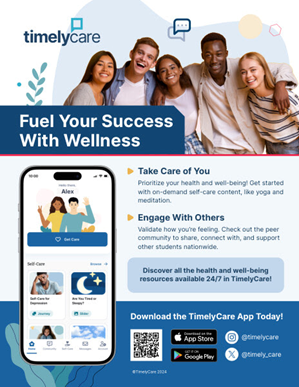
Fuel Your Success With Wellness


Saint Mary’s College of California partneres with TimelyCare to deliver a new virtual health and well-being platform for students. This partnership is designed to complement the services offered by our on-campus Student Health Center and Counseling and Psychological Services.


The service provides 24/7/365 access to virtual care at no additional cost to students. Please remind your students to take advantage of the TimelyCare services when they feel under the weather, stressed, or overwhelmed. 


For more information check out the FAQs below and read this recent SMC news article highlighting the TimelyCare partnership.


How can students access TimelyCare?

Students can go to timelycare.com/SaintMarysCA or directly

download the TimelyCare app from the app store to register with their school email

address. Students can then start visits from any web-enabled device – smartphone, tablet,

laptop, or desktop – anywhere in the United States.


Who can use TimelyCare?

Any enrolled undergraduate or graduate student.


What services are available?

• MedicalNow - 24/7, on-demand medical care.

• TalkNow - 24/7, on-demand emotional support.

• Scheduled Counseling - Select the day, time, and mental health provider

of your choice. (12 visits per year)

• Scheduled Medical - Select the day, time, and medical provider of your choice.

• Self-Care Content - 24/7 access to self-care tools and resources, such as meditation

and yoga sessions, helpful videos, and short articles from experts.


How much does a visit cost?

TimelyCare services are available at no additional cost to students.


Where do I go for more details?

www.stmarys-ca.edu/student-life/timelycare


Need to talk? Need medical assistance? TimelyCare is always available!


Who can use TimelyCare? Any enrolled undergraduate or graduate student.


What services are available?

• MedicalNow - 24/7, on-demand medical care.

• TalkNow - 24/7, on-demand emotional support.

• Scheduled Counseling - Select the day, time, and mental health provider

of your choice. (12 visits per year)

• Scheduled Medical - Select the day, time, and medical provider of your choice.

• And more!


How much does a visit cost? TimelyCare services are available at no additional cost to students.

Need to get in touch?


Office of Residential Experience | reslife@stmarys-ca.edu | 925-631-4236


Campus Housing | housing@stmarys-ca.edu | 925-631-4241