have set up their availability and synced their calendars in Navigate Staff Production (live site)!
Kudos: Special thank you to the following individuals for submitting their Appointment Summaries after meeting with a student and helping us get closer to a more coordinated care network!
Kim Straceski
Yarida Cruz
David Holloway
Check out the first Student email about downloading and using Navigate Student sent to Dual Enrollment, MAS, and New Directions Students!
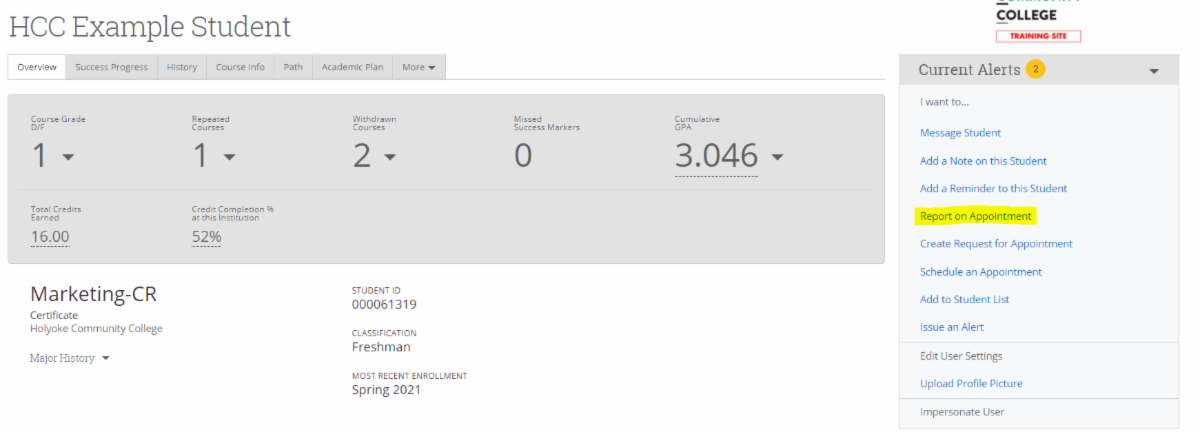
1.) Need a reminder on how to submit an Appointment Summary Report after a phone call or meeting with a student? See pages 9-10 in the Quick Start Guide for step-by-step instructions. For those simply adding an Appointment Summary for appointments scheduled outside of Navigate, refer to page 10 only.
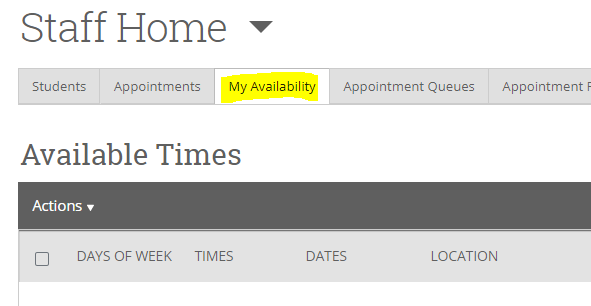
2.) Did you know that you can share your Personal Availability Link (PAL) shown at the bottom of your “My Availability” tab on Staff Home with students for quick appointment scheduling? Your unique PAL will take them to the Navigate Student App to access only your availability for the specific appointment services you have added in your availability!
Before sharing your PAL link, confirm that:
your availability in the Navigate Staff Production/Live site is up-to-date with appropriate services, location, and Zoom link
your scheduled work time/tasks/etc. are marked as “Free” on your HCC Google calendar to ensure your meetings with students take place during available blocks you set up in the Navigate Staff Live site.
Beth Breton, Kelly Champagne, Eric Farrell, Andrew Fletcher, Mark Hudgik, Lauren LeClair, Mi Jin Park, Myriam Quinones, Linda Scott, Renee Tastad, Linda Szalankiewicz, Allison Wrobel