β€Š

One Cool Tip Newsletter

September 25, 2026

Your daily dose of tech-savvy brilliance!

πŸ˜€Greetings! Happy Friday Funday, Cool Tipper!


Get ready to streamline your digital life with simple, actionable tips delivered straight to your inbox.


Cool Tip Theme: United Parks of America

ο»Ώ

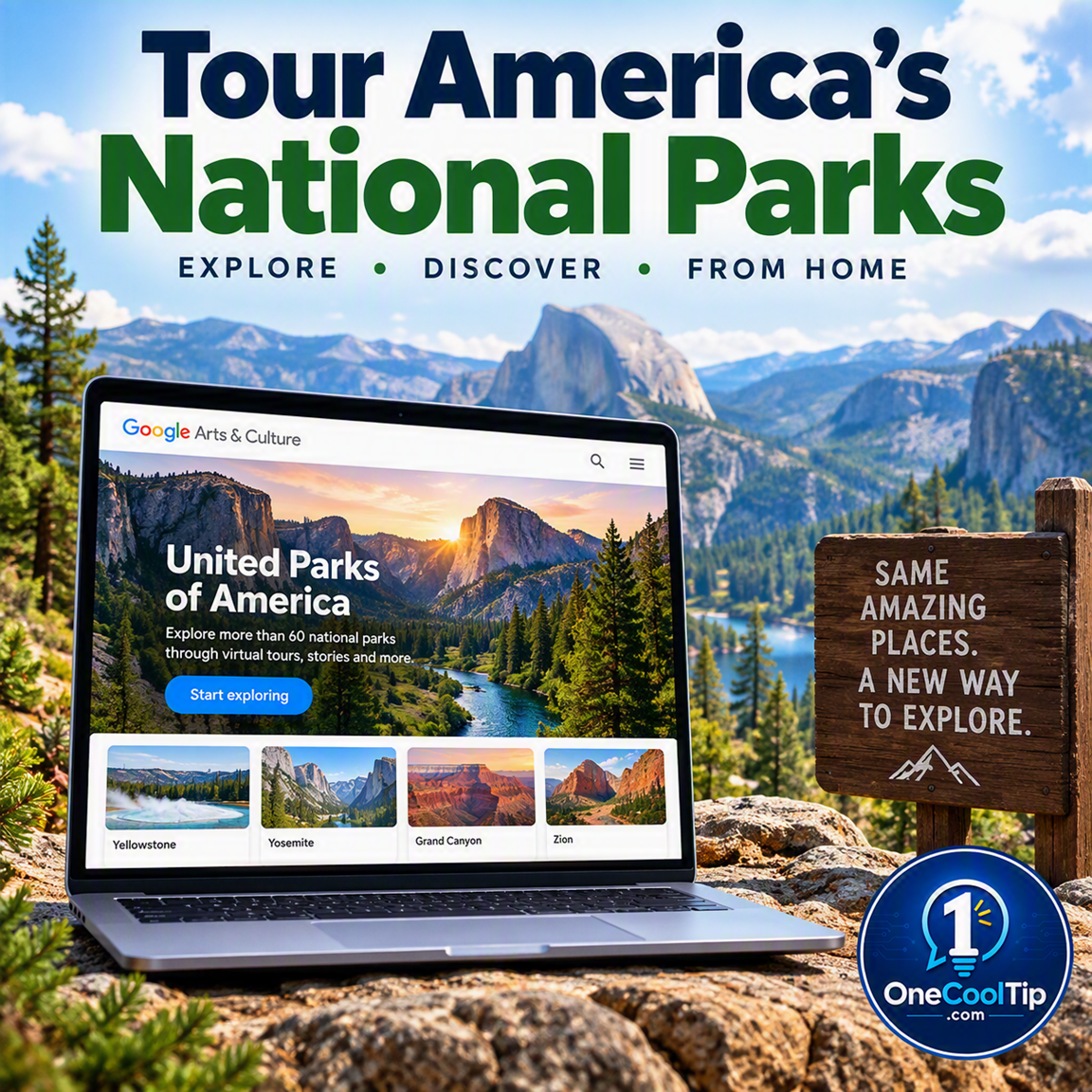
Visit 60 US National Parks and interact with history through Google Arts & Culture. Discover virtual tours, 3D artifacts, and AI storytelling.


New here? Subscribe to the One Cool Tip Newsletter for daily updates. It's FREE!

3️⃣

If you enjoy the One Cool Tip newsletter, please forward this newsletter to THREE friends or colleagues or share it on social media using the links below.


Leave a $$$ Tip!


Share this One Cool Tip Newsletter!

X Share This Email
LinkedIn Share This Email
Pinterest Share This Email

🚨AI Can Fake More Than You Think🚨


Artificial intelligence is making life easier in many ways, but it is also giving scammers powerful new tools.


Consumer protection officials warn that criminals are using AI to create realistic fake voices, convincing videos, celebrity endorsements, romance profiles, and even fraudulent investment opportunities.


AI-powered scams often rely on urgency, emotional manipulation, and claims that seem too good to be true.


Before sending money, investing, or responding to an emergency request from a loved one, take time to verify the story through a trusted source.


Be especially cautious of investment platforms claiming guaranteed returns, social media "experts" promoting financial products, and unexpected calls that use familiar voices.


Creating a family password can also help protect against AI voice-cloning scams.


The best defense is healthy skepticism.


If technology can create something that looks real, it can also create something that's completely fake.


And in Other News...


  • This Free Google Tool Lets Museum Artifacts Talk Back


Want a more interactive way to explore history and art?


Google Arts & Culture has launched two new experiences that turn learning into a game.


The Talking Museum lets you chat with nearly 200 historical artifacts using AI, explore them in 3D, and learn their stories through interactive conversations and audio commentary.


Meanwhile, Museum Memory challenges you to memorize artwork placements and restore scrambled museum exhibits.


These free experiences are a fun way to exercise your curiosity, observation skills, and memory while discovering fascinating objects from around the world.


Whether you're a history buff, a student, or simply looking for something interesting to do online, they offer a fresh take on digital learning.


Sometimes the best use of technology is making culture and knowledge more accessible to everyone.

Cool Tip Poll

πŸ€” Which feature of the new United Parks of America digital hub are you most excited to try?

Cool Deals of the Day

Help support One Cool Tip. Use this Amazon link when you shop online.


Check out these Cool Deals:

πŸ“± Apple iPad 11-inch: A large, vibrant screen makes exploring virtual park tours and zooming in on 3D artifacts highly immersive.

Save 11%. Now $399. 4.7 Stars. Check it out on Amazon!


πŸ₯½ Meta Quest 3S Virtual Reality Headset: Take your 360-degree panoramas to the next level by experiencing Street View imagery in full virtual reality.

Overall Pick! Now $349.99. 4.6 Stars. Check it out on Amazon!


πŸ’» Acer Chromebook Plus 515: A Best Seller for students and home users. A fast, affordable way to access Google Arts & Culture exhibits and AI tools directly from your browser.

Overall Pick! Now $549.99. 4.2 Stars. Check it out on Amazon!


ο»Ώ*Prices accurate when originally published.

One Cool Tip may earn a commission from qualifying purchases.

Fuel Your Adventure

Try Big Mike's Jerky!ο»Ώ


bigmikesjerky.com


Now on TikTok!


Today's Cool Tipο»Ώ

Explore 60 US National Parks From Your Living Room


Google recently launched a digital collection that lets you explore natural wonders and historical sites from anywhere. You can hike the Grand Canyon, examine the Liberty Bell up close, and ask an AI guide questions about the Founding Fathers without leaving your home.


Planning a trip to a national park takes preparation, travel time, and a budget. 


Not everyone can easily visit places like Yosemite or Acadia in person. 


Here is a Cool Tip: Tour America's greatest landscapes and historic moments online for free.


Google is changing how we experience these protected lands with an update to its Arts & Culture platform.


The National Park Service and Google Arts & Culture recently launched United Parks of America. 


This digital hub brings 60 national parks and over 150 curated exhibitions directly to your screen. 


You can use it to research an upcoming trip, teach your children about history, or simply enjoy spectacular views during your lunch break.


Feature Explanation


United Parks of America is a comprehensive digital hub created by the National Park Service and Google Arts & Culture. 


It features more than 500 miles of Street View imagery, 3D models of historical artifacts, and interactive virtual tours. 


You can explore everything from the explosive geothermal geysers of Yellowstone to the mist-covered forests of the Great Smoky Mountains.


The platform also includes a new AI storytelling experiment called Path to Independence. 


Set in Philadelphia's Independence National Historical Park, this feature uses Gemini AI to let you travel back 250 years.


You can view the Assembly Room where the Declaration of Independence was signed, examine primary source documents, and ask follow-up questions to receive tailored historical insights with audio narration.


This resource solves the problem of accessibility. 


It brings fragile historical objects and remote natural wonders to anyone with an internet connection. 


It is newly available as part of a celebration for the National Park Service birthday.


What You'll Gain


  • Save time by researching and previewing park terrains before booking a real-life trip.
  • Reduce confusion when learning American history by using interactive, AI-guided answers.
  • Improve access to fragile artifacts like 18th-century portraits and the Declaration of Independence without waiting in long museum lines.


Step-by-Step Instructions


Here's how to do it.


Web/Desktop:


  1. Open your browser and go to the Google Arts & Culture website.
  2. Search for "United Parks of America" to open the main hub or click HERE.
  3. Click on any park, such as Grand Canyon National Park or Independence National Historical Park, to begin a tour.
  4. Drag your mouse across the screen to look around the 360-degree panoramas.
  5. Click on the 3D models to spin and zoom in on historical artifacts like the Liberty Bell.


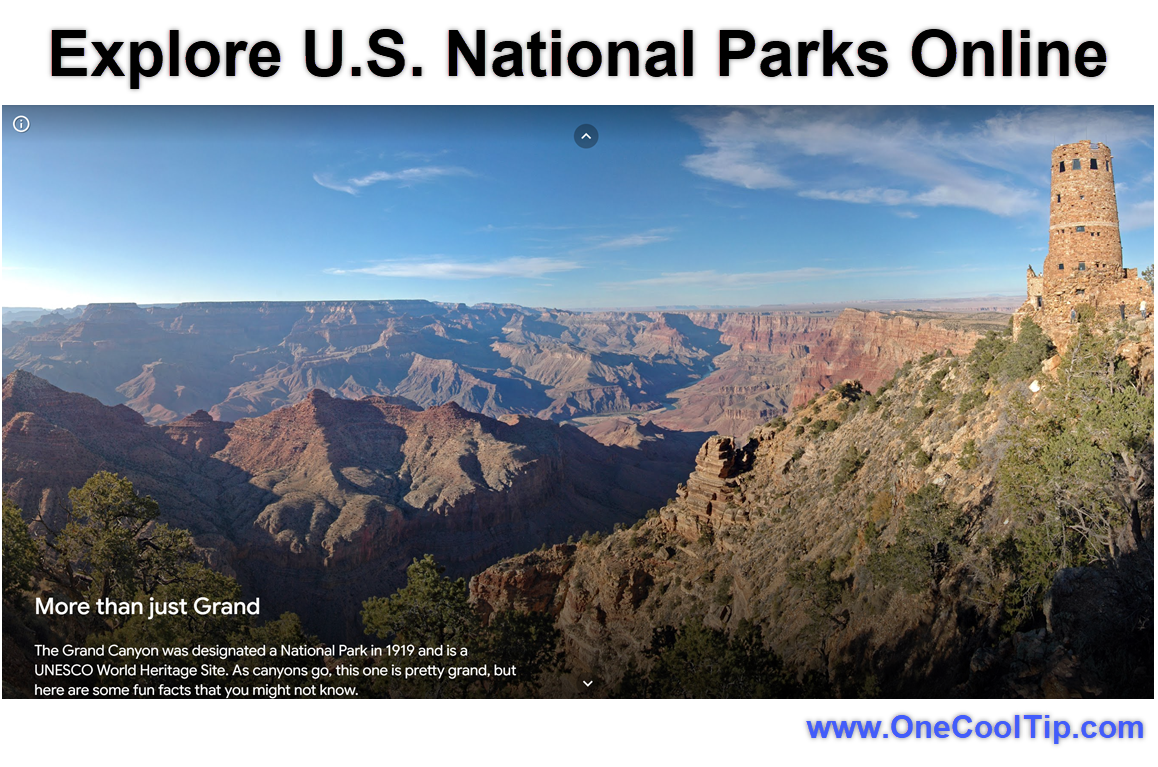
fig. 1 - Explore U.S. National Parks Online - Grand Canyon

iPhone/iPad:


  1. Download and open the Google Arts & Culture app from the App Store.
  2. Tap the search icon and type "United Parks of America".
  3. Select an exhibition or park from the search results.
  4. Swipe your screen to navigate the virtual tours and view high-resolution imagery.
  5. Tap the AI experiment links to ask Gemini questions about historical documents.


Android:


  1. Install the Google Arts & Culture app from the Google Play Store and open it.
  2. Tap the search bar and enter "United Parks of America".
  3. Choose a curated exhibition or virtual tour to start exploring.
  4. Move your phone around to look at the Street View imagery using your device sensors.
  5. Tap on 3D artifacts to rotate them with your fingers.


Pros and Cons


Pros:


  • Offers free access to 60 national parks and over 150 curated exhibitions.
  • Includes unique AI-guided historical tours that answer specific user questions.
  • Provides high-resolution 3D models of fragile historical artifacts.
  • Functions as an excellent educational tool for teachers, parents, and students.
  • Requires no specialized virtual reality equipment to enjoy.


Cons:


  • Requires a stable broadband internet connection to load high-resolution images smoothly.
  • The Gemini AI features may occasionally provide unexpected answers.
  • Using the platform on a small smartphone screen is less immersive than on a large desktop monitor.
  • Not a complete replacement for experiencing the outdoors in person.


Feature Access


  • The United Parks of America hub is available globally to anyone with an internet connection. 
  • It is free to use and does not require a subscription. 
  • You can access it on any modern web browser or through the official Google Arts & Culture app on iOS and Android devices. 
  • The AI storytelling experiments are currently available in supported regions and may require specific language settings.


Score

Criterion |  Score (0-10) |  Justification
Value | 9
Provides free, high-quality access to protected lands and historical artifacts.
Usability |  8
Navigation is intuitive, though high-resolution content requires a strong internet connection.
Wow Factor |  8
The AI-guided historical tours and 3D models of fragile items offer a highly engaging experience.
Total: 25/30 |  πŸŒŸ Excellent
This is an excellent educational resource that brings America's most cherished landscapes and history right into your home.


Key Takeaways


The United Parks of America initiative lets you explore 60 national parks and historical sites through virtual tours and 3D imagery. 


The new AI-powered Path to Independence experience helps you interact with history by answering your specific questions about the Founding Fathers. 


This free tool is perfect for travel planning, education, and discovering natural wonders from anywhere.


Cool Tip Snapshot


  • Feature Name: United Parks of America.
  • Platform(s): Web, iOS, Android.
  • Quick Benefit: Tour 60 US national parks and historical sites virtually.
  • Best For: Educators, families, and travelers.
  • Access Type: Free.
  • Difficulty: Easy.


Try It Yourself


Visit the United Parks of America hub today and take a virtual walk around the Grand Prismatic Spring in Yellowstone. 


Leave a comment below with your favorite digital discovery, subscribe to the One Cool Tip newsletter, and share this article with family, friends, and coworkers.


READ MORE


Read the Full Cool Tip.

Check Out These Cool Tips & Tricks


  • Save Your Favorites: Use the heart icon. Click the heart icon on any exhibit to save it to your Google account for quick access later.

ο»Ώ

  • Share Specific Views: Copy the URL. When you find a great angle in a Street View tour, copy the web address to share that exact view with a friend.


  • Read the Details: Open the info panel. Click the small "i" icon on any 3D model to read historical facts and context about the artifact.


  • Jump Across Maps: Use the pegman. Drag the yellow Street View icon onto the mini-map to instantly teleport to different trails within a park.


  • Ask Specific Questions: Use voice typing. Tap the microphone icon in the Path to Independence exhibit to ask the AI guide about specific historical figures.


  • Zoom in Closer: Pinch the screen. Use a two-finger pinch gesture on mobile devices to inspect the high-resolution brushstrokes on 18th-century portraits.


  • Find Hidden Caves: Search for them. Type "hidden caves" into the main Arts & Culture search bar to find the specialized underground park tours.


  • Use Translate Features: Change the language. Use the Google Translate integration at the bottom of the page to read exhibit descriptions in your native language.


  • Cast to TV: Use Chromecast. Send your browser tab to a smart TV to view the Grand Canyon panoramas on a big screen with your family.


  • Discover by Color: Try the palette tool. Use the color palette feature on the Arts & Culture homepage to find park photos matching your favorite colors.

ICYMI - In Case You Missed It ...

Organize Your AI Work with Claude Projects


Claude Projects turns scattered AI conversations into organized workspaces for specific subjects, clients, or recurring tasks. Each project can contain related chats, reusable instructions, and reference files.


Read the Full Version.


Read the Newsletter Version.

Looking for your next adventure?


Call Denise at Travel For You.

314.660.3039


Sign Up for the Monthly Newsletter


http://www.travelforyouvacations.com/


https://www.facebook.com/TRAVEL.FOR.U/


See You Tomorrow

Tomorrow's Cool Tip is waiting to amaze you.


Until then, go forth and conquer the tech world with your newfound knowledge!


Be sure to visit www.OneCoolTip.com for Cool Tech Tips for a Cooler Life!


And if you Like One Cool Tip, please support with TipJar!


Enjoy!

ο»Ώ


Rodger

Chief Cool Tipper

onecooltip.com@gmail.com


What Do You Think?

What do you think of today's OneCoolTip newsletter?
Positive        Neutral        Negative
X Share This Email
LinkedIn Share This Email

Connect with One Cool Tip!

Facebook  X  Instagram  Web  Pinterest  YouTube  LinkedIn
β€Š

As an Amazon Associate, One Cool Tip may earn a small commission from qualifying purchases.


Our media content is intended solely for informational purposes. Please do not construe anything here as legal, tax, investment, financial, marital or other advice.


Copyright Β© 2026 | www.OneCoolTip.com | All Rights Reserved


β€Š