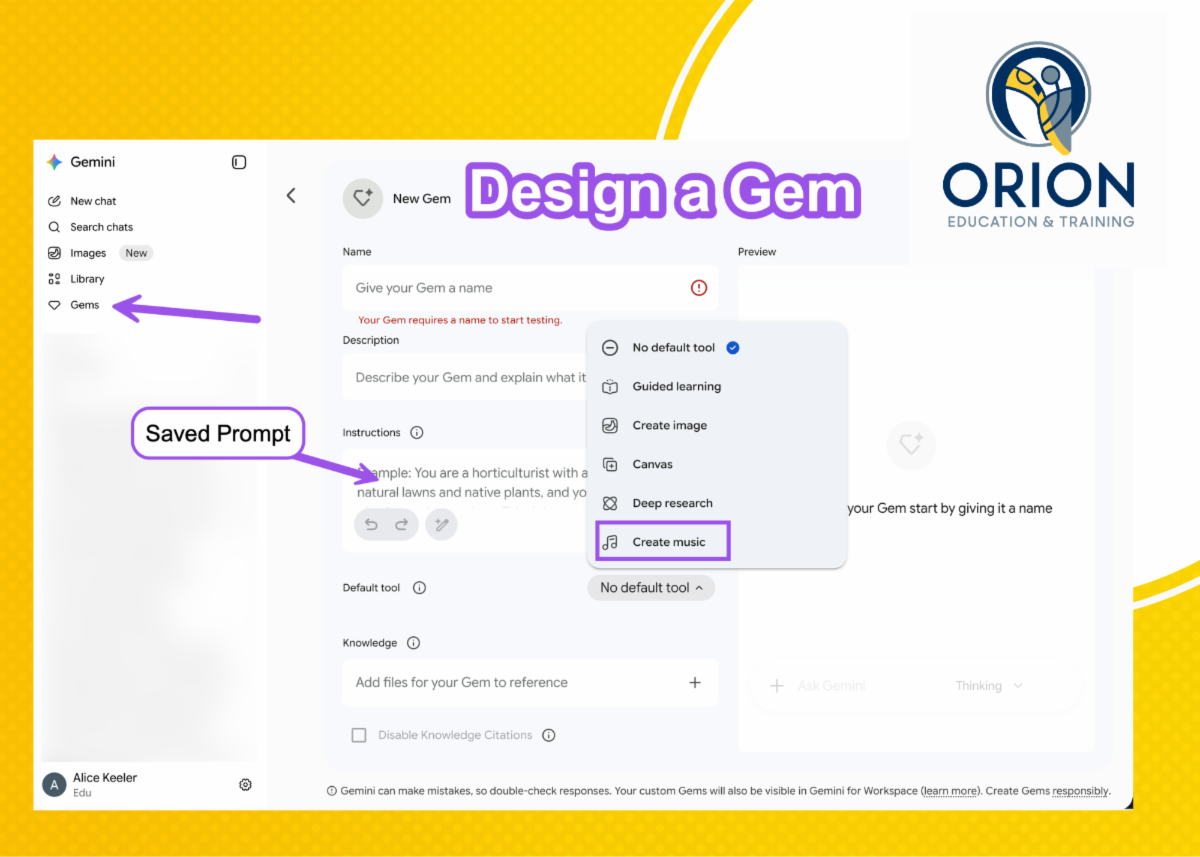
When creating Google Gemini Gems you can choose to add a default tool. One of the tools is "Music." This allows you to create a song about your AI output.
Type in a date range such as "This week" or "next week" or "This month."
Gemini will connect to your Google Calendar and provide a high level email update for those in your department to know when you're available to meet.
Bonus... the Music tool should turn your calendar into a song.
Google Gemini Gems Save Your Prompts
Gemini Gems simply save your prompt (instructions.) Click on the Gems icon on the left hand side of Google Gemini. The Instructions box is where you save your prompt. Come back to the Gems page to start your AI chat without having to provide the directions. Select your tool, in today's example we selected the Create music tool.
For the summer, Alice Keeler is creating our PL Newsletter. As an Educational Technology and Math expert the summer newsletter will skew towards her expertise. Coming this fall will include segments from all of the professional learning consultants at Orion. Stay tuned!
More Topics and Templates to Come!!
Summer 2026
Join Orion for Professional Learning
In Person, Virtual, Asynchronous, and Credit Earning
Ready to learn more? This summer we have a lot of options for you. Please reach out to akeeler@orioneducation.org for more details.