| |
MONTHLY
NEWSLETTER
April 2026
| | |
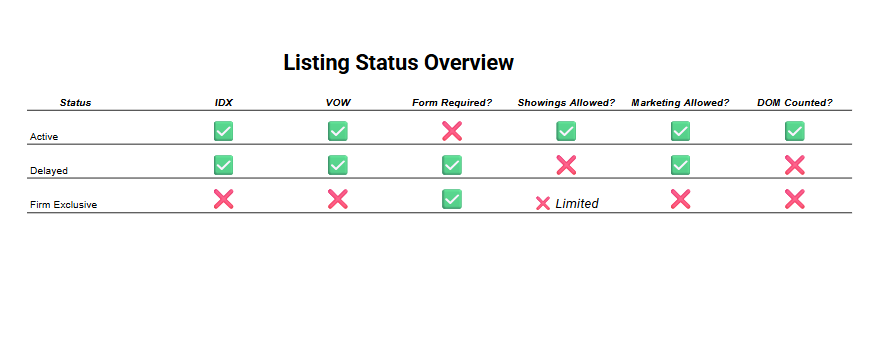
We’ve been listening closely to your feedback, and we know the industry is continuing to evolve. With that in mind, the SCWMLS Board of Directors approved an update to the delayed listing policy at its March 18 meeting.
Delayed listings can now be displayed on IDX, which means they can appear on your website. SCWMLS will also syndicate delayed listings to third party portals. While we do not control how third party websites choose to display these listings, they will receive the data through syndication. If you prefer not to have your delayed listings syndicated, you can opt out by selecting “No” for IDX within Paragon. We’ve added new forms and guidance on the SCWMLS website to better support you, and we've also updated the MLS Fine Schedule, as approved by the Board of Directors.
| | Phishing Scams on the Rise | |
We have seen an increase in scam attempts in the last week. Real estate agents are frequent targets for email and text scams because transactions involve large sums, tight timelines, and sensitive client information. To protect yourself:
- Verify all unexpected requests (especially wires or payment changes) by calling a trusted number. Never rely on caller ID alone – numbers can be spoofed. Instead, hang up and call back using a verified number from your records or official sources
- Don’t trust urgency – scammers rely on pressure and rushed decisions
- Check sender details carefully for subtle email or phone number changes
- Avoid clicking unknown links or downloading suspicious attachments
- When unsure, pause and confirm – protecting clients and transactions comes first
SCWMLS offers Forewarn and Domii as two resources to help you combat this concern.
-
Domii – get it in your app store and use promo code SCWMLS
-
Forewarn
Have you heard of Zoom phishing scams? Learn more in this 2 minute video.
NAR has additional helpful tips on Cyber Threats here.
Check out this short video about Zoom phishing scams.
| Friendly Reminder: No Commission in MLS | | |
As you’re working in the MLS, please keep in mind that commission information should not be included—this applies to both public and private fields. That extends to documents (including listing contracts, flyers, etc.)
Following these guidelines is important, as there is a fine associated with putting commission into Paragon. Taking a moment to double-check your entries can help avoid any issues.
These standards are part of the NAR Settlement, so staying aligned with them helps ensure everything remains in good standing.
For additional guidance, please review the NAR Settlement FAQs.
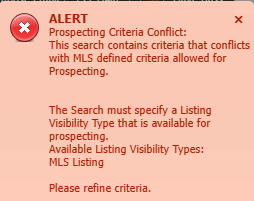
| | If you are trying to save a search to a contact for auto notification you may see this error popup in the top right corner: | | | |
Any search saved to a contact for auto notification must have the criteria Listing Visibility Type with the value of MLS Listing. This was added to the default searches and saved searches for all agents. However it seems that some were missed.
This field should be the last field under the Advanced Criteria in your search criteria. If you don’t see it there you need to add it to your criteria.
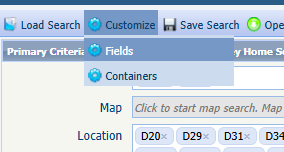
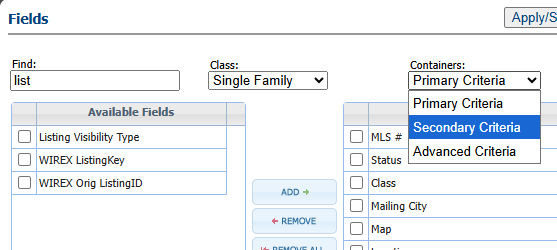
To do this, above the criteria there is a Customize button; hover the mouse pointer over it and choose Fields.
| | |
Search for the field named Listing Visibility Type. To add it to your criteria, first choose which section you want to add it to. It will default to the Primary criteria, but if you want to put it in the Secondary or Advanced section, click the dropdown under Containers and select a section.
To add the criteria, either double click it, or check the box next to it and click the Add button. Then click Apply.
The value MLS Listing should be automatically added as the value. Now you can save your search.
| | |
Q: When does the DOM (days on market) and CDOM (cumulative dates on market) reset?
A: The DOM count resets each time a new listing is entered. The CDOM count will reset if a listing has been off the market for at least 31 days.
Tip: When counting, don’t include the off-market date or the new list date – there should be 31 days in between.
Q: When does my listing not accumulate DOM?
A: Days on market do not accumulate while a listing is in a delayed, withdrawn by seller, or offer-no show status.
Q: Help! My delayed listing shows a DOM count! Why?!
A: As DOM begins counting at the list date, to ensure a DOM count of 0, a listing must be entered on the list date. (i.e. If a delayed listing has a list date of 3/25 but it was input on 3/27, there will be a DOM of 2)
| | | |
REALTORS® Confidence Index
Market sentiment is trending upward as REALTORS® report increased expectations for both buyer and seller activity in the coming months. First-time buyer participation has grown, supported by slight improvements in affordability, while demand remains strong despite limited inventory. Homes are still receiving multiple offers, and all-cash transactions remain common. While some contracts continue to face delays, overall activity suggests a more stable and active market heading into the spring season.
| | MLS Tips You Can Use Today | |
Do you know how to convert a Subject Property to a live listing?
If you have administrative access to the Paragon system, you can convert your Subject Property to an Active or Delayed MLS listing.
Note: The “Add Listing” function (under the Listings menu in Paragon) should be used to add listings in all other statuses.
Here is a step-by-step guide:
- Select CMA from the menu bar in Paragon
- Select Maintain Subject Properties
- Locate the correct listing – click on “Select an Action”
- Select “Maintain Subject Property”
- Review the information. Click the Convert button at top of screen (when you hit SAVE – you still have a subject property). If there are errors you will be prompted to correct them.
-
Click the Convert Button again after corrections.
- A box will come up and you will be prompted to enter status, listing date & expiration date.
- Click SAVE and the listing will be saved with a 7-digit MLS number.
| | April Paragon Connect Impact Sessions | | | | |
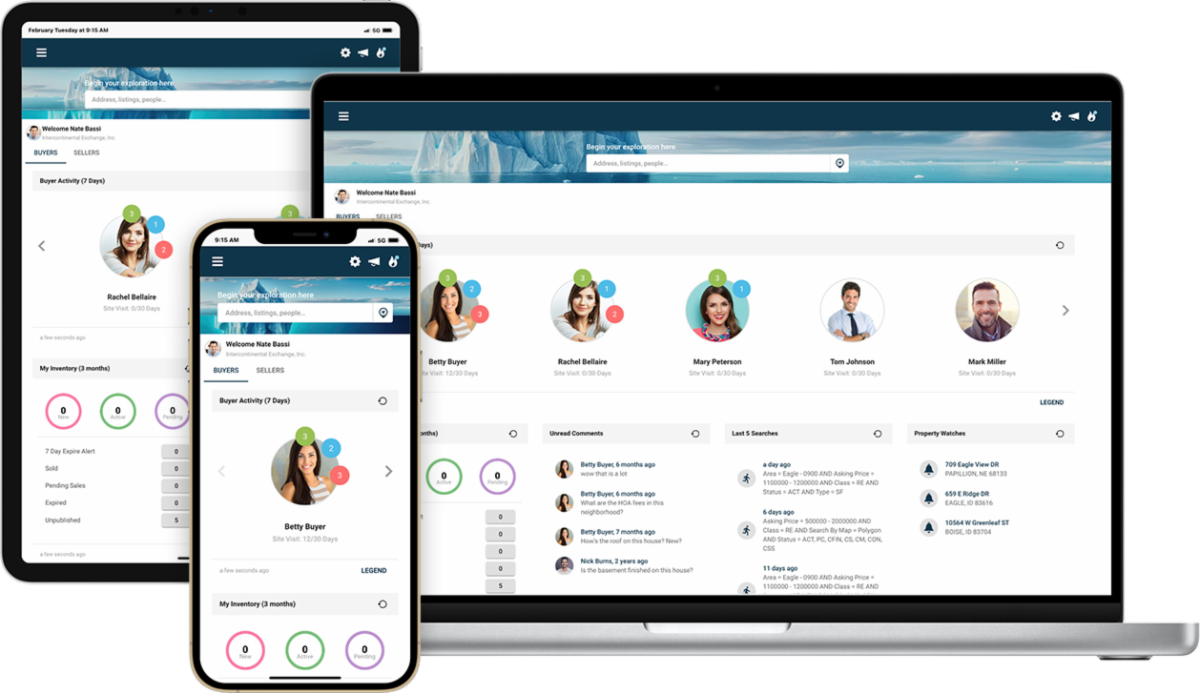
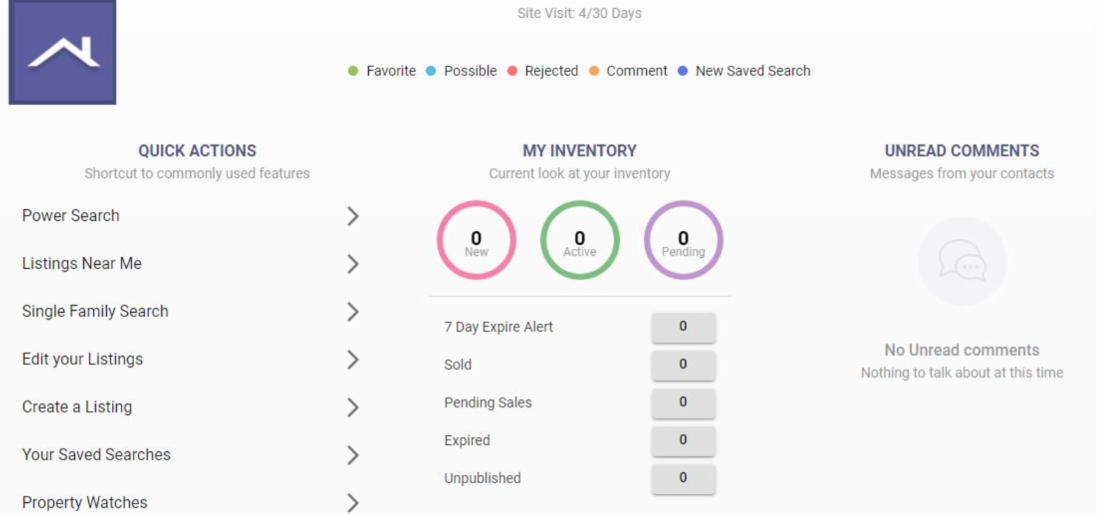
The ICE MLS Solutions training team is offering Paragon Connect Impact Sessions for the month of December. You’ll be able to learn more about Paragon Connect’s best features during these 20-min Impact Session webinars covering a variety of topics.
Paragon Connect topics we will be covering include:
- Dashboard Navigation
- EasyCMA
- Hotsheets
- Collaboration Center
- And more…
| | February 2026 Market Snapshot | | |
What Does This Mean for You?
18-County Region:
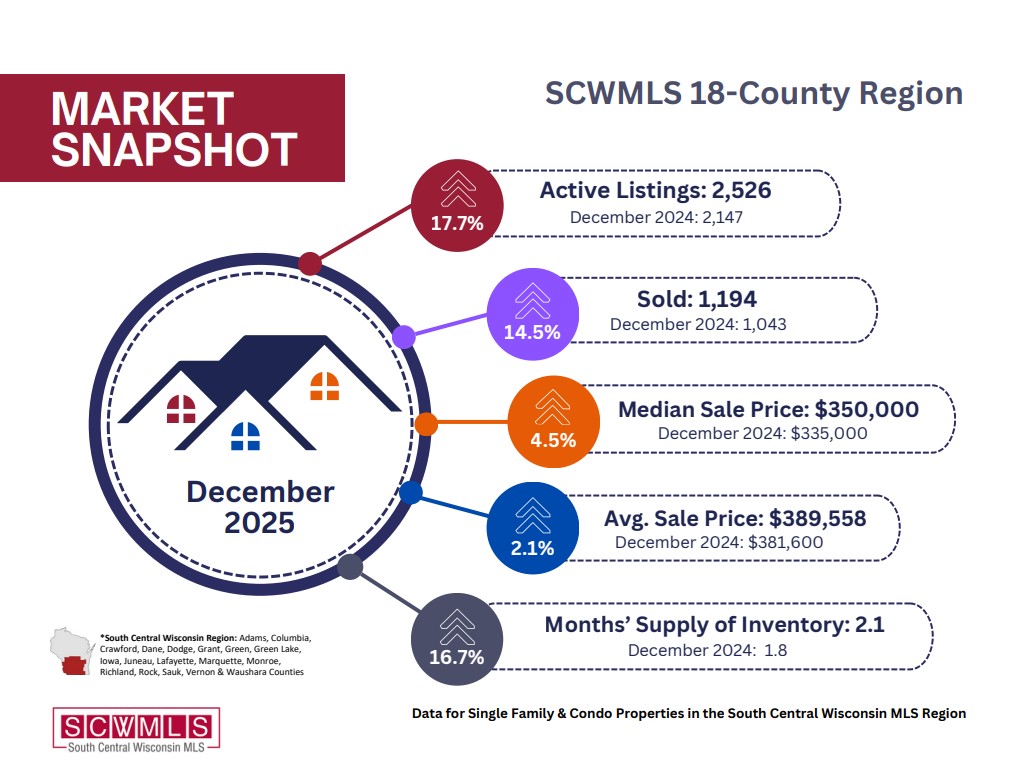
Across the full 18-county South Central Wisconsin region, February activity reflects a steady and balanced market as we approach the spring season. Closed sales reached 794 in February 2026, up from 773 in February 2025 (+2.7%) and slightly higher than January’s 770 sales, showing consistent buyer demand. Inventory increased year-over-year to 2,062 homes (+9.4%), giving buyers more options, while prices softened slightly but remain near historic highs. Overall, the region continues to demonstrate stability with modest growth and balanced conditions.
Dane County:
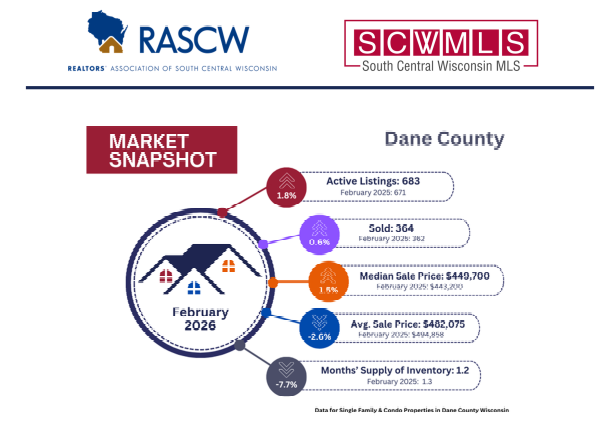
In Dane County, the market continues to show steady activity with early signs of seasonal growth. February 2026 recorded 364 closed sales, up from 354 in February 2025 (+2.8%) and rising from January’s 312 sales. Inventory reached 683 homes (+1.8% year-over-year), though it dipped slightly from January due to typical seasonal trends. While prices have eased slightly year-to-date, they remain strong overall, supporting a stable and competitive market environment.
| | Trainings Available on Demand or in Person | | |
PARAGON BASICS
Virtual Learning
Join us online for this free, introductory session on the most common and helpful features in Paragon.
Next Session:
DATE: April 10th, 2026
TIME: 10:00 am - 12:00 pm
LOCATION: Webinar (Zoom)
| | |
Paragon Connect Shorts
Learn more about Paragon Connect’s best features with 20-min webinars.
Next Session:
DATE: April 23rd, 2026
TIME: 11am-11:30am
LOCATION: Webinar
| | |
COLLAB CENTER
Virtual Learning
The Collab Center can help with property notifications and provide insights into buyer preferences. Learn to build sites for your buyers.
Next Session:
DATE: April 16th, 2026
TIME: 11:00 am - 11:30 am
LOCATION: Webinar (Zoom)
| | |
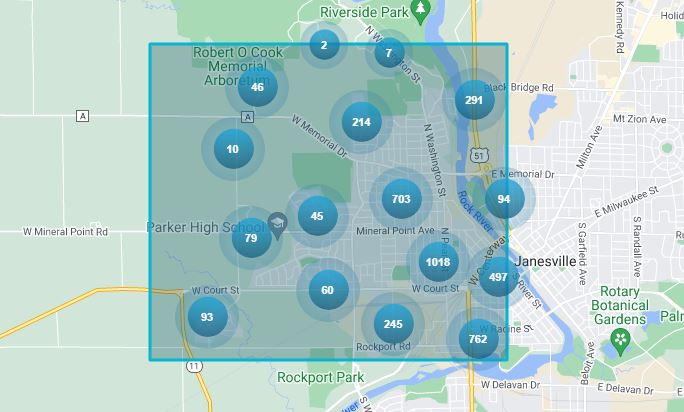
MAP SEARCH
Virtual Learning
Learn to use Paragon's Map Search functions to hone in on specific geographies and opportunities quickly.
Next Session:
DATE: April 9th, 2026
TIME: 11:00 am - 11:30 am
LOCATION: Webinar (Zoom)
| | |
PARAGON CONNECT
Virtual Learning
Join Dave to learn how to use the mobile version of Paragon (Paragon Connect) on your smartphone.
Next Session:
DATE: April 23rd, 2026
TIME: 11:00 am - 11:30 am
LOCATION: Webinar (Zoom)
| | |
Forewarn Training
This training will show real estate professionals how to use FOREWARN for agent safety, identity verification, and smart business insights—plus pro tips and live Q&A to help you get started confidently.
Next Session:
DATE: April 14th, 2026
TIME: 9:00am
LOCATION: Webinar (Zoom)
| | |
Forewarn Training
This training will show real estate professionals how to use FOREWARN for agent safety, identity verification, and smart business insights—plus pro tips and live Q&A to help you get started confidently.
Next Session:
DATE: April 30th, 2026
TIME: 1:00pm
LOCATION: Webinar (Zoom)
| | Most Recent Wisconsin Housing Report: | | | | |