RM BEST Teacher / Mentor Newsletter 7
Late August 2021
2021 Game Logo
Please REPLY to this email if you have questions!
There are no stupid questions!
  • Please FORWARD this newsletter to others that might be interested. They may use this email address (RM.BEST.INFO.REQUEST@bestinc.org) to request to be added to the 2021 Distribution List.
  • Please REPLY if you do NOT want to be on our 2021 Distribution List
LAST Days to Register YOUR School for
Fall Robotics Competition
2021 Game Logo

Please Complete Steps 1-2 ASAP To Register for the Fall Competition

  • Step 1 - Login or Create Account - Lead Teacher and other teachers and mentors use the link above to Login or Create a new account.
  • Step 2 - Register Team - Lead Teacher is expected to complete this step by selecting the blue Register a School button on the Schools page. Select Rocky Mountain BEST as your hub. Find your prior School Profile by selecting your school from the popup list of prior schools. OR If you are registering a new school, CREATE NEW School with button at bottom of the list.

You will receive an email when your team's registration is approved.
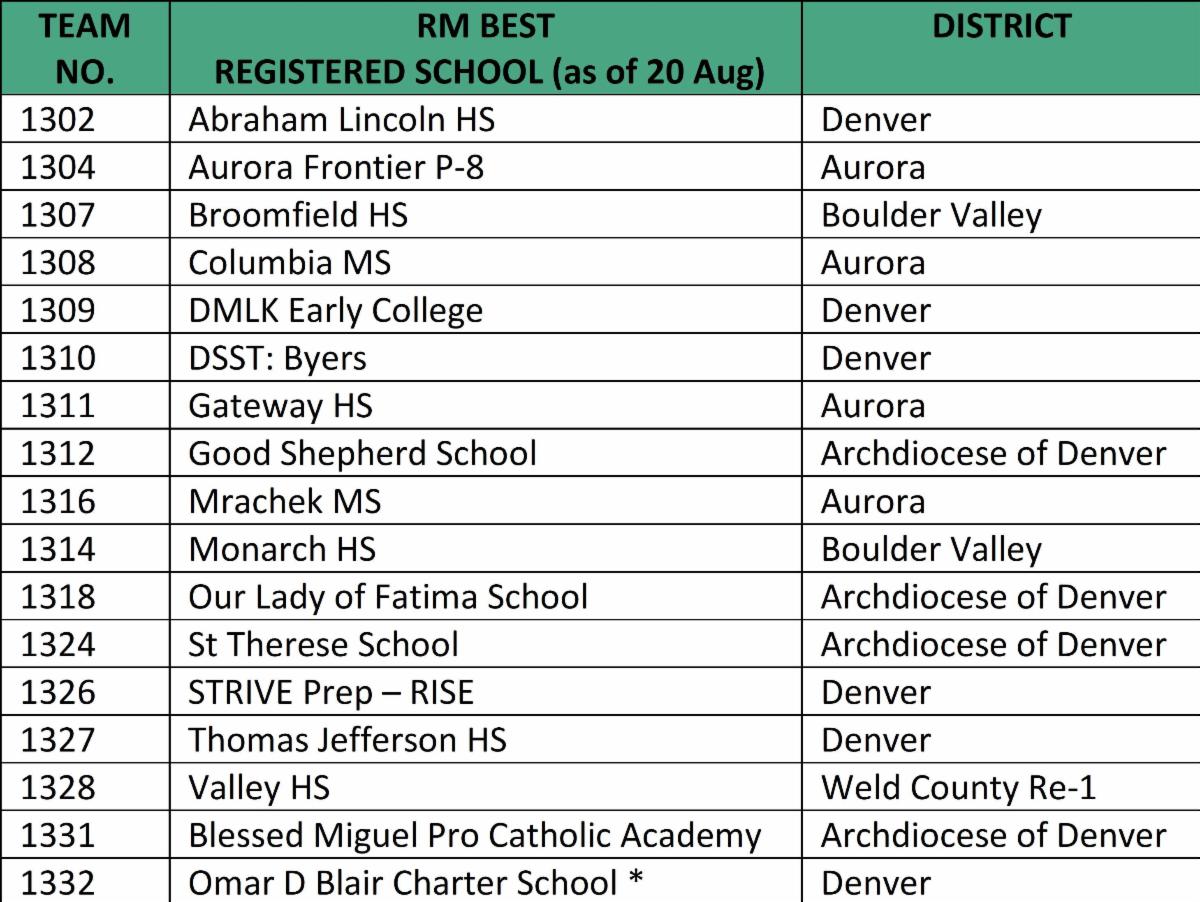
Currently Registered Teams
Demo Daze
*Rookie School
NEAR TERM Activities
Pre-Kickoff Planning Suggestions
1. ONLINE training: Take advantage of BEST training webinars and videos – TEACHERS, MENTORS, PARENTS, STUDENTS
2.Recruit team members AND get them registered via Parents in BEST National Registry
  • IMPORTANT: only registered students can access Registry information such as 2021 Pre-Kickoff Breakout Session videos and Kickoff Rules and Scoresheets
3.Recruit other mentors – get them to register in BEST National Registry
4.Review last year’s rules – all but Game-Specific will likely be the same this year LINK
  • Pay special attention to Section 1. General (Generic) Rules and Sections 4-7
5.Evaluate your team’s tool list – consider prototype tools and materials too
6.Download Intelitek easyC software - unless using other robot control software, :
  • Go to your team's BEST National Registry Team Workflow page to look for Team Software Licenses heading: click Intelitek easyCV6 "Request Software" including License Key
7.Request MathWorks software - considering getting students to request and attend online training -
  • Request process may take several days and once approved option to use ONLINE version or to downloadwhich takes multiple hours depending on computer and internet speed.
8.Create a safety plan draft
9.Review 9 weekly bESTology postings - Encourage your students to use for info / hints about this year’s game
10.Create a team schedule – when to meet & deadlines

11 September Kickoff Planning
More details to be provided in early September
**7 September - AVAILABLE ONLINE
1-Hour Videos + associated Presentation files
(We will let you know if we have available earlier)

Links will be available in National Registry Team Workflow

Kickoff Breakout Training Presentation and Videos
  1. Intro to BEST Control Systems
  2. Critical Design Review / Robot Design Introduction & Tips
  3. Intro to Engineering Notebook
  4. Intro to Simulink Programming
  5. Robot Design & Construction Tips
  6. Teacher and Mentor Tips (including BEST National Registry)
  7. The BEST Award
  8. Robot Kit & Rules
  9. Intro to easyC Programming

11 September Morning - ONLINE

Links will be available in National Registry Team Workflow

1. 9 AM Kickoff Event Presentation and Game Reveal Presentation including Animation
  • Important season competition plans and first time to learn about the 2021 Demo Daze Game
  • Streaming link to be provided - approximately 90 minutes

2. 11 AM Kickoff Breakout Training Q&A Sessions
  • Provides your team an opportunity to ask questions about videos - 1 hour
  • Session titles the same as Kickoff Training Videos above
  • Google Meet links to be provided

11 September Afternoon - IN PERSON -
1-5 PM at 1075 S Yukon St Lakewood

Map to be provided

1. Robot Kit Pick Up - Behind Building in Alley
  • Volunteers to hand out kits after receiving a Lead Teacher signed Returnable Kit Agreement
  • Bring signed agreement AND a vehicle large enough for 5' PVC and 2'x4' Plywood sheets and other material including Returnable and Consumable Robot Kits

2. Game Field Quadrant Viewing - In Building Lobby
  • 10 minutes viewing for teams or individual team members
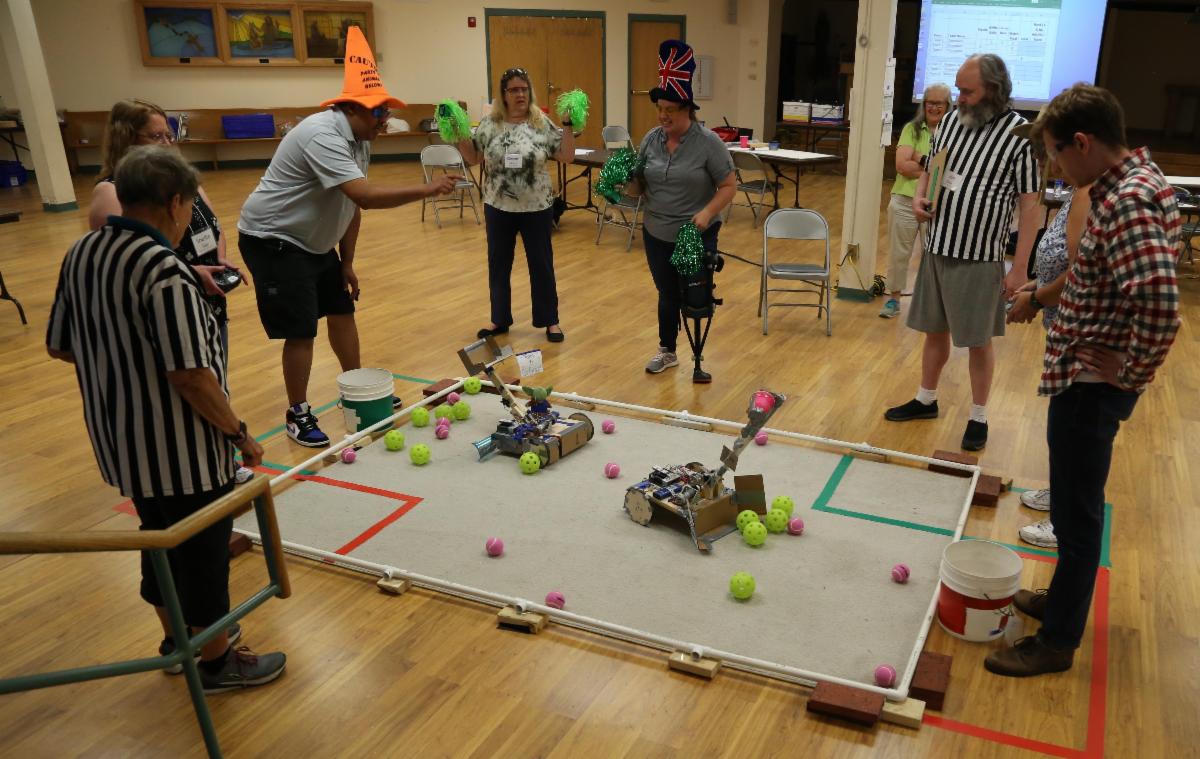
  • No demonstration robot this year.
  • We plan to let into the building lobby about 10 people at a time.
  • If no one is waiting, viewers can stay longer. Depending on number participating, waiting may be required
  • Everyone will need to wear a mask in the lobby. 

MOSTLY PROVIDED PREVIOUSLY
Changes in YELLOW: No 2021 BEST Award Spirit and Sportsmanship + BEST August Training Webinar Updates
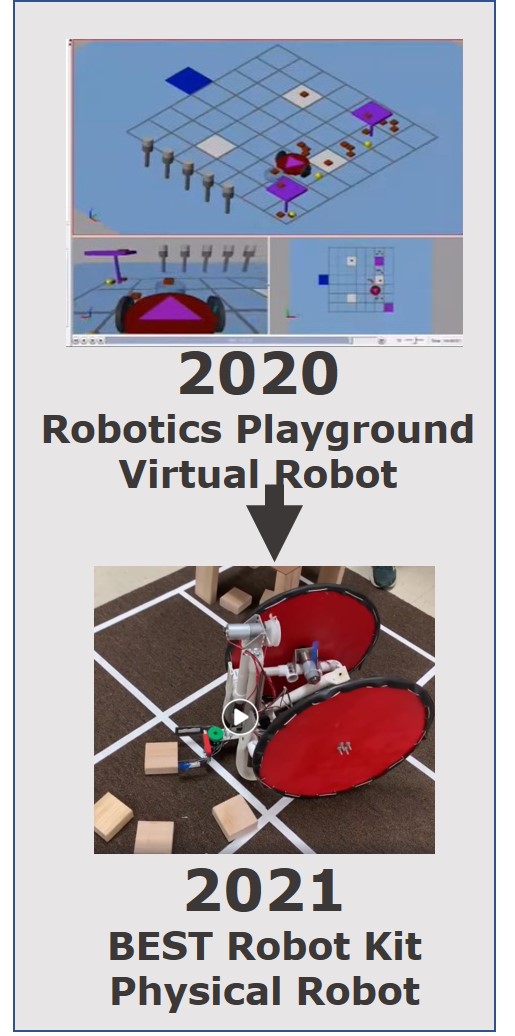
Teams Build a Robot this Fall
Expanded 8-Week Season
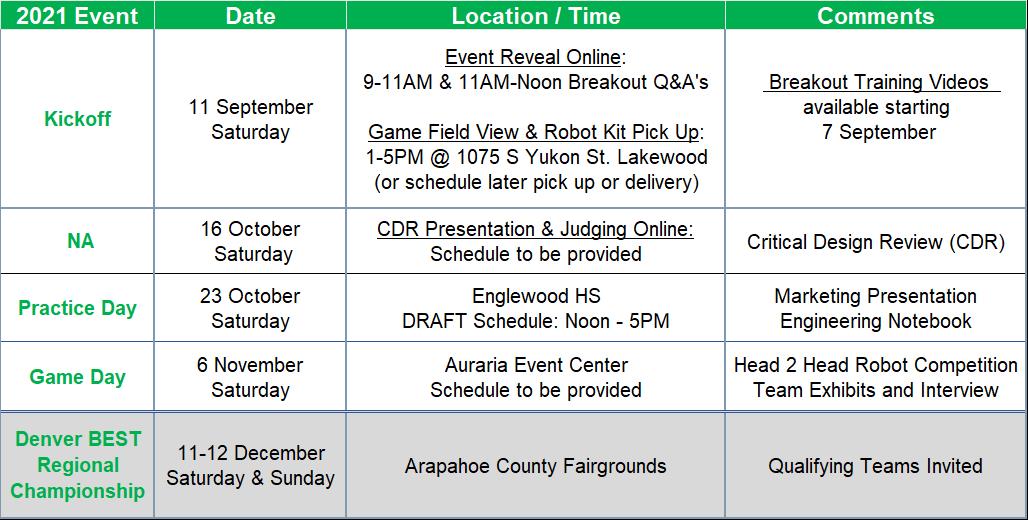
Demo Daze Events
In-Person Robot Build / Competition + Other Activities
  • Game
  • DEMO DAZE
  • Game Animation and Rules to be released at Kickoff
  • Robot Physical Build - robot kit available at Kickoff
  • Robot Competition In Person
  • Classic 4-quadrant head-to head
  • Engineering Notebook - required
  • BEST Award - planned in person
  • Marketing Presentation
  • Team Exhibit and Student Interviews
  • Spirit and Sportsmanship -NOT OFFERING
  • Returning Activities
  • Critical Design Review
  • BESTMania IQ Skill Challenge
  • BEST Minecraft Challenge
  • ONLINE Optional Skills Challenges
  • Video design
  • Robot modeling - NOT OFFERING
  • Engineering drawings- NOT OFFERING
  • Website design- NOT OFFERING
  • Hub 8-Week Schedule
DEMO DAZE Game Teaser
PREPARE OVER SUMMER
Free Training Program + Licenses
NOW Available ONLINE Material from
Teacher - Mentor Summer Training
Teacher / Mentor Institute (TMI) Material - a great way to refresh your knowledge


TMI Game
TMI Team 2
TMI Team 1
BEST Robotics Inc ONLINE
AUGUST Training
Training Webinars Available for the following Participants:
  • Teacher (T),
  • Mentor (M),
  • Student (S)
  • Parent (P) - highlighted below in red
  • Hub (H) or Volunteer (V)


BEST Robotics Tools - times are MDT*
  • Thu, Aug 26 - 4:00 PM BEST Student Registration - for Parents 45m (TMSP) (Day/time changed)

BEST Competition Activities - times are MDT*  
  • Wed, Aug 25 - 4:00 PM Programming a Virtual Robot 60m (TMS) 
  • Sun, Aug 29 - 1:00 PM 2021 BESTMania IQ Challenge 50m (HVTMS) 

Unable to Attend the Live Webinar?
After the scheduled live training, checkout this BESTRobotics.org / Participants / File Manager folder for video files:
ALSO

On Your Own MathWorks Training
(6 Classes at ~60 minutes each) - INFORMATION ABOVE*

  • Sun - Thu. Aug 15- 26 ANYTIME + Fri, Aug 27 4:00 PM Q&A 60m (HVTMS)
  • Sun - Thu. Aug 29-Sep 9 ANYTIME + Fri, Sep 10 4:00 PM Q&A 60m (HVTMS)

If NEW to MathWorks, HIGHLY RECOMMEND viewing the following prior to the 6 Classes:

  1. Intro to MATLAB (titled: Learn to Code with MATLAB)
  2. Intro to Simulink
  3. Intro to Stateflow
On Your Own MathWorks Classes
Class 1:
  • Introduction to programming using MATLAB
  • Programming basic robot movements
Class 2 :
  • Introduction to robot simulations using Simulink
  • Programming interactive robot controls
Class 3:
  • Using a distance sensor for autonomy
  • Hardware basics
  • Hardware demo- proportional motor control during obstacle detection
Class 4:
  • Creating custom functionality
  • Hardware demo - External mode Robot Sensors & Actuators
Class 5:
  • Task sequencing with flow diagrams using Stateflow
  • Hardware demo- IR sensor line follower
Class 6:
  • Programming of maze-solving robots
  • Hands-on programming task
Robot Control Software
Licenses with BEST

BEST Robotics Inc
  • Provides 3 robot control software license options for VEX CORTEX processor
  • All are complementary to BEST teams and available on National Registry Team Workflow

Options
  1. easyC
  2. RobotC - free legacy version
  3. MathWorks MATLAB/Simulink

MathWorks has 2 MATLAB/Simulink Access Options - each with different BEST team use requirements

MATLAB/Simulink DOWNLOAD

  • Requires a Windows based computer NOTE: Will NOT work on MAC or LINUX or CHROME based computer
  • Can be used to control a Physical BEST Robot
  • Can be used to control an ONLINE Virtual BEST Robot
  • Control software generated by MATLAB/Simulink is downloaded to the provided kit physical robot VEX Cortex processor via a USB

NEW MATLAB/Simulink ONLINE

  • Any computer can access the software via the web.
  • Virtual Robot control is possible only via a Keyboard (no Joystick control)
  • Cannot control a physical BEST robot
  • Includes MATLAB Drive for File Storage
  • Eases student computing requirements as it runs on a dedicated remote host

STEPS to access complimentary MathWorks license

  1. Register your team in the BEST National Registry with RM BEST Hub
  2. Any of your BEST team members can request a MathWorks Individual Account
  3. Generate a MathWorks account for BEST MathWorks Sponsored License by clicking Complimentary Software Request Software button at www.mathworks.com/best-robotics
Game Hints Available
with bESTology
bESTology is a resource for schools (teams) participating in the nationwide BEST Robotics Program to learn educational and workforce development concepts revolving around the 2021 game – DEMO DAZE
Teachers: 
We encourage you to incorporate bESTology into your curriculum, summer camps, enrichment activities and more.  
All videos have been previewed and embedded to ensure child safety.
Students: 
Knowledge is Power! bESTology will teach you the skill sets to be successful in the workplace and in life. 
We challenge you to become a bESTologist.
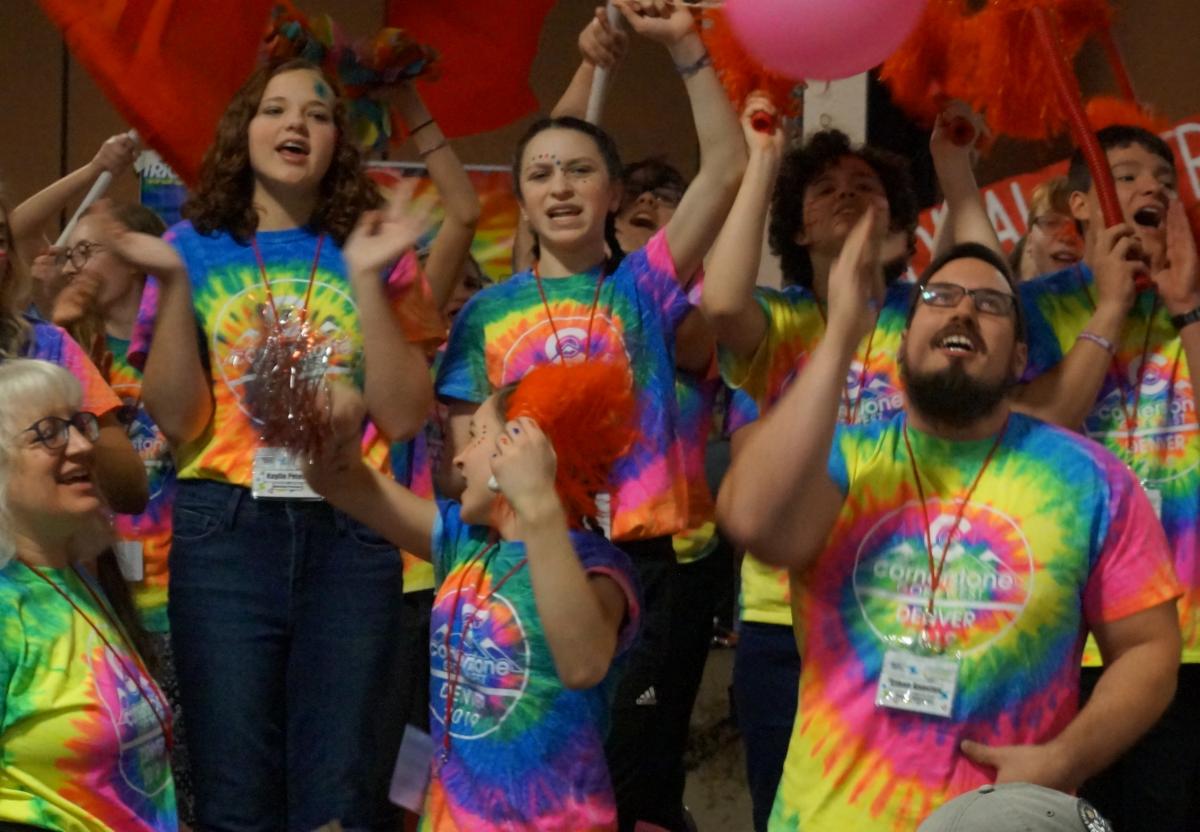
Regional Championship
2019 Championship Cheer
We're Optimistically
Planning a
2021 DENVER BEST Regional Championship

11-12 December @ Arapahoe County Fairgrounds - head-to-head competition and other activities similar to hub plan