Center for the Advancement of Faculty Excellence

February-March 2026

Espresso Reviews Spring  2026

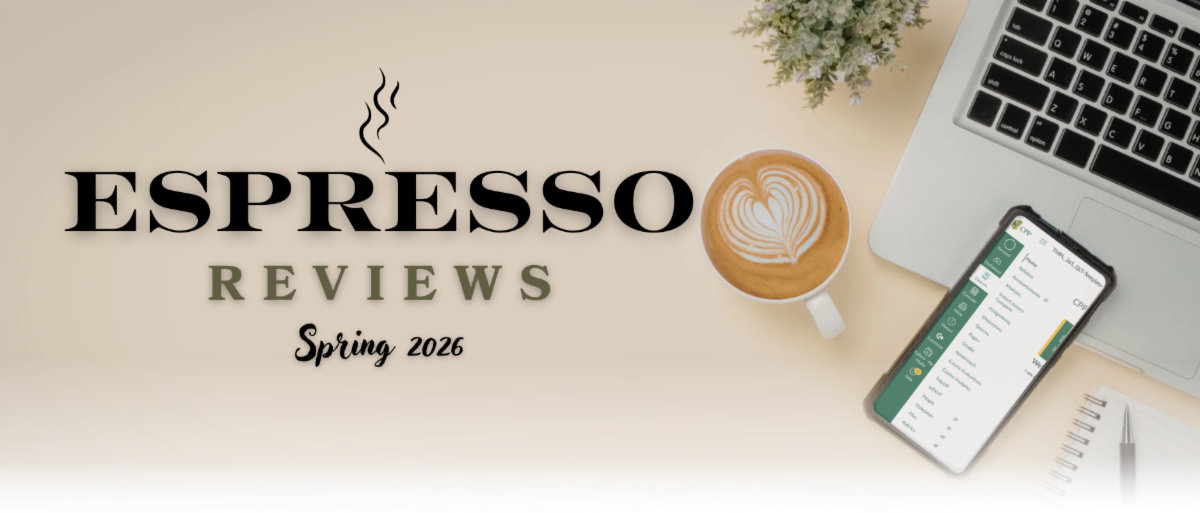
CAFE is still brewing Espresso Reviews!


CAFE’s Espresso Reviews have been a go-to way for faculty to get fast, focused, and confidential feedback on their Canvas courses.


Using the California State University Quality Learning & Teaching (QLT) Rubric, two instructional designers review your course and meet with you to share clear, high-impact recommendations. If you haven’t had an Espresso Review yet (or you’re ready for another shot), now’s the perfect time! Simply request an instructional design consultation, write “Espresso Review” in the Purpose field, and “Spring 2026” in the Timeline field.


Need a QLT-ready sandbox to start brewing?


Submit a request through the Canvas Requests eHelp form and select “Create New Course Sandbox (for Teaching Preparation).” In the Additional Information section, request that the QLT Template be added to your sandbox and include the subject and course number. If you do not specify, we’ll serve the house blend: LMS 1000 as the subject and course number.

 
upcoming workshops

CAFE invites you to our series of engaging, 45-minute Zoom workshops designed to help with different aspects of teaching, technology, and different strategies for course design and student success.


Teaching and Technology in Practice Workshop Series


Giving Effective Feedback on Assignments

Date: February 24, 2026 @ 12:00pm-12:45pm

Description: Effective feedback helps students understand their progress and improve their work. This workshop explores research-informed strategies for providing meaningful, timely, and actionable feedback that supports student learning and guides improvement over time.


Building Your Faculty Website with Cascade

Date: March 10, 2026 @ 12:00pm-12:45pm

Description: Learn how to build a faculty website using the CPP faculty websites template in Cascade. The session will begin with the basics and progress to adding pages and menu items for creating content, such as a bio page, contact information, and publications.


Quick and Efficient Ways to Make Videos for Your Classes

Date: March 24, 2026 @ 12:00pm-12:45pm

Description: Join this workshop to learn practical techniques for creating, editing, and sharing content using Zoom, Kaltura, and Canvas. The session will include tips to help you save time, avoid common mistakes, and produce effective videos.


Active Learning for Engaged Classrooms

Date: April 14, 2026 @ 12:00pm-12:45pm

Description: This workshop introduces practical, active learning strategies that support student engagement and interaction. We’ll look at flexible techniques you can adapt to your own courses to make class time more interactive.


Canvas in Practice Workshop Series


Communications (i.e., Announcements, Messaging)

Date: February 17, 2026 @ 12:00pm-12:45pm

Description: This workshop will cover Canvas communication tools like Announcements, Inbox, and Discussions. We’ll share some tips, examples, and best practices for setting expectations, reducing confusion, and supporting student engagement.


Transparent Assignments & Assignment Collection

Date: March 3, 2026 @ 12:00pm-12:45pm

Description: Clear, transparent assignments help students focus on learning rather than guessing expectations. This workshop explores principles of transparent assignment design alongside practical guidance for setting up assignments in Canvas. Topics include writing clear assignment instructions, articulating purpose and criteria, and using Canvas tools to configure submission types and due dates.


Assignment Grading & Feedback (Speedgrader)

Date: March 17, 2026 @ 12:00pm-12:45pm

Description: This workshop focuses on using Canvas SpeedGrader to streamline the grading process and provide learner feedback. Topics include navigating SpeedGrader, using rubrics and annotations, leaving typed, audio, or video feedback, and practical grading workflows.


Online Testing (Quizzes)

Date: April 7, 2026 @ 12:00pm-12:45pm

Description: Design and deliver effective online quizzes. This workshop will cover quiz setup, question types, availability and accommodation settings, and best practices to support authentic student learning.


Calculating Final Grades

Date: April 28, 2026 @ 12:00pm-12:45pm

Description: This workshop will guide instructors through the final steps of posting grades in Canvas, including configuring Gradebook settings, choosing between points-based and weighted grading, managing missing and late submissions, incorporating extra credit, and addressing common grading issues.

 
Multimedia Learning Objects

Bring your courses to life with CAFE’s Multimedia Learning Objects. Created in collaboration with faculty, these interactive learning activities spark engagement and deepen student understanding. Watch our video (3m 13s) to learn how faculty at CPP are using multimedia learning objects in their courses.


The following are CAFE's newest multimedia learning objects:

Hormones activity screenshot

Hormones


Dr. Juanita Jellyman

Biology Sciences


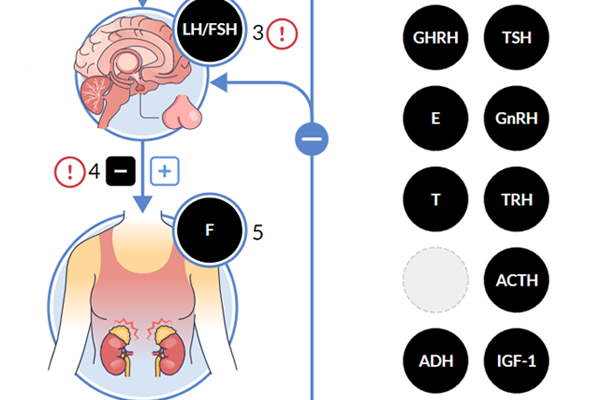
Students learn to identify correct acronyms for vocabulary terms, demonstrate where each corresponding hormone is secreted on an endocrine feedback loop, and determine which hormones are inhibiting (decrease hormone secretion) and which are stimulating (increase hormone secretion).

Mammalogy activity screenshot

Mammalogy


Dr. Rachel Blakey

Biological Sciences


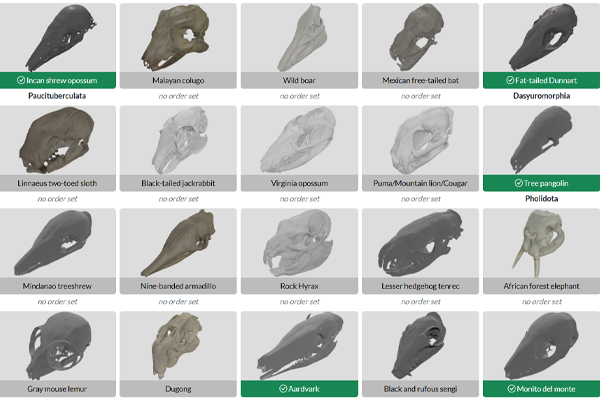
This activity helps students to identify and contrast important bones and other features within mammalian skulls, identify mammal orders based on skull characteristics, and classify mammals into corresponding clades of the monotremes (Prototheria), the marsupials (Metatheria), and the eutherians (Eutheria).

Let's Connect
Facebook  Twitter  Youtube  

Tel: (909) 869 - 3099

Get help from CAFE M-F 8am-5pm

Online: https://www.cpp.edu/cafe

Copyright ©2024. California State Polytechnic University, Pomona.