ā€Š

One Cool Tip Newsletter

May 19, 2026

Your daily dose of tech-savvy brilliance!

šŸ˜€Greetings! Happy Tuesday, Cool Tipper!


Get ready to streamline your digital life with simple, actionable tips delivered straight to your inbox.


Cool Tip Theme: Grok Skills


New here? Subscribe to the One Cool Tip Newsletter for daily updates. It's FREE!

3ļøāƒ£

If you enjoy the One Cool Tip newsletter, please forward this newsletter to THREE friends or colleagues or share it on social media using the links below.


Leave a $$$ Tip!


Share this One Cool Tip Newsletter!

X Share This Email
LinkedIn Share This Email
Pinterest Share This Email

🚨How to Protect Yourself From AI Scams 🚨


AI tools are getting better every month, and scammers are taking full advantage.


Criminals now use deepfakes, voice cloning, fake investment sites, and AI‑generated news to trick people into sending money or sharing sensitive information.


Scammers use AI to closely mimic human behavior to add credibility to their scams.


Here’s what to watch for and how to stay safe:


Key Red Flags


  • Fake emergency calls using cloned voices claiming a family member is in trouble.
  • Deepfake videos or photos that look real but are stitched together from online images.
  • Romance scams built on AI‑generated profiles that feel "too perfect."
  • Fake investment platforms promising guaranteed returns or "AI‑powered trading."
  • AI‑generated news articles designed to make a scam look legitimate.
  • Finfluencers pushing crypto or investment schemes without real credentials.


How to Protect Yourself


  • Use a family password for emergencies so you can verify identity quickly.
  • Slow down when a message or call demands urgent action.
  • Independently verify investment opportunities before sending money.
  • Enable two‑factor authentication and update passwords regularly.
  • Be skeptical of unsolicited messages, even if they sound like someone you know.
  • Check for fake accounts and inflated follower counts before trusting online advice.


Don't get scammed.


ABC! Always Be Cautious!


And in Other News...


  • X Now Limits Free Accounts to 50 Posts a Day


X has quietly rolled out major posting limits for free accounts.


Unverified users are now capped at 50 original posts per day and 200 replies per day, a steep drop from the previous 2,400‑post daily limit.


Users hitting the new ceiling will see an error message telling them which limit they reached.


X hasn’t issued a formal announcement, but the updated Help Center page confirms the change.


The move appears aimed at reducing spam and bot activity, though longtime users say it may push more people off the platform.


To remove the cap, users must subscribe to X Premium, which starts at $3 per month for the Basic tier.


Here’s a Cool Tip:


If you rely on X for business or community engagement, monitor your daily activity.


You may hit the new limits faster than expected.


  • Jury Tosses Elon Musk’s Lawsuit Against OpenAI


A federal jury in Oakland has dismissed Elon Musk’s lawsuit against OpenAI CEO Sam Altman, ruling that Musk waited too long to file his claims.


The verdict clears Altman, co-founder Greg Brockman, and Microsoft of all liability after a three‑week trial that drew intense attention across the tech world.


The case centered on Musk’s allegation that Altman and others breached their duty to OpenAI’s nonprofit roots when the company shifted to a for‑profit model.


The jury found the claims were barred by statute‑of‑limitations rules, effectively ending the dispute.


Musk’s legal team says it plans to appeal, arguing the decision hinged on ā€œtechnical legal issuesā€ rather than the merits.


OpenAI and Microsoft welcomed the outcome, saying the timeline of events had long been clear.


The verdict preserves OpenAI’s current structure, a nonprofit foundation overseeing its business operations, and leaves the company’s multibillion‑dollar valuation intact.

Cool Deals of the Day

Help support One Cool Tip. Use this Amazon link when you shop online.


Check out these Cool Deals:


šŸ“± Apple iPhone 16 Pro (Renewed): Excellent for running the Grok iOS app with strong performance for on-the-go skill creation and file handling. $779 Check it out on Amazon!


šŸ’» Microsoft Surface Laptop: Great Windows device for web-based Grok use and downloading/editing generated Office files. Save 5% Now $949. Check it out on Amazon!


ā˜ļø Samsung T7 Portable SSD: Fast, compact storage for saving and organizing all the documents and presentations you generate with Grok Skills. $287.99 Check it out on Amazon!


*Prices accurate when originally published.

One Cool Tip may earn a commission from qualifying purchases.

Fuel Your Adventure

Try Big Mike's Jerky!


bigmikesjerky.com


Now on TikTok!


Today's Cool Tip

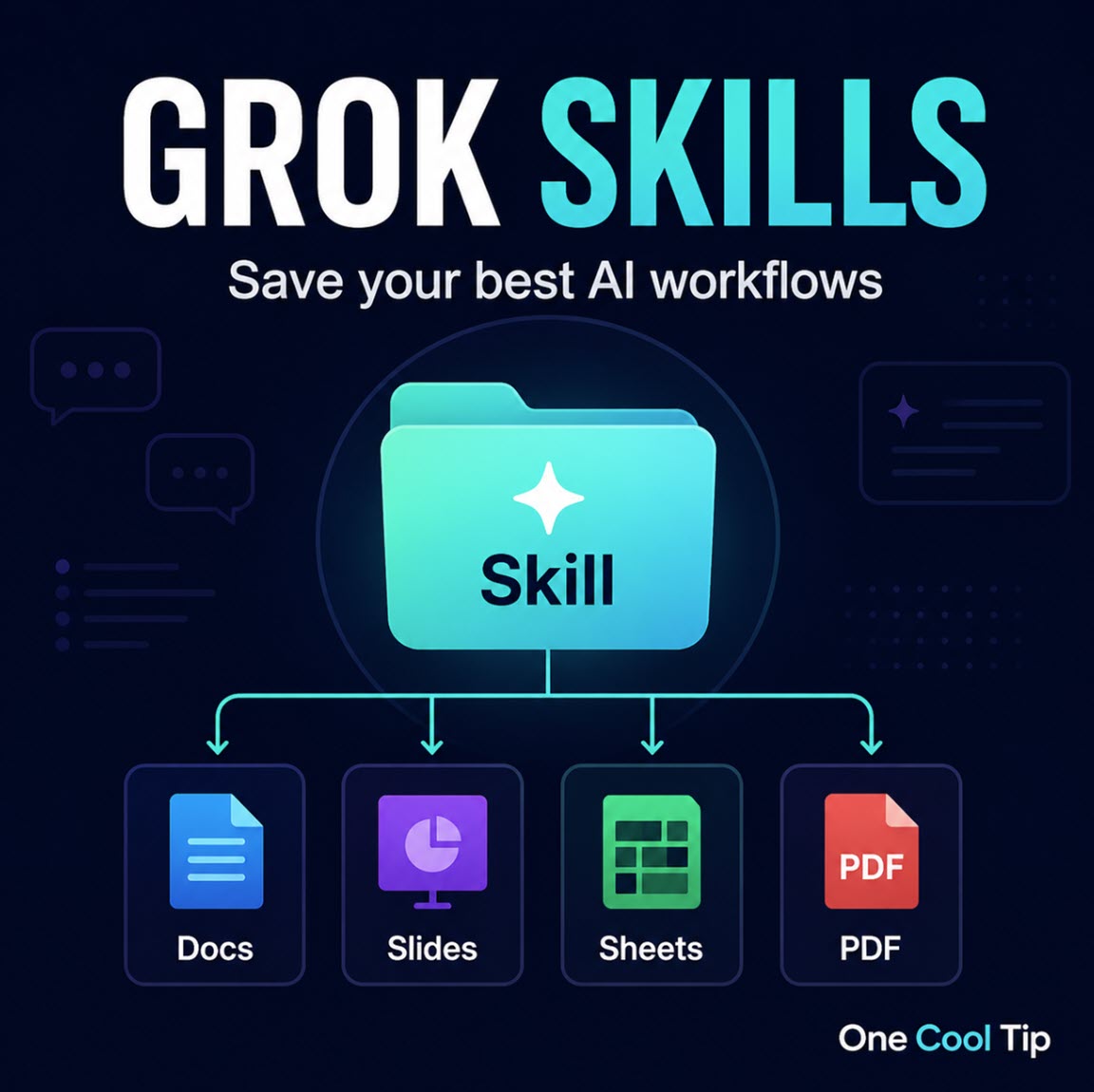
Grok Skills: Teach Grok Once and Reuse Your Expertise Forever


Grok Skills turn one-time instructions into reusable expertise that Grok remembers across conversations. You can now generate polished documents and automate workflows without repeating your preferences every time.


You explain exactly how you want a report formatted or a presentation structured, only to start from scratch in the next chat. 


That repetition wastes time and breaks consistency.


Grok Skills solve this by letting you teach Grok your preferences, formats, and workflows once. It then applies them reliably in future conversations.


Here’s a Cool Tip: Try Grok Skills.


Feature Explanation


Grok Skills add persistent expertise to Grok. 


Instead of re-explaining your style, structure, or process every session, you save it once and Grok recalls it automatically.


Built-in skills ship with every Grok account. 


These handle common productivity tasks: generating formatted Word documents (.docx), complete slide decks, structured spreadsheets, and polished PDFs. 


You can also upload existing files for Grok to restructure or expand.


Custom skills let you define your own expertise. 


Describe what you need in conversation, refine the output, then ask Grok to save it. 


Custom skills take priority over built-in ones. 


A dedicated Skill Creator helps you build more complex versions through guided conversation.


What You’ll Gain


  • Save time by reusing custom formats and workflows without repeating instructions.
  • Produce consistent, professional documents and presentations every time.
  • Automate repetitive tasks like report generation or data structuring with your preferred approach.
  • Build a growing library of personal skills tailored to your work or projects.


Step-by-Step Instructions


Here's how to do it.


Web (grok.com):


  1. Go to grok.com.
  2. Start a conversation with your Grok account.
  3. Try a built-in skill by typing a clear request, for example: ā€œCreate a professional monthly budget tracker spreadsheet with income, expenses, and savings projections.ā€
  4. Grok generates the file directly in the chat for download.
  5. To create a custom skill, describe your preferred style or workflow in detail. Once the output matches what you want, say: ā€œSave this as my ā€˜Client Reports’ skill so you remember the format for future requests.ā€
  6. In later conversations, reference the skill naturally or just describe the task. Grok should apply your saved preferences.
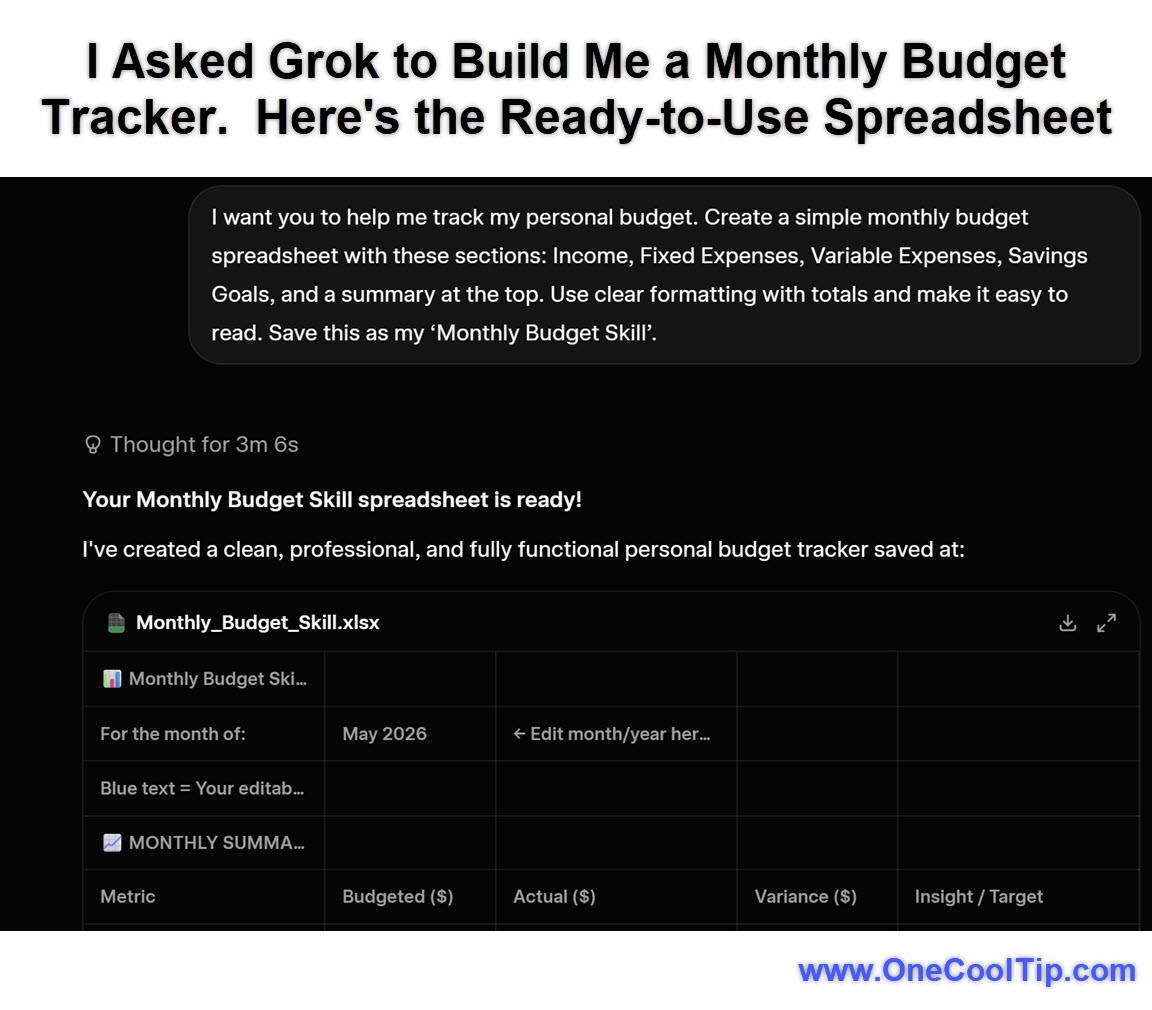
  7. In this example, I used the following prompt to create a monthly budget tracker:


  • I want you to help me track my personal budget. Create a simple monthly budget spreadsheet with these sections: Income, Fixed Expenses, Variable Expenses, Savings Goals, and a summary at the top. Use clear formatting with totals and make it easy to read. Save this as my ā€˜Monthly Budget Skill’.


fig. 1 - Grok Skills Example - Monthly Budget Tracker

iPhone/iPad and Android:


  1. The experience works the same way inside the Grok mobile apps. 
  2. Open the app (iOS / Android), start a chat, and use the same prompting style for built-in or custom skills. File generation and downloads function within the conversation interface. 


Pros and Cons


Pros:


  • Eliminates repetitive prompting and delivers consistent output quality.
  • Produces production-ready files (Word, PowerPoint, Excel, PDF) styled to your standards.
  • Custom skills override built-ins and work across separate conversations.
  • No extra subscription required beyond a Grok account.
  • Works well for both quick tasks and complex recurring workflows.


Cons:


  • Brand new feature, so exact commands and interface details may evolve quickly.
  • Requires a Grok account (free tier or higher).
  • Currently limited to web, iOS, and Android.
  • Perfecting complex custom skills can take a few refinement turns.
  • Persistent memory means your skill definitions are stored with your account.


Feature Access


Grok Skills are live now for Grok users on grok.com, iOS, and Android. 


Built-in skills for documents, presentations, spreadsheets, and PDFs are included with every account. Custom skills are created through normal conversation or the Skill Creator. 


No separate subscription is required. Availability on other platforms is not confirmed at launch. 


Admin or enterprise controls may apply in some organizational settings.


Score

Criterion | Score (0–10) | Justification
Value | 9
Directly solves repetitive prompting and inconsistent outputs for frequent users, delivering meaningful time savings and better results.
Usability | 8
Natural conversational interface makes built-in skills immediate; custom skills require some refinement but feel approachable.
Wow Factor | 9
Persistent, user-taught expertise that carries across chats is a clever and practical leap forward for everyday AI use.
Total: 26/30 🌟 Excellent
A strong addition that makes Grok feel more like a true ongoing collaborator rather than a stateless chatbot.


Key Takeaways


Grok Skills let you invest a small amount of time upfront to create reusable expertise that Grok applies consistently. 


The built-in document and presentation tools combined with easy custom skill creation reduce friction and improve output quality across your daily interactions.


Cool Tip Snapshot


  • Feature Name: Grok Skills
  • Platform(s): Web (grok.com), iOS, Android
  • Quick Benefit: Persistent custom expertise plus instant creation of Word docs, presentations, spreadsheets, and PDFs
  • Best For: Productivity users, creators, business professionals, and frequent Grok users
  • Access Type: Free with Grok account (built-in skills); custom via conversation
  • Difficulty: Easy to Moderate


Try It Yourself


Open grok.com or the Grok app right now and test a built-in skill by asking for a document or presentation. 


Then teach Grok one of your regular workflows and save it as a custom skill. 


Share this with your family, friends, and coworkers who use AI tools regularly.


 READ MORE


Read the Cool Tip on OneCoolTip.com.

Check out these Cool Tips & Tricks.


  • Start with Built-ins: Grok includes ready-made skills for documents and presentations. Simply ask in natural language for the file type and content you need.


  • Save Custom Workflows: Teach Grok your exact formatting or process once, then preserve it. After a successful result, explicitly ask Grok to ā€œsave this as my [Name] skill.ā€


  • Upload Examples: Share a sample file to quickly clone your preferred style. Upload a document or deck and instruct Grok to match its structure for future work.


  • Name Skills Clearly: Give every custom skill a short, memorable name. This makes it easy for Grok (and you) to reference later in any conversation.


  • Reference Skills Directly: Tell Grok which skill to use in new chats. Say ā€œApply my Client Reports skill to this dataā€ for automatic formatting.


  • Refine Through Feedback: Improve skills with targeted follow-up instructions. Give specific changes, then re-save the updated version.


  • Use for Travel Planning: Create visually rich itineraries in presentation format. Describe destinations and preferences, generate the deck, and save the travel skill.


  • Build Report Templates: Set up recurring analysis or summary formats for business use. Describe your ideal report structure once and reuse it monthly.


  • Combine Skills Flexibly: Mix custom and built-in capabilities in one request. Ask Grok to use your saved style while leveraging its document generation tools.


ICYMI - In Case You Missed It ...

Edit WhatsApp Photos with Meta AI Before You Send


Make every photo message smarter, cleaner, and more polished without leaving WhatsApp. WhatsApp now lets you edit photos using Meta AI directly inside the app before sending. This turns quick snapshots into polished visuals with just a few taps.


Read the Full Cool Tip.


Read the Newsletter Version.

Looking for your next adventure?


Call Denise at Travel For You.

314.660.3039


Sign Up for the Monthly Newsletter


http://www.travelforyouvacations.com/


https://www.facebook.com/TRAVEL.FOR.U/


See You Tomorrow

Tomorrow's Cool Tip is waiting to amaze you.


Until then, go forth and conquer the tech world with your newfound knowledge!


Be sure to visit www.OneCoolTip.com for Cool Tech Tips for a Cooler Life!


And if you Like One Cool Tip, please support with TipJar!


Enjoy!


Rodger

Chief Cool Tipper

onecooltip.com@gmail.com


What Do You Think?

What do you think of today's OneCoolTip newsletter?
Positive        Neutral        Negative
X Share This Email
LinkedIn Share This Email

Connect with One Cool Tip!!

Facebook  X  Instagram  Web  Pinterest  YouTube  LinkedIn
ā€Š

As an Amazon Associate, One Cool Tip may earn a small commission from qualifying purchases.


Our media content is intended solely for informational purposes only. Please do not construe anything here as legal, tax, investment, financial, marital or other advice.


Copyright Ā© 2026 | www.OneCoolTip.com | All Rights Reserved


ā€Š