Tableau Server Upgrade
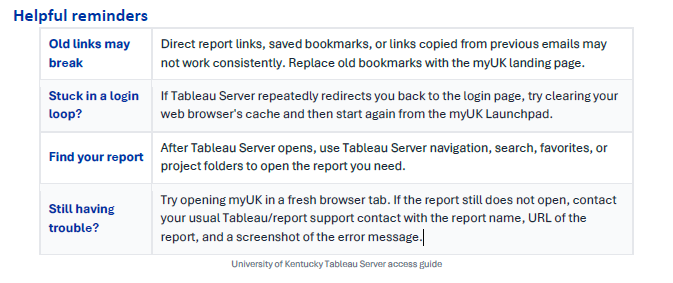
Recently with the upgrade to S4HANA, Tableau Server was also upgraded to a new cloud environment. This change has resulted in some users not being able to access existing Tableau Server reports and dashboard links in the same way. UK Information Technology Services is recommending to first log into myUK and use the Tableau Server Launch pad.
Step 1: Log in to myUK
Go to myuk.uky.edu and sign in with your linkblue ID. If your browser prompts for additional university authentication, complete that sign-in process as usual.
Step 2: Open Tableau from Launchpad
After the myUK landing page loads, scroll down to the Launchpad section near the bottom of the page. Select Tableau to open Tableau Server. The Tableau link may open in the same browser tab or a new window, depending on browser settings.
|