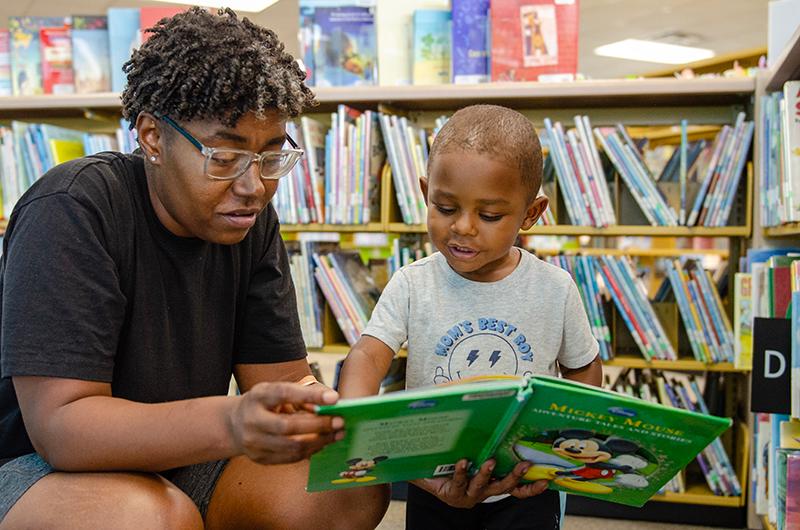
Parent and child reading a picture book at the library.


Your library card provides access to books and more 


With your PINES library card, you can borrow books and so much more! Storytimes, teen programming, book clubs, cooking classes, and Lunch and Learns, as well as welcoming staff, ensure everyone can find a sense of community at their library. And if you are traveling this summer, your PINES library card lets you check out and return books at 300 PINES libraries across the state. 


There are so many free opportunities available through your local library. And as you travel around Georgia this summer, a PINES library is always nearby when you are looking for a book, a program, or even Wi-Fi.


Economic and Digital Access

Connect with services that you might otherwise have to pay for elsewhere. Get free access to high-speed internet, computers, printers, scanners, and news sources, including The Atlanta Journal-Constitution. And check out free wellness activities, such as chair yoga or gardening classes. 


Education and Literacy

The library is a hub for lifelong learning. Join a book club or visit a Lunch and Learn on how to use digital resources like Libby. And kids can have fun building reading and math skills with GASHA GO! World learning stations.


Cultural Enrichment

Engage with cultural experiences like author visits or special exhibitions like Fox in a Box, that come to your local library so you don’t have to pay to travel. Or save money on admissions to Georgia attractions when you check out an Experience Pass.


Library patron concentrates while sitting at a table reading a book.


Do more with your PINES card: 

Save lists of titles you want to check out later


Save titles using the PINES Catalog 

Log in to the PINES Catalog and search to find the book, audiobook, or DVD you want to save. From the search results or the item details page, click Add to My List. In the dropdown, select an existing list or create a new one. To view your list, go to My Account, click My Lists, then click on the list name to view titles.


Save titles using the PINES App

Log in to the PINES app to search for titles by name or use your mobile device's camera to scan a book's barcode, if you are out shopping. In the search results, select the title to see the item details. Tap Add to List and select the list where you want to save it. To view your list, on the main menu, tap My Lists, then click on the list name to view titles.


Ready to read, listen, or watch? Select an item in your list and click Place Hold to have it delivered to your home library!


Interested in more Georgia library news and stories? Follow on social media!

Facebook  Instagram  YouTube  LinkedIn

Georgia Public Library Service empowers libraries to improve the lives of all Georgians. Learn more about our impact.


Georgia Public Library Service sends occasional emails to PINES cardholders who have opted in to receive our messages with tips and benefits about the many ways to use their card and library services.