| |
MONTHLY
NEWSLETTER
August 2025
| | |
UPDATE: SCWMLS Delayed Listing Policy & New Disclosure Form
What’s Staying the Same:
After careful review, SCWMLS has chosen not to adopt NAR’s optional Delayed Marketing Exempt Listings policy. We remain confident that our current Delayed Listing policy best supports our members and serves the best interests of sellers.
What’s Changing:
- New Disclosure Requirement:
-
A signed Seller Disclosure Form will now be required for both Delayed Listings and Firm Exclusive Listings (formerly called Office Exclusive).
- Mandatory use begins September 1, 2025.
-
SCWMLS will not be using the WRA Limited Marketing (Form LM).
-
Click to Download the Multiple Listing Options for Sellers Authorization Form. You are encouraged to begin using the form immediately.
Extension Timeline Update:
-
Delayed Listings may remain in Delayed status for up to 45 days, with a one-time extension of an additional 45 days—for a total maximum of 90 days.
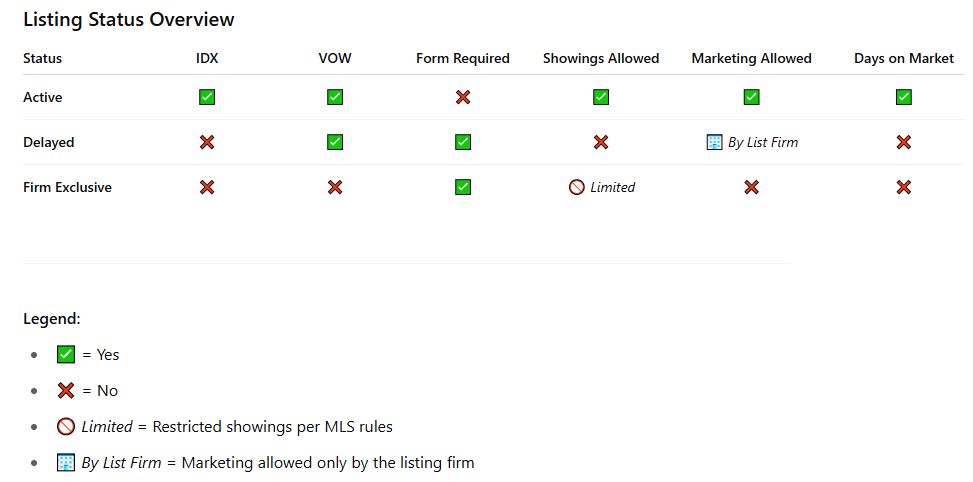
| Listing Status Overview Graphic: | | | |
FAQS:
Do I need a Form for Delayed Listing Status?
-
Yes, you need to complete the Multiple Listing Options for Sellers Authorization Form. Please send this form and a complete copy of your listing contract to: listings@wisre.com at time of listing the property in the SCWMLS.
How long can a property be in Delayed Listing Status?
- Properties may remain in Delayed status for an initial period of up to 45 days.
- One extension of an additional 45 days is permitted, for a maximum of 90 days in Delayed status.
- To request an extension, the Listing Firm must provide the MLS with an amendment signed by all parties to the contract prior to the expiration of the initial 45-day period.
- If no signed amendment is received by the 46th day, the property will automatically be moved to MLS Suspended status.
My listing is going in as Delayed, do I still need to note the show date in the remarks?
- Yes! Delayed listings all need to contain this phrase as the opening line in the listings Remarks: This property cannot be shown until [Show Date].
Do I need a form for a Firm Exclusive Listing?
- Yes, you need to complete the Multiple Listing Options for Sellers Authorization Form.
-
Send this form and a complete copy of your listing contract to: listings@wisre.com within 4 days of the effective date of the listing contract.
Can a Firm Exclusive Listing be shown?
- Yes, but only to Brokers and Agents within the Listing Firm and Clients currently under Buyer Agency with the Listing Firm.
What is IDX and what is VOW?
-
IDX: Internet Data Exchange. This allows listings to appear on broker and third-party public websites
-
VOW: Virtual Office Website. This is a secure website for MLS participants that requires client registration.
| |
Explore the new NAR market dashboard
Stay informed with the latest data using NAR’s newly enhanced Market Dashboard. Access up-to-date housing, demographic, economic, and affordability statistics specific to your local area—refreshed monthly to help you stay ahead in today’s shifting market. Login is required to view the dashboard.
| |
Listings Imported from Outside MLS
Beginning in 2017, SCWMLS started importing listings from the WIREX database into the SCWMLS database if they were located in areas commonly marketed by our members. This change was made to improve visibility and ease of access for everyone. Imported listings can be identified by a two-letter prefix on the MLS number, indicating the originating MLS.
Please note that, as these listings originate from outside SCWMLS, any questions or concerns regarding their data, photos, or documents should be directed to the source MLS. For a list of MLS contacts, click here.
| |
Supra - Non-Member/One-Time Access
This access allows a non-member, such as an agent from outside our MLS, or a contractor, one-time access to a single keybox. To Grant Access from your eKey:
- Tap My Keyboxes
- Select the keybox from the list – If the keybox is not listed, tap Add Keybox, enter the Shackle Code for the keybox, and connect to the keybox. Click here for instructions on assigning a keybox to a listing if you are not at the keybox.
- Select Grant Managed Access
- Enter the cell number of the person needing access
- Set the desired access date and time. Note: You can limit the duration of the showing per instruction, but the window granted here must be at least 2 hours.
More detailed information is available via the PDF Document below
Granting One-Time Access to Supra Keybox – PDF Doc
The person you have granted access to will receive a text message. If they ask you for assistance, please have them call the MLS office at 608-240-2800, option 3. If after hours please have them call Supra technical support at 877-699-6787.
| |
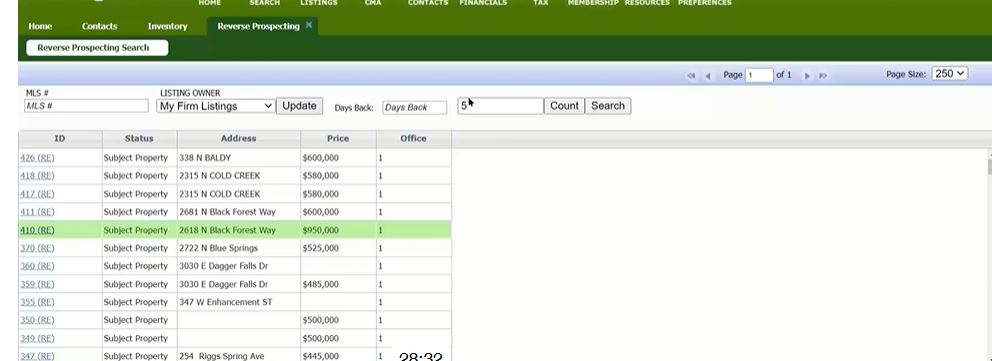
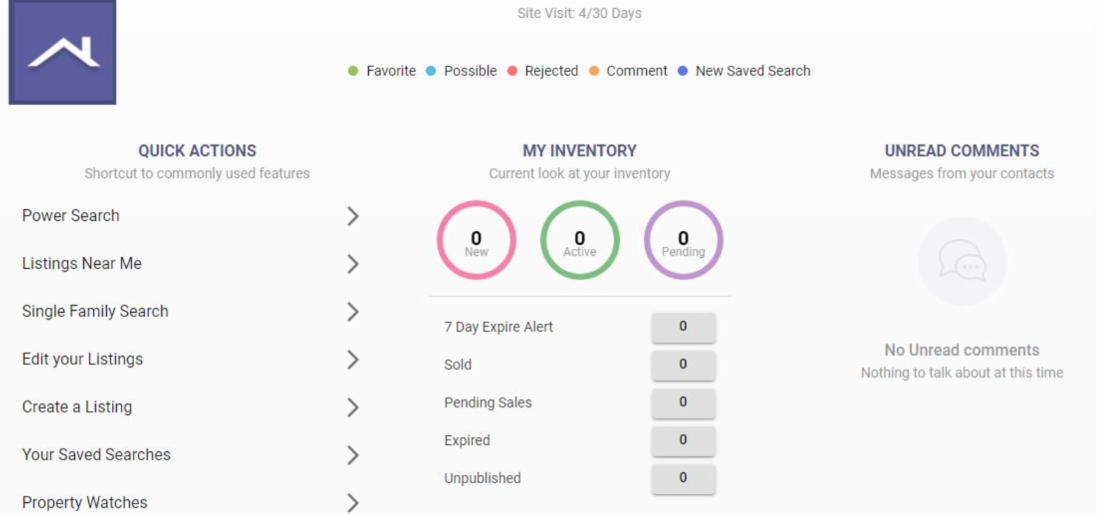
Updated Reverse Prospecting Function in Paragon
The reverse prospecting functionality has been updated in Paragon.
- Click the Contacts icon and choose Reverse Prospecting.
- Click on the line for the property so the line is highlighted green and click "Launch Report."
- This will bring up the agents in Paragon who have a Contact where your listing is a match for their search. You can email them by clicking the envelope icon at the top right, or you can choose to email specific agents by clicking on their names.
| | If you do not want to receive these emails from other agents about your listings it can be disabled in your preferences. In Paragon, click the Connect icon to go to Paragon Connect. Once there, click the 3 dashed lines menu at the top left and choose Settings. Click System, then Reverse Prospecting. Toggle the setting off and click SAVE at the top right. | | | |
Join us for Free In-Person Marketing Series Workshop
Led by Chelsea from Chelsea Lynn Designs, this series will cover the essentials of building a strong brand, using social media effectively, and generating consistent leads through smart marketing.
Grab your spot—details and links below!
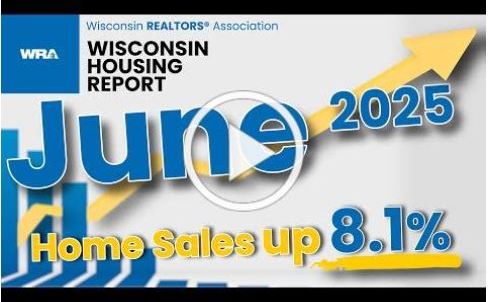
| | Wisconsin Housing Report for June | |
Forewarn - Training and Q&A
FOREWARN is an easy to use app that allows you to assess risk by learning about a new prospect prior to meeting them for a showing. FOREWARN offers free training webinars every month. Join the next session to learn how to best utilize FOREWARN, get insider tips and tricks, and get your questions answered.
| |
| |
| |
Upcoming Education and NextKey℠ Events:
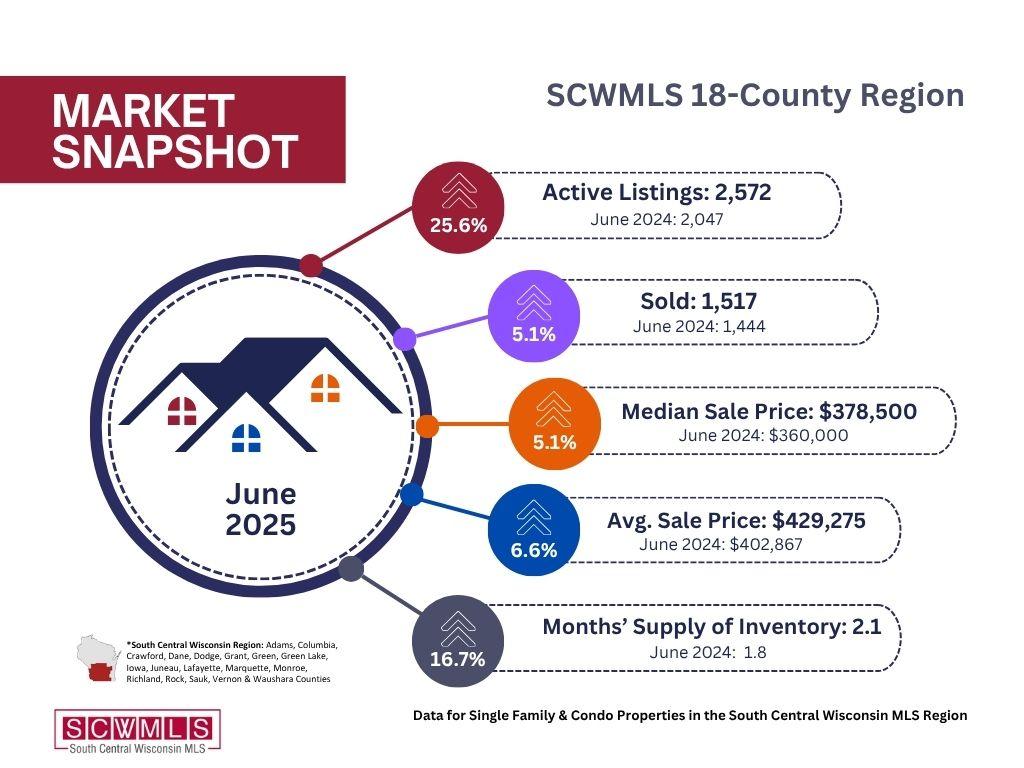
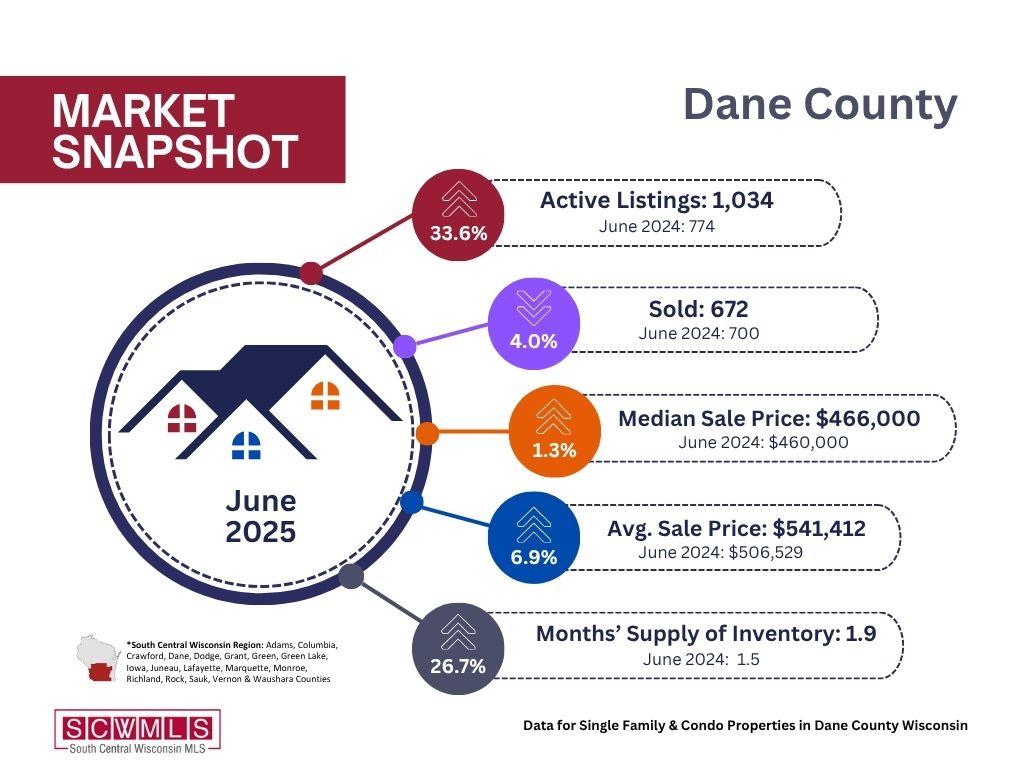
| | June 2025 Statistics Report | | Upcoming Training Opportunities | | |
PARAGON BASICS
Virtual Learning
Join us online for this free, introductory session on the most common and helpful features in Paragon.
Next Session:
DATE: Aug 15, 2025
TIME: 10:00 am - 12:00 pm
LOCATION: Webinar (Zoom)
| | |
PARAGON BASICS
In Person
Bring your laptop or tablet for this introductory session on the most common and helpful features in Paragon.
Next Session:
DATE: Aug, 22, 2025
TIME: 9:00 am - 12:30 pm
LOCATION: SCWMLS Office
| | |
Paragon Connect Shorts
Learn more about Paragon Connect’s best features with 20-min webinars.
Next Session:
DATE: August 4 , 2025
TIME: 2:00 pm - 2:20 pm EST
LOCATION: Webinar (Zoom)
| | |
COLLAB CENTER
Virtual Learning
The Collab Center can help with property notifications and provide insights into buyer preferences. Learn to build sites for your buyers.
Next Session:
DATE: Aug 28, 2025
TIME: 11:00 am - 11:30 am
LOCATION: Webinar (Zoom)
| | |
MAP SEARCH
Virtual Learning
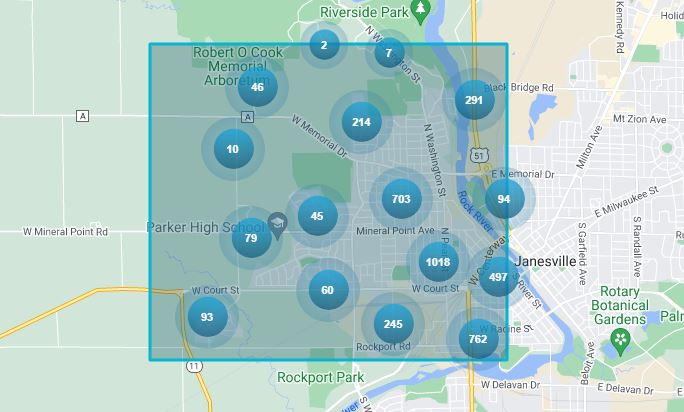
Learn to use Paragon's Map Search functions to hone in on specific geographies and opportunities quickly.
Next Session:
DATE: July 31, 2025
TIME: 11:00 am - 11:30 am
LOCATION: Webinar (Zoom)
| | |
PARAGON CONNECT
Virtual Learning
Join Dave to learn how to use the mobile version of Paragon (Paragon Connect) on your smartphone.
Next Session:
DATE: August 14, 2025
TIME: 11:00 am - 11:30 am
LOCATION: Webinar (Zoom)
| | | | |