DEVELOPMENTAL SCREENING PROGRAM

Sparkler Tip of the Month

September 12, 2025 | Issue 2

Viewing ASQ Scores and ASQ Follow-up Forms

This monthly message offers Help Me Grow Program Partners tips on using the Sparkler dashboard. This month, we want to focus on viewing ASQ scores and ASQ follow-up forms.


As soon as a caregiver completes an ASQ and clicks submit, you will be able to see screening scores and access the ASQ Summary Report for that screening. 


Here is a step-by-step guide to viewing the screening scores:


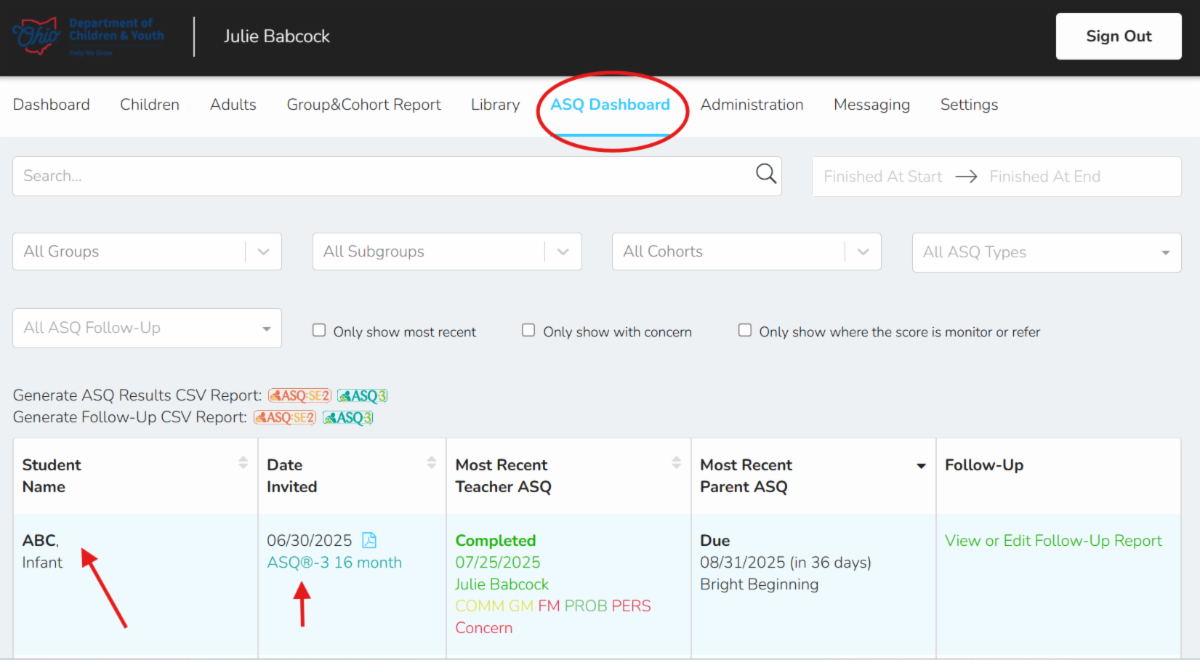
1. Navigate to the ASQ Dashboard tab and locate the child and the screening type (i.e. ASQ-3 or ASQ:SE-2).


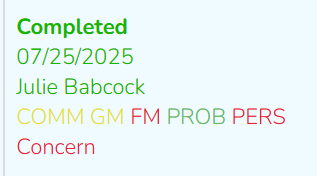
2. You will first see a birds-eye view of the scores in the 3rd column (if the provider completed the screening) or the 4th column (if the caregiver completed the screening).

It will show Completed, the date the screening was completed, and the name of the person who completed the screening. The last item represents the five domains:

  • COMM = Communication
  • GM = Gross Motor
  • FM = Fine Motor
  • PROB = Problem Solving
  • PERS = Personal Social


You will notice the scores are color coded:

Green = child is meeting their developmental milestones

Yellow = child's scores are falling within the monitoring zone

Red = child's scores are falling within the referral zone


If you see the word Concern in red, that means the caregiver noted a concern in the 10 overall questions at the end of the screening. 


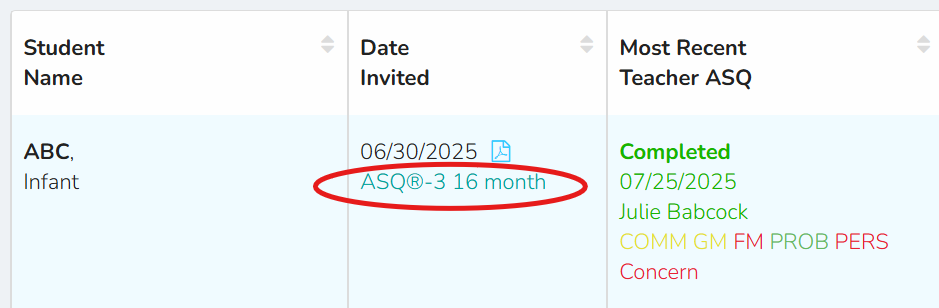
3. You can dig in deeper to the screening results by clicking on the type and age interval of the ASQ which is in blue text.


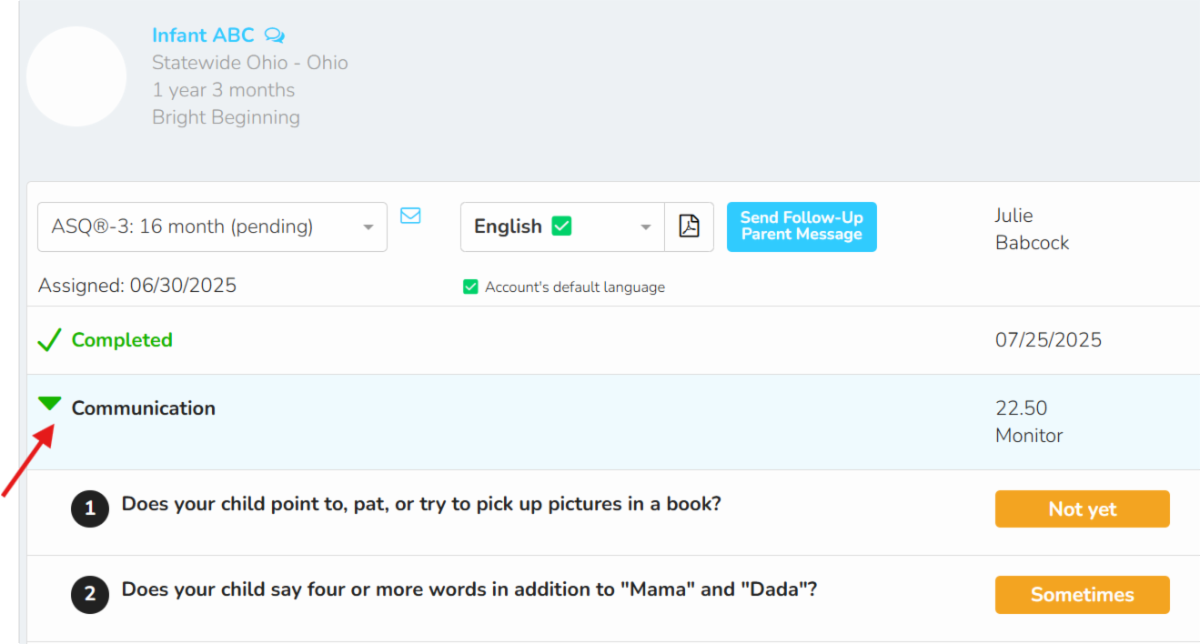
This will then open a more detailed view of the screening. You can click on the green arrows to expand each domain to see the individual questions that were asked on the screener, the results and overall score for that domain. 


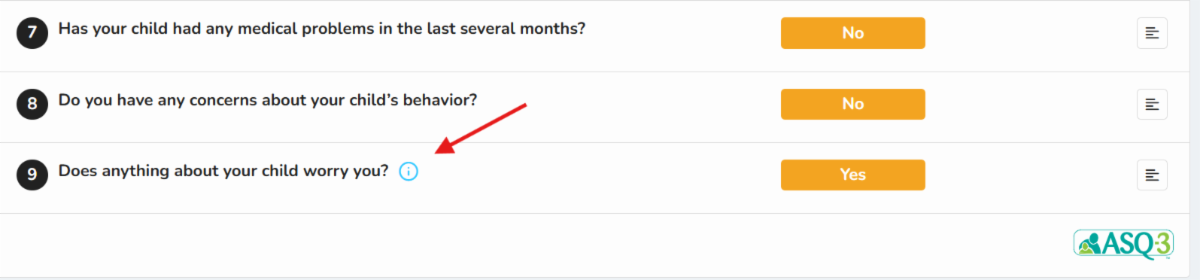
If you see an i (information icon) with a circle around it, that means a comment was left for that question. Click on the i to view the comment.


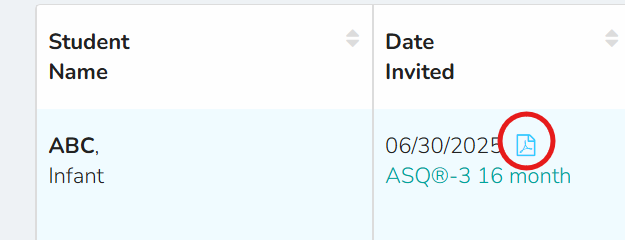
4. You can view, save, and/or print out the ASQ Summary Report (which is shared electronically with the family by Help Me Grow) by clicking on the paper icon above the screening type. 


You can always find more information, videos, and additional resources at helpmegrow.org/asqproviders. 


The page also includes all the information needed to become a Help Me Grow Sparkler Program Partner. Join the hundreds of early care and education programs that are part of Ohio's Developmental Screening Program!

Have More Questions? Register for Open Office Hours


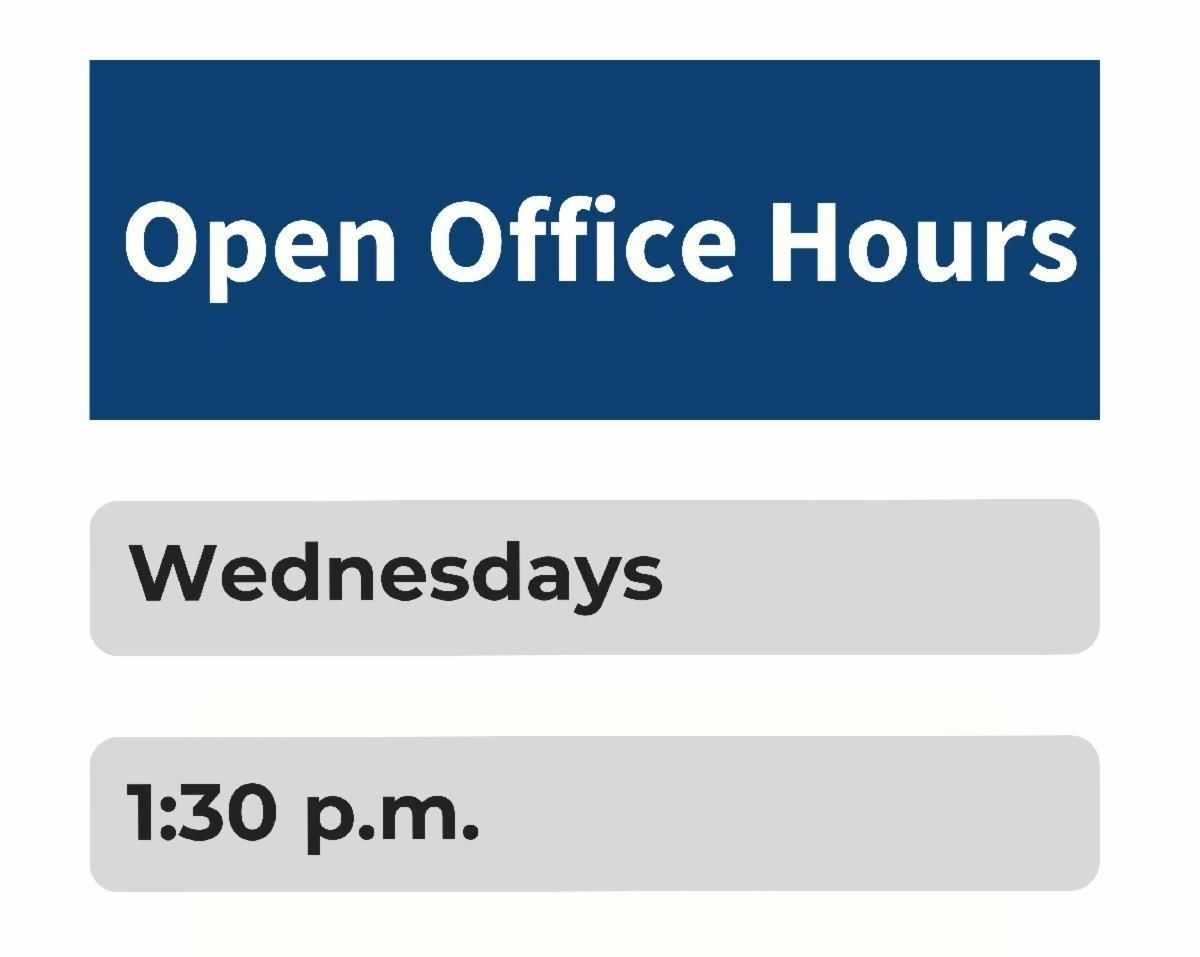
Project Coordinator, Julie Babcock, from Bright Beginnings is available to answer questions on Wednesdays at 1:30 p.m.


Drop in to ask a question, hear implementation ideas from other professionals, or share your ASQ success story.


Register for a Wednesday session via Zoom with this link.

Referring to Help Me Grow is EASY!

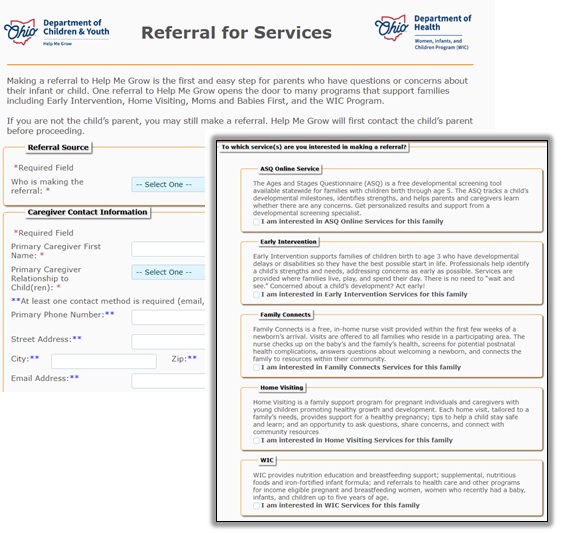
You can easily refer a child for Help Me Grow services and even Ohio's WIC program. Our updated web referral form is simple and secure. Find it on our website and choose the service (one or more) for which you'd like to refer yourself or someone else:

  • ASQ Online
  • Early Intervention
  • Family Connects Ohio
  • Home Visiting
  • WIC

Once we receive the referral, Help Me Grow will be in touch to connect the family to the best service and provider to meet their needs.

Bright Beginnings is the state-contracted provider of Help Me Grow Central Intake & Referral. It is also a leader in providing services that help young children grow, learn, and develop to their fullest potential.


Bright Beginnings offers tips, facts, stories,

even play ideas at its Instagram

@brightbeginningshmg.


Follow us today!


Know someone who could benefit from information in this newsletter? Have them sign up to receive it at helpmegrow.org/ASQ.