|
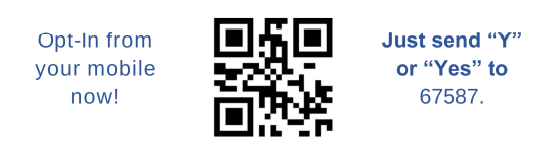
Within the next 48-72 hours, students and parents will also receive a text message from SchoolMessenger to the phone number listed in PowerSchool prompting you to opt in to text messaging. Staff and faculty should use the QR code or text 67587 to opt in. Please see this flyer for additional opt-in instructions in English and Spanish.
You may opt out of text notifications at any time by replying STOP to any SchoolMessenger message. Standard carrier text messaging rates may apply.
Please note that if you receive text messages from another school that uses SchoolMessenger, IMSA messages will come from the same phone number. You must opt in to receive IMSA text alerts, even if you already receive messages from another school. If you previously opted out of SchoolMessenger text messages from another school, you may need to opt back in to receive IMSA alerts.
With the launch of SchoolMessenger, IMSA will discontinue use of the LiveSafe app. You may delete the LiveSafe app from your mobile device.
We encourage all students, staff, and families to opt in to receive important IMSA safety notifications conveniently by text.
Thank you for staying safe and connected with IMSA.
Titans Together,
|