One Cool Tip Newsletter

May 9, 2026

Your daily dose of tech-savvy brilliance!

😀Greetings! Happy Saturday, Cool Tipper!


Get ready to streamline your digital life with simple, actionable tips delivered straight to your inbox.


Cool Tip Theme: Grok Connectors


New here? Subscribe to the One Cool Tip Newsletter for daily updates. It's FREE!

3️⃣

If you enjoy the One Cool Tip newsletter, please forward this newsletter to THREE friends or colleagues or share it on social media using the links below.


Leave a $$$ Tip!


Share this One Cool Tip Newsletter!

X Share This Email
LinkedIn Share This Email
Pinterest Share This Email

🚨New Trends in Imposter Scams🚨


The FTC’s latest data shows imposter scams are evolving fast, and hitting wallets harder than ever.


Reports reveal scammers now mimic trusted brands, government agencies, and even AI chatbots to trick consumers into sending money or personal details.


Key trend:


Fake tech‑support and “urgent account” messages are surging, often using real‑looking logos and caller IDs.


Cool Tip:


Never share verification codes or click links from unexpected texts or calls.


Go directly to the company’s official site or app instead.


Losses from imposter scams topped billions last year, and the FTC warns the tactics are getting more sophisticated.


Stay alert, verify before you act, and report suspicious contacts at ReportFraud.ftc.gov.


And in Other News...


  • Grok Joins Apple CarPlay 🚗💬


Apple’s latest iOS 26.4 update opened CarPlay to third‑party AI chatbots, and now Grok is officially in the driver’s seat.


Following ChatGPT, Grok’s iOS app update lets you talk to your AI co‑pilot hands‑free while driving.


Inside CarPlay, you can:


  • View recent Grok conversations.
  • Start new chats by voice.
  • Mute or resume threads mid‑drive.
  • Choose Grok’s voice directly from the dashboard.


It’s a smart, safe way to keep your workflow rolling, whether you’re catching up on messages or scheduling meetings on the go.


Unfortunately, Grok is not yet available for Android Auto.


Cool Deals of the Day

Help support One Cool Tip. Use this Amazon link when you shop online.


Check out these Cool Deals:


  • 📱 Apple Magic Keyboard. Slim, responsive typing for longer Grok sessions on iPad or Mac. Save 13% $86. Check it out on Amazon!


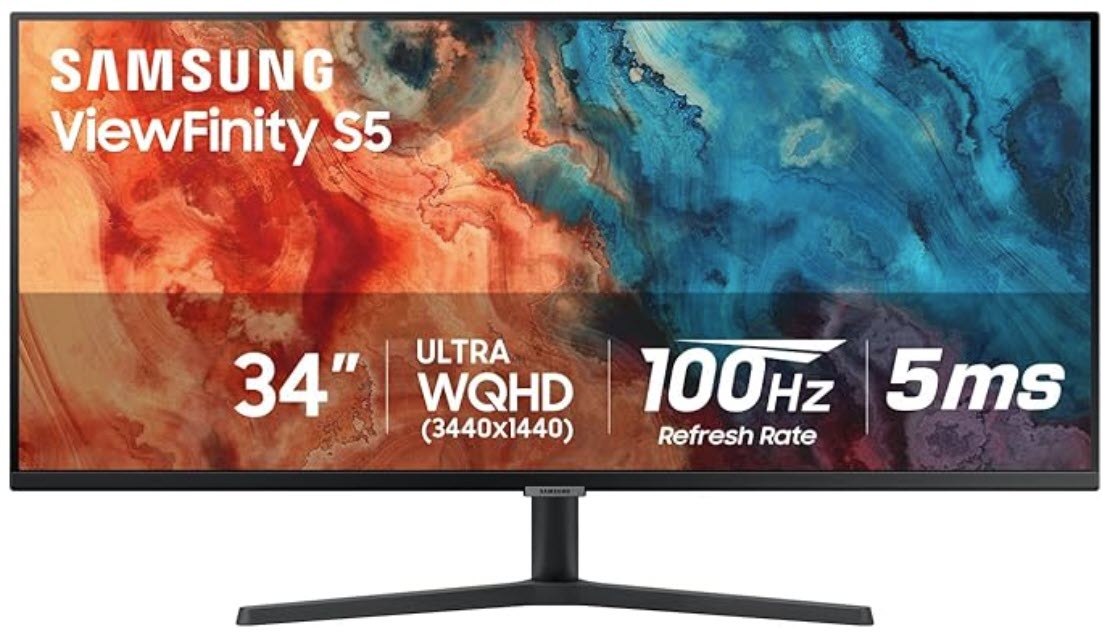
  • 💻 Samsung ViewFinity Monitor. Crystal-clear screen ideal for side-by-side Grok + app work. Save 43% $199.99 Check it out on Amazon!


  • 🖱️ Logitech MX Master 3S Mouse. Ergonomic control for power users managing multiple connected workflows. $99.99 Check it out on Amazon!


  • 🔋 Anker 737 Power Bank. Portable charging for on-the-go Grok web sessions. Save 14% $94.99 Check it out on Amazon!


*Prices accurate when originally published.

One Cool Tip may earn a commission from qualifying purchases.

Fuel Your Adventure

Try Big Mike's Jerky!


bigmikesjerky.com


Now on TikTok!


Today's Cool Tip

Grok X Connectors: Turn Your Everyday Apps into AI-Powered Workflows


Stop switching tabs. Get Grok to pull live data from your email, files, calendar, and team tools right inside the chat.


Imagine asking your AI to summarize yesterday’s client emails, update a shared spreadsheet, and schedule follow-up meetings, all without copying a single link. 


Here's a Cool Tip: Grok Connectors.


xAI launched Connectors on May 6, 2026, bringing deep, secure integrations with the tools professionals already rely on. 


No more time lost switching between apps or manual data entry.  


Grok now works end-to-end with your Microsoft 365, Google Workspace, Notion, GitHub, Linear, and more.


Feature Explanation


Grok Connectors are native OAuth-based links that let Grok read from (and, where permitted, write to) your external apps directly during conversations. 


Built-in connectors handle popular services with minimal setup. 


A catalog covers additional tools, and custom MCP (Model Context Protocol) support lets teams plug in proprietary systems.


How it works


You connect once via secure sign-in. Grok then discovers available tools and uses them on demand when your query matches.


Permissions stay scoped to what Grok needs, and you control everything from a central connectors page.


Why it matters


Fragmented workflows kill productivity. Connectors collapse the gap between chat and action, letting knowledge workers focus on decisions instead of data gathering.


What You’ll Gain


  • Instant context: Pull live emails, files, or issues without leaving Grok.
  • End-to-end actions: Draft, edit, schedule, and create across apps.
  • Team-scale efficiency: Synthesize SharePoint libraries or GitHub repos in seconds.
  • Custom flexibility: Bring internal tools for enterprise workflows.


Step-by-Step Instructions


Here's how to do it.


Grok Web 


  1. Go to grok.com and sign in.
  2. Click the + button or navigate to Connectors (direct link: grok.com/connectors).
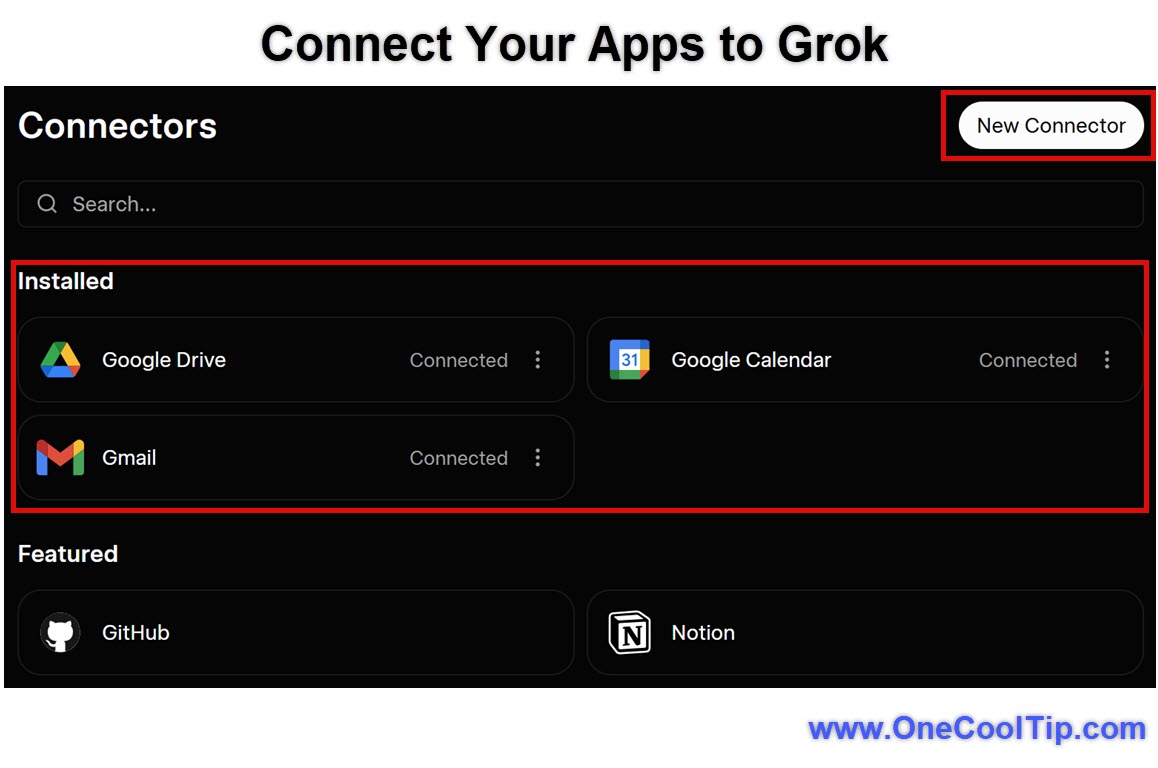
  3. Select New Connector and choose your service (e.g., Gmail, Outlook, GitHub).
  4. Complete the OAuth authorization. Grok requests only necessary permissions.
  5. Return to chat and ask something relevant, like “Summarize my unread Outlook emails from last week” or “Find the latest version of the Q2 budget in OneDrive.”


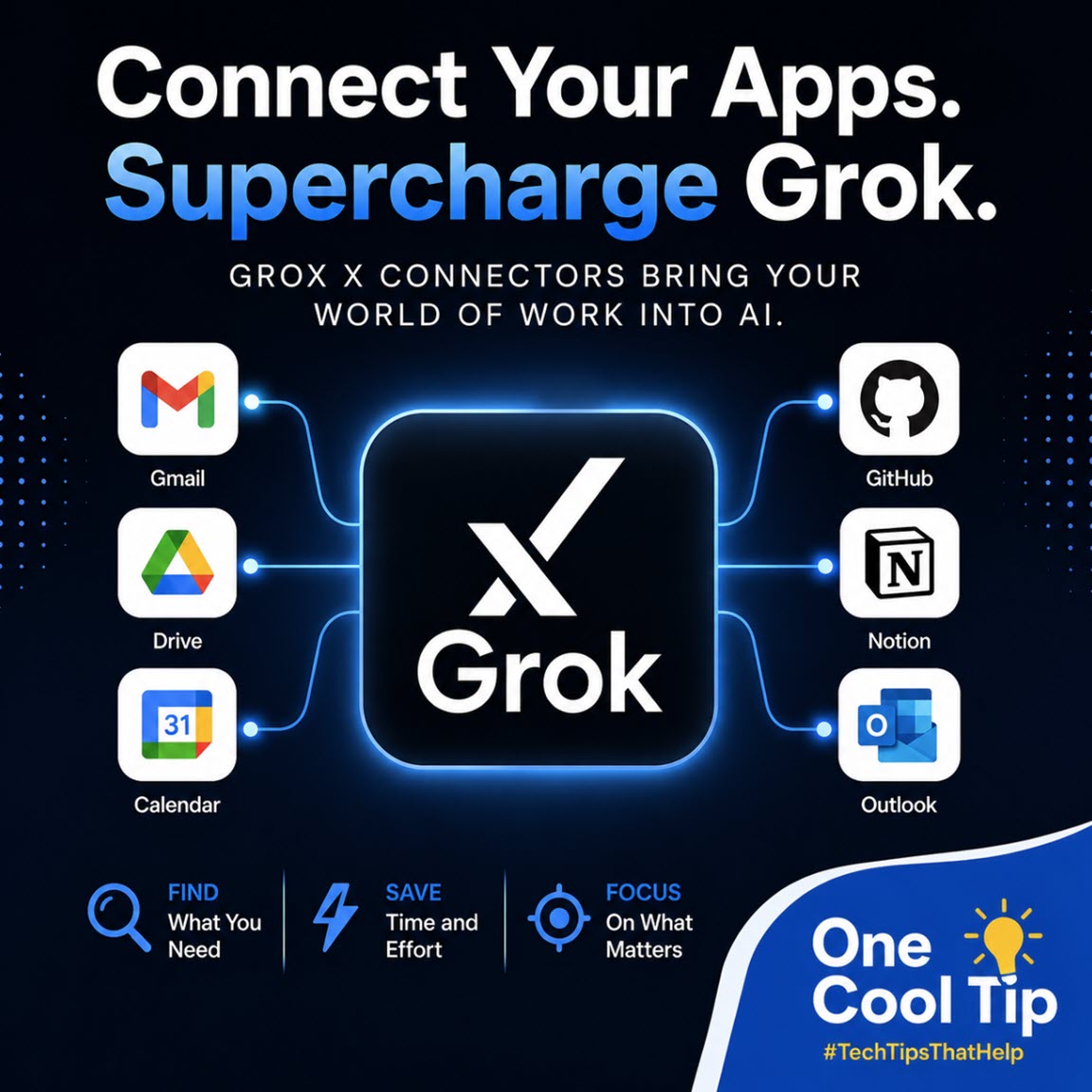
fig. 1 - Connect Your Apps to Grok

iOS


  1. Open the Grok app on your iPhone or iPad.
  2. Tap the profile icon (bottom right) or menu → Connectors.
  3. Tap New Connector and select your service (Gmail, Outlook, Drive, GitHub, etc.).
  4. Authorize with your account.
  5. Return to the chat and try a command like “Summarize my unread Gmail from yesterday” or “Check my OneDrive Q2 budget file.”


Android


  1. Open the Grok app on your Android phone or tablet.
  2. Tap the menu (three lines) or profile icon → Connectors.
  3. Tap New Connector and choose the service you want to connect.
  4. Authorize with your account.
  5. Go back to chat and test it with a natural request such as “Pull the latest version of my project brief from Google Drive.”


Pros and Cons


Pros


  • Reduces tab-switching fatigue for busy professionals.
  • Secure OAuth flows keep data control with you.
  • Write capabilities (e.g., edit SharePoint docs or create Linear issues) turn chat into a true agent.
  • Custom Model Context Protocol (MCP) opens enterprise and internal-tool use cases.


Cons


  • Write permissions require careful review to avoid unintended changes.
  • Some advanced editing (e.g., complex SharePoint updates) may vary in performance depending on your subscription tier.


Feature Access


Connectors are available to all Grok users on the web, iOS, and Android apps. 


Built-in connectors support Microsoft 365, Google Workspace, Notion, GitHub, Linear, and more.


SuperGrok and higher tiers unlock fuller capabilities and priority performance. 


Score

Criterion | Score (0–10) | Justification
Value | 9 
Delivers immediate time savings on repetitive cross-app tasks that professionals do daily.
Usability | 8 
Simple OAuth setup and natural-language use, with consistent experience across web, iOS, and Android.
Wow Factor | 9 
Turns passive chat into an active workspace participant; the seamless read/write feels like sci-fi that actually works.
Total: 26/30 🌟 Excellent 
Grok Connectors stand out as one of the most practical agent-style upgrades yet, edging out similar features in other AIs by emphasizing secure, bidirectional workflow integration over isolated queries.


Key Takeaways


Grok Connectors collapse tool silos so you spend less time moving data and more time acting on it.


Setup takes minutes, but the productivity lift compounds daily. 


Start with one or two key apps and expand as needs arise.


Cool Tip Snapshot


  • Feature Name: Grok Connectors.
  • Platform(s): Web, iOS, Android.
  • Quick Benefit: Live app data and actions inside Grok chat.
  • Access Type: Available to all Grok users (premium tiers enhanced).


Try It Yourself


Head to grok.com/connectors, link your most-used tool, and ask Grok a real work question. 


Drop a comment below with your first win. 


Share this article with your team, family, and friends.


READ MORE


Read the Cool Tip on OneCoolTip.com.

Check out these Cool Tips & Tricks.


  • Permission Audit: Review all connector permissions monthly. Go to grok.com/connectors, check each service, and revoke anything overly broad.


  • Scoped Queries: Start prompts with the app name for faster results, e.g., “Using my Gmail, summarize...”. This helps Grok target the right connector.


  • Write Safely: Enable write access only for trusted connectors. Test with “Draft but don’t send” instructions first.


  • Multi-Connector Magic: Connect both Gmail and Calendar, then ask “Find free slots next week and draft invites based on my unread threads.”


  • Error Recovery: If a connector fails, disconnect and reconnect via the management page to refresh OAuth tokens.


  • Team Sharing: Share connector setups by describing them in team channels; individual auth keeps data private.


  • Daily Summary Routine: Create a saved prompt like “Morning brief: unread Gmail + key Google Drive updates.”


  • Privacy First: Use read-only scopes for sensitive data sources whenever possible.

ICYMI - In Case You Missed It ...

Clipchamp: The Built-In Windows Video Editor That’s Finally Worth Using


Short on time, long on video ideas? Clipchamp turns your Windows PC into a surprisingly capable editor without extra software. If you have Windows 11, you probably already own a solid video tool and just haven’t opened it yet.


Read the Full Cool Tip.


Read the Newsletter Version.

Looking for your next adventure?


Call Denise at Travel For You.

314.660.3039


Sign Up for the Monthly Newsletter


http://www.travelforyouvacations.com/


https://www.facebook.com/TRAVEL.FOR.U/


See You Tomorrow

Tomorrow's Cool Tip is waiting to amaze you.


Until then, go forth and conquer the tech world with your newfound knowledge!


Be sure to visit www.OneCoolTip.com for Cool Tech Tips for a Cooler Life!


And if you Like One Cool Tip, please support with TipJar!


Enjoy!


Rodger

Chief Cool Tipper

onecooltip.com@gmail.com


What Do You Think?

What do you think of today's OneCoolTip newsletter?
Positive        Neutral        Negative
X Share This Email
LinkedIn Share This Email

Connect with One Cool Tip!!

Facebook  X  Instagram  Web  Pinterest  YouTube  LinkedIn
 

As an Amazon Associate, One Cool Tip may earn a small commission from qualifying purchases.


Our media content is intended solely for informational purposes only. Please do not construe anything here as legal, tax, investment, financial, marital or other advice.


Copyright © 2026 | www.OneCoolTip.com | All Rights Reserved