|
iPhone/iPad or Android:
-
Open the game site in Safari or Chrome.
-
Rotate the device to landscape if prompted.
-
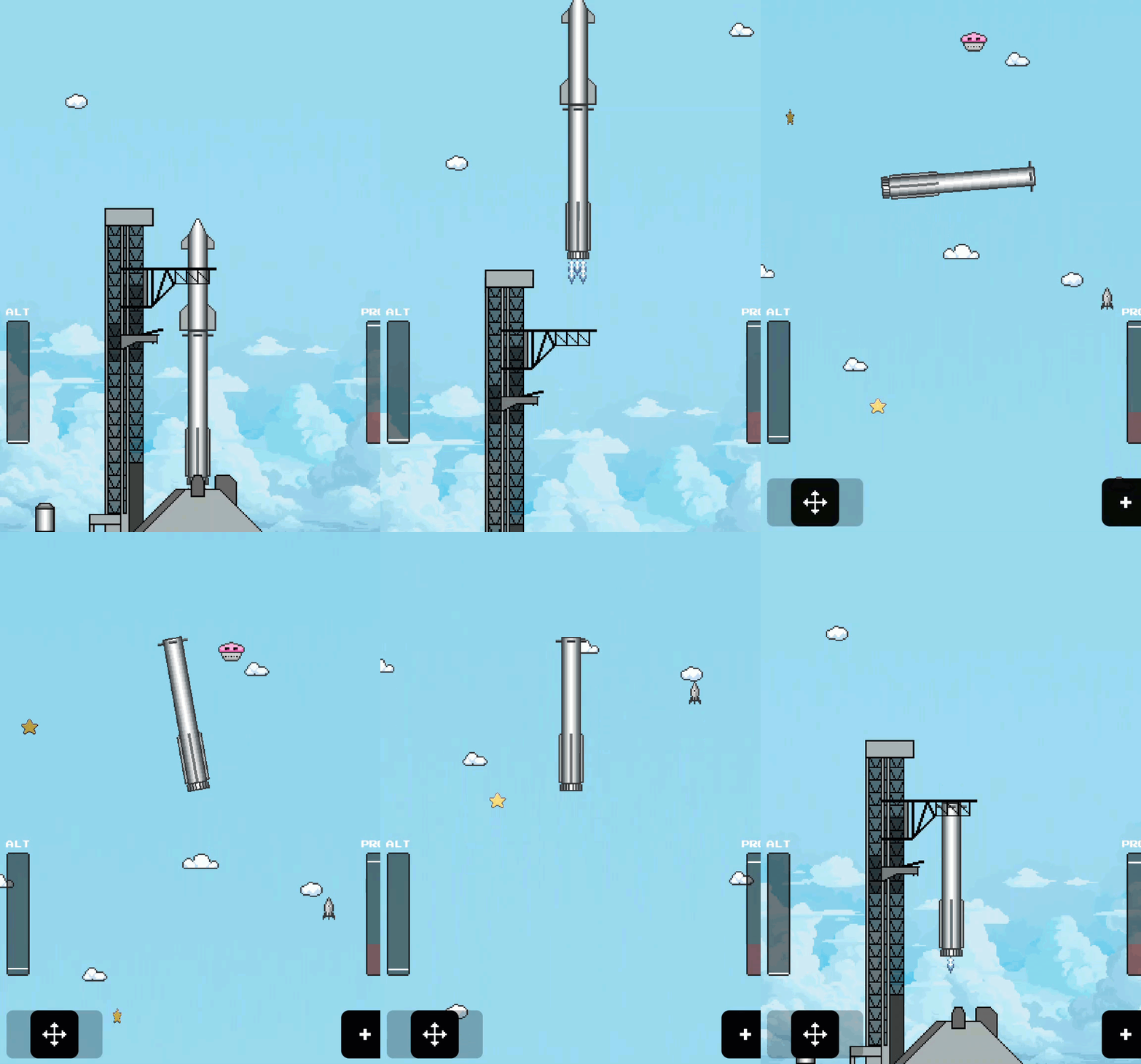
Use the on-screen movement pad (bottom left) and thrust button (bottom right).
-
Follow the same launch-and-catch sequence.
-
The game works in mobile browsers, though some players note the touch controls feel less precise than a keyboard.
Pros and Cons
Pros:
- Completely free and instant to start.
- Captures the real catch sequence in an approachable form.
- Works on almost any device with a browser.
- Short sessions fit between meetings or while waiting for a flight stream.
- Humorous “pending regulatory approval” loading screen.
Cons:
- Very simple 2D pixel graphics; not a detailed simulator.
- Mobile touch controls can feel imprecise.
- High scores do not appear to sync across devices.
- No official documentation beyond the in-game instructions.
Who Should Skip This
Skip it if you want a high-fidelity flight simulator or realistic orbital mechanics.
It is an arcade tribute, not training software.
Organizations that block non-work web games will also want to leave it alone.
Real-World Examples
A student watching the latest Starship flight on a laptop can open the game in a second tab and try the same catch sequence the team just completed.
A family on a long car ride can pass a phone around and compete for the highest score on Easy mode.
A small-business owner who follows the launches can use a two-minute game session as a quick mental reset between calls.
Configuration Guide
No account or settings menu exists beyond the start screen.
Audio can be toggled on or off from the menu (usually top right).
Difficulty is chosen before each run.
The game stores a local high score on the device.
No privacy settings, sync, or admin controls apply because nothing is uploaded.
Troubleshooting and Limitations
Problem: The page loads but shows only a black screen or “rotate device.”
-
Why it happens: The game is optimized for landscape and may need a modern browser.
-
Fix or workaround: Rotate the phone, try Chrome or Safari, and refresh. Desktop browsers almost always work immediately.
Problem: Controls feel unresponsive on a phone.
-
Why it happens: Touch areas are small and the game was built primarily around keyboard input.
-
Fix or workaround: Switch to a desktop or tablet with a keyboard, or enlarge the browser window.
Problem: High score resets.
-
Why it happens: Scores appear to be stored locally in the browser.
-
Fix or workaround: Stay in the same browser and avoid clearing site data.
Feature Access
- Anyone with a web browser can play it.
- No subscription, account, region lock, or beta flag is required.
- Availability is global based on the open URL.
- SpaceX has not published platform-specific version requirements.
Score
Criterion | Score (0–10) | Justification
Value | 8
Free, instant, and directly tied to a real engineering milestone.
Usability | 7
Keyboard works well; mobile is functional but less precise.
Wow Factor | 7
Clever official tie-in and timely new level after the ship catch.
Total: 22/30 | 👍 Good
A short, free, and surprisingly satisfying way to try the catch yourself.
Compared with pure fan-made browser games, this one carries the official SpaceX branding and updates that track real flight progress.
Key Takeaways
You can experience the timing and precision of a Starship booster catch in any browser without downloading anything or creating an account.
The newest level arrived the day after a real ship catch, keeping the game current with flight progress.
Start on Easy, watch the fuel, and aim for the tower arms.
Cool Tip Snapshot
-
Feature Name: Starship the Game
-
Platform(s): Web (desktop and mobile browsers)
-
Quick Benefit: Catch the booster in two minutes
-
Best For: Space fans, families, quick breaks
-
Access Type: Free
-
Difficulty: Easy
Learn More
The official game page contains the live title, difficulty options, and in-game instructions.
Try It Yourself
Open the link, pick Easy, and see if you can catch the booster on the first try.
Then tell us your score in the comments.
Subscribe to the free One Cool Tip Newsletter for more practical tech ideas, and share this Cool Tip with anyone who watches the launches.
READ MORE
Read the Full Cool Tip!
|