|
One Cool Tip Newsletter
September 5, 2025
| Your daily dose of tech-savvy brilliance! | |
😀Greetings! Happy Friday Funday, Cool Tipper!
Get ready to streamline your digital life with simple, actionable tips delivered straight to your inbox.
Today's Cool Tip Theme: Draw A Fish
IN THIS ISSUE
- 🚨 Deepfake Scams.
- 📱 Instagram for iPad.
- 🧠 AI Skills = Economic Power.
- 🚀 AI Prompt to Motivate Your Team
- 🍽️ Your AI-Powered Meal Plan
- 🐟 Draw a Fish & Let It Swim.
- 🖼️ Google's AI-Powered Art Game.
- 🎨 WeaveSilk.
- 🌊 Orb Farm.
New here? Subscribe to the One Cool Tip Newsletter for daily updates. It's FREE!
-
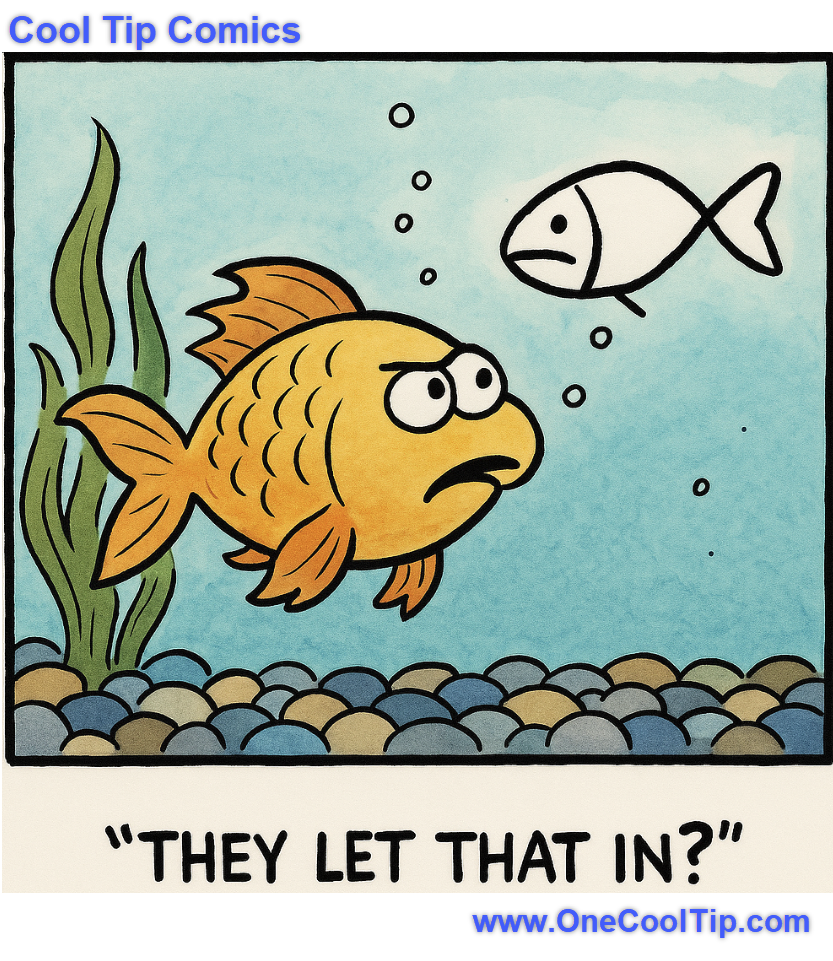
😂 Laugh with Us! Enjoy our Tech Joke of the Day, Haiku and Cool Tip Comics.
-
🌐 Stay Informed! Check out ICYMI, and our One Cool Tip Video.
🔔 Is your email provider (Gmail, Yahoo, Outlook...) not delivering the newsletter?
Check the Junk folder - Move the newsletter to your Inbox. And reply to this email with a “Hey, Rodger” or “I got it.” That tells your mail service you want this newsletter!
Today's Tech Trivia
Which of the following was the first computer program to use artificial intelligence to create visual art?
A) DeepDream by Google
B) Harold Cohen’s AARON
C) DALL·E by OpenAI
D) GANPaint Studio by MIT
Answer at the end of this newsletter.
| | |
3️⃣
If you enjoy the One Cool Tip newsletter, please forward this newsletter to THREE friends or colleagues or share it on social media using the links below.
Leave a Tip!
Share this One Cool Tip Newsletter!
| |
🚨Watch Out for Deepfake Scams🚨
The American Bankers Association Foundation and FBI have teamed up to release a new infographic on deepfake scams that every tech-aware user should see.
As AI-generated media becomes more convincing, scammers are using fake voices, videos, and images to impersonate loved ones, officials, and celebrities, often to pressure victims into sending money or personal info.
- Spot the red flags:
- Blurry or distorted facial features
- Unnatural blinking or robotic voices
- Audio-video mismatches
- Stay safe:
- Pause before reacting to urgent requests
- Verify identities with trusted sources
- Use codewords with family to confirm authenticity
This is 100% free and worth sharing with your team, students, or community. Stay sharp. Stay skeptical. Stay secure.
And in Other News...
After 15 years of waiting, Instagram has officially launched a dedicated app for the iPad. No more squinting at stretched iPhone screens or fumbling with clunky browsers. This native app takes full advantage of the iPad’s larger display. Download it now from the App Store.
Highlights:
- Reels open instantly with no extra taps
- Comments are easier to view while watching
- A new “Following” tab lets you filter by friends, all accounts, or latest posts
If you’re a content creator, educator, or just a Reels addict, this update is a game-changer for multitasking and visual clarity. Download it from the App Store and give your thumbs some breathing room.
- AI Skills = Economic Power
OpenAI just announced a major push to expand economic opportunity through AI with new tools, training, and certifications designed to help everyone thrive in the AI-powered workforce.
What’s new:
-
OpenAI Jobs Platform: Connects AI-skilled workers with companies, including small businesses and local governments
-
OpenAI Certifications: Validate your AI fluency—from basic usage to prompt engineering
-
Free Training via OpenAI Academy: Over 2 million learners already enrolled
Why it matters: AI-savvy workers are more productive, earn more, and are in high demand. OpenAI aims to certify 10 million Americans by 2030 with partners like Walmart leading the charge.
| | |
🚀 Make It a Great Week!
Copy/Paste this AI-powered prompt. Use with your favorite AI assistant: Gemini, Copilot, Grok, DuckAI, Meta and ChatGPT.
"Act as a team coach. It’s Friday afternoon, and I want to wrap up the week with my colleagues in a positive, productive way. Create a short recap message I can post in our team chat that:
- Celebrates our accomplishment this week: [INSERT ACCOMPLISHMENT HERE],
- Thanks the team for their efforts,
- Suggests one small focus for improvement next week,
- Ends with a light, fun sign-off for the weekend."
| | | |
🖼️ Cool ChatGPT AI Prompt of the Day:
Try this prompt! Be sure to customize it.
"Create a simple weekly dinner plan for me and my family. I want 5 dinners that are quick (30 minutes or less), healthy, and affordable. Include a short shopping list grouped by category (produce, proteins, pantry items) so I can buy everything at once."
| | |
Draw A Fish & Let It Swim: The Simple Site That Brings Your Art To Life.
DrawAFish.com turns your doodle into a digital fish that swims in a shared tank. It is quick, fun, and surprisingly engaging.
Have you ever sketched something and wished it would come to life?
Here's a Cool Tip: Visit DrawAFish.com.
With DrawAFish.com, you draw a fish, the site decides if it looks enough like one, and then it swims in a communal digital tank.
It is simple, playful, and strangely addictive.
What the Feature Is and Why It Matters
The site is an online canvas where you sketch a fish facing right.
After you submit, an automated system checks it and, if accepted, places it into a shared aquarium with fish drawn by others.
This feature matters because it shows how even small web tools can combine creativity and social connection.
You do not need an account or software, and the payoff is immediate.
A doodle that might normally vanish into a notebook becomes part of a shared experience.
It is a refreshing break in a world full of structured apps and productivity demands.
What You'll Gain
- A quick creative break that requires no setup.
- A fun way to connect with others in a lighthearted way.
- A reminder that digital spaces can still surprise us.
Step-by-Step Instructions
Here's how to do it.
On Desktop (Web)
-
Go to DrawAFish.com.
-
Use the canvas to draw your fish facing right.
-
Select “make it swim.”
-
If it passes the fish probability test, your fish joins the global tank.
-
Click or shift-click in the tank to feed the fish.
fig.1 - DrawAFish Tank
On Mobile (iOS and Android)
-
Open the site, DrawAFish.com, in your phone’s browser.
-
Draw with your finger or stylus.
-
Submit and watch your fish swim.
-
Tap the tank to drop food pellets and see the fish move.
Pros and Cons
Pros
- Instantly accessible in any browser.
- No sign-ups required to join the community tank.
- Lively animation adds personality to each drawing.
- Even rough doodles look charming once they swim.
Cons
- Limited to one main mechanic, so the novelty can fade.
- Automated judgment of “fish-like” drawings can be unpredictable.
- Some users may feel frustrated if their sketch is rejected.
Configuration Guide
There is nothing to set up.
You can create an account if you want to save your creations or check stats, but it is optional.
Who Can Use It
Anyone with a browser can access it for free. It does not require subscriptions, logins, or downloads.
Score
Criterion | Score | Justification
Value 7
It adds real joy and a creative pause, though not much productivity impact.
Usability 9
It could not be simpler. Open, draw, submit.
Wow Factor 8
Watching your doodle come to life is fun and unexpected.
Total Score: 24 → 👍 Good. Most users will enjoy trying it out at least once.
Key Takeaways
DrawAFish.com is playful and accessible.
It asks very little from you, gives instant feedback, and connects your sketch to a larger shared space.
Try It Yourself
Visit the site, draw a fish, and see it swim.
Share your result, subscribe for more tips, and let others know about this simple digital delight.
READ MORE
Read the Full Tip.
| | |
Help support One Cool Tip. Use this Amazon link when you shop online.
Look at these Cool Products:
| |
-
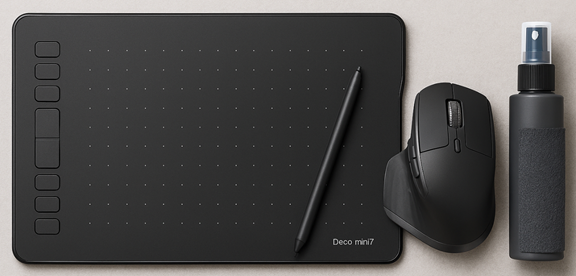
💻 XP-Pen Deco Mini7 Drawing Tablet: Affordable drawing pad for desktops that makes doodling easier than a mouse. Overall Pick. Save 10% Check it out on Amazon!
-
🖱 Logitech MX Master 3S Mouse: Smooth, ergonomic mouse ideal for those drawing directly in browser. Save 8% Check it out on Amazon!
-
🧼 Eveo Screen Cleaning Kit: Keep your touchscreen spotless for better drawing accuracy. Overall Pick. Save 34% Check it out on Amazon!
| | |
🆒Tell Me More
- The site uses a lightweight AI to determine whether your doodle “looks like” a fish before adding it to the communal tank.
- Drawings must face right for the animation to work properly.
- You can “feed” the fish by clicking or tapping in the tank.
- A ranking system lets you vote for your favorite fish creations.
- The tool runs in any browser. No downloads or logins needed.
⏩Quick Tips
-
🐟 Face Right: Always draw your fish facing right.
-
🎨 Keep It Simple: Basic shapes get accepted faster than detailed art.
-
🍽 Feed the Tank: Click or tap to drop food and see fish react.
-
📷 Screenshot Your Fish: Save your doodle before submission if you want to keep it. Use your device’s screenshot shortcut (Windows: Win+Shift+S, Mac: Shift+Cmd+4).
-
🌐 Try Mobile: Drawing with your finger can feel more natural than a mouse.
| | ✅ More Must-Read Tech Tips | |
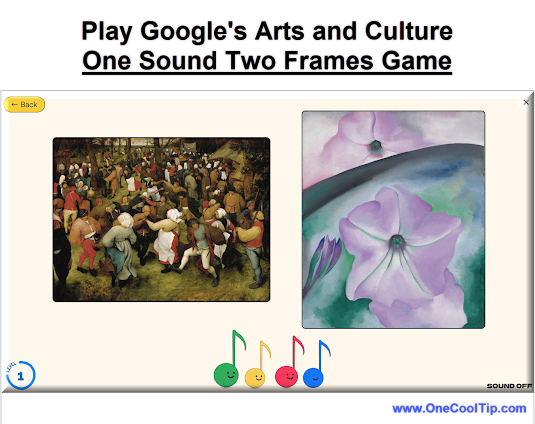
👀 How Do I Play Google's AI-Powered Art Game?
Have you ever wondered how a painting would sound if it were music?
Google Arts & Culture's "One Sound Two Frames" is a fascinating new experiment that invites you to do just that.
Here's how to do it.
- Access the game through the Google Arts & Culture website or app (available on iOS and Android).
- Select "One Sound Two Frames".
- Find the game under the "Play" tab or search for it directly. OR HERE.
- The game presents you with a piece of AI-generated music.
- Choose from two pieces of artwork.
- Select the one you believe the music was based on.
- The game reveals if you were right or wrong, offering insights into the connection between the music and the artwork.
- Continue matching music to art to see how well your instincts align with the AI's interpretations.
"One Sound Two Frames" is more than just a game; it's an exploration of how technology can enhance our understanding and appreciation of art.
Discover more HERE.
| |
🤔 Have You Ever Wondered How to Create Stunning Digital Art with Just a Few Clicks?
Need to be creative during a boring call?
Check out this Friday Funday Cool Tip: WeaveSilk.
Weavesilk.com is a website that allows you to create beautiful digital art with ease.
It’s an interactive platform that lets you draw with your mouse or finger and create mesmerizing patterns and designs.
The website has a simple interface that makes it easy to use.
You can choose from a variety of colors and brush sizes to create your own unique designs.
If you’re looking for a fun way to express your creativity or just want to relax and unwind, Weavesilk.com is definitely worth checking out!
Find more HERE.
| | |
🙋♂️ Here's How to Create Your Virtual Aquatic Playground
Have you ever dreamed of curating your own underwater paradise?
Orb Farm is an immersive virtual ecosystem that brings the wonders of the ocean to your fingertips.
Whether you're a budding marine biologist, a curious hobbyist, or simply seeking a relaxing escape, Orb Farm offers a unique and engaging experience.
Here's how to do it.
-
Navigate to Orb Farm: https://orb.farm/.
-
Populate Your World with a diverse array of fish, invertebrates, and plants.
-
Keep a close eye on your ecosystem's health and balance. Ensure proper nutrition, remove waste, and prevent overcrowding.
-
Unlock new species, decorative elements, and challenges as you progress.
Orb Farm is more than just a digital aquarium; it's a portal to an underwater realm of wonder, learning, and creativity.
By diving into this virtual ecosystem, you can foster a deeper appreciation for the delicate balance of nature and cultivate your own thriving aquatic sanctuary.
Learn more HERE.
| | |
❓Did you share this newsletter with three friends yet?
😎 Cool Facts
-
$1.8 Trillion: The global artificial intelligence market is projected to reach approximately $1.8 trillion by 2030. Source.
-
40%: Companies that apply generative AI to creative and marketing efforts are seeing significant improvements, with some campaigns achieving up to a 40% increase in response rates. Source.
-
100%: The "Draw a Fish" tool is 100% free and is designed for an engaging and playful experience, providing instant AI feedback that allows users to see their drawings come to life in a shared digital aquarium. Source.
⌨️Today's Cool Keyboard Shortcuts
Cool Keyboard shortcuts:
-
🖥 Windows: Win + Shift + S: Take a screenshot of your fish drawing.
-
🍎 Mac: Shift + Cmd + 4: Save your fish sketch before submitting.
-
🌐 Browser: Ctrl + R / Cmd + R: Refresh quickly if your canvas glitches.
😜 Tech Joke of the Day 😅
Why did the fish go to the party?
Because he heard it was a "reel" good time!
🔎 Do you have a Cool Tip or tech question? Email us at onecooltip.com@gmail.com.
| | |
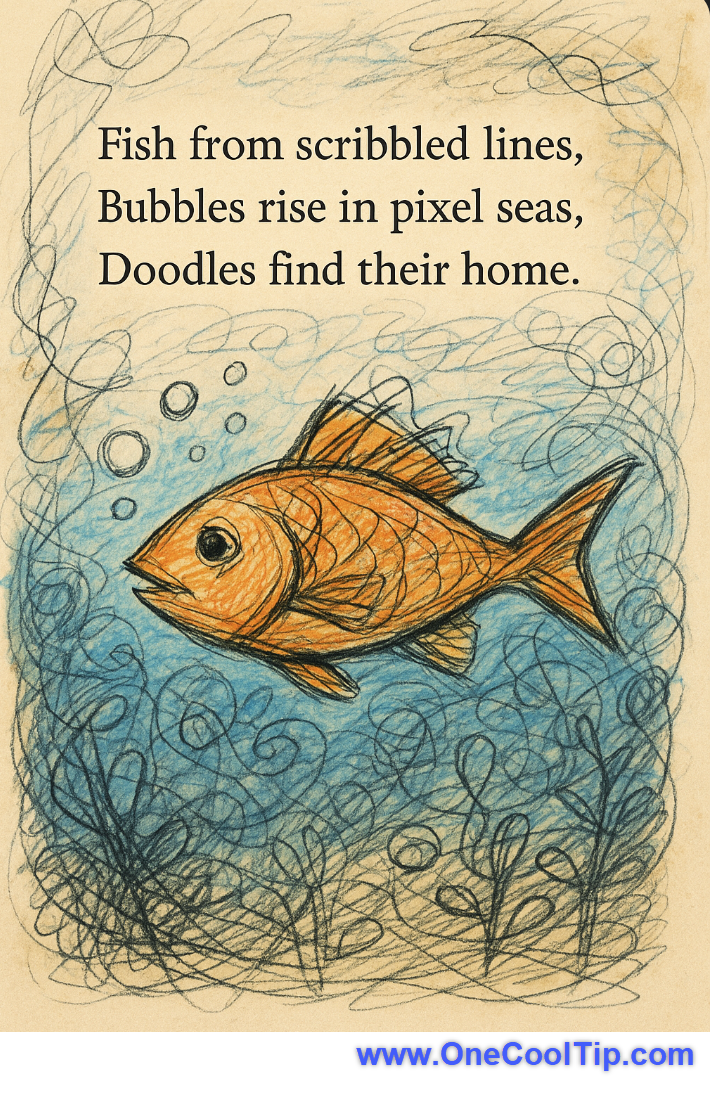
Fish from scribbled lines,
Bubbles rise in pixel seas,
Doodles find their home.
| |
| 🤔 What’s your favorite way to take a digital break? | | | |
Did You See These Cool Tips This Week?
| | | | How to Master Waze’s Camera Alerts Before They Catch You | Waze now warns drivers about more than just speed traps. From red-light cameras to mobile phone checks, the app helps you tailor alerts to your commute and avoid costly surprises. | | | | How to Enable or Disable Airplane Mode on Windows 11 and Windows 10 | Airplane Mode on Windows is more than just a travel feature. It’s a quick toggle that can save battery, fix connectivity issues, and help you control wireless radios. Learn how to use it efficiently in both Windows 11 and Windows 10. | |
ICYMI - In Case You Missed It ...
| | | | How to Lock Down Your WhatsApp Chats | Discover how WhatsApp’s new Advanced Chat Privacy feature stops chat exports, AI usage and auto‑downloads. | | Every tank has that fish, the one drawn during a coffee spill and a deadline. | | |
Trivia Answer: B) Harold Cohen’s AARON
AARON was developed in the 1970s by British artist Harold Cohen.
It was one of the earliest examples of AI-generated art, using rule-based logic to create abstract and figurative drawings autonomously.
Cohen’s work with AARON laid the foundation for today’s generative art tools, including those that power experiences like “Draw a Fish.”
----------
Tomorrow's Cool Tip is waiting to amaze you.
Until then, go forth and conquer the tech world with your newfound knowledge!
Be sure to visit www.OneCoolTip.com for Cool Tech Tips for a Cooler Life!
And if you Like One Cool Tip, please support with TipJar!
Enjoy!
Rodger
Chief Cool Tipper
onecooltip.com@gmail.com
| |
| What do you think of today's OneCoolTip newsletter? | | | |
Please Share the One Cool Tip Newsletter!
You asked for it. You got it. There is now a One Cool Tip Newsletter archive. Did you delete a newsletter and want to read it again? Check it out HERE.
Want to help One Cool Tip grow? Please forward this email using the link above. And if you see an OCT social media post, please LIKE, COMMENT and SHARE!
Have you subscribed to the One Cool Tip YouTube channel? Subscribe HERE.
| | Connect with One Cool Tip!! | | |
|
As an Amazon Associate, One Cool Tip may earn a small commission from qualifying purchases.
Our media content is intended solely for informational purposes only. Please do not construe anything here as legal, tax, investment, financial, marital or other advice.
Copyright © 2025 | www.OneCoolTip.com | All Rights Reserved
|
| | | |