|
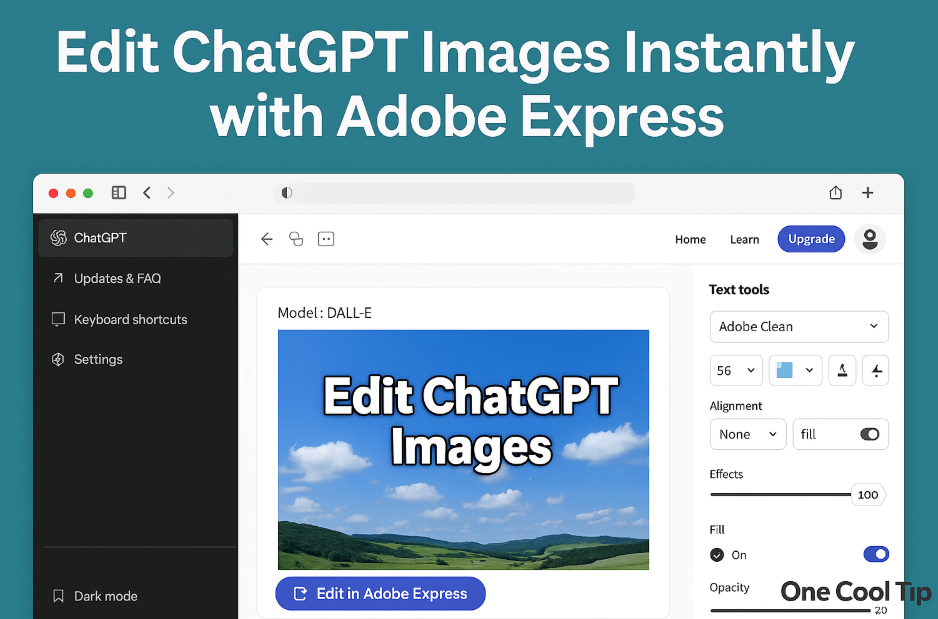
Edit ChatGPT Images Instantly with Adobe Express
ChatGPT now includes a built-in Adobe Express editor on the web that lets you refine AI-generated images without switching apps. This streamlined workflow turns rough drafts into polished visuals in minutes.
Image generation is fast, but getting from a rough concept to a finished design often requires several extra steps.
The traditional workflow involved downloading the image, uploading it to a separate design tool, adjusting the layout, and exporting the final version.
That churn has always slowed creative work.
Here's a Cool Tip: Edit Images Created in ChatGPT with Adobe Express.
ChatGPT now includes a direct connection to Adobe Express on the web. You create an image, open it in the editor, make your refinements, and save the updated version back into the chat. Everything takes place in a single browser window. The entire experience feels faster, cleaner, and more professional.
Feature Explanation
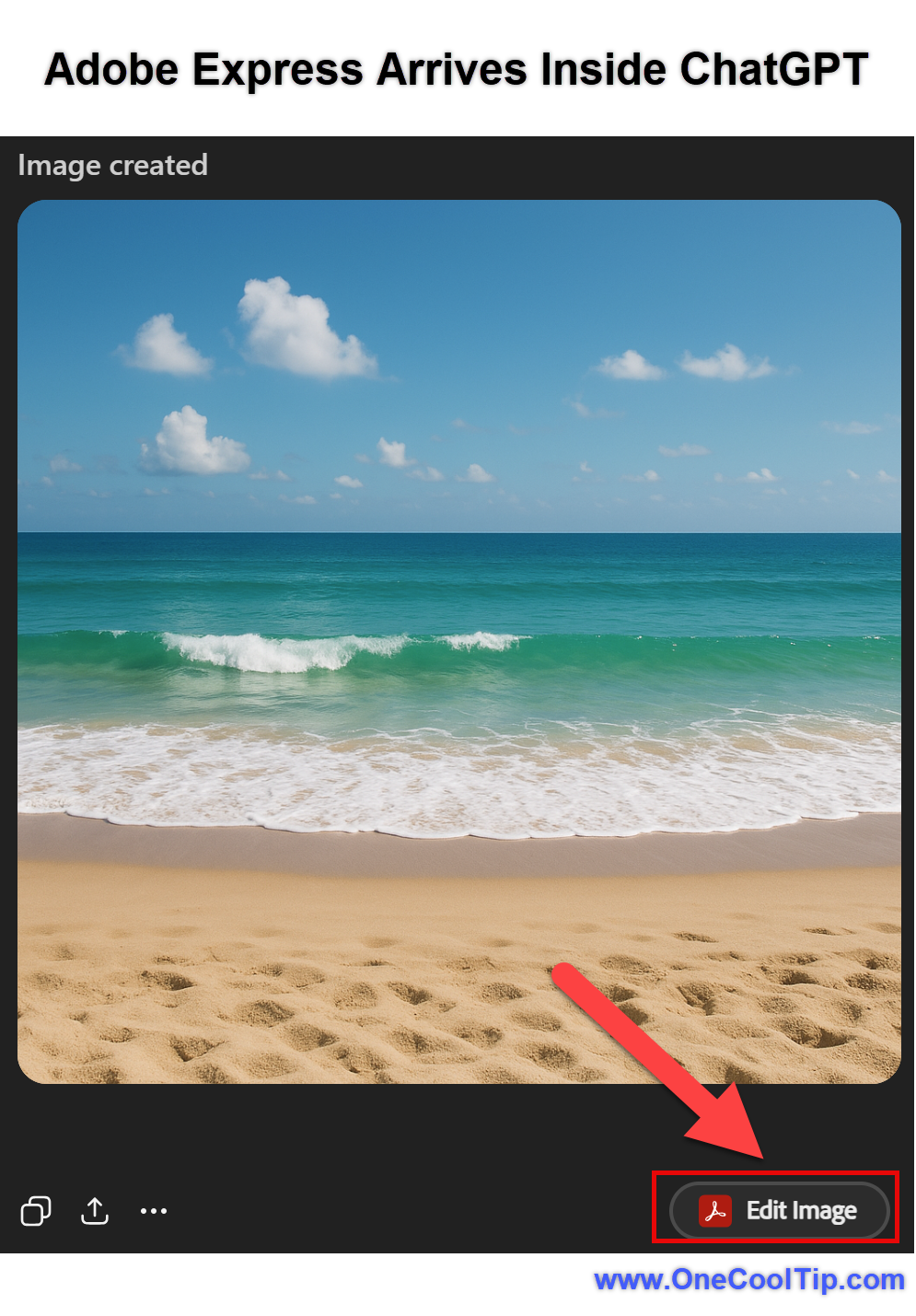
When you generate an image inside ChatGPT on the web, clicking the image opens a preview panel. Inside that panel appears a new button labeled Edit in Adobe Express.
Selecting this button launches an embedded Adobe Express editor directly inside ChatGPT.
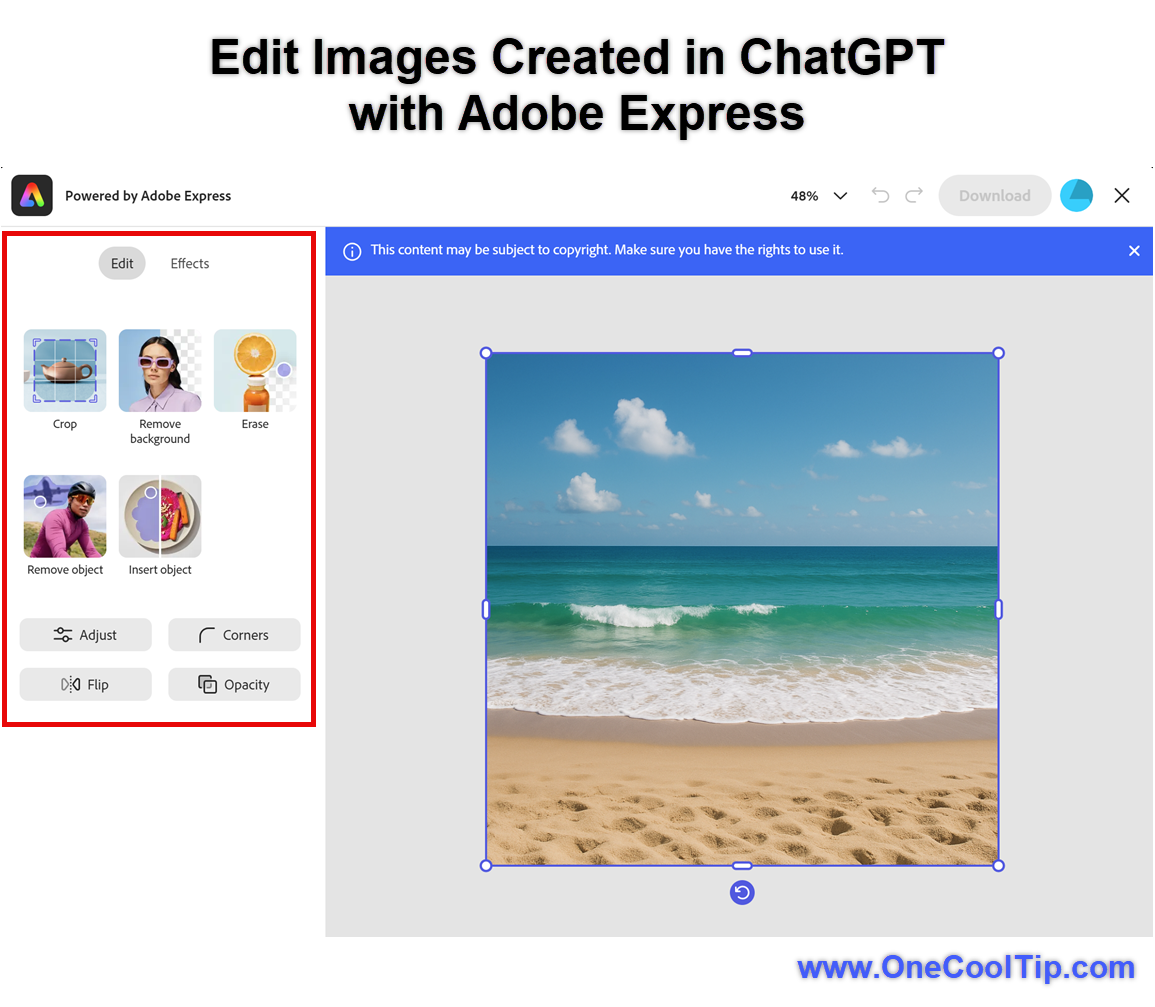
Adobe Express allows you to add text, apply templates, refine colors, adjust contrast, insert shapes, crop the frame, and arrange elements in layers.
Once finished, you can save your updates back into the conversation without downloading or re-uploading files.
To access the full editing workspace, Adobe requires authentication.
If you are not signed in, Adobe Express prompts you to log in with an Adobe ID.
Free Adobe accounts support basic editing functions.
Premium templates and licensed assets require a paid Adobe plan.
This upgrade creates a seamless workflow where ChatGPT handles concept creation and Adobe Express provides final polish.
What You’ll Gain
- Faster editing since you stay on the same webpage
- Cleaner, more professional images with minimal effort
- Templates built for social media, newsletters, and presentations
- A unified idea-to-design path with no extra uploads
Step-by-Step Instructions
Here's how to do it.
ChatGPT Web
- Generate an image inside ChatGPT using a normal prompt.
- Below the generated image, click the Edit in Adobe Express button.
- If prompted, sign in with your Adobe ID.
- Use the editing tools: Crop, Remove Background, Erase, Remove object, and Insert Object.
- Select effects: Grayscale, Darken, Tint and Colorize.
- Click Download to save your edited document to your device.
|