One Cool Tip Newsletter

June 18, 2026

Your daily dose of tech-savvy brilliance!

😀Greetings! Happy Thursday, Cool Tipper!


Get ready to streamline your digital life with simple, actionable tips delivered straight to your inbox.


Cool Tip Theme: iPhone Advanced Safety Alerts


New here? Subscribe to the One Cool Tip Newsletter for daily updates. It's FREE!

3️⃣

If you enjoy the One Cool Tip newsletter, please forward this newsletter to THREE friends or colleagues or share it on social media using the links below.


Leave a $$$ Tip!


Share this One Cool Tip Newsletter!

X Share This Email
LinkedIn Share This Email
Pinterest Share This Email


🚨 FBI Warns of “Vacant Land” Property Scam 🚨


The FBI’s Internet Crime Complaint Center (IC3) is alerting consumers to a growing real estate scam in which criminals impersonate property owners to fraudulently sell vacant land, often without the real owner’s knowledge.


How the Scam Works:


Fraudsters gather publicly available information about landowners, then create fake IDs, email accounts, and phone numbers to pose as legitimate sellers.


They typically work with unsuspecting realtors and title companies to list and sell the property, directing payment to accounts controlled by accomplices.


Red Flags to Watch For:


  • Sellers who only communicate via text, email, or internet calls, and refuse to meet in person.
  • Pressure to close deals quickly or sell below market value.
  • Payment requests involving wire transfers to unrelated accounts.
  • Inconsistent property details or unusual documentation (like foreign notarizations).


How to Protect Yourself:


  • Verify property ownership independently using local records.
  • Be cautious of rushed deals or communication that avoids in-person contact.
  • Confirm seller identity through multiple trusted channels.
  • Consider property record alerts and review title insurance coverage for added protection.


Why It Matters:


With more transactions happening remotely, scammers are exploiting gaps in verification, making this scheme harder to detect until it’s too late.


And in Other News...


  • Apple’s “New Siri” Is Smarter, But...


Apple has unveiled a completely rebuilt Siri powered by “Apple Intelligence,” including a new Siri app icon on the iPhone as part of the new iOS 27 beta.


In my early developer testing, it’s a big leap forward, but not quite perfect yet.


What’s Improved


The new Siri is far more capable and conversational than before.


It can understand context, hold back‑and‑forth conversations, and handle more complex tasks like analyzing information or answering broader questions.


It also features a more natural voice, and sticks to clear, factual answers.


Where It Still Falls Short


Despite the upgrade, Siri is still in beta and can feel unfinished.


It has rough edges and limitations during my testing.


I've given up on it more than once when it's failed to respond or just stopped answering.


Why It Matters


This overhaul brings Siri closer to competing AI assistants like ChatGPT and Google Gemini.


Bottom Line


Siri is finally getting smarter and more useful, but it’s not yet ready to fully replace today’s best AI assistants.


Cool Deals of the Day

Help support One Cool Tip. Use this Amazon link when you shop online.


Check out these Cool Deals:

🔋 Portable USB-C Power Bank: A compact power bank helps keep your iPhone charged during outages, travel, or severe weather. Save 36% Now $69.99. Check it out on Amazon!


🔌 USB-C Wall Charger:  A fast USB-C charger is useful for topping off your iPhone before storms, trips, or long days away from home. Save 25% Now $29.99. Check it out on Amazon!


🚗 USB-C Car Charger: A car charger gives you another way to keep your iPhone powered during travel or emergencies. Save 25% Now $14.99. Check it out on Amazon!


📻 Emergency Weather Radio:  A weather radio provides a backup source of emergency information when phone networks or power are unreliable. Save 6% Now $47.07. Check it out on Amazon!


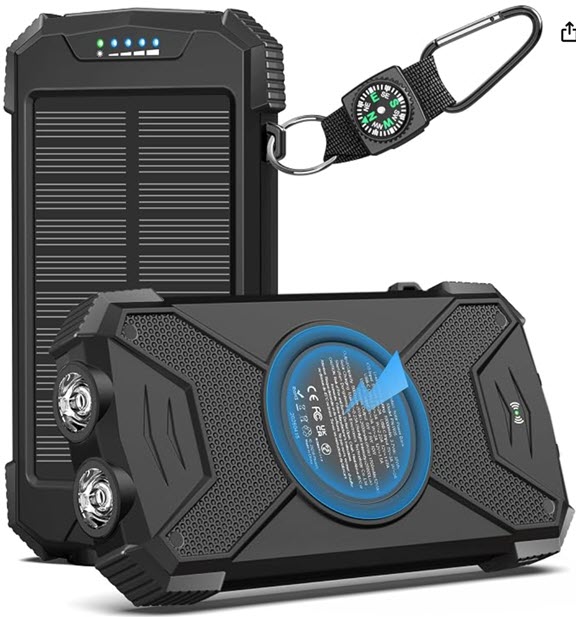
🔦 Emergency Flashlight Power Bank:  A flashlight with solar-power phone-charging support can be useful in a car kit, travel bag, or home emergency kit. Save 15% Now $25.48. Check it out on Amazon!


*Prices accurate when originally published.

One Cool Tip may earn a commission from qualifying purchases.

Fuel Your Adventure

Try Big Mike's Jerky!


bigmikesjerky.com


Now on TikTok!


Today's Cool Tip

Turn On iPhone’s Enhanced Safety Alerts


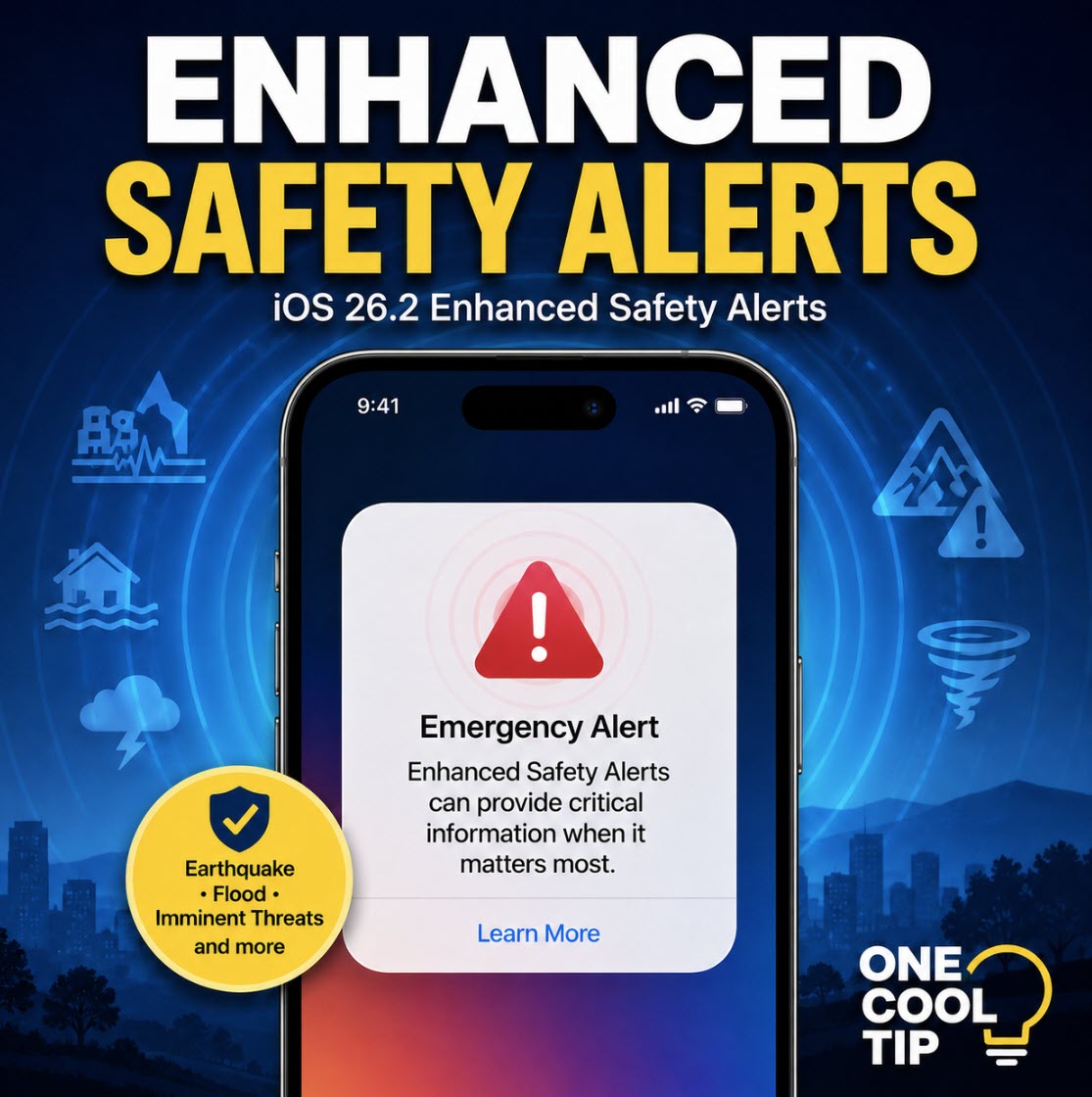
iOS 26 adds Enhanced Safety Alerts to help iPhone users in supported regions receive supplemental emergency information for events like earthquakes, floods, and imminent threats. The setting is worth checking because some alerts are on by default, while one optional delivery improvement is off unless you enable it.


Emergency alerts are one of those iPhone features you hope you never need.


But when weather turns dangerous, an earthquake hits, or local officials issue a serious warning, your phone can become one of the fastest ways to get information.


Here’s a Cool Tip: Check Your Enhanced Safety Alerts.


Apple has added another safety layer with Enhanced Safety Alerts, a feature available on iPhone in supported regions with iOS 26.2 or later. 


It does not replace government emergency alerts. 


Instead, it can provide supplemental safety alerts delivered by Apple over Wi-Fi and cellular data when available.


That makes this a smart setting to review, especially if you live in an earthquake-prone region, travel often, or help manage phones for family members.


Feature Explanation


Enhanced Safety Alerts are Apple-delivered supplemental safety alerts for emergencies such as earthquakes or floods. 


They are based on information from alert originators and are available in the United States and Taiwan on iPhone with iOS 26.2 or later.


The key word is “supplemental.”


Government Alerts are still issued by local authorities and delivered through carrier networks when supported. 


Enhanced Safety Alerts can arrive separately and may look or sound different from traditional government alerts. 


In some situations, your iPhone may receive both.


The most notable part of the feature is earthquake support. 


Your iPhone can receive Earthquake Alerts and broadcast them anonymously to nearby Apple devices. 


The system also supports two alert levels:


  • Awareness Alert: Tells you an earthquake has been detected nearby and that you should prepare to act if needed.
  • Action Alert: A critical alert that tells you strong shaking is expected in your area and that you should take immediate action.


Both alert types may include the estimated magnitude, your proximity to the event, and suggested safety actions.


This is useful for everyday users because the setting is easy to overlook. 


It sits at the bottom of the Notifications screen, below the notification controls most people normally adjust.


What You’ll Gain


  • Get supplemental safety alerts for certain emergencies in supported regions.
  • Understand the difference between Government Alerts and Enhanced Safety Alerts.
  • Improve alert delivery by reviewing the optional Improve Alert Delivery setting.
  • Help family members and travelers confirm that important safety alerts are enabled.


Step-by-Step Instructions


Here's how to do it.


iPhone:


1. Open Settings.

2. Tap Notifications.

3. Scroll to the bottom of the screen.

4. Under Enhanced Alerts, tap Enhanced Safety Alerts.

5. Review these options:

    - Earthquake Alerts

    - Imminent Threat Alerts

    - Improve Alert Delivery

6. Turn each option on or off based on your preference.


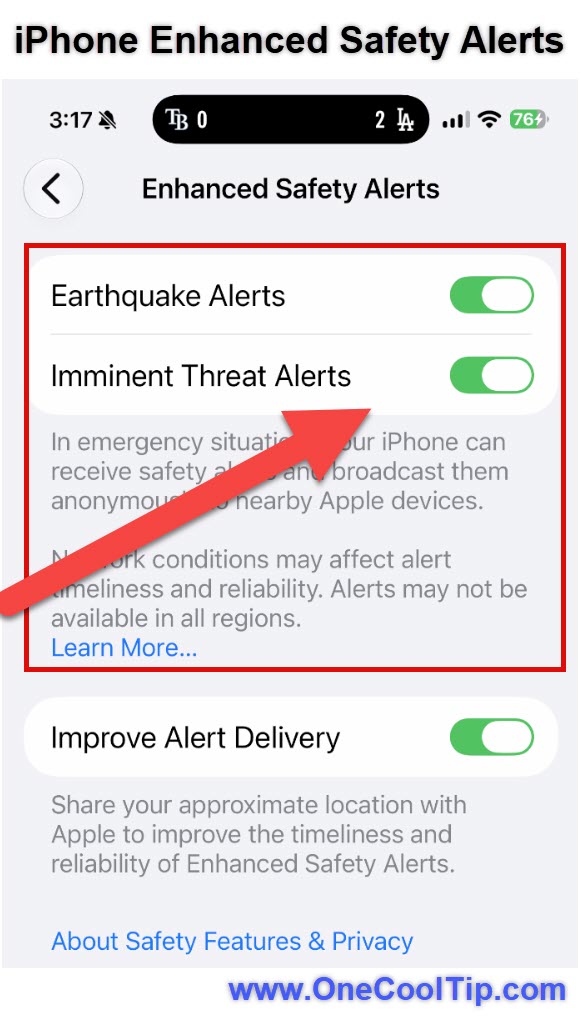
fig. 1 - iPhone Enhanced Safety Alerts Settings

After completing these steps, you should see separate controls for Earthquake Alerts, Imminent Threat Alerts, and Improve Alert Delivery.


Earthquake Alerts and Imminent Threat Alerts are turned on by default. 


Improve Alert Delivery is turned off by default.


Pros and Cons


Pros:


  • Adds another safety-alert path for supported iPhone users.
  • Earthquake Alerts and Imminent Threat Alerts are on by default.
  • Bi-level earthquake alerts can distinguish between nearby awareness and stronger action alerts.
  • Helpful for families, travelers, older adults, and users in earthquake-prone areas.
  • Improve Alert Delivery gives users a clear choice about whether to share approximate location for better alert timing and reliability.


Cons:


  • Availability is limited to the United States and Taiwan.
  • Requires iOS 26.2 or later.
  • Not all safety features are available in every region or language.
  • Network conditions may affect alert timeliness and reliability.
  • Improve Alert Delivery is off by default, so users must enable it manually if they want that option.


Feature Access


  • Enhanced Safety Alerts are available in the United States and Taiwan and require iOS 26.2 or later.
  • Supported platform: iPhone.
  • Not all safety features are available in every region or language, and network conditions may affect alert timeliness and reliability.
  • No subscription requirement.


Score

Criterion | Score (0-10) | Justification
Value | 9
Emergency alerts solve a real problem, especially for earthquakes and imminent threats where timing matters. The value is highest in supported regions.
Usability | 7
The setting is easy to adjust once found, but it is buried at the bottom of Notifications. Improve Alert Delivery being off by default may cause some users to miss the optional enhancement.
Wow Factor | 7
Anonymous nearby device broadcasting and bi-level earthquake alerts are clever, but the feature is narrow and region-limited. 
Total: 23/30 | 👍 Good
Enhanced Safety Alerts are a smart, low-effort iPhone safety check for users in supported regions.
Compared with standard Government Alerts, Enhanced Safety Alerts are supplemental and Apple-delivered rather than a direct replacement for carrier-based emergency alerts.


Key Takeaways


Enhanced Safety Alerts give supported iPhone users another way to receive critical safety information for events like earthquakes, floods, and imminent threats. 


The most important action is to check the setting, understand what is on by default, and decide whether Improve Alert Delivery is worth enabling.


Cool Tip Snapshot


  • Feature Name: Enhanced Safety Alerts
  • Platform(s): iPhone
  • Quick Benefit: Supplemental emergency alerts for supported regions
  • Best For: Families, travelers, older adults, and users in earthquake-prone areas
  • Access Type: Free, supported regions, iOS 26.2 or later
  • Difficulty: Easy


Try It Yourself


Open Settings > Notifications on your iPhone, scroll to Enhanced Alerts, and review your Enhanced Safety Alerts today. 


Share this Cool Tip with family, friends, and coworkers, and tell them to subscribe to the One Cool Tip newsletter for more practical tech tips.


READ MORE


Read the Cool Tip on OneCoolTip.com.

Check Out These Cool Tips & Tricks


  • Check Defaults: Earthquake Alerts and Imminent Threat Alerts are on by default. Go to Settings > Notifications > Enhanced Safety Alerts to confirm.


  • Review Delivery: Improve Alert Delivery is off by default. Turn it on from Enhanced Safety Alerts if you want Apple to use approximate location to improve timing.


  • Keep Updated: Enhanced Safety Alerts require iOS 26.2 or later. Open Settings > General > Software Update to check your version.


  • Use Multiple Sources: Enhanced Safety Alerts supplement Government Alerts. Keep Government Alerts enabled where available under Settings > Notifications.


  • Check Before Travel: Alert availability varies by region. Before a trip, review your emergency settings and local alert options.


  • Charge First: Emergency alerts are useless on a dead phone. Keep a charged power bank in your bag, car, or travel kit.


  • Teach Family: Show older relatives where the setting lives. Open Settings > Notifications and scroll to the bottom together.


  • Watch the Wording: Enhanced Safety Alerts may look and sound different from Government Alerts. Read the alert carefully before taking action.


  • Expect Limits: Network conditions can affect alert timing. Keep Wi-Fi and cellular data available when you can.


  • Recheck Later: Apple may update regional availability over time. Revisit the Apple support page after major iOS updates.


ICYMI - In Case You Missed It ...

Let ChatGPT Do the Spreadsheet Heavy Lifting


ChatGPT can now work directly inside Excel and Google Sheets, helping users build, clean, explain, and update spreadsheets without leaving the workbook. It is especially useful for budgets, reports, trackers, financial models, messy data, and formulas that need a second look.


Read the Full Cool Tip.


Read the Newsletter Version.

Looking for your next adventure?


Call Denise at Travel For You.

314.660.3039


Sign Up for the Monthly Newsletter


http://www.travelforyouvacations.com/


https://www.facebook.com/TRAVEL.FOR.U/


See You Tomorrow

Tomorrow's Cool Tip is waiting to amaze you.


Until then, go forth and conquer the tech world with your newfound knowledge!


Be sure to visit www.OneCoolTip.com for Cool Tech Tips for a Cooler Life!


And if you Like One Cool Tip, please support with TipJar!


Enjoy!


Rodger

Chief Cool Tipper

onecooltip.com@gmail.com


What Do You Think?

What do you think of today's OneCoolTip newsletter?
Positive        Neutral        Negative
X Share This Email
LinkedIn Share This Email

Connect with One Cool Tip!!

Facebook  X  Instagram  Web  Pinterest  YouTube  LinkedIn
 

As an Amazon Associate, One Cool Tip may earn a small commission from qualifying purchases.


Our media content is intended solely for informational purposes only. Please do not construe anything here as legal, tax, investment, financial, marital or other advice.


Copyright © 2026 | www.OneCoolTip.com | All Rights Reserved