Facebook  Instagram  LinkedIn

Is it really there?

If you are building your graphics files in Adobe Illustrator or InDesign and plan to use images in your artwork, you will need to understand the difference between a linked image and an embedded image. While it's always best to "package" your files before sending them to us, today we learn the difference between a linked and embedded image, and why it's important for your print job.

------ FILE PREP 101 ------

How and why to embed images in your art


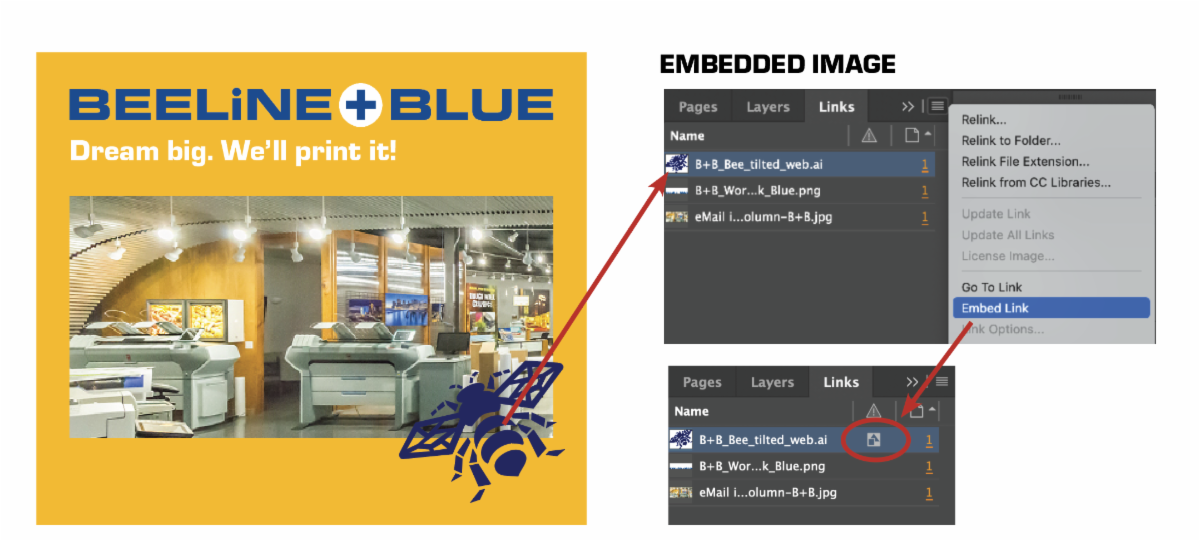
A linked image is one that is linked to an external file stored somewhere on your computer, while an embedded image is stored within your artwork file. When you place a graphic (File > Place), you will see a screen-resolution version of the file in your layout, so you can view and move it as needed.


The actual graphic file may be either linked or embedded. What’s the difference?

Embedded Images (above)

  • Are copied into your art file and therefore increase the art file size.
  • Are not affected by changes to the original file.
  • Don’t get lost. Since the images are part of your file, you won't lose or misplace them.

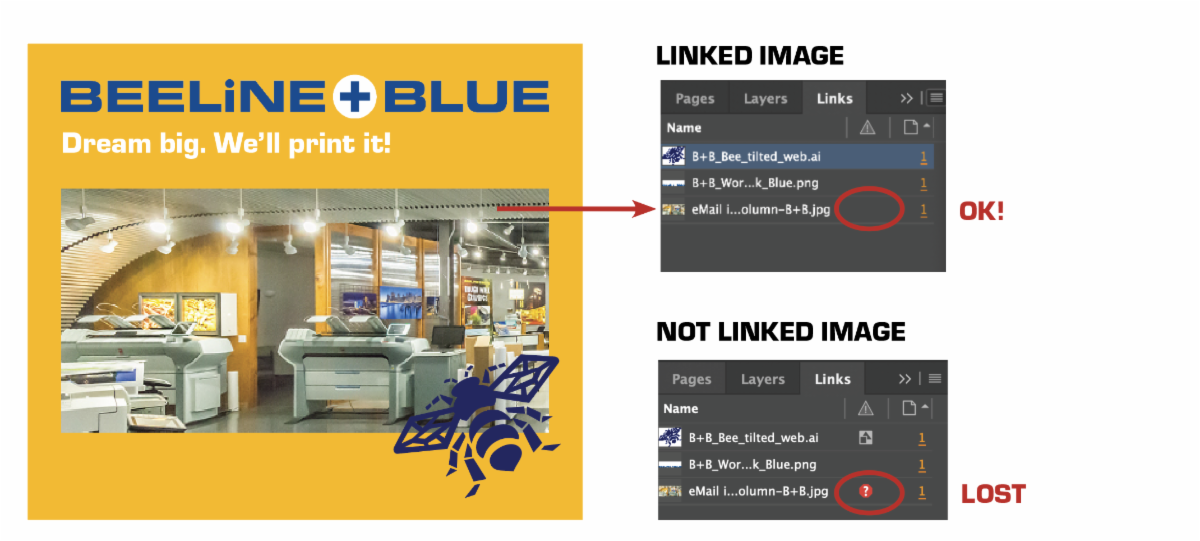
Linked Images (above)

  • Are not a part of your actual art file, so the artwork's file size is smaller.
  • Will unlink if their name or stored location changes.
  • Are easily updated. Changes made to the original image—in Photoshop, for instance—can be easily updated to the newer, modified version in your file.
  • Must be packaged with or provided in addition to the art file to print accurately.

What happens if I forget?

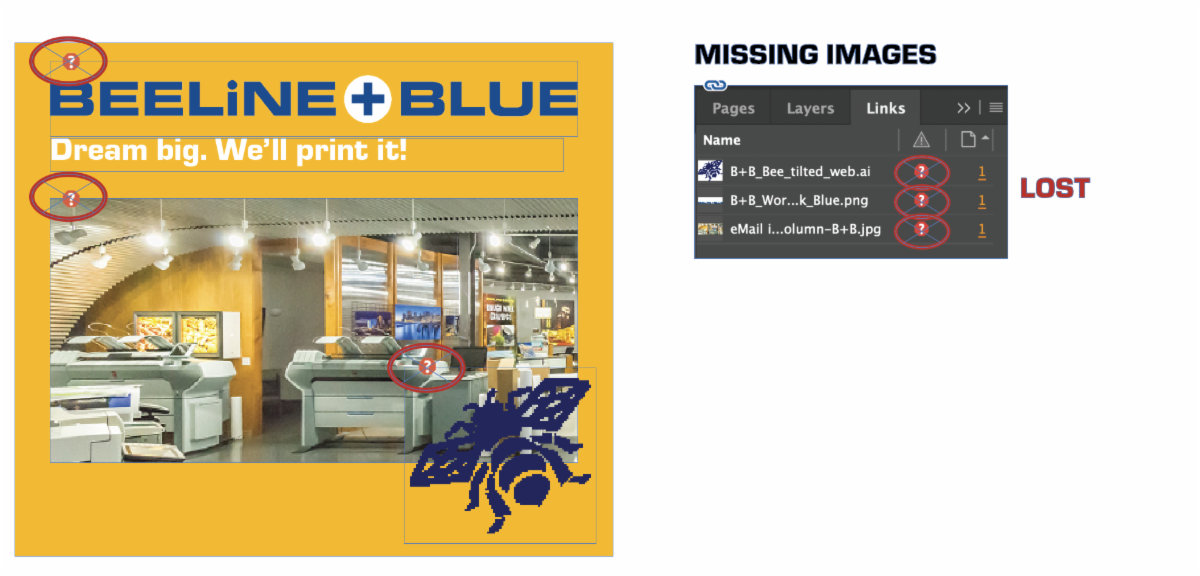
But, if you forget and send us Adobe InDesign or Illustrator files without embedding the images, we will see warning markers by the missing images when we open the file. In the Links Menu, we can see what the image files were named (see illustration below).

If we printed this file, it would print without images or would print a low-resolution, pixelated version of the image in its place.


It is not necessary to embed your images if you link your images, then package your Adobe files for output (File > Package...) before sending them to us. Compress the resulting packaged folder (Finder > File> Compress) and send the .zip file to us. Sending us a packaged file will ensure we have all related images and fonts, and give us the ability to troubleshoot for best results when necessary.


Have questions about your file set-up?

Ask us about our design services.

Contact Us!

Purchase before June 1 to avoid price increases!

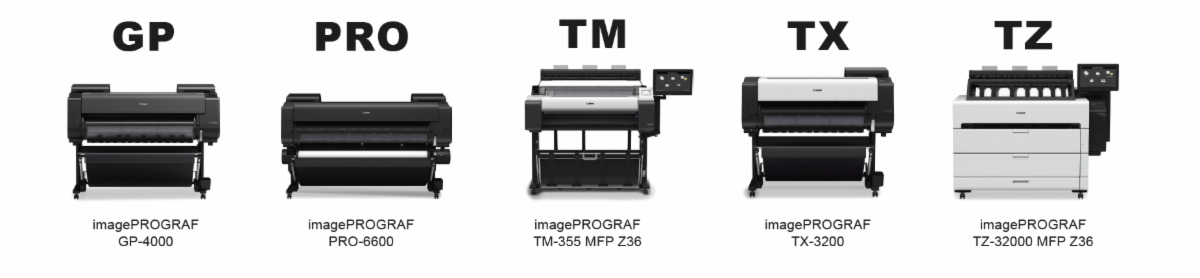
Canon has announced that pricing for its imagePROGRAF hardware, consumables, and accessories will increase starting June 1, 2025. The adjustments are in response to ongoing macroeconomic pressures and the impact of tariffs on the cost of goods.


Here’s what to expect:

  • Hardware: 10% MSRP increase across the TM, TX, GP, PRO, and TZ series.
  • Consumables & Accessories (including eCarePAK): 10% MSRP price increase.


HURRY! Orders placed before June 1 will be price-protected. However, backordered items will not — they will be billed at the new prices.

Email Trent for more information

Small Business Week

Des Moines is celebrating Small Business Week on May 4-10 with a special City Council proclamation and efforts to highlight small businesses around the city. On Ingersoll, retailers will be handing out special "Shop Small on Ingersoll" stickers. Snag a free sticker and share a photo of yourself shopping small to be entered to win prizes!