Schedule Showings for Metro MLS Listings in Paragon with Aligned Showings
We are excited to share that SCWMLS members can once again click to schedule showings through Paragon for Metro MLS listings (MM prefix). This integration utilizes Metro’s showing service, Aligned Showings.
| |
Scheduling a Showing via Aligned Showings is Easy
- From the agent full report in Paragon, click the Aligned Showings icon to access a calendar. Within Paragon Connect, click Aligned Showings within the list of integrated products.
- Click the date for your showing request, the type of showing, and click Next.
- You will be presented with available times. Drag the time bar to select the time you would like. Showings are set for 30 minutes by default. You can change this by accessing a drop down on the right of the time bar. Click Next.
- Enter a message, if you would like, before sending your request. This may be a good time to request keybox access. Click Send.
- Watch for confirmation via email.
| |
|
Click image for detailed
instructions & video tutorial.
| |
Maximize Exposure with Accurate Mapping
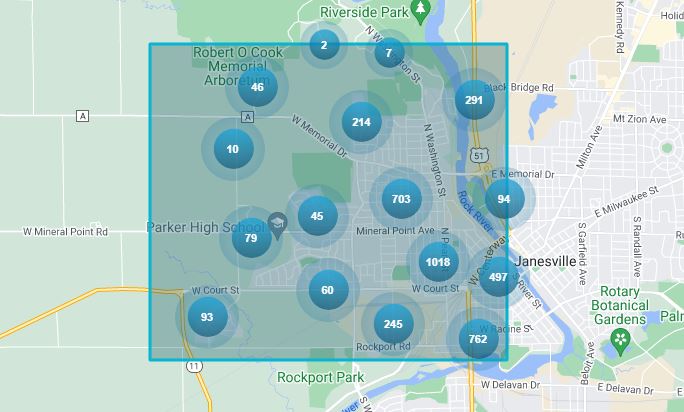
When entering a listing, it is good practice to always check for correct map placement. This should be done for all new listings, but is particularly important for properties that do not have an established mailing address, such as new construction or vacant land. This will ensure the listing is found in map-based searches & matched with the maximum number of buyers.
| | | | |
|
ShowingTime: Opt In for SMS Text Messaging
In response to intermittent issues with mobile carriers blocking SMS/text notifications, ShowingTime recently implemented a new opt-in feature for more seamless message delivery. To continue receiving important updates and key listing notifications, please take a few moments to confirm you have opted-in to receive SMS text messages from ShowingTime.
Complete the opt-in process: When a new mobile number is added to ShowingTime, or after 60 days of inactivity for an existing mobile number, ShowingTime will send an opt-in text message. It will state: "You're in! Stay updated on your listing appointments. Reply START to receive SMS notifications from ShowingTime. Msg & data rates may apply. Text STOP to unsubscribe." You must reply “START” to complete the opt-in process.
- Texts will be paused until ShowingTime receives confirmation. Once confirmed, messages that were not sent while waiting for the opt-in will be delivered.
- The prompt will be resent after 60 & 120 days to ensure receipt. If there is no response or if the recipient replies with STOP, the mobile number will be marked as "Do Not Send" and no further text notifications will be sent to that number.
- If you're not receiving text messages, or you inadvertently opted out, text "START" to 847-865-6549 to opt in at any time.
We also suggest downloading the ShowingTime mobile app. Clients can also download the Home by ShowingTime app to stay informed throughout their buying or selling journey. To download the apps visit:
| | |
|
Supra Access in Other MLS Areas
SCWMLS Supra eKEY users automatically have access to Central Wisconsin and LaCrosse Area MLS Supra keyboxes. In addition, they can request access to Supra keyboxes in the Northeast WI MLS by contacting our office.
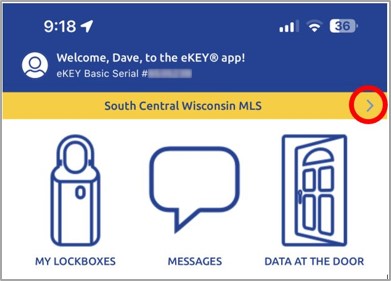
You can check to see which MLSs your eKEY is currently programmed to access by clicking the right arrow (>) next to “South Central Wisconsin MLS” within the orange bar located near the top of your Supra eKEY app home page, as shown here:
| |
More information on accessing keyboxes in other areas can be found by
clicking the link below.
| |
|
|
Updated School Resource
Click here for an updated list of schools by county & district for the 2024-2025 school year.
| | | |
License Renewal Season: A Few Helpful Resources | |
|
The portal is expected to open October 26, 2024!
Visit LicensE to renew.
| |
|
As 2024 marks a DSPS renewal year, it's crucial for all real estate licensees to complete the mandatory 18 credit hours of continuing education and submit their applications through the DSPS renewal portal, LicensE, by December 14, 2024.
Don't wait until the last minute, go to WRA's Real Estate Continuing Education Page today to learn more about the on demand, self-study, and in-person courses available to help members meet the requirements and get renewal applications completed.
September's Wisconsin Real Estate Magazine also featured license renewal with the informative article, Don't Let Your License Get 86'd, and other key resources.
| |
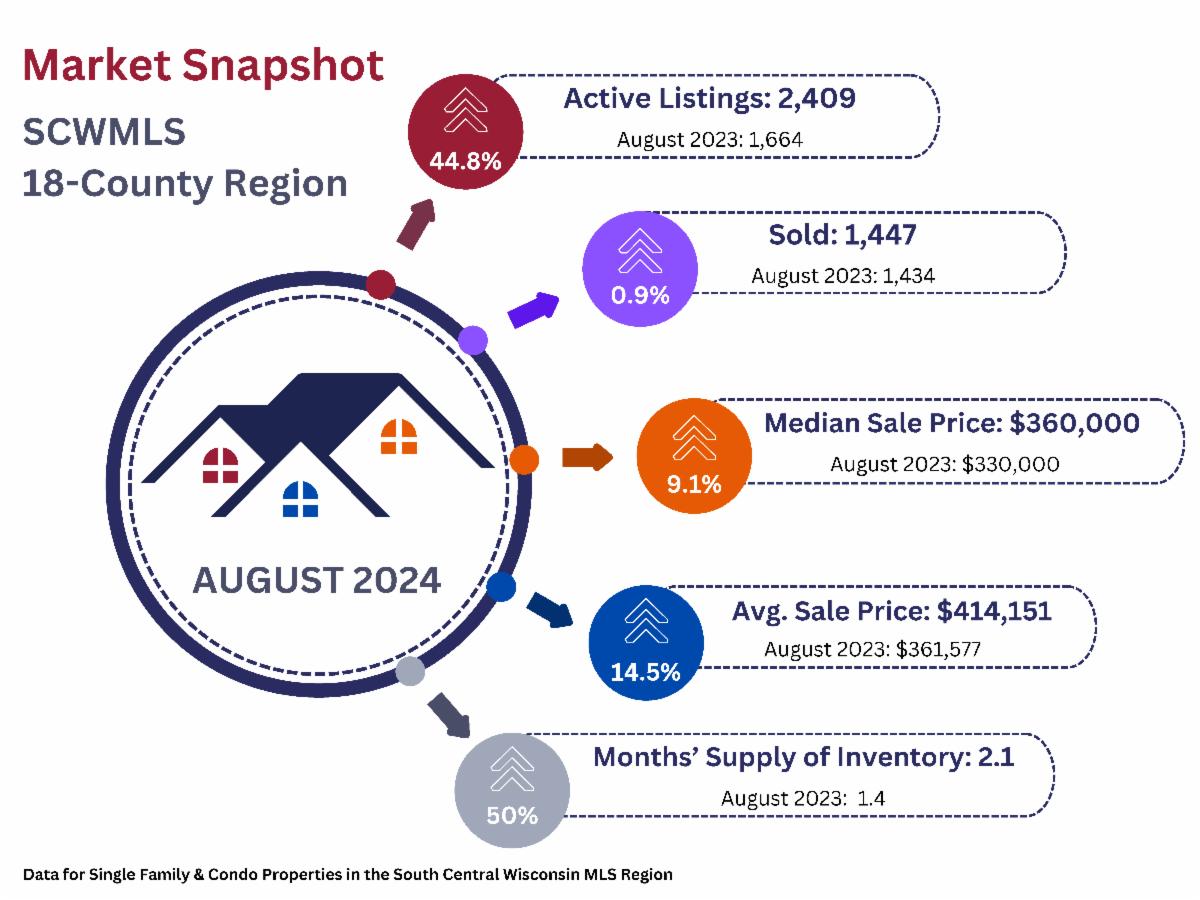
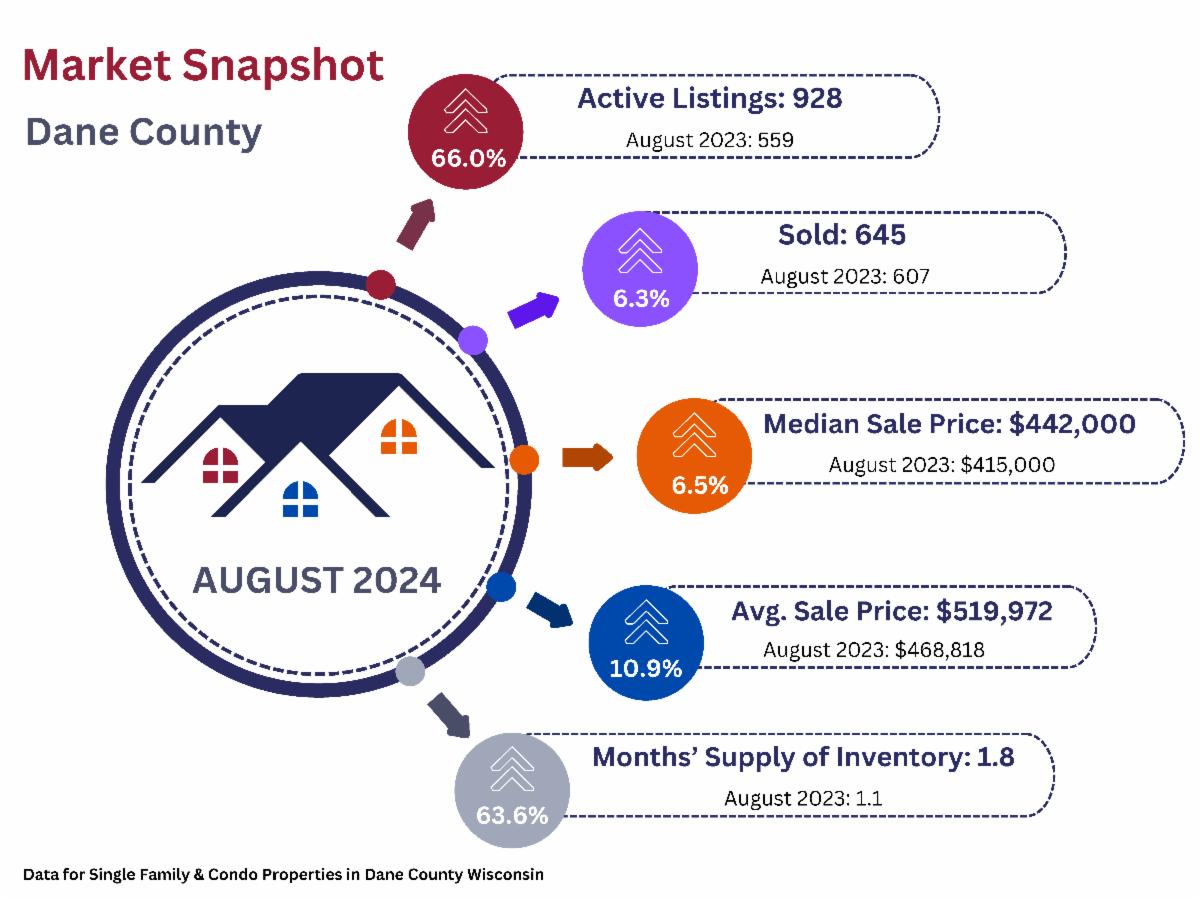
Active Listings & Months' Supply Surge Over 2023 | |
UPCOMING TRAINING OPPORTUNITIES | |
|
Paragon Basics
Virtual Learning
| |
Join us online for this free, introductory session on the most common and helpful features in Paragon.
Next Session:
Date: October 11, 2024
Time: 9:30 a.m. - 11:30 a.m.
Location: Webinar
| |  |
|
Paragon Basics
In Person
| |
Bring your laptop or tablet for this introductory session on the most common and helpful features in Paragon.
Next Session:
Date: October 25, 2024
Time: 9:00 a.m. - 12:30 p.m.
Location: SCWMLS Office
| | |
|
Map Search Virtual Learning
Learn to use Paragon's Map Search functions to hone in on specific geographies and opportunities quickly.
Next Session:
Date: October 18, 2024
Time: 10:00 a.m. - 10:30 a.m.
Location: Webinar
| |
|
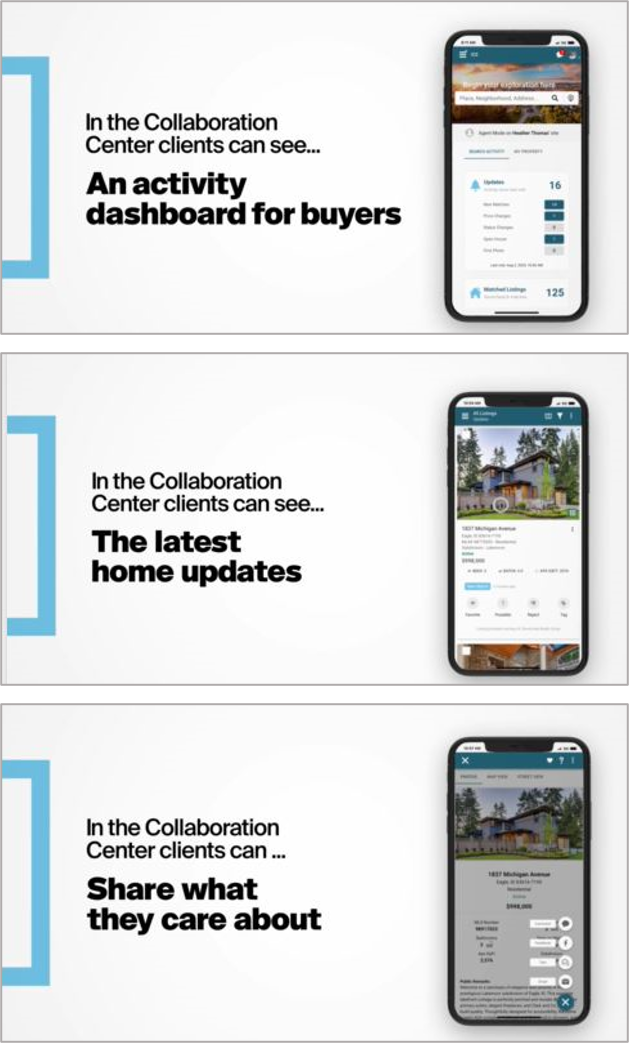
Collab Center
Virtual Learning
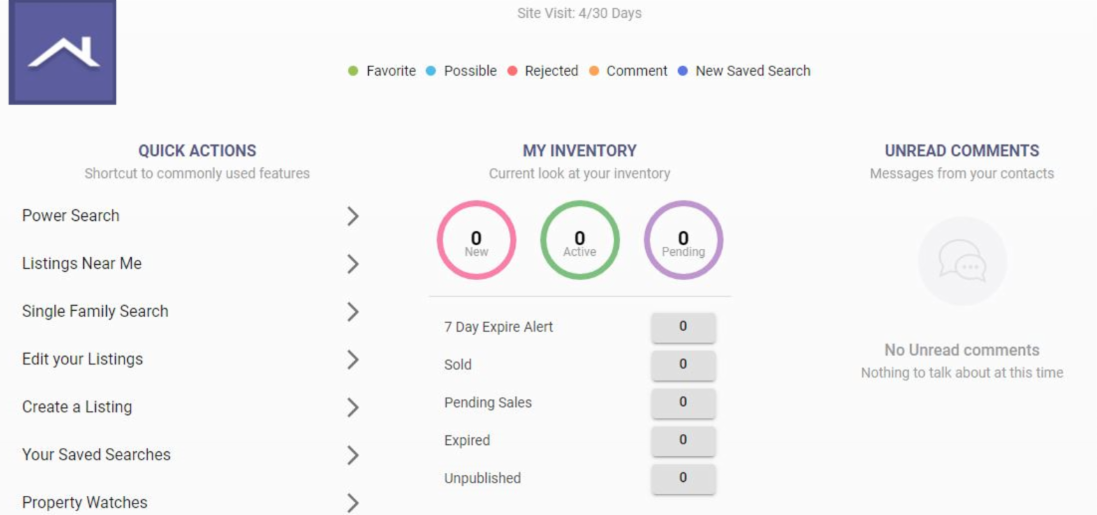
The Collab Center can help with property notifications and provide buyer preference insights. Learn to build sites for your buyers.
Next Session:
Date: October 4, 2024
Time: 10:30 a.m. - 11:00 a.m.
Location: Webinar
| |
|
Paragon Connect
Virtual Learning
Join Dave for a 30-minute class via Zoom where you will learn how to use the mobile version of Paragon, Paragon Connect, on your smartphone.
Next Session:
Date: October 30, 2024
Time: 10:30 a.m. - 11:00 a.m.
Location: Webinar
| | | | |