The Pensioner: Looking Forward
|
|
Welcome to the digital MPERS newsletter! The Pensioner: Looking Forward contains news, updates, and important information for active employees of the Missouri Department of Transportation, the Missouri State Highway Patrol, and MPERS.
|
|
The month of April is a busy time for MPERS' Board elections. On April 5th, nominees will be notified and will need to have their biographies to MPERS by April 15th.
Between April 16th and April 28th, members will receive a special message via Constant Contact (the same platform the monthly newsletter is distributed). This message will contain candidate information for each voting group. Candidate information will also be placed on the Board Election Information page of MPERS' website.
On April 29th, voting will begin. Please remember, voting is electronic and therefore, you must have a myMPERS account to vote. |
|
On April 29th, voting will begin. Please remember, the ONLY way to access a ballot is through your myMPERS account. Just because you receive newsletters in your email does not mean you have a myMPERS account. If you do not have a myMPERS account, you cannot vote.
|
|
MPERS is governed by a Board of Trustees comprised of 11 members. Four members are elected by active employees and retirees of MoDOT and the Highway Patrol. The four elected members are:
- One active employee of the Highway Patrol
- One retired member of the Highway Patrol
- One active employee of MoDOT
- One retired member of MoDOT
The election cycle began on Monday, February 28th with the announcement of the start of the nomination period. The remaining election schedule is as follows:
|
|
April 5, 2022
MPERS will notify nominees.
|
|
April 15, 2022
Completed Trustee Candidate Information and Biography Form must be received at MPERS by 4:00 p.m.
|
|
April 29, 2022
Voting begins - electronic ballots are available online via myMPERS and voting is open to eligible members of each voting group if there are at least two candidates up for election in the voting group. |
|
May 26, 2022
Voting ends - electronic ballots must be submitted by 4:00 p.m.
|
|
June 1-8, 2022
Validation of electronic ballots. The executive director will make a preliminary announcement of election results and notify the successful candidates.
|
|
June 16, 2022
Board meeting - Executive director will certify to the Board the results of the election and introduce the successful candidates.
|
|
If you have questions regarding the MPERS' Board Election process or need assistance with your myMPERS account, please make sure you reach out to us by email to mpers@mpers.org or by calling 800-270-1271. |
|
Pre-Retirement Webinar Registration is a Two-Step Process |
|
On March 23rd the second Pre-Retirement Webinar for Closed Plan and Year 2000 Plan members was held. There were 77 attendees, which is fantastic, however, there was a bit of difficulty with the registration process.
GoTo Webinar registration numbers reflected 16 registrants. When we compared GoTo Webinar registration numbers with myMPERS registration numbers, the difference was substantial; there were over 93 members that were registered in myMPERS. This indicates 77 members did not complete step two of the registration process.
Why is this a concern? If step two is not completed, you will not be able to access the webinar.
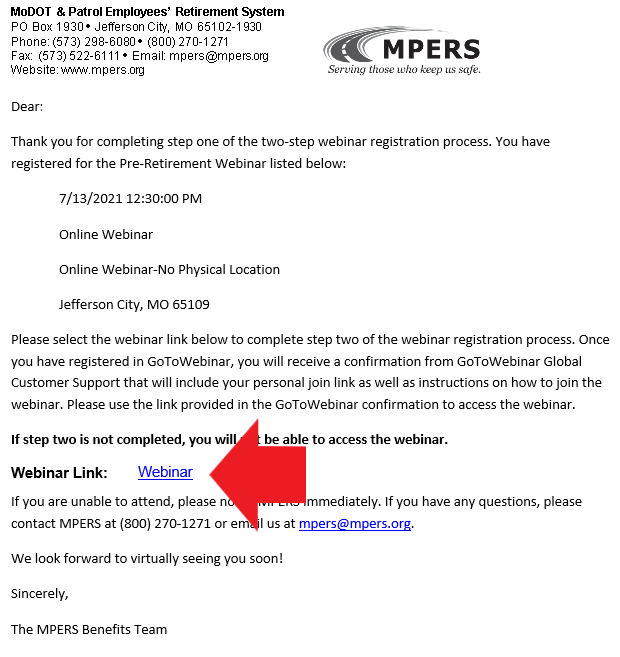
Once step one has been completed by registering for the webinar in your myMPERS account, an email confirmation will be sent to the email address MPERS has on file. In the email confirmation, there is a webinar registration link. You must select this link and register with GoTo Webinar.
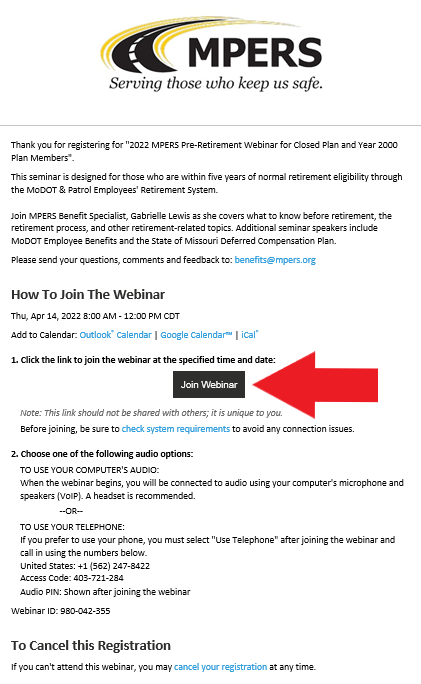
Once step two has been completed by registering in GoTo Webinar, you will receive an email from GoTo Webinar Global Customer Support that contains instructions for the webinar, but most importantly, it contains your personal join link for the webinar. This is the link you will use to join on the day of the webinar.
If you are currently eligible or within five years of retirement eligibility and would like to register for a Pre-Retirement webinar, please remember the two-step process below:
|
|
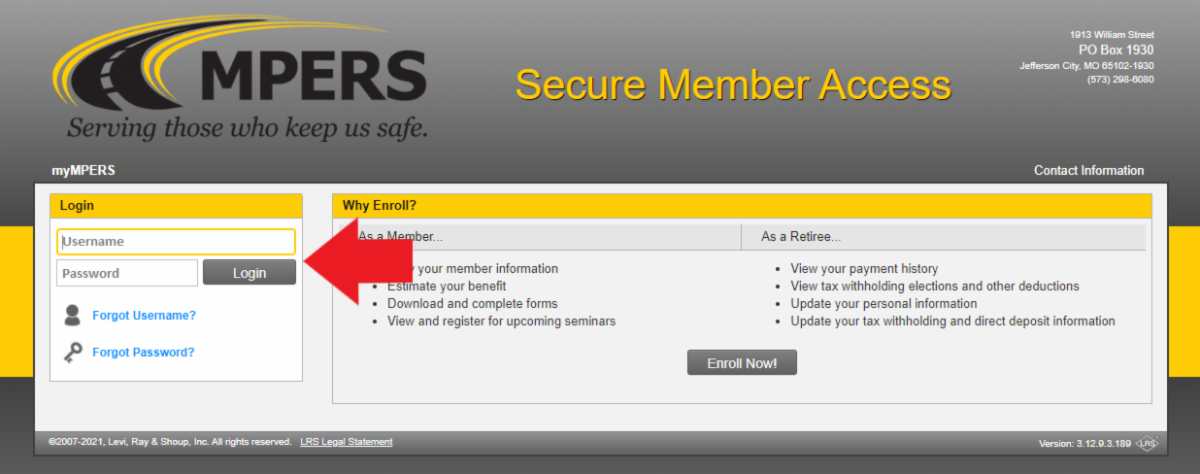
1.Register for the webinar via myMPERS.
This allows our pension system to generate personalized benefit estimates for you.
|
|
Login to myMPERS, Register for Webinar
|
|
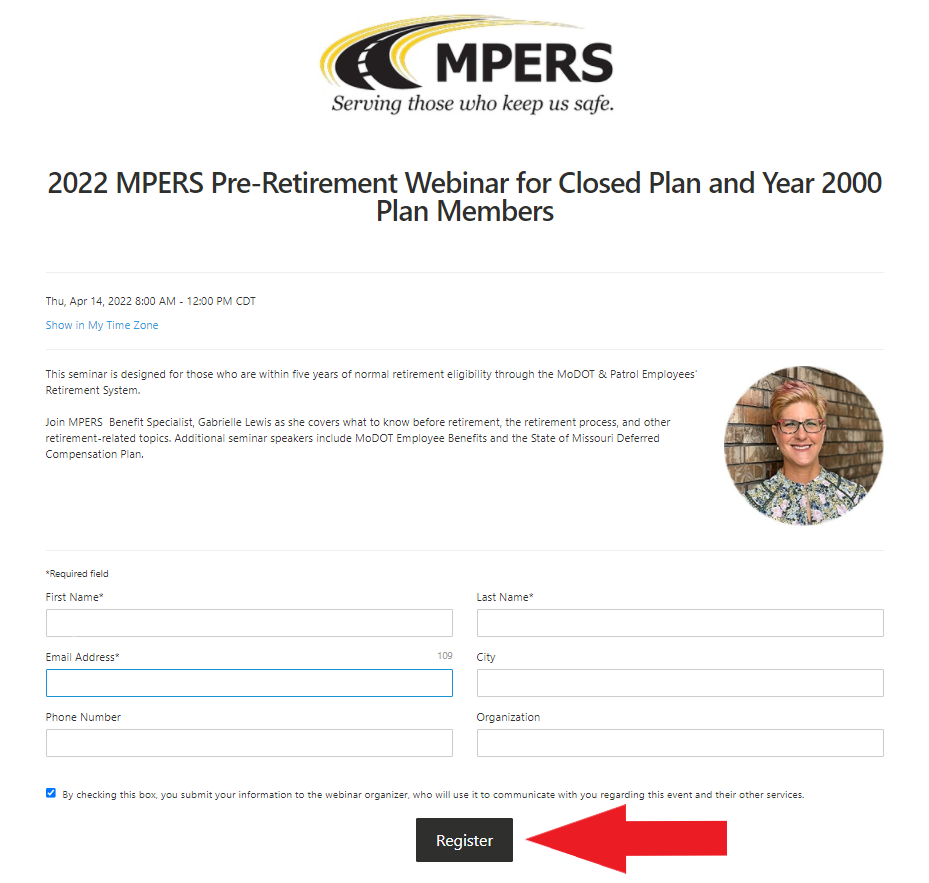
2.Register via the GoTo Webinar link located in your confirmation email.
This provides you with your personal join link for the webinar. If you don't complete this step, you won't be able to access the webinar. You will also be sent reminder emails from GoTo Webinar Global Customer Support one week, one day, and one hour prior to the webinar. These reminders will contain your personal join link as well.
|
|
myMPERS Registration Confirmation Email
|
|
GoTo Webinar Registration Page |
|
GoTo Webinar Confirmation Email with Join Link |
|
We want this process to be as easy as possible for our members. If you have any questions regarding the registration process or if you want to double check that you are registered in both myMPERS and GoTo Webinar, please call MPERS at 800-270-1271. |
|
myMPERS Secure Member Access
Multi-Factor Authentication
|
|
The safety and security of member and stakeholder personal information is something we take seriously at MPERS. In the coming months we will be implementing an additional security measure called multi-factor authentication (MFA) to the myMPERS login process. This is in response to the ever-changing internet security environment.
In the coming months, upon logging in to your myMPERS account, you will be prompted to choose your preference(s) for MFA.
Please remember, it has not taken effect just yet, so proceed as normal. Once it has been fully implemented, we will be available to assist with the transition and any questions you may have.
|
|
2022 Annual Benefit Statements are Available! |
|
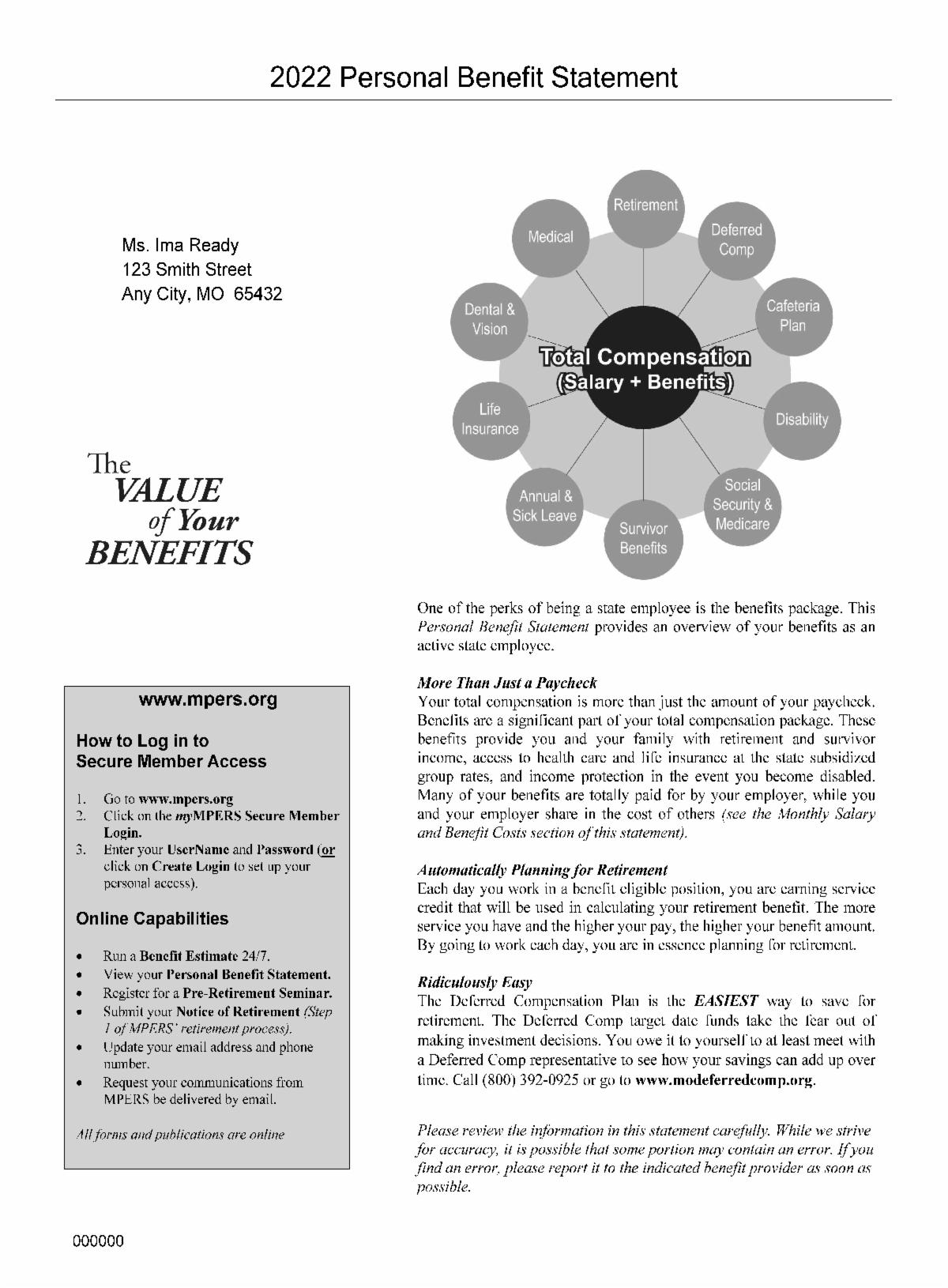
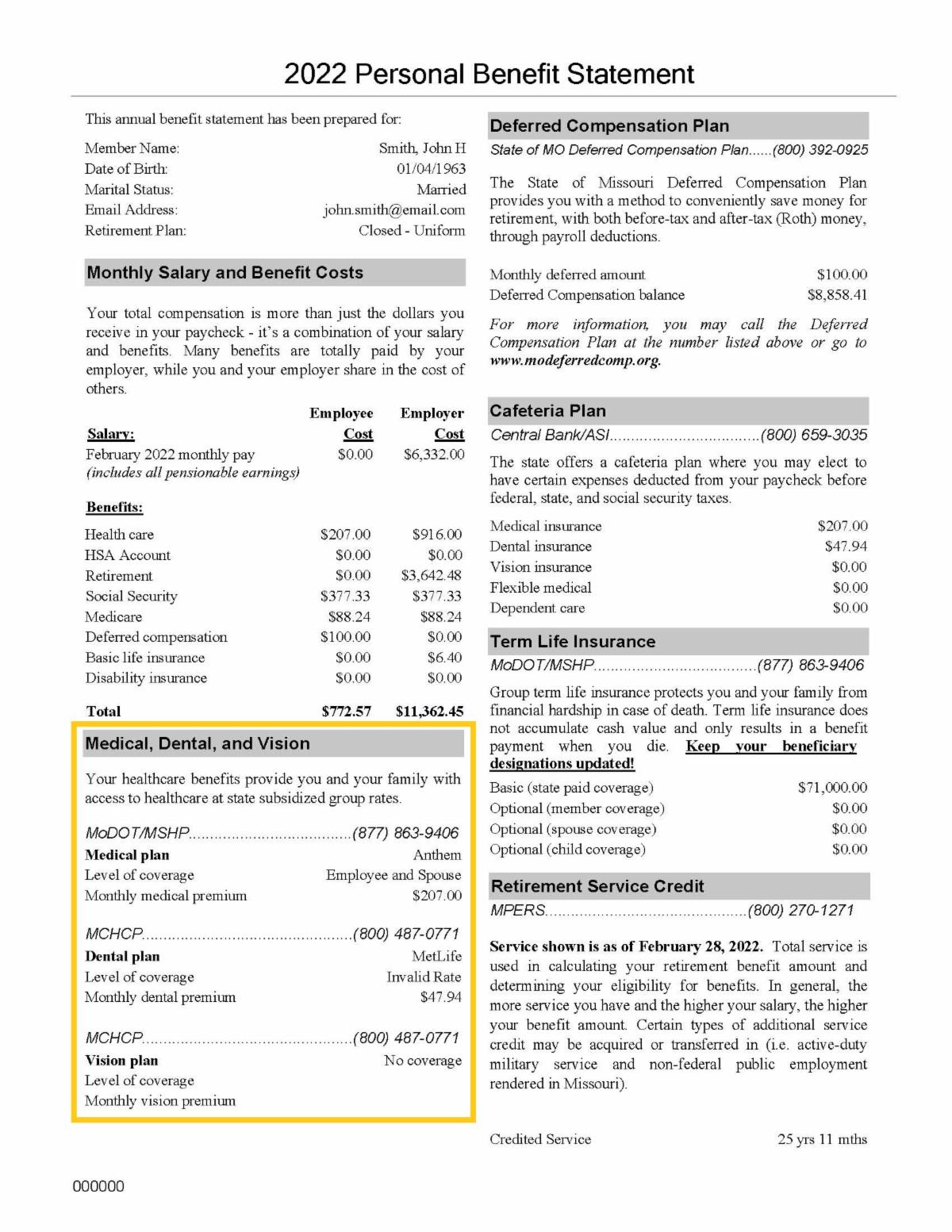
Active employee Annual Benefit Statements are now available in your myMPERS correspondence.
Reviewing your Annual Benefit Statement is a great way to keep tabs on your medical, dental, and vision benefit deductions, future retirement benefit, and life insurance deductions and coverage amounts.
|
|
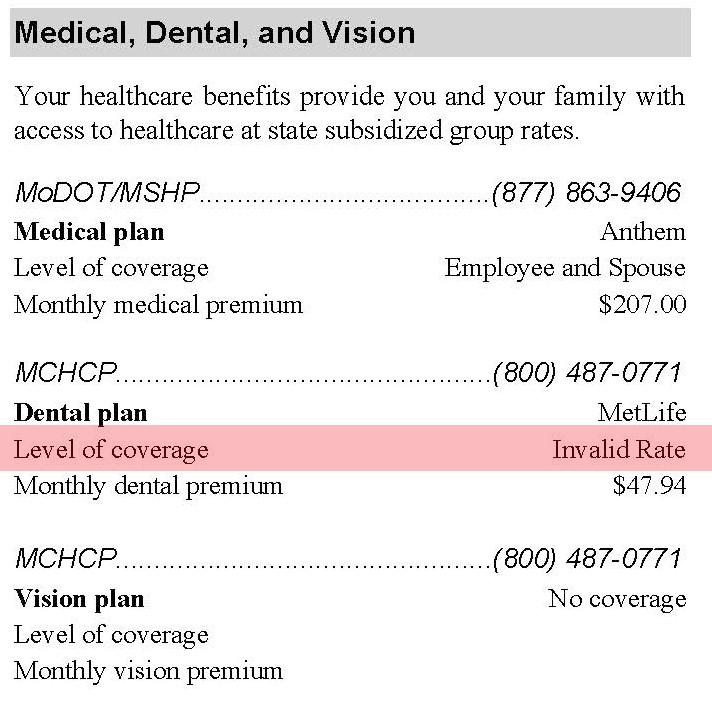
Members who have dental coverage through MCHCP may notice an error in the Medical, Dental, and Vision section on page two of the Benefit Statement, indicated by the yellow box below. |
|
Under level of coverage, the Benefit Statement reads "invalid rate." This is due to a technological glitch upon import of the data file. If you would like to verify the monthly premium listed matches your level of coverage, you can always contact MCHCP at 1-800-487-0771 or by comparing the level of coverage on your Benefit Statement with the following premium amounts: |
|
|
|
Active Employee Dental Coverage Monthly Premiums
Subscriber Only - $24.08
Subscriber and Spouse - $47.94
Subscriber and Child(ren) - $49.76
Subscriber and Family - $83.40
|
|
- 14 - Pre-Retirement webinar for Closed Plan and Year 2000 Plan members Register Here
- 21 - Mid-Career Checkup for 2011 Tier members Register Here
- 29 - Board of Trustees voting begins via myMPERS
-
30 - Deadline to submit step 1 - Notice of Retirement for June 1 retirement
|
|
We value your feedback!
What would you like to see in The Pensioner: Looking Forward?
|
|
|
|
|
|
|