ā€Š

One Cool Tip Newsletter

March 26, 2026

Your daily dose of tech-savvy brilliance!

šŸ˜€Greetings! Happy Thursday, Cool Tipper!


Get ready to streamline your digital life with simple, actionable tips delivered straight to your inbox.


Cool Tip Theme: iOS 26.4


New here? Subscribe to the One Cool Tip Newsletter for daily updates. It's FREE!

3ļøāƒ£

If you enjoy the One Cool Tip newsletter, please forward this newsletter to THREE friends or colleagues or share it on social media using the links below.


Leave a Tip!


Share this One Cool Tip Newsletter!

X Share This Email
LinkedIn Share This Email
Pinterest Share This Email

🚨Apple Launches ā€œApple Businessā€ Platform for Companies of All Sizes🚨


Apple has introduced Apple Business, a new all-in-one platform designed to help companies manage devices, apps, and workflows across teams.


Available now in beta, Apple Business combines device setup, app deployment, identity management, and support tools into a single dashboard.


The platform supports both Apple-owned and third-party apps, integrates with popular identity providers like Google Workspace and Microsoft Entra ID, and includes built-in support for AppleCare and business financing.


Apple says the goal is to simplify IT for small businesses while scaling to meet enterprise needs.


Learn More: Apple Newsroom: Apple Business


And in Other News...


Apple Maps Will Start Showing Ads This Summer in the U.S. and Canada


Apple has confirmed that Apple Maps will begin displaying ads starting this summer in the United States and Canada.


Ads will appear at the top of search results and in a new Suggested Places section, similar to how sponsored results work in the App Store.


Businesses will be able to promote their locations by claiming their listing, uploading photos, and running campaigns through the new Apple Business platform.


Apple says ads will be relevance‑based, clearly labeled, and designed to respect user privacy. Personal data stays on-device, and ad interactions are not tied to your Apple ID or shared with third parties.


Apple also confirmed that only one ad will appear in Maps search results at a time, and advertisers will use an auction-based pricing system, paying only when users interact with the ad.


Why it matters:


Apple Maps has been ad‑free for years, so this marks a major shift in Apple’s services strategy. For businesses, it opens a new local discovery channel.


For users, it introduces a light layer of sponsored content in an app many rely on daily.

Cool Deals of the Day

Help support One Cool Tip. Use this Amazon link when you shop online.


Check out these Cool Deals:


⌚ Apple Watch Series 11: Latest generation Apple Watch with enhanced health tracking, improved battery efficiency, and tighter integration with iOS 26 features like notifications and Focus modes. $299. Check it out on Amazon!


šŸŽ§ Apple AirPods Pro (3rd Generation): Upgraded noise cancellation, clearer audio, and seamless switching between audio and video content make these ideal for enjoying video podcasts and Apple Music enhancements. $199. Check it out on Amazon!


šŸ“ Apple AirTag (1st Generation): Track keys, luggage, and everyday items with precision using Apple’s Find My network. A perfect companion for iOS users who want smarter location awareness. $59.99 Check it out on Amazon!


*Prices accurate when originally published.

One Cool Tip may earn a commission from qualifying purchases.

Fuel Your Adventure

Try Big Mike's Jerky!


bigmikesjerky.com


Now on TikTok!


Today's Cool Tip

Apple Releases iOS 26.4: New Emojis, Video Podcasts, and Smarter iPhone Features You’ll Actually Use


Apple’s latest update is not just about polish. iOS 26.4 adds visible, practical features including new emojis, video podcasts, and smarter system behavior. iOS 26.4 delivers a mix of fun additions and meaningful upgrades that improve how your iPhone works day to day. From fresh emojis to Apple Music and Podcasts enhancements, this update brings both personality and productivity.


Most iPhone updates promise improvements you barely notice.


iOS 26.4 takes a different approach. It introduces features you will actually see, use, and appreciate. Some are small, like new emojis. 


Others, like video podcasts and smarter notifications, quietly improve your daily workflow.


Feature Explanation


Here are the key new and improved features in iOS 26.4:


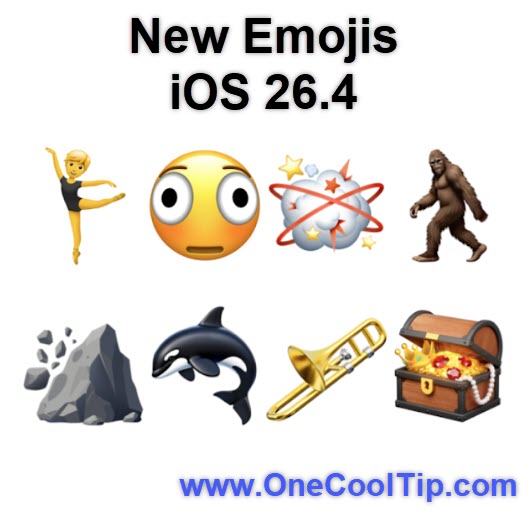
New Emojis


Apple adds a fresh set of emojis, expanding how users express reactions and conversations.


  • Ballet Dancers
  • Distorted Face
  • Fight Cloud
  • Hairy Creature 
  • Landslide
  • Orca
  • Trombone
  • Treasure Chest


Why it matters:


  • More expressive communication in Messages, social apps, and email.
  • Keeps Apple aligned with evolving Unicode standards.


Video Podcasts in Apple Podcasts


The Apple Podcasts app now supports video playback for select shows.


Why it matters:


  • Watch podcast content directly in the app.
  • Blends YouTube-style viewing with traditional podcast listening.
  • Ideal for interviews, tutorials, and visual storytelling.


Apple Music Enhancements


Updates to Apple Music include interface refinements and improved discovery.


What’s new:


  • Better playlist recommendations.
  • Smoother navigation between albums and tracks.
  • Enhanced integration with listening history.


Smarter Notifications


Notifications are more intelligently grouped and prioritized.


Why it matters:


  • Important alerts surface first.
  • Less noise from low-priority apps.
  • Improved Focus mode behavior.


Battery Insights Improvements


Battery settings now provide clearer breakdowns of usage patterns.


Why it matters:


  • Easier to identify power-hungry apps.
  • More actionable insights instead of raw data.


Performance and Stability Updates


As expected with a mid-cycle release, Apple includes under-the-hood improvements.


What you’ll notice:


  • Faster app switching.
  • Reduced lag in animations.
  • Improved reliability across core apps.


What You’ll Gain


  • More engaging messaging with new emojis.
  • Ability to watch podcasts without switching apps.
  • Better music discovery and playback experience.
  • Cleaner, more useful notifications.
  • Improved battery awareness.


Step-by-Step Instructions


Here's how to do it.


iPhone (iOS)


  1. Open Settings.
  2. Tap General.
  3. Select Software Update.
  4. Tap Download and Install.


Try Video Podcasts


  1. Open Apple Podcasts.
  2. Search for a podcast that offers video.
  3. Tap an episode and press play.


Explore New Emojis


  1. Open Messages.
  2. Tap the emoji keyboard.
  3. Scroll to see the latest additions.


fig. 1 - New Emojis iOS 26.4

Pros and Cons


Pros:


  • New emojis add immediate visible value.
  • Video podcasts expand content options.
  • Apple Music improvements enhance discovery.
  • Smarter notifications reduce distractions.


Cons:


  • Video podcasts depend on creator support.
  • Some Apple Music changes are subtle.
  • No single standout ā€œheadlineā€ feature.


Feature Access


  • Available on iPhones compatible with iOS 26.
  • Released March 2026.
  • Some features may be currently rolling out depending on region and content availability.


Score

Criterion | Score (0–10) | Justification
Value | 9
Combines visible features like emojis with meaningful usability improvements.
Usability | 9
Features are intuitive and require little setup.
Wow Factor | 8
Video podcasts and emojis provide immediate user-facing impact.
Total: 26/30 |  šŸŒŸ Excellent
A well-balanced update that blends fun features with practical upgrades, making it more engaging than typical mid-cycle releases.


Key Takeaways


iOS 26.4 is more than a maintenance update. 


It adds features you will notice right away, especially in messaging, media, and notifications. 


The combination of visible changes and behind-the-scenes improvements makes this a strong upgrade.


Cool Tip Snapshot


  • Feature Name: iOS 26.4.
  • Platform(s): iPhone.
  • Quick Benefit: New emojis, video podcasts, and smarter system behavior.
  • Access Type: Free.


Try It Yourself


Update your iPhone, open Apple Podcasts to try video playback, explore the new emojis, and see how your notifications feel different. 


Share your favorite new feature and pass this tip along to others.


READ MORE


Read the Cool Tip on OneCoolTip.com.

Check out these Cool Tips & Tricks.


  • Emoji Search: Quickly find new emojis by keyword. Tap emoji keyboard and use the search bar.


  • Video Mode: Watch podcasts instead of just listening. Open Apple Podcasts and select a video-supported episode.


  • Smart Alerts: Reduce notification clutter. Go to Settings > Notifications and customize priorities.


  • Battery Scan: Identify draining apps fast. Open Settings > Battery and review usage charts.


  • Music Discovery: Find better playlists. Open Apple Music and explore the ā€œFor Youā€ section.


  • Focus Boost: Minimize distractions. Enable Focus mode in Settings > Focus.


  • Auto Updates: Stay current automatically. Turn on automatic updates in Software Update settings.


  • Podcast Downloads: Save episodes for offline viewing. Tap download in Apple Podcasts.


  • App Refresh: Limit background activity. Adjust in Settings > General > Background App Refresh.


  • Quick Restart: Improve performance instantly. Restart your iPhone weekly.

ICYMI - In Case You Missed It ...

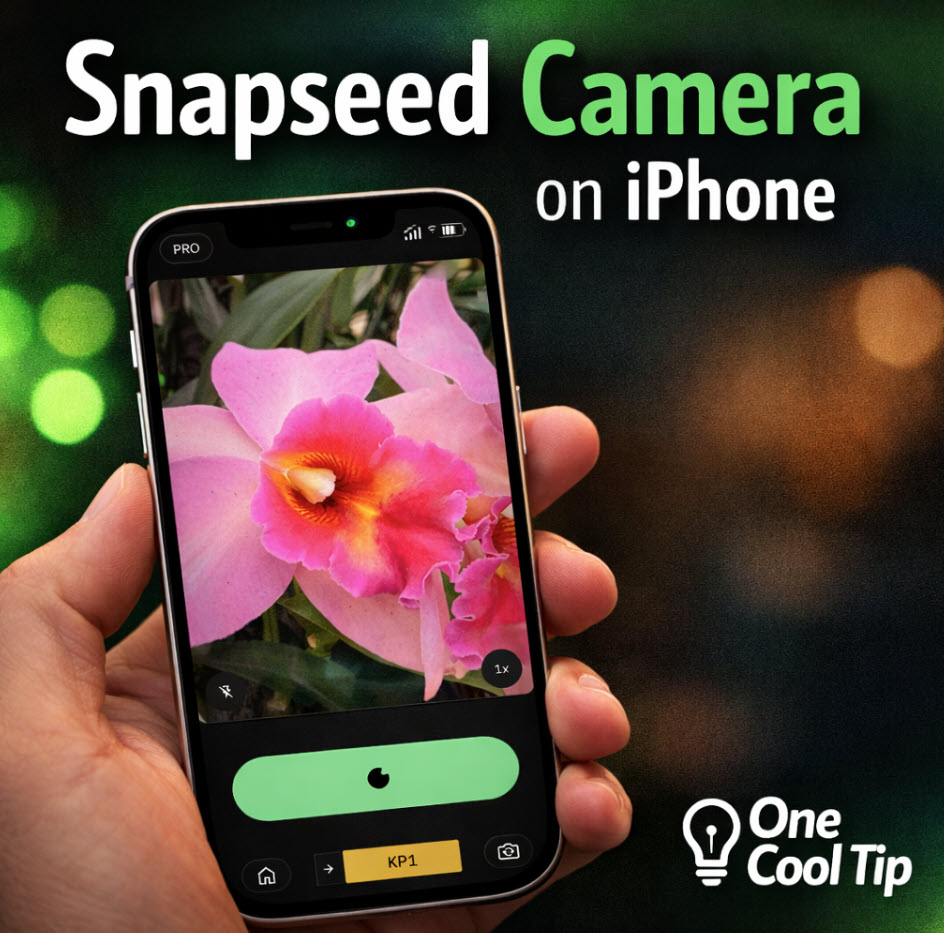
Snapseed Camera Comes to iPhone


Shoot, edit, and share with Google’s iconic photo tool, now built right into your camera workflow. Snapseed is stepping back into the spotlight, this time with a new camera experience on iPhone. If you love shooting and editing on your iPhone, this update could reshape how you capture photos from the start.


Read the Full Cool Tip.


Read the Newsletter Version.

Looking for your next adventure?


Call Denise at Travel For You.

314.660.3039


Sign Up for the Monthly Newsletter


http://www.travelforyouvacations.com/


https://www.facebook.com/TRAVEL.FOR.U/


See You Tomorrow

Tomorrow's Cool Tip is waiting to amaze you.


Until then, go forth and conquer the tech world with your newfound knowledge!


Be sure to visit www.OneCoolTip.com for Cool Tech Tips for a Cooler Life!


And if you Like One Cool Tip, please support with TipJar!


Enjoy!


Rodger

Chief Cool Tipper

onecooltip.com@gmail.com


What Do You Think?

What do you think of today's OneCoolTip newsletter?
Positive        Neutral        Negative
X Share This Email
LinkedIn Share This Email

Connect with One Cool Tip!!

Facebook  X  Instagram  Web  Pinterest  YouTube  LinkedIn
ā€Š

As an Amazon Associate, One Cool Tip may earn a small commission from qualifying purchases.


Our media content is intended solely for informational purposes only. Please do not construe anything here as legal, tax, investment, financial, marital or other advice.


Copyright Ā© 2026 | www.OneCoolTip.com | All Rights Reserved


ā€Š