|
One Cool Tip Newsletter
December 12, 2025
| Your daily dose of tech-savvy brilliance! | |
😀Greetings!, Happy Friday Funday, Cool Tipper!
Get ready to streamline your digital life with simple, actionable tips delivered straight to your inbox.
Today's Cool Tip Theme: Drive with SpongeBob
IN THIS ISSUE
- 🚨 Casting Call Text Scam Alert.
- 🛡️ Chrome Security Update.
- 🤖 Mapping AI Prompts.
- 🍍 Drive with SpongeBob.
- 📄 Waze Quick Tips.
- 👀 Find Low Gas Prices.
- 💻 Waze on the Web.
- 📍 Share Your Location.
New here? Subscribe to the One Cool Tip Newsletter for daily updates. It's FREE!
-
😂 Laugh with Us! Enjoy our Tech Joke of the Day, Haiku and Cool Tip Comics.
-
🌐 Stay Informed! Check out ICYMI, and our One Cool Tip Video.
| | |
3️⃣
If you enjoy the One Cool Tip newsletter, please forward this newsletter to THREE friends or colleagues or share it on social media using the links below.
Leave a Tip!
Share this One Cool Tip Newsletter!
| | |
Today's Tech Trivia
Answer at the end of this newsletter.
| |
| Which company originally created Waze before Google acquired it in 2013? | | | | |
🚨Virtual Casting Call Scams🚨
Scammers are sending fake texts about “auditions” for popular shows and movies.
If you’re asked to pay upfront or share bank details, it’s a scam.
The FTC warns that fraudsters are targeting people with unexpected text messages claiming to be talent scouts for big-name productions like The Devil Wears Prada 2 or Ted Lasso.
These messages invite you to a “virtual casting call,” but instead of a real audition, you’ll face a high-pressure pitch for bogus photo shoots or fake acting classes.
The catch?
You must pay or hand over financial information before participating, a clear red flag.
How to Protect Yourself
-
Don’t respond to random texts: Ignore and delete unexpected casting call messages.
-
Do your research: Search the casting director’s name with words like “scam” or “complaint.”
-
Never pay to get paid: Legitimate agencies don’t charge upfront fees for auditions.
-
Report suspicious texts: Forward to 7726 (SPAM) or use your phone’s “report junk” option.
-
Tell the FTC: If you spot a scam, file a report at ReportFraud.ftc.gov.
These scams prey on dreams of stardom and exploit people’s trust.
By recognizing the warning signs, you can protect yourself and help others avoid losing money or personal data.
And in Other News...
Google has released an emergency patch for a mysterious vulnerability in Chrome that attackers are already exploiting.
Do:
- Update Chrome to version 143.0.7499.109/.110 (Windows/Mac) or 143.0.7499.109 (Linux).
- Restart Chrome after updating to apply the fix.
- Share this alert with colleagues and family.
Don’t:
- Ignore update prompts. Attackers are actively targeting this flaw.
- Delay patching; the longer you wait, the greater the risk.
- Assume auto‑update has already protected you; check manually.
How to update:
- Open Chrome.
- Click the three‑dot menu > Settings.
- Select About Chrome.
- Allow the update to install, then Relaunch.
| | |
🚀 Make It a Great Week!
Copy/Paste this AI-powered prompt. Try it in the One Cool Tip AI Companion (free ChatGPT account required) or Copilot, Gemini or ChatGPT:
“Help me plan my Christmas shopping drives using Waze for routing.
Ask me for the list of stores I want to shop at, my starting location, and the time window I prefer to drive.
Create the most efficient route based on current or typical traffic patterns, avoiding peak congestion and crowded shopping zones.
Include suggested travel times, parking tips, estimated time at each stop, budget reminders, and a simple schedule I can follow.”
| | | |
Try this Cool Gemini prompt:
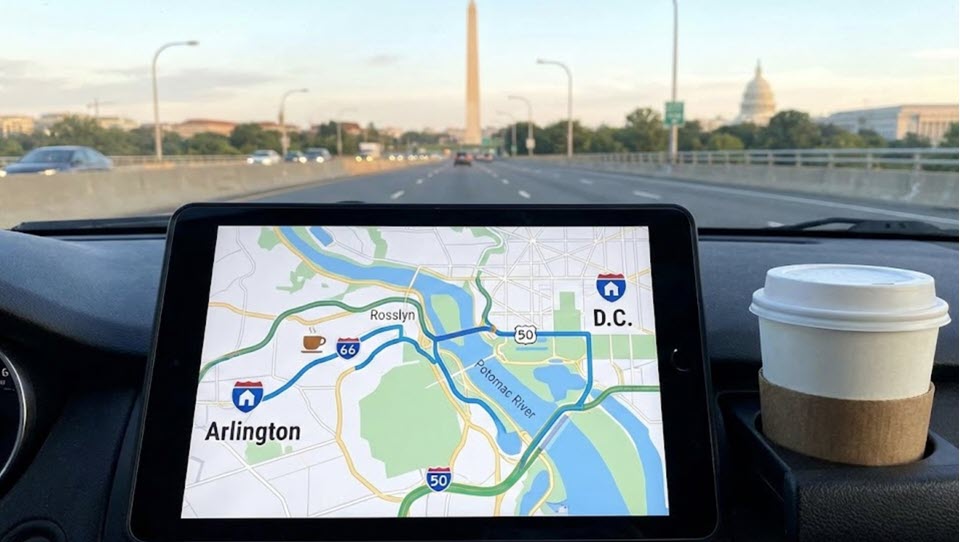
"Act as a travel logistics expert. I commute daily from [Insert Home City/Neighborhood] to [Insert Work City/Neighborhood].
Please analyze this route and provide a Commute Audit:
-
Route Analysis: Compare the primary highway route vs. the best 'back road' alternative. What are the pros and cons of each?
-
Timing Strategy: If I need to arrive by [Insert Time, e.g., 9:00 AM], what is the optimal 15-minute window to leave to minimize traffic stress?
-
Pit Stops: List 3 highly-rated coffee shops or gas stations directly along the route that have easy access (so I don't have to turn left across traffic).
-
Productivity: Based on the average drive time, recommend a specific podcast genre or audiobook length that fits perfectly into one way."
(For fun, I had Gemini also create an image)
| | |
How to Turn Your Commute into a Trip to Bikini Bottom
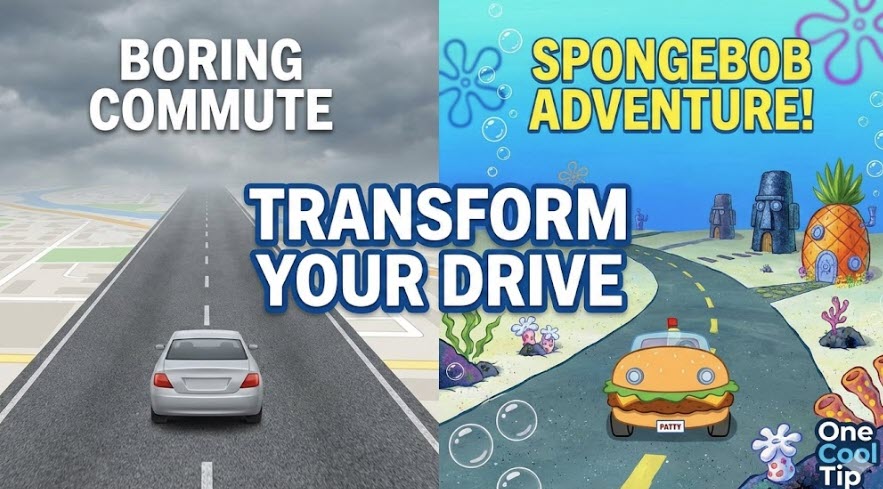
Turn your daily drive into an adventure with SpongeBob guiding the way. Waze’s newest voice option brings nautical fun to your commute.
Traffic jams are inevitable, but boredom does not have to be.
Here's a Cool Tip: Commute with SpongeBob.
Waze has partnered with Nickelodeon to bring the nautical nonsense of SpongeBob SquarePants directly to your dashboard just in time for his latest cinematic adventure.
Are You Ready, Kids?
Driving apps are usually utilitarian tools designed to shave minutes off your commute, but Waze distinguishes itself by making the drive entertaining.
The latest limited-time "Drive with SpongeBob" experience transforms your navigation into a journey through Bikini Bottom.
This feature is not just a voice skin.
It is a complete thematic overhaul that includes SpongeBob’s enthusiastic turn-by-turn directions, a custom "Patty Blaster" vehicle icon, and a whimsical Mood for your profile.
Whether you are a parent trying to keep kids entertained on the school run or a nostalgic millennial reliving the golden age of cartoons, this integration adds a layer of joy to the daily grind.
What You’ll Gain
-
Entertainment: Replace robotic commands with SpongeBob’s iconic laugh and optimism.
-
Visual Fun: Swap your boring arrow for the legendary Patty Blaster.
-
Nostalgia: A fully immersive experience for fans of the franchise.
Step-by-Step Instructions
You can activate the full experience in one tap or configure individual settings manually.
Method 1: The Quick Activation (Banner)
-
Open the Waze app on your iPhone or Android device.
-
Look for the "Drive with SpongeBob" banner in the main menu.
-
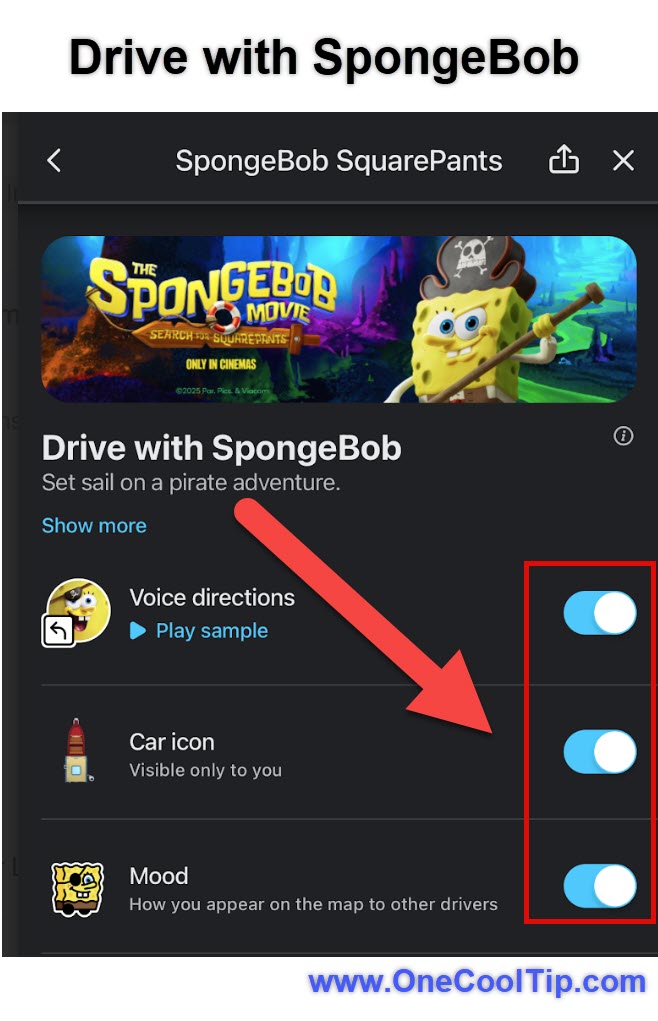
Tap Activate. This will instantly change your Voice, Car Icon, and Mood to the SpongeBob theme.
| | fig. 1 - Drive with SpongeBob | |
Method 2: Manual Configuration (Mix and Match)
If you want the voice but not the car (or vice versa), use these steps:
To Change the Voice:
- Open the Waze app on your iPhone or Android device.
- Tap the three line menu followed by the Settings (gear) icon.
- Select Voice & sound.
- Tap Waze voice.
- Scroll down to the Promotional or English (US) section.
- Select SpongeBob SquarePants.
To Change the Car Icon:
- Go back to Settings.
- Tap Map display.
- Select Car icon.
- Choose Patty Blaster.
To Change Your Mood:
- Tap the three line menu.
- Tap your User Name/Profile at the top.
- Select Mood.
- Choose the SpongeBob ("Brave") mood.
Pros and Cons
Pros
-
High Engagement: Keeps passengers and children amused during long drives.
-
Clarity: Despite the character voice, the directional instructions remain clear and accurate.
-
Free: This is a promotional tie-in, so it requires no subscription.
Cons
-
Repetition: SpongeBob's high-pitched enthusiasm can become grating during serious traffic or stressful driving moments.
-
Limited Time: Like most Waze partnerships, this will likely expire after the movie's promotional window closes (expected January 2026).
-
Visual Clutter: The custom moods can sometimes make the map feel busier than the standard view.
Feature Access
-
Availability: Currently available on Waze for iOS and Android.
-
Region: Rolling out globally, though voice commands are primarily in English, Spanish, French, and Portuguese.
-
Cost: Free for all users.
-
Timeline: Launched early December 2025; expected to run through January 2026 to support The SpongeBob Movie: Search for SquarePants.
Score
Criterion | Score (0–10) | Justification
Value 7
It is a free, fun addition, though purely cosmetic with no navigation performance boost.
Usability 9
Extremely easy to activate via the banner; instructions are clear despite the character voice.
Wow Factor 10
The "Patty Blaster" icon and authentic voice acting provide an instant delight for fans.
Total: 26/30 🌟 Excellent
A must-try for families and fans. It adds a layer of whimsy to the driving experience that Google Maps simply cannot match.
Key Takeaways
-
Immersive Theme: You get a Voice, Car Icon, and Mood, not just audio.
-
Easy Toggle: You can switch back to a professional voice instantly if the novelty wears off.
-
Limited Time: Enjoy it while it lasts, as licensing deals usually remove these voices after a few months.
Cool Tip Snapshot
-
Feature Name: Drive with SpongeBob
-
Platform(s): iOS, Android
-
Quick Benefit: Makes driving fun with character voices and custom vehicle icons.
-
Access Type: Free (Limited Time Promotion)
Try It Yourself
Open Waze today and tap the "Drive with SpongeBob" banner to transform your car into the Patty Blaster for your drive home tonight.
Be sure to leave a comment below on your favorite Waze voice and share this nautical tip with your friends!
READ MORE
Read the Full Cool Tip.
| | |
Help support One Cool Tip. Use this Amazon link when you shop online.
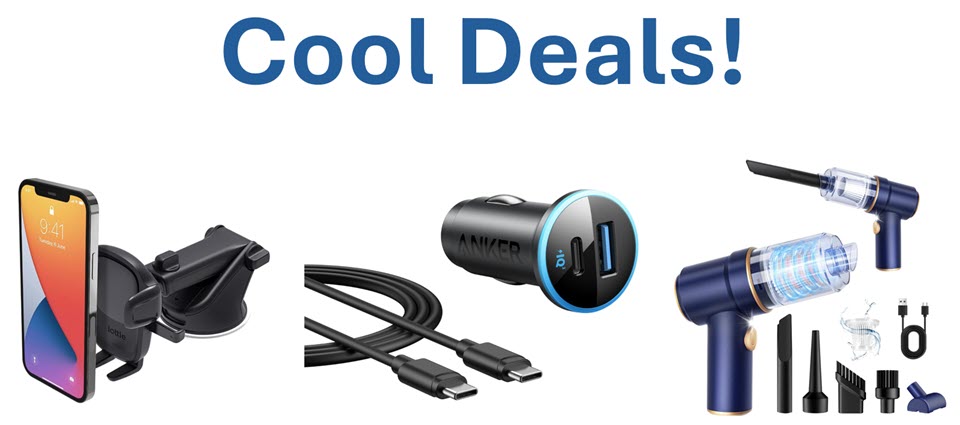
Look at these Cool Products:
|
-
📱 iOttie Easy One Touch 5 Dashboard Mount: Keep your "Patty Blaster" navigation safely at eye level with this secure, telescopic phone mount. Save 32% $16.99 Check it out on Amazon!
-
🔋 Anker 52.5W Cigarette Lighter USB Charger: Charge your phone and a passenger's tablet simultaneously at high speed so you never lose your map mid-trip. Save 29% $14.24 Check it out on Amazon!
-
🧹 KMM Handheld Car Vacuum Cleaner: Clean up the road trip crumbs quickly with this compact, high-power vacuum. Save 22% $35.99 Check it out on Amazon!
Prices accurate at time of publication
| | |
🆒Tell Me More
-
Celebrity Voices: Waze introduced celebrity voices in 2013, starting with Kevin Hart. Since then, they have featured everyone from Arnold Schwarzenegger to Morgan Freeman.
-
Community Maps: Unlike Apple or Google Maps, Waze relies heavily on user-generated data. 500,000 volunteer map editors update roads globally.
-
Waze Carpool: Waze once had a dedicated carpooling app to connect commuters, but Google shut it down in 2022 to focus on the main navigation experience.
⏩Quick Tips
- ⛽ Find Cheap Gas: Tap the search bar and select the Gas Pump icon to see a list of nearby stations sorted by price.
- 📅 Plan Your Drive: Tap "My Waze" > "Plan a drive" to see traffic predictions for future departure times and sync with your calendar.
- 👻 Go Invisible: Tap your profile name and toggle "Go Invisible" so your friends cannot see your location on the map.
- 🎵 DJ the Drive: Tap the music note icon on the map to control Spotify, YouTube Music, or Audible directly inside Waze.
- 🏍️ Motorcycle Mode: Go to Settings > Vehicle details and select "Motorcycle" to get routing optimized for two wheels.
| | ✅ More Must-Read Tech Tips | |
|
📄 Try these Cool Waze Tips:
-
Share ETA: Keep friends updated automatically. Tap "Share Drive" at the bottom of your active route to send a live tracking link to your contacts.
-
Planned Drives: Arrive on time, every time. Tap "My Waze" > "Plan a drive" to see traffic predictions for future times and sync with your calendar.
-
Music Control: DJ without leaving the map. Tap the music note icon on the main map to connect Spotify, Amazon Music, Apple Music, or Audible directly within Waze.
-
Invisible Mode: Drive without being seen. Tap "My Waze" > your name > toggle "Go Invisible" to hide your icon from other Wazers on the map.
-
Avoid Tolls: Save money on your route. Go to Settings > Navigation and toggle "Avoid toll roads" to force Waze to find free alternatives.
-
Motorcycle Mode: Get better routes for bikes. Go to Settings > Vehicle details > Vehicle type and select "Motorcycle" for routes that optimize for two wheels.
-
Voice Commands: Keep your hands on the wheel. Enable "Google Assistant" in settings and say "OK Google, report traffic" to submit alerts hands-free.
-
Speedometer: Watch your speed. Go to Settings > Map display > Speedometer to show your current speed and get alerts when you exceed the limit.
-
Clean Map: Remove the clutter. Go to Settings > Map display > Reports and turn off specific icons (like "Map chats" or "Potholes") if the screen feels too busy.
| |
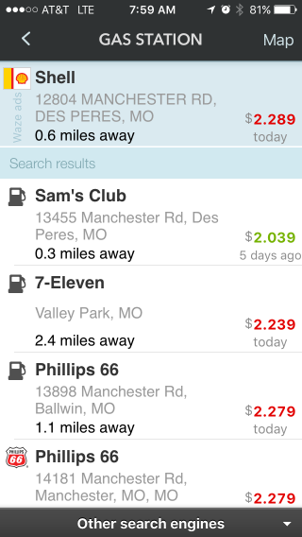
👀 How Do I Find the Best Gas Prices on Waze?
Waze isn't just for navigation! Discover how to use this powerful app to find the cheapest gas near you, and how you can contribute to the community by reporting gas prices yourself.
We've told you how the Waze app can help you navigate your next drive by avoiding congestion, police and road hazards.
But it's also a great way to find the best gas prices too.
Here's how to do it. On the Android and iOS mobile apps:
-
Open the Waze app.
-
Tap the Where to? search at the bottom of the screen.
-
Tap on Gas
- View nearby gas stations and prices. You'll see the gas brand names and current prices as well as the distance to the station.
-
Tap Go to navigate to the gas station.
Discover more HERE.
| | |
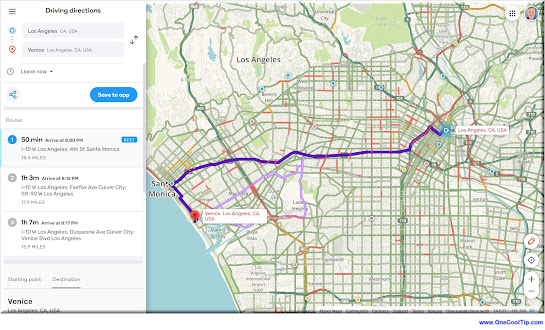
🤔 Have You Ever Wondered How to Use Waze on the Web?
Did you know that you can use Waze on a PC?
Access real-time traffic updates, find gas stations, report hazards, and even earn points - all without draining your phone's battery or squinting at a tiny screen.
How to Navigate with Waze Web:
-
Head to: www.waze.com on your desktop or laptop.
-
Allow Location: Waze needs to know where you are to show you relevant traffic and directions.
-
Enter your destination and choose your preferred route.
- Waze on the Web shows real-time traffic conditions so you can avoid jams and choose the fastest path.
-
See live traffic updates, accidents, police traps, and even gas prices along your route.
-
Report hazards, accidents, and road closures to help other drivers on the road.
-
Save your driving route instructions to your mobile phone Waze app by selecting the "Save to app" button.
Use Waze on the Web on your laptop to research the best route, avoid construction zones, and find gas stations along the way.
Find out more HERE.
| | |
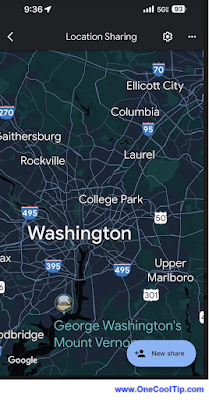
🙋♂️ Here's How to Share Your Location with Google Maps.
What if you could share your exact location and Estimated Time of Arrival (ETA) with just a tap on your smartphone?
- Open Google Maps (iPhone / Android)
- Make sure you're signed in to your Google account.
- Turn on your location services if it’s not already enabled.
- Located at the top right corner, tap on your profile picture.
- Choose Location Sharing.
- Select New Share.
- Choose how long you want to share your location and whom to share it with.
- Tap Share to send your location.
Learn more HERE.
| | |
❓Did you share this newsletter with three friends yet?
😎 Cool Facts
-
180 Million: The number of monthly active users on Waze as of late 2022. Source.
-
$1.3 Billion: The amount Google paid to acquire Waze in 2013. Source.
-
180+ Countries: The number of countries where Waze is currently available and supported by local map editors. Source.
⌨️Today's Cool Keyboard Shortcuts
These shortcuts work on the Waze Live Map (web version).
-
Arrow Keys: Pan around the map without clicking and dragging.
😜 Tech Joke of the Day 😅
Why did SpongeBob become a navigation voice?
He already lives under constant pressure.
🔎 Do you have a Cool Tip or tech question? Email us at onecooltip.com@gmail.com.
| | |
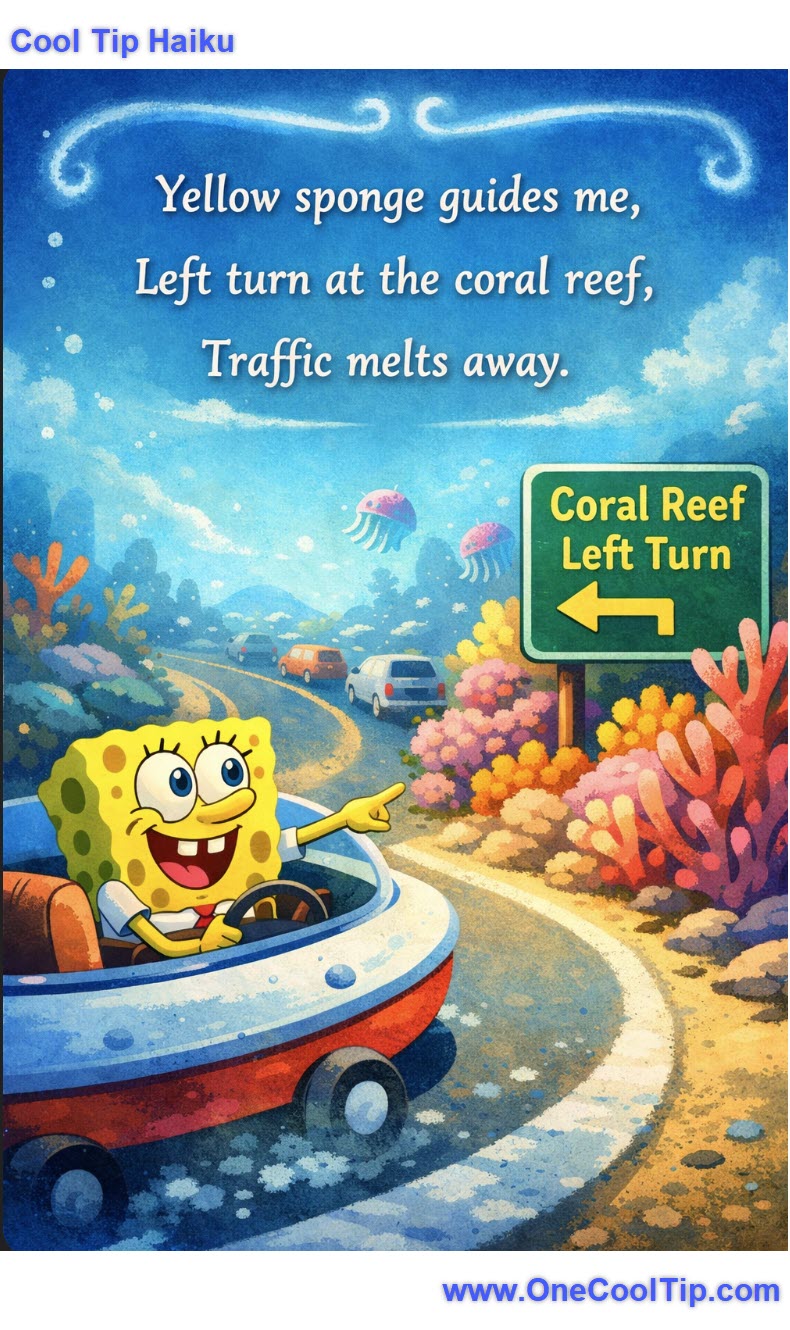
Yellow sponge guides me,
Left turn at the coral reef,
Traffic melts away.
| |
| 🤔 Which character would you most want guiding your commute? | | | | Did You See These Cool Tips This Week? | | | | Send Messages Later on iPhone | |
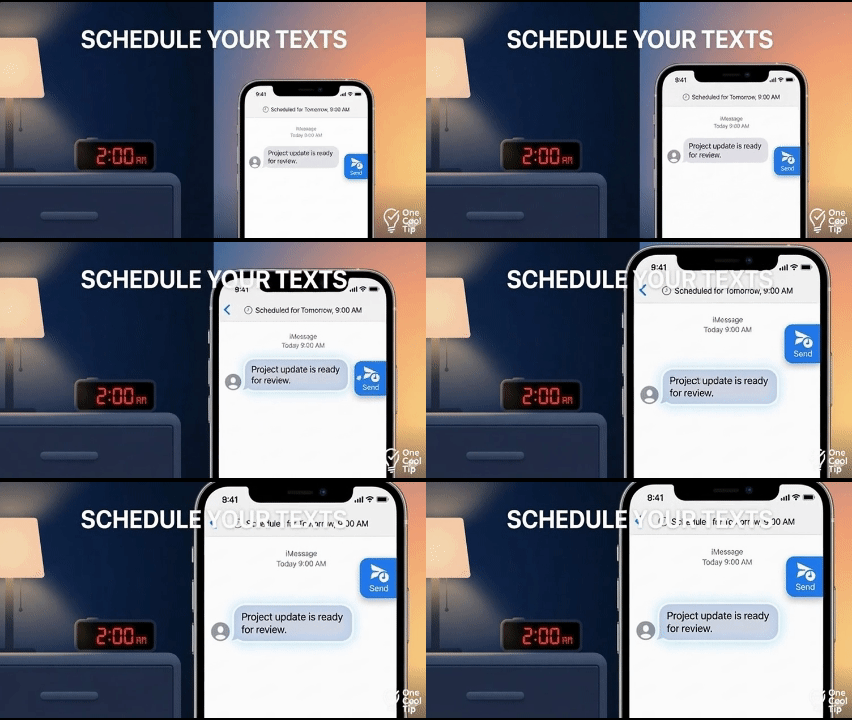
Scheduling a text helps you stay organized and communicate on time without setting reminders. This feature in iOS lets you write a message now and deliver it automatically at the best moment.
Read the Newsletter Version
| | | | “Hey Copilot” on Windows 11: Hands-Free Help That Actually Saves Time | |
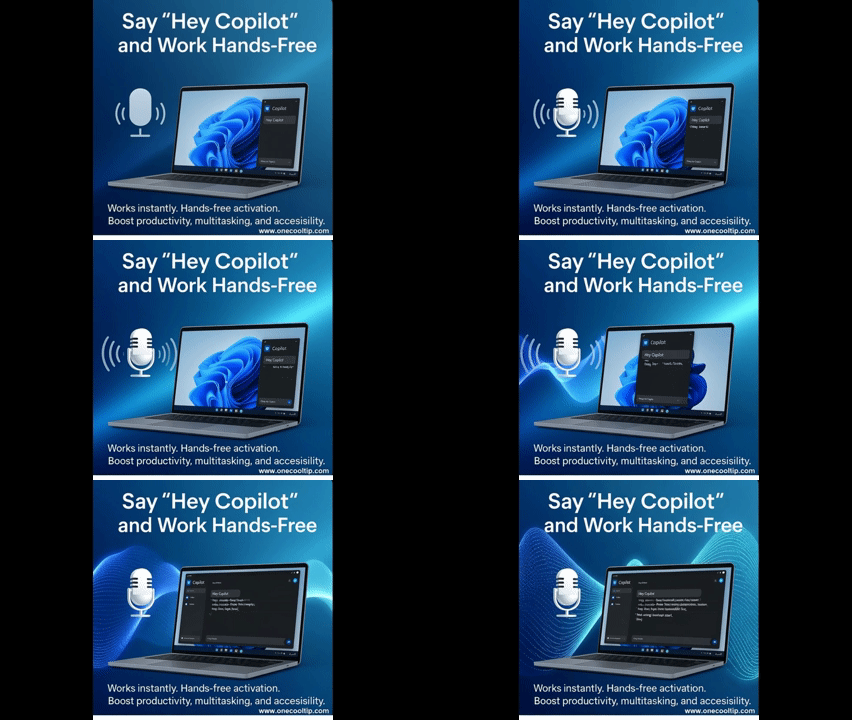
Get quick answers, launch apps, and draft content by saying “Hey Copilot.” Here’s how to turn it on and use it well.
Read the Newsletter Version
| | ICYMI - In Case You Missed It ... | | | | New “Save as Project” in Windows 11 Paint | |
Microsoft Paint just got a big upgrade. You can now save your artwork as editable project files, not just flat images. This means you can reopen and tweak your creations later, just like you would in Photoshop.
Read the Newsletter Version.
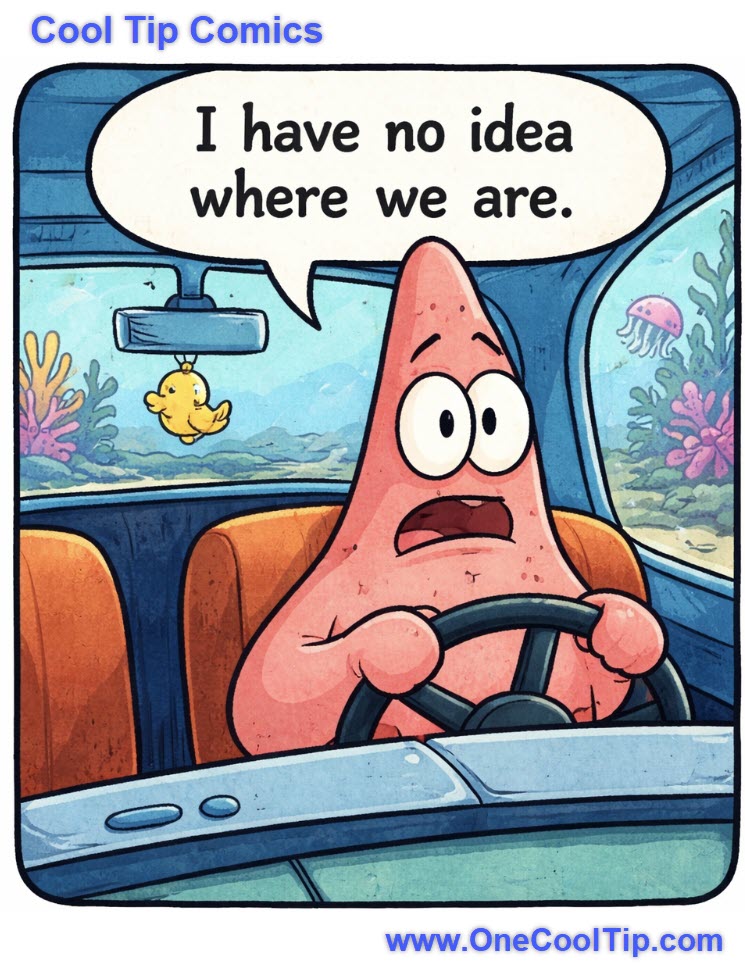
| | Patrick needs SpongeBob... On Waze! | | |
Trivia Answer: C) Waze Mobile
Waze Mobile was founded in Israel in 2009. Google acquired the company in 2013 for about $1.1 billion, integrating its real-time traffic data into Google Maps.
This acquisition helped Google strengthen its navigation ecosystem and crowd-sourced traffic reporting.
----------
Tomorrow's Cool Tip is waiting to amaze you.
Until then, go forth and conquer the tech world with your newfound knowledge!
Be sure to visit www.OneCoolTip.com for Cool Tech Tips for a Cooler Life!
And if you Like One Cool Tip, please support with TipJar!
Enjoy!
Rodger
Chief Cool Tipper
onecooltip.com@gmail.com
| |
| What do you think of today's OneCoolTip newsletter? | | | |
Please Share the One Cool Tip Newsletter!
You asked for it. You got it. There is now a One Cool Tip Newsletter archive. Did you delete a newsletter and want to read it again? Check it out HERE.
Want to help One Cool Tip grow? Please forward this email using the link above. And if you see an OCT social media post, please LIKE, COMMENT and SHARE!
Have you subscribed to the One Cool Tip YouTube channel? Subscribe HERE.
| | Connect with One Cool Tip!! | | |
|
As an Amazon Associate, One Cool Tip may earn a small commission from qualifying purchases.
Our media content is intended solely for informational purposes only. Please do not construe anything here as legal, tax, investment, financial, marital or other advice.
Copyright © 2025 | www.OneCoolTip.com | All Rights Reserved
|
| | | |